
CMD Macro PUBG — setup and launch
Preparation, activation and important details for CMD Macro PUBG.
A concise Ravzino guide. Follow only the procedure for your edition; if the supplied build differs, check its current materials before activating the key.
Steps to follow
- Check enabled VT-x/SVM with LeoMoon CPU-V. BIOS changes require a reboot. This edition provides recoil compensation; Full/YQ visuals do not apply.
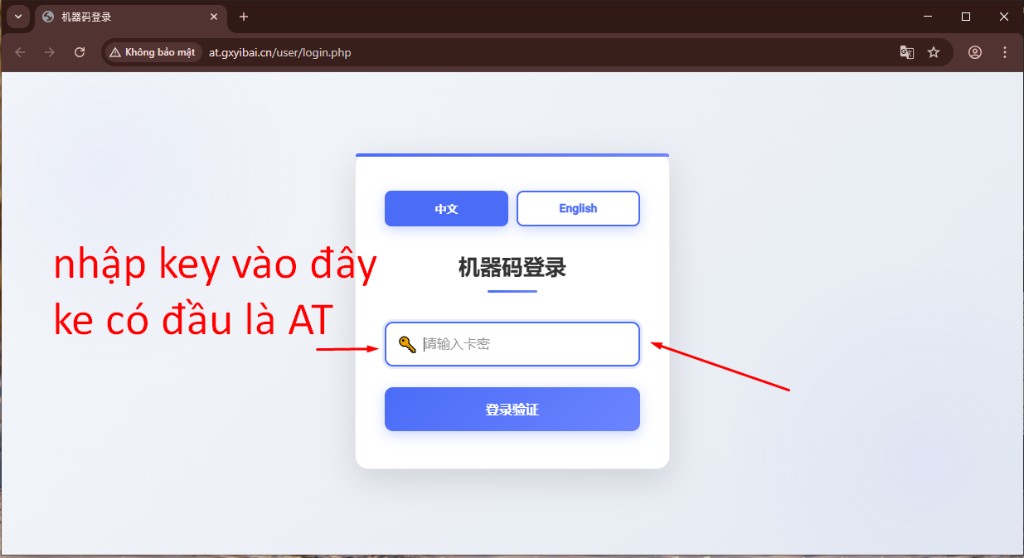
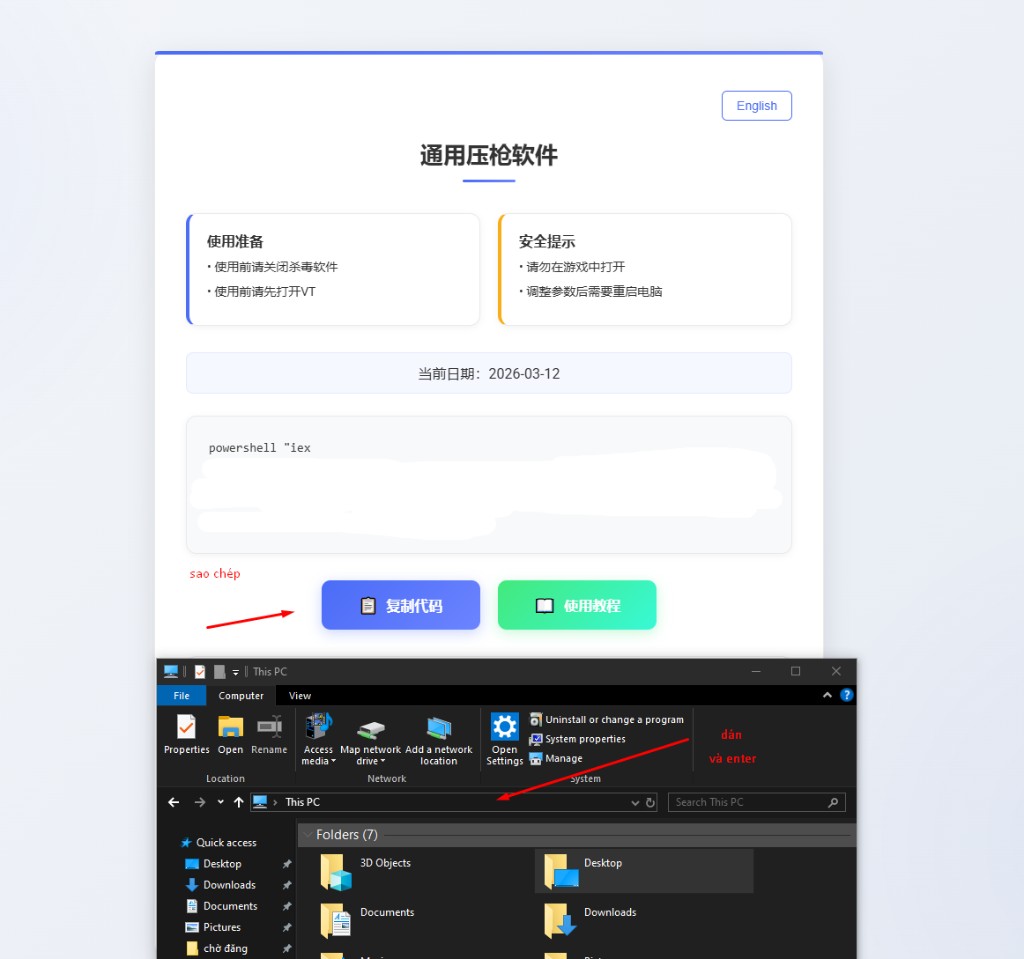
- Open at.gxyibai.cn and sign in with your AT… key. Downloads and settings are on the same page. Copy the PowerShell command and paste it into the folder-path address bar of File Explorer opened at This PC; do not use its search box or Win+R for this step.
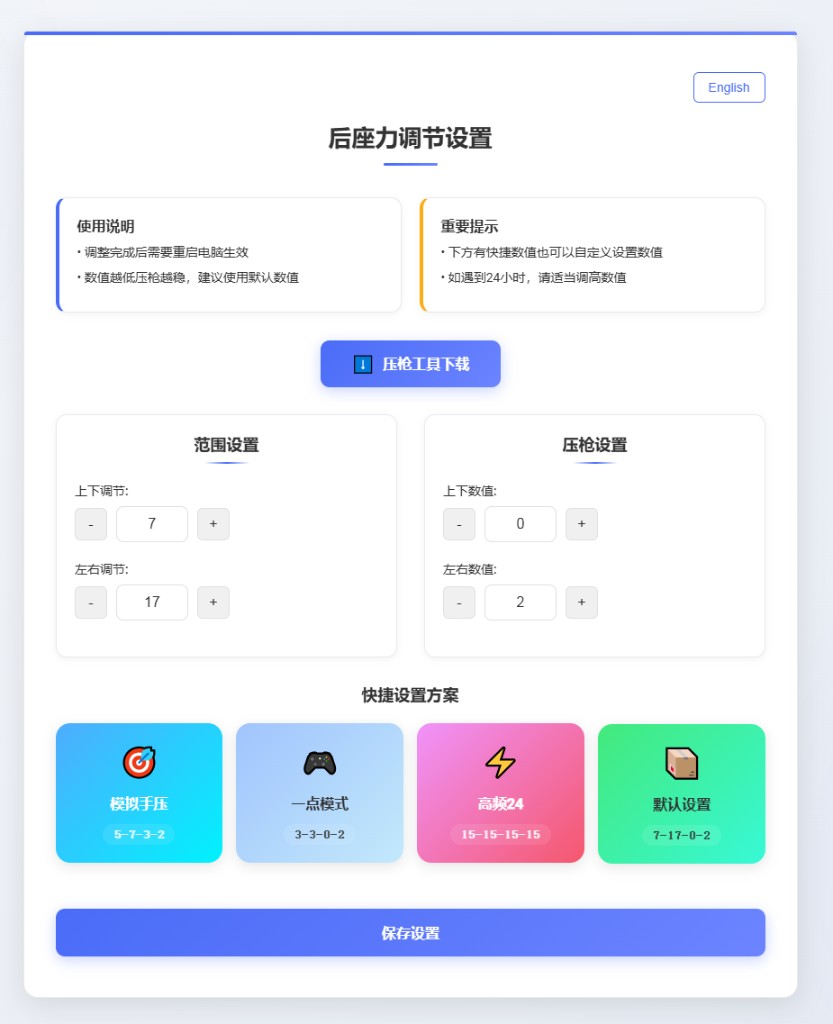
- Wait for the subscription expiry time. Set vertical/horizontal ranges or presets in the panel, save them and reboot if the interface requests it.
- Do not open the panel during play. Follow its instructions if it warns about account restrictions; the source lists security software and the firewall as conflicts.
Files and additional materials
External manuals may use another language. Downloading a file does not establish its safety or compatibility.
Illustrations and videos
Matching products
Related catalog materials
These products may have separate primary guides. Check the link on their product page.