
Fecurity — setup and launch
Preparation, activation and important details for Fecurity.
A concise Ravzino guide. Follow only the procedure for your edition; if the supplied build differs, check its current materials before activating the key.
Steps to follow
- Use Intel from the 6th generation or AMD Ryzen 3000 and newer. Prepare Medal.TV or Discord Overlay and windowed/borderless mode. USB launch is required if your supplied build specifies it. Normal launch and separate spoofer preparation are different procedures.
- Close the game, start the chosen overlay, open the Fecurity launcher and paste the key. Wait for checking and a PC reboot. Do not start the game before fully signing into Windows.
- After reboot, make sure the overlay is running again, then open the game in Windowed/Borderless. Delete is the primary menu key; check Home and Insert if it does not respond.
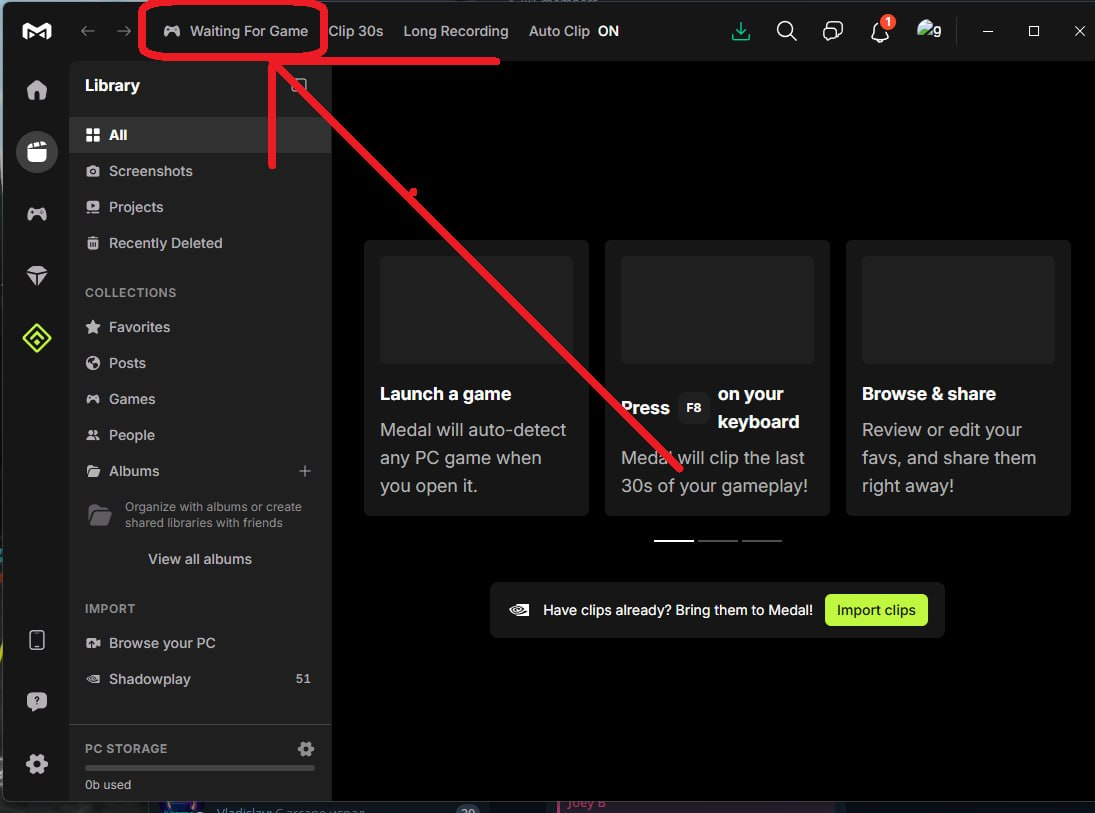
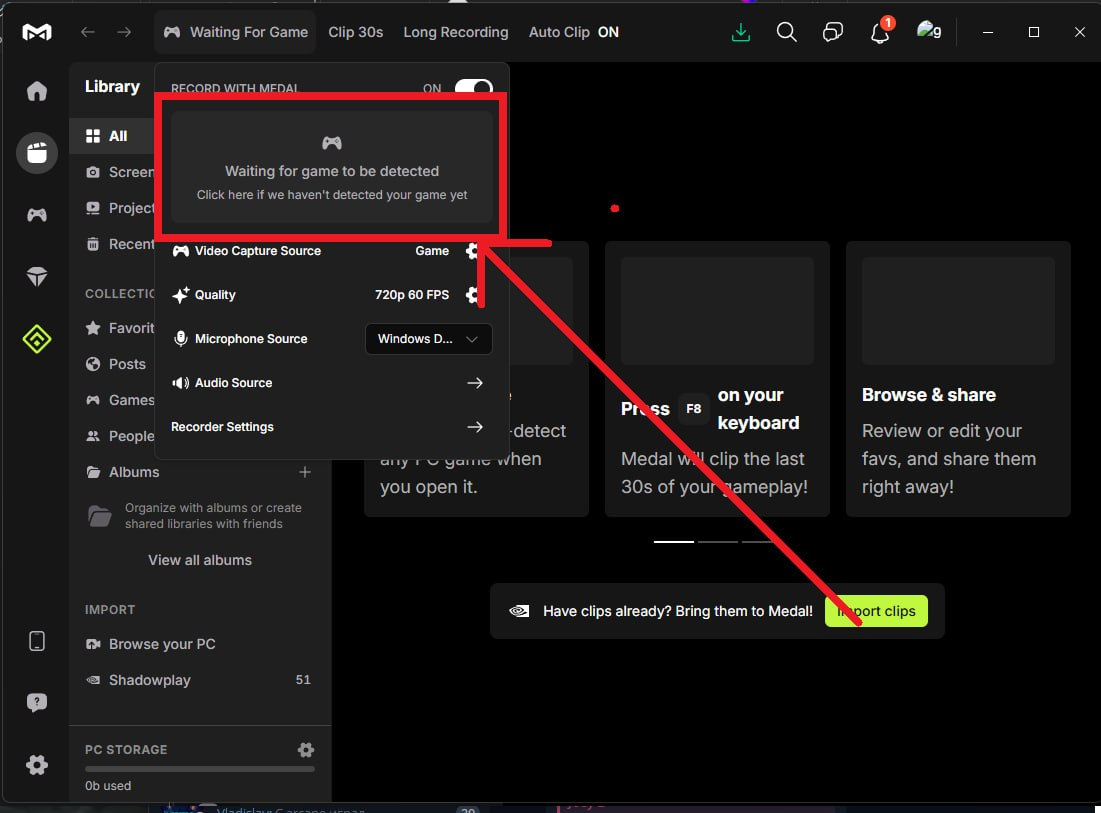
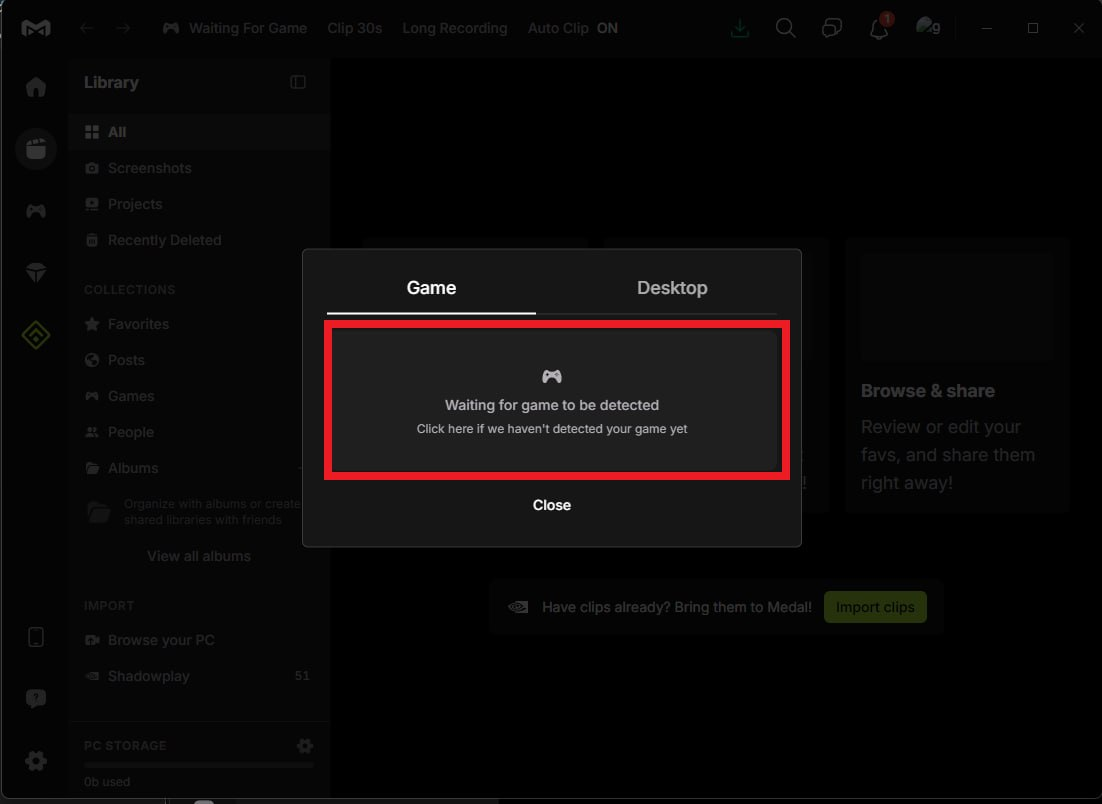
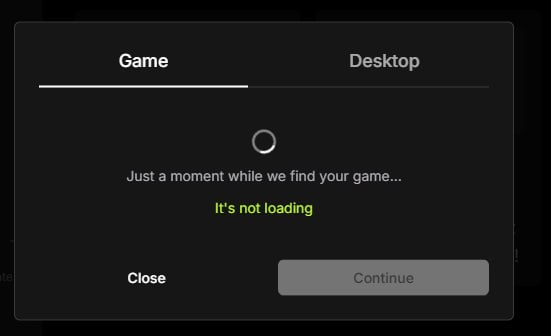
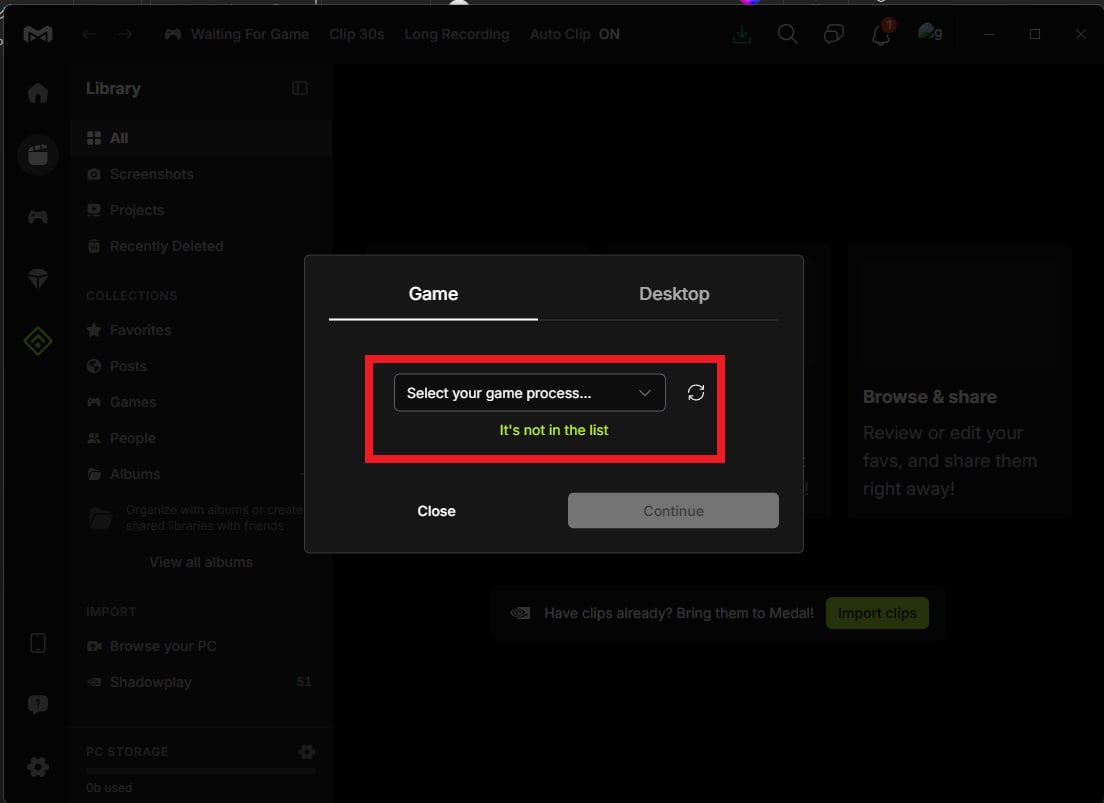
- If Medal stays at Waiting For Game, open the waiting card → Game → It’s not loading → Select your game process…. Select the EXE for your running game, refresh the list if needed and select Continue.
- Perform the spoofer procedure only when needed and using your build's technical materials. For a PIN/Hyper-V message, use the separate guide while preserving Windows recovery options.
Files and additional materials
External manuals may use another language. Downloading a file does not establish its safety or compatibility.
- Arena Breakout
- Apex Legends
- Battlefield (6, 2042, V, 1)
- BattleBit
- Call of Duty
- Counter Strike 2
- Dead by Daylight
- Fortnite
- Squad
- Unturned
- War Thunder
- Rogue Company
- Insurgency: Sandstorm
- Deadside
- Escape from Tarkov
- Escape from Tarkov: Arena
- Dark and Darker (D&D)
- PUBG
- The Finals
- GrayZone Warfare (GZW)
- Delta Force Builds
- ARK RAIDERS
- WAR DOGS
- Modern Warfare 4 (2026)
- Official built-in spoofer guide
- Fecurity launch options
- Disable Fast Boot and hibernation
- Reference · /guides/spoofer-hardware-checklist/
Illustrations and videos
Matching products
- Fecurity for ARC Raiders
- Fecurity for Arena Breakout: Infinite
- Fecurity for BattleBit Remastered
- Fecurity for Battlefield V
- Fecurity for Battlefield 1
- Fecurity for Battlefield 2042
- Fecurity for Dark and Darker
- Fecurity for Delta Force
- Fec Bf6 for Battlefield 6
- Fecurity for Apex Legends
- Fecurity for EFT Arena
- Fecurity for Black Ops 6
- Fecurity for BloodHunt
- Fecurity for Call of Duty: Black Ops 7
- Fecurity for Dead by Daylight
- Fecurity for Deadside
- Fecurity for Escape from Tarkov
- Fecurity for Fortnite
- Fecurity for Gray Zone Warfare
- Fecurity for Modern Warfare 4 / Warzone
- Fecurity for PUBG: Battlegrounds
- Fecurity for ROB RUN
- Fecurity for WARDOGS
- Fecurity for Call of Duty: MW2 / DMZ
- Fecurity for COD: Modern Warfare 3
- Fecurity for Rogue Company
- Fecurity for SQUAD
- Fecurity for THE FINALS
- Fecurity for Unturned