FOCUS Windows — setup and launch
Preparation, activation and important details for FOCUS Windows.
A concise Ravzino guide. Follow only the procedure for your edition; if the supplied build differs, check its current materials before activating the key.
Steps to follow
- This is Windows preparation for FOCUS except Roblox External and Account Manager, which have separate procedures. Compare the OS with your product page.
- The source requires FACEIT Anti-Cheat, Riot Vanguard and other conflicting anti-cheats to be absent. Reboot after removal; their games may stop launching until the components are restored.
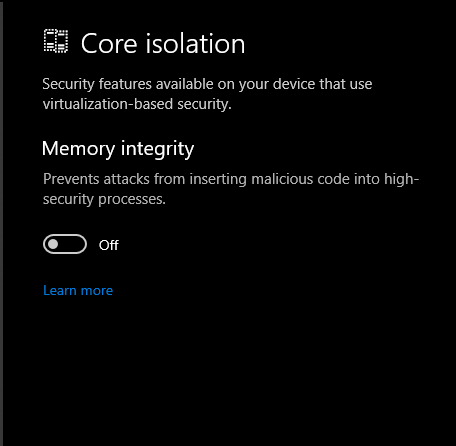
- Windows Security → Device security → Core isolation specifies disabled Memory integrity/HVCI and Microsoft vulnerable driver blocklist. Listed disabled Windows features are Hyper-V, Windows Hypervisor Platform, Virtual Machine Platform, Windows Sandbox and Microsoft Defender Application Guard; VBS must also be inactive.
- The source specifies bcdedit /set hypervisorlaunchtype off in an administrator terminal to disable hypervisor startup. Reboot after changing it. Hardware VT-x/AMD-V in BIOS must remain enabled.
- On error, save the order number, edition, Windows build and exact message. Do not include the license key in public messages.
Files and additional materials
External manuals may use another language. Downloading a file does not establish its safety or compatibility.
Illustrations and videos