Portal Permanent Spoofer — setup and launch
Preparation, activation and important details for Portal Permanent Spoofer.
A concise Ravzino guide. Follow only the procedure for your edition; if the supplied build differs, check its current materials before activating the key.
Steps to follow
- This is a separate one-time procedure with an individual build. Repeating it may undo the result. Before starting, agree the exact motherboard, current firmware, disks and build-specific procedure with support.
- The source requires a clean Windows 10/11 installation with disk partitions removed, disabled TPM/fTPM and no Vanguard/EAC/BE/Ricochet. diskpart clean irreversibly removes the selected disk's partition layout: back up data onto a separate disconnectable device and verify recovery first.
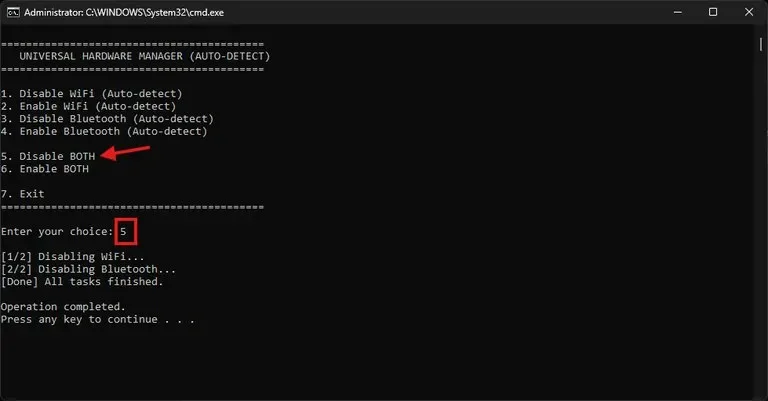
- Secure Boot must be disabled. Do not install games with anti-cheats before completing the procedure. The source specifies disabled Wi-Fi/Bluetooth and VPN use during the first week; check these build-specific conditions before starting.
- BIOS, RAID and hardware preparation depends on the manufacturer. Use firmware only for the exact motherboard model and verify its version/date in msinfo32 afterwards. Do not use another model's firmware or identical settings for every board.
- Run the individual build once in the agreed sequence after preparation. Compare values before/after and again after reboot. A changed identifier alone does not prove that a game ban was removed.
- If results differ from the instructions, stop repeated attempts and report the stage and readings to support. This short checklist does not replace the developer's mandatory individual procedure.
Files and additional materials
External manuals may use another language. Downloading a file does not establish its safety or compatibility.
- Microsoft — Windows 10
- Microsoft — Windows 11
- ASUSBIOS reflash →
- ASROCKBIOS reflash →
- GIGABYTEBIOS reflash →
- LENOVOBIOS reflash →
- MSIBIOS reflash →
- ASUS Intel 00:00 · AMD 01:20 ▶
- MSI Intel 00:00 · AMD 01:05 ▶
- ASRock Intel 00:00 · AMD 01:35 ▶
- Gigabyte Intel 00:00 · AMD 01:50 ▶
- ASUSVideo →
- MSIVideo →
- ASRockVideo →
- GigabyteVideo →
- Reference · cloud.mail.ru
- archive with the apps
- Reference · /guides/spoofer-hardware-checklist/
Illustrations and videos