Recommended
Buy private cheat Arcane Hunger
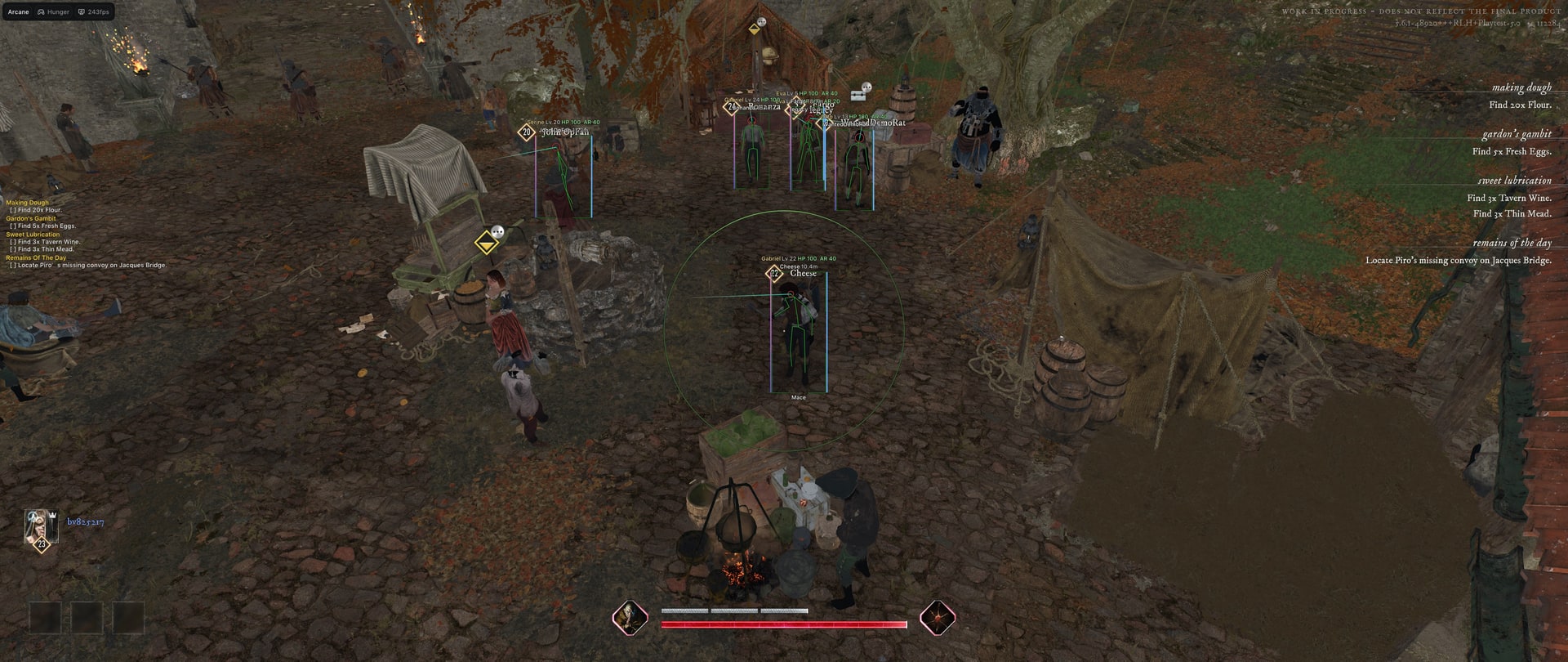
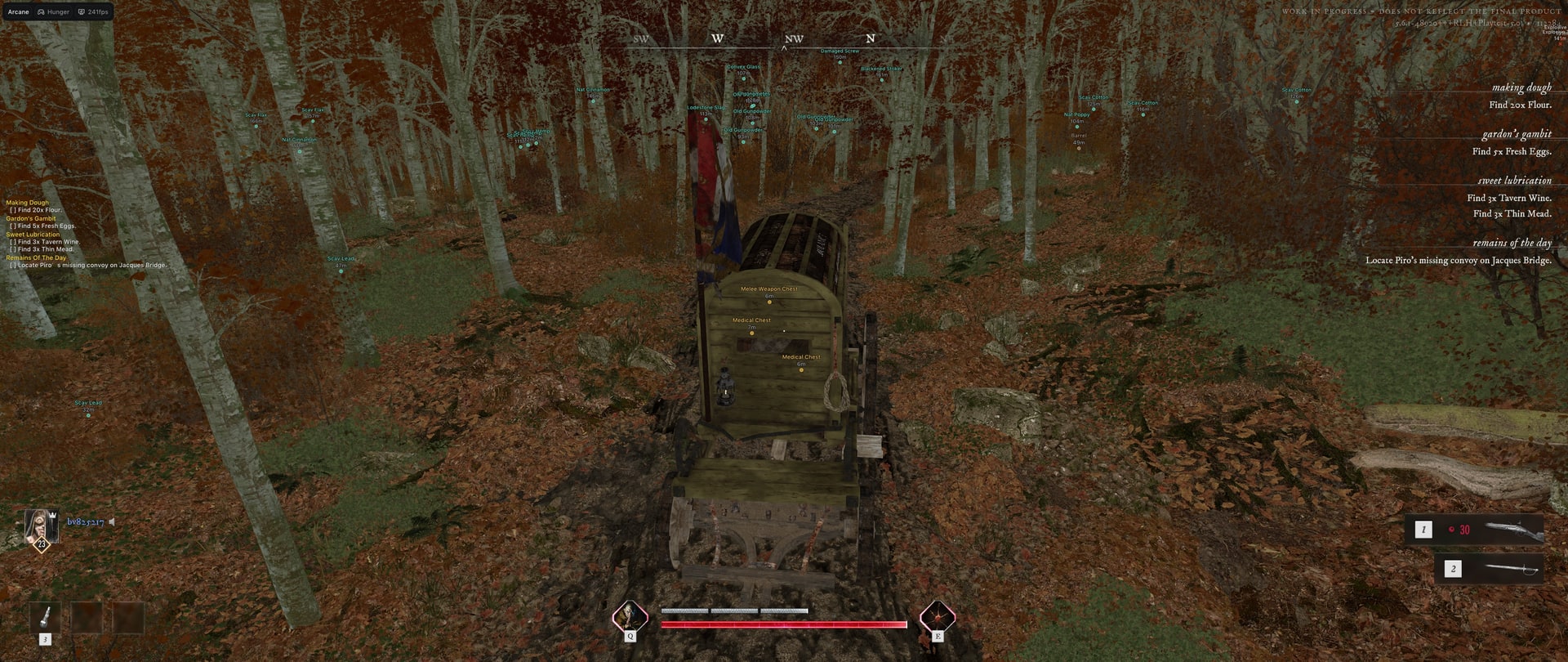
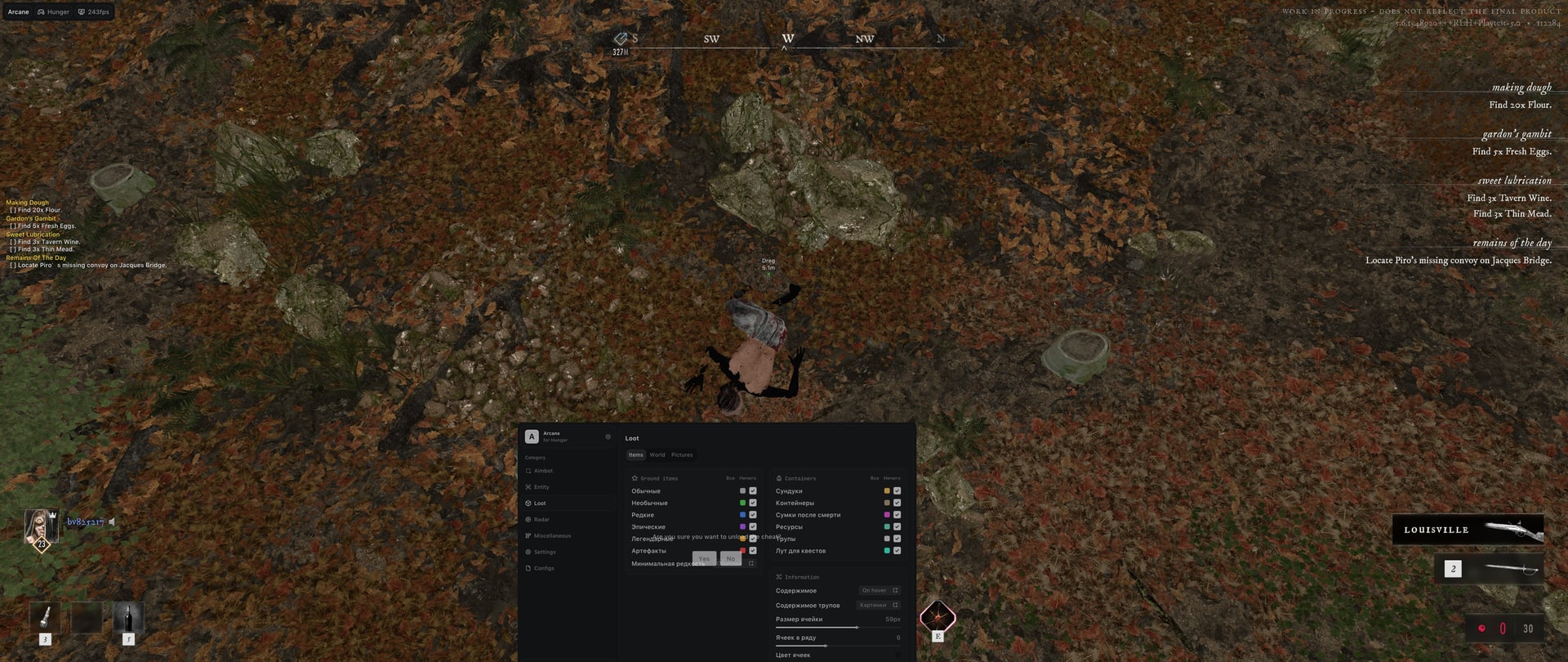
Private cheat Arcane Hunger — sleeping player ESP, aiming controls and quest information. Also included: extraction display and resource display. Client: Steam.
Compatibility
- processor
- Intel, AMD
- graphics card
- All
- operating system
- Windows 10, Windows 11
- game mode
- Borderless, Windowed
- client
- Steam
- launcher
- Steam, Epic Games
- spoofer required
- Not included
- usb drive required
- Not required
Features
Aimbot
- Enable
- Keybind
- Force aim key
- Lock target
- Shift to head
- Visibility check
- Ignore teammates
- Max distance
- Prediction: (Fallback bullet speed)
- Prediction cross: (Cross size)
- Target switch delay: (Delay)
- Humanization system: (Humanization factor)
- Target: (Players, Bots, Mobs)
- Bone selection method: (Selected bones, Closest bone)
- Target bones: (Head, Neck, Body, Pelvis...)
- Activation: (On hold, Always, Toggle)
- Adaptive FOV
- Draw FOV Border: (Thickness)
- Draw FOV Background
- FOV Size
- Smoothness
Players & Bots ESP
- Bounding box: (Box, Corner)
- Box Filled: (Static, Gradient)
- Skeleton: (Thickness)
- Head circle: (Filled head circle)
- Visibility check: (Visible color, Invisible color)
- View line: (Line start color, Line end color)
- Line: (Top of screen, Bottom of the screen, Center of the screen)
- Nickname
- Distance
- Hero
- Level
- Weapon in hands
- Health bar: (Static, Health based, Gradient)
- Health text
- Armor bar
- ESP preview
- ESP style: (No background, With background)
- Show teammates
- Rendering Distance
Mobs ESP
- Bounding box: (Box, Corner)
- Box Filled: (Static, Gradient)
- Skeleton: (Thickness)
- Head circle: (Filled head circle)
- Visibility check: (Visible color, Invisible color)
- View line: (Line start color, Line end color)
- Line: (Top of screen, Bottom of the screen, Center of the screen)
- Name
- Distance
- State: (Combat color, Targeting you color)
- Health bar: (Static, Health based, Gradient)
- Health text
- ESP preview
- ESP style: (No background, With background)
- Hide sleeping
- Rendering Distance
Item ESP
- Ground items: (Common, Uncommon, Rare, Epic...)
- Minimum rarity: (Common, Uncommon, Rare, Epic...)
- Chests
- Containers
- Death bags
- Resources
- Corpses
- Quest loot
- Contents: (None, On hover, All)
- Contents view: (Text, Pictures)
- Cell size
- Cells per row
- Hide empty
- Color by rarity
- Show Distance
- Rendering Distance
World ESP
- Extraction points: (Max distance)
- Quest items
- Quest objectives
- Quest list on screen
- Explosive traps
- Sound traps
- Poison areas
- Raid timer
- Show Distance
- Rendering Distance
Item pictures
- Item style: (Text, Picture, Text + Picture)
- Picture source: (Silhouette, Image)
- Picture size
- Picture opacity
- Picture outline
- Outline shape: (Contour, Box)
- Outline style: (Static, Rainbow)
- Outline thickness
Radar
- Enable
- Distance rings
- FOV cone
- Scale by distance
- Zoom
- Size
- Transparency
- Entities: (Players, Bots, Mobs, Items...)
- Max distance
- Show on rim
Off-screen
- Enable
- Targets: (Players, Bots, Mobs, Extraction points)
- Range
- Size
- Max distance
Player Exploits
- FOV changer: (FOV value)
- Big player: (Player size)
- No camera shake
- Infinite stamina
- Infinite energy
- Free camera: (Free camera key, Camera speed, Camera boost, Camera boost key...)
View Exploits
- Fullbright: (Unlit, Detail lighting, Lighting only, Wireframe)
- No screen effects
Weapon Exploits
- No recoil
- No spread
- No sway
- Instant ADS
- No shot smoke
- Auto fire mode: (Hold key, Reload time)
- Fast reload: (Reload speed)
- Fast weapon switch: (Switch speed)
- Fast melee: (Attack speed)
- Melee reach: (Max reach, Auto target nearest visible, Auto attack, Attack interval)
Settings
- Menu key
- Unload key
- Enable Crosshair: (Plus, Circle, Dot, X Cross...)
- DPI Scale: (100%, 125%, 150%)
- VSync
- FPS Limit
- Theme: (Murky, Sunny)
- Watermark
- Layout: (Two columns, One column)
- Language: (English, Russian, Chinese)
Battle mode
- Battle mode
- Battle mode key
- Activation: (Toggle, On hold)
- Hide bots
- Hide mobs
- Hide items
- Hide world objects
- Hide items on radar
Configs
- Create new
- Launch
- Save
- Edit name
- Remove
Setup and launch
Check the launch procedure for this exact edition before activating the key.
Open launch guide