Recommended
Buy private cheat Arcane for WARDOGS
Private cheat Arcane for WARDOGS — structure display, aiming controls and NPC display. Also included: night visibility and minimap. Client: Steam.
Compatibility
- supported game version
- Steam
- Game mode
- Windowed / Borderless
- Operating system
- Windows 10–11 (26H1, 26H2) x64 (1903 to the latest build)
- RAM
- 12 GB or more
- processor
- Any
- graphics card
- Any
- auto update
- Yes; no manual updates are required after patches
Features
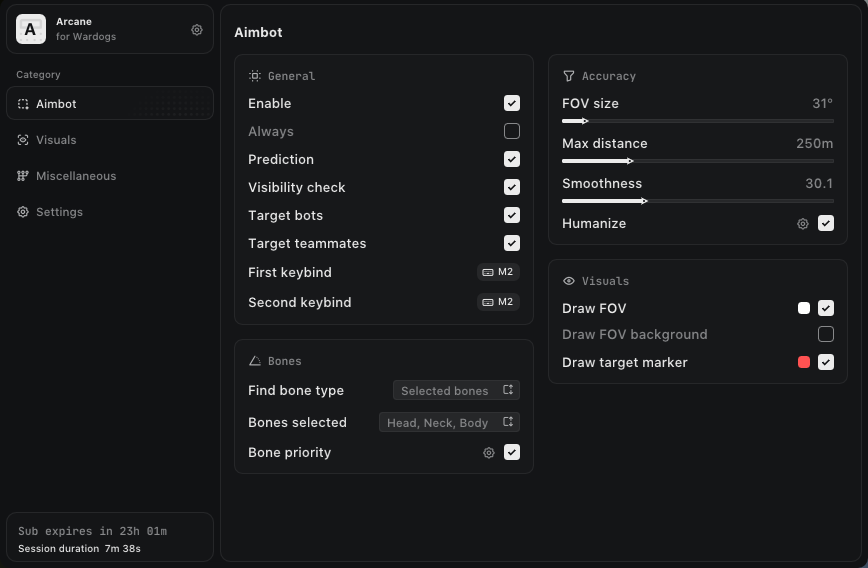
Aimbot
- Enable
- Activation key (Keybind)
- Force aim key (Force aim keybind)
- Target movement prediction (Prediction)
- Type: (Vector, pSilent, Silent)
- Mode: (Always, While held)
- Targets: (Players, Bots, Allies, Knocked)
- Bone selection: (Selected, Nearest, Random) (Find bone type)
- Bones: (Head, Neck, Chest, Pelvis...)
- Bone priority
- Bone lock (Bone freeze)
- Aim zone size (FOV Size)
- Dead zone
- Adaptive aim zone (Adaptive FOV)
- Show aim zone (Draw FOV)
- Aim zone background (Draw FOV Background)
- Show target marker (Draw target marker)
- Target switch delay
- Bone switch delay
- Aim smoothness (Smoothness)
- Human-like aiming simulation (Humanize)
- Hit chance
- Visibility check
- Maximum distance (Max distance)
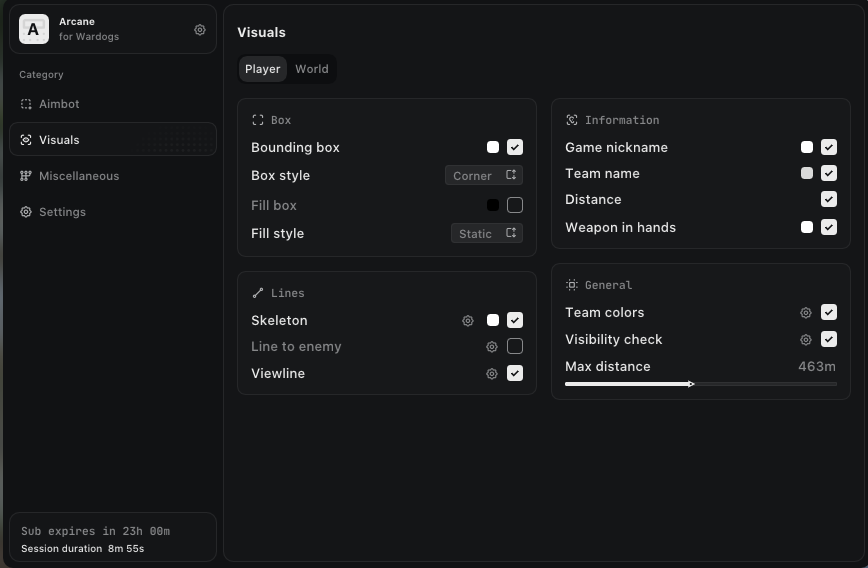
Player ESP
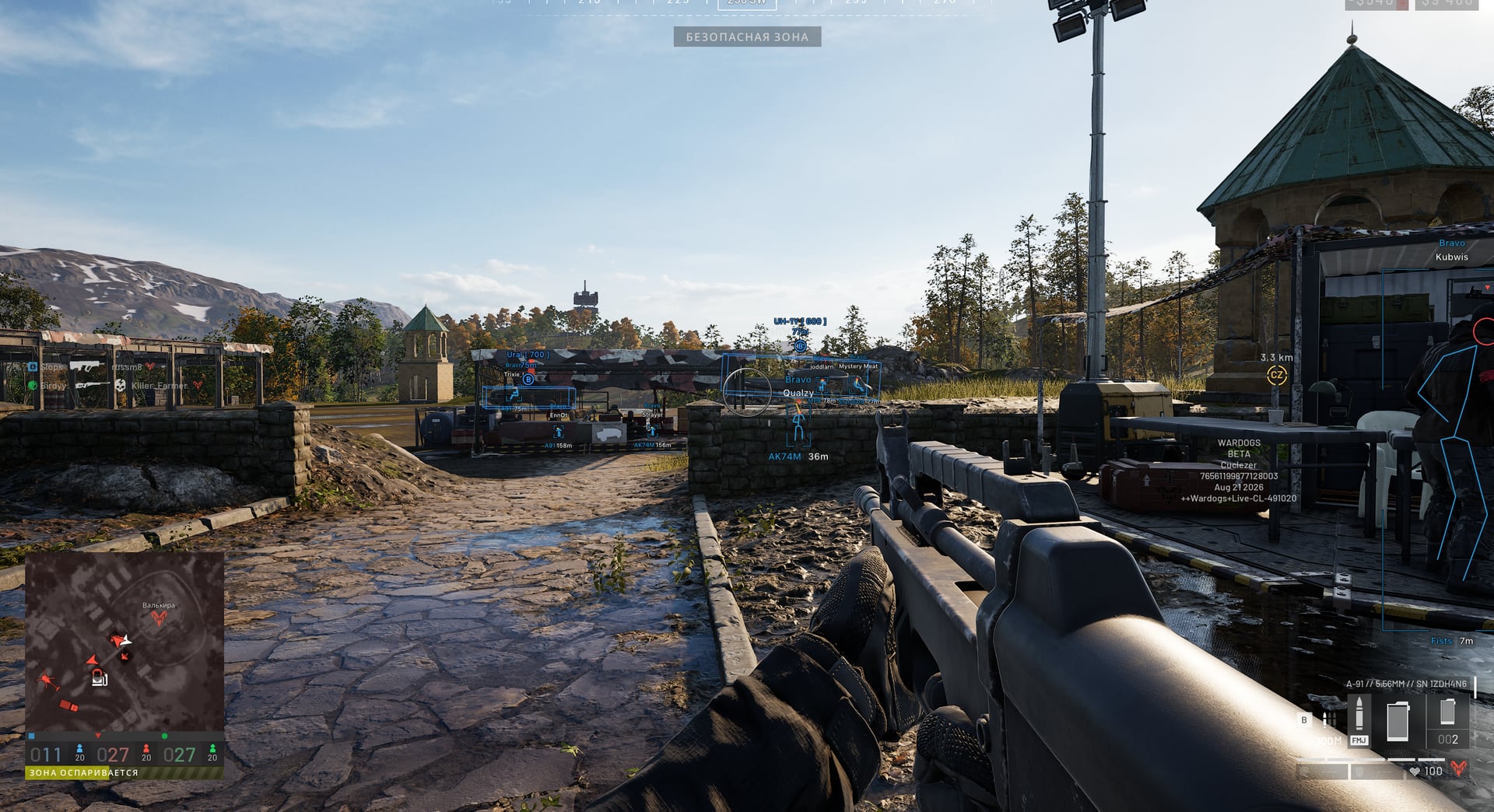
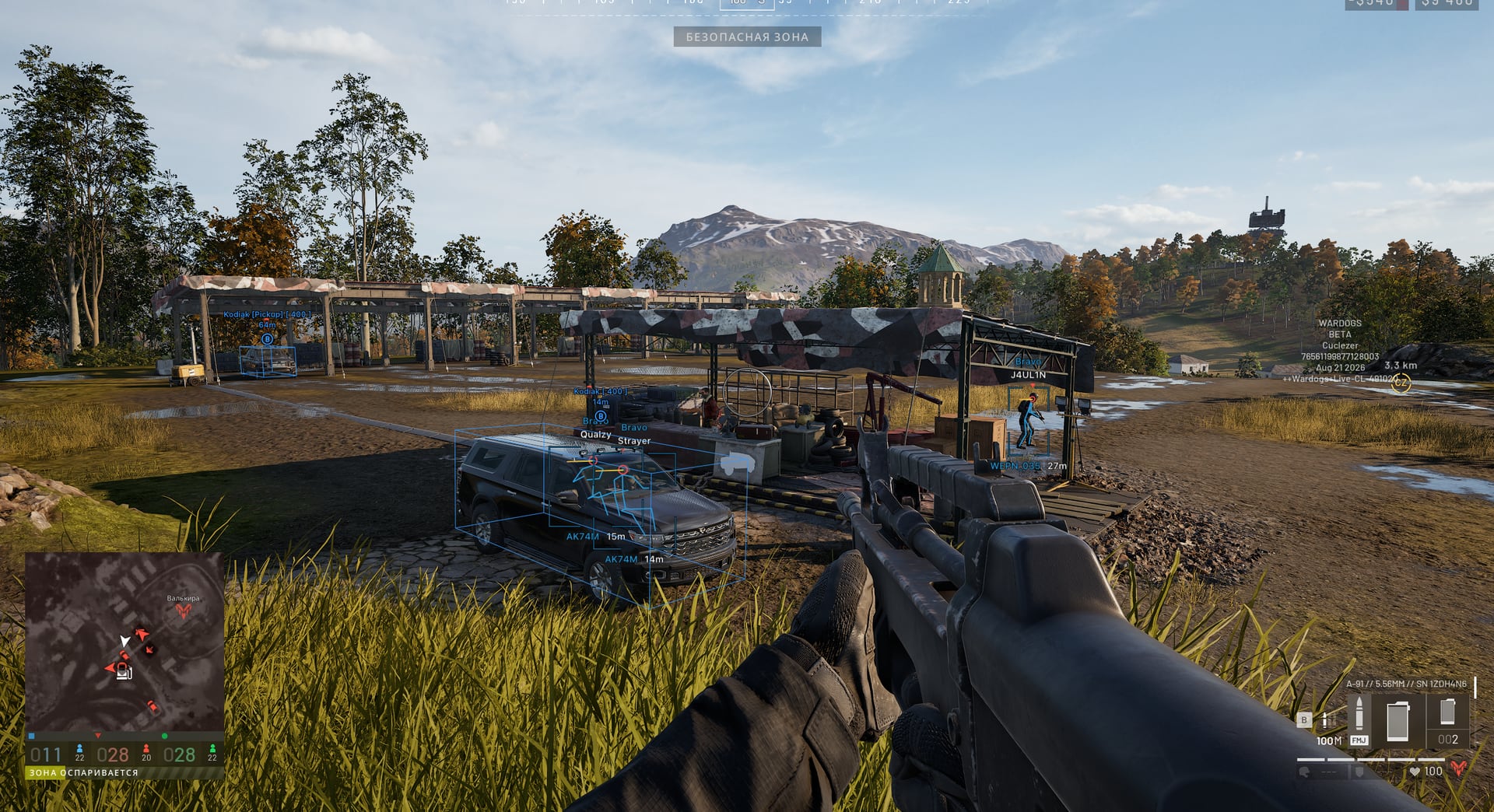
- Box: (Normal, Corner) (Bounding box)
- Box fill: (Solid, Gradient) (Fill box)
- Skeleton: (Head circle, Thickness)
- View line: (Start color, End color)
- Line to enemy: (Color, Position)
- Health: (Text, Bar) (Health bar)
- Glow: (Style, Colors)
- Mortar operator: (Color, Distance)
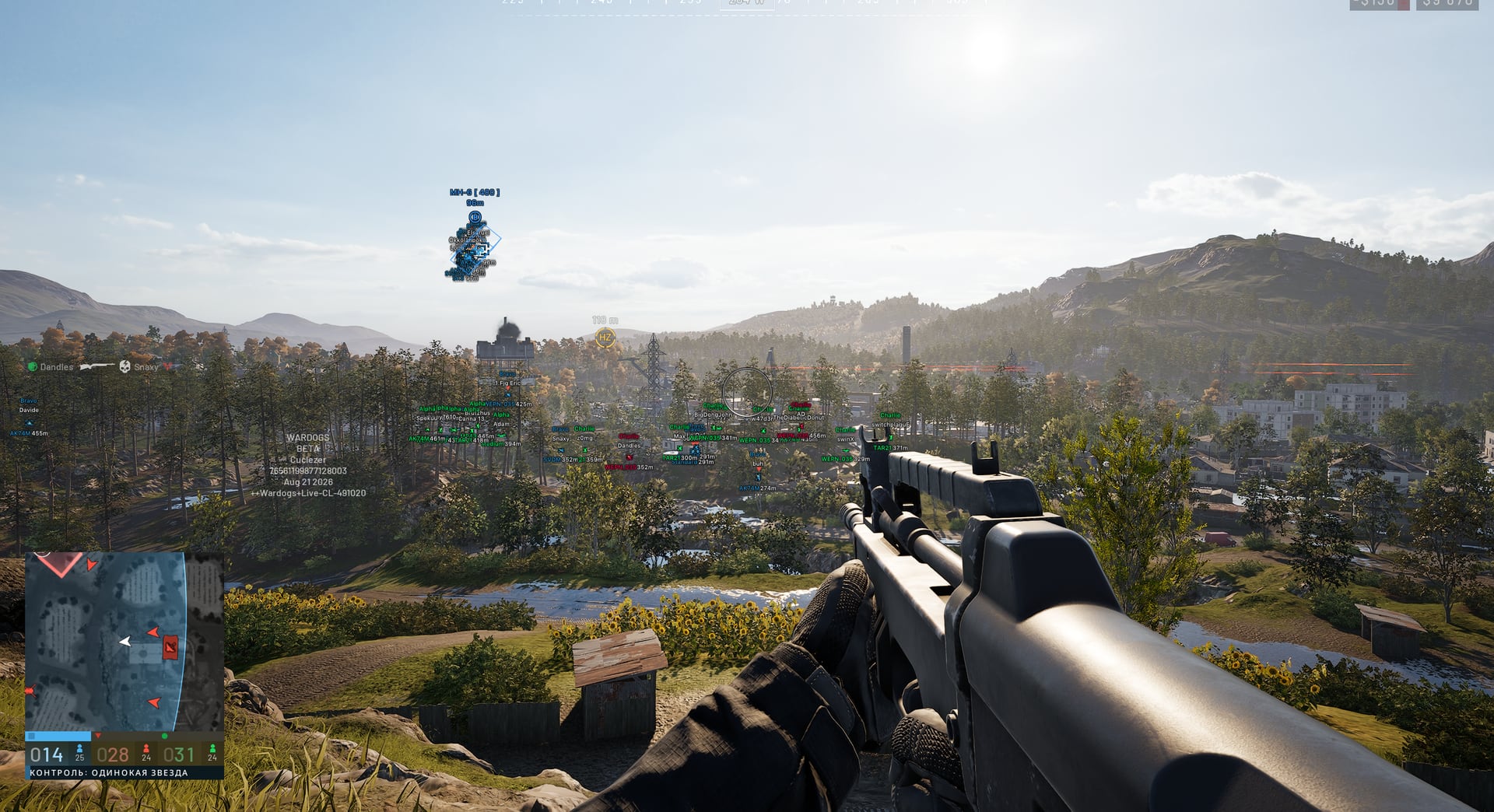
- Nicknames
- Show knocked players (Draw knockeds)
- Show corpses (Draw corpse)
- Visibility check: (RayCast)
- Fade near crosshair
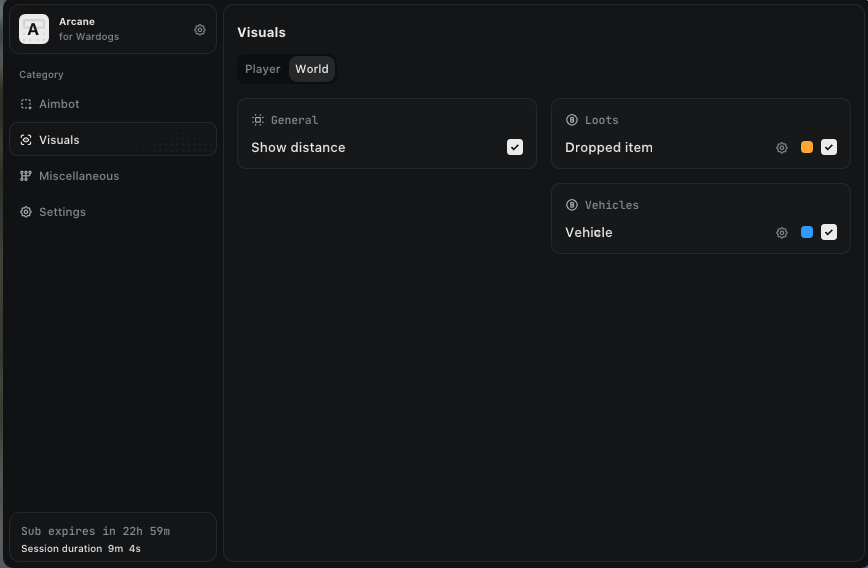
Vehicle ESP
- Categories: (Ground vehicles, Aircraft) (Category)
- 3D box (3D Box)
- Transparency
- Show health
- Show distance
- Maximum distance (Max distance)
Building ESP
- Buildings: (Mortar, Mistral, Phalanx...)
- Fortifications: (Door, Gate, Bunker...)
- 3D box (3D Box)
- Transparency
- Show on radar
- Show name
- Show distance
- Marker on radar edge
- Maximum distance (Max distance)
Item ESP
- Supplies: (Supply crate, Construction material pallet...) (Supply)
- Dropped items: (Item, Backpack)
- 3D box (3D Box)
- Transparency
- Show on radar
- Show name
- Show distance
- Marker on radar edge
- Maximum distance (Max distance)
Grenade, Mine, and Projectile ESP
- Throwables: (Grenade, Smoke grenade, C4...)
- Mines: (Claymore, Anti-tank mine)
- Projectiles: (Mortar shell, Phalanx projectile...)
- Grenade warning: (Warning text, Blast radius)
- Show on radar
- Show name
- Show distance
- Marker on radar edge
- Maximum distance (Max distance)
Radar
- Enable
- Targets: (Players, Knocked, Allies, Bots...)
- Vehicles: (Enemy, Allied)
- Loot
- Rotate with view direction
- Show field-of-view cone (Show FOV cone)
- Distance rings
- Scale rim markers by distance
- View direction (Look position)
In-Game Map Radar
- Enable
- Targets: (Players, Knocked, Bots)
- On minimap
- On tactical map
- Show distance
- Visibility check
- Mortar operator
Off-Screen Indicators
- Enable
- Style: (Size, Position, Transparency)
- Targets: (Players, Knocked, Bots)
- Visibility check
- Maximum distance (Max distance)
Weapon Modifications
- No recoil (No Recoil)
- No spread
- No sway
- Unlimited breath hold (Infinity breath)
- No weapon collision
- Always hit the critical spot (Always crit spot)
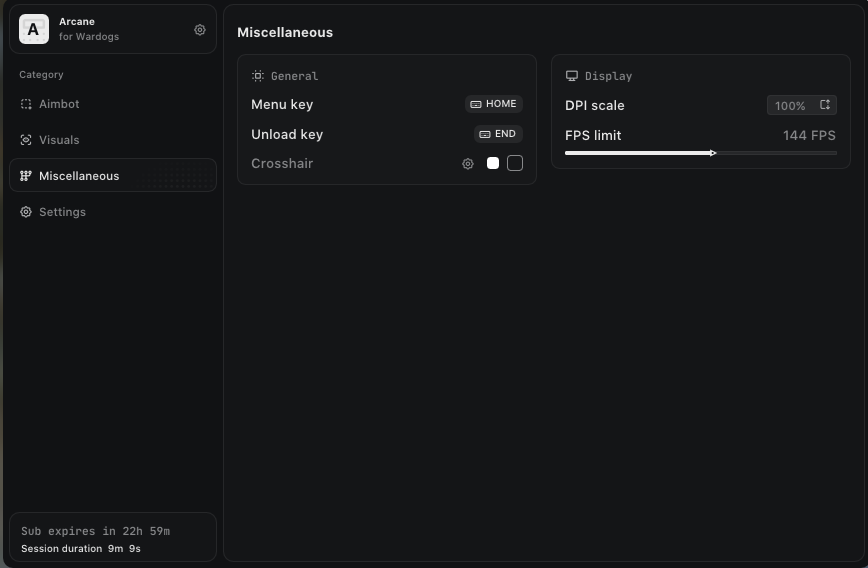
- Crosshair: (Enable, Style, Size, Thickness)
View Settings
- Brightens the scene (Fullbright)
- Configures display flags (Show flags)
- Adjusts gamma (Gamma)
- Changes the field of view (FOV Changer)
- Provides enhanced zoom (Super zoom)
- Removes the zoom limit (No zoom limit)
- Adjusts the weapon offset (Weapon offset)
- Enables free camera movement (Free camera)
Helpers and Warnings
- Mortar helper: (Prediction, Crosshair, Details, Target marker, Auto-aim)
- Artillery helper: (Crosshair, Details, Target marker, Auto-aim, Automatic mini-game)
- Shell trajectory: (Mortar, Artillery)
- Look alert: (List window, Text size, Arrows, Radar, Visibility check)
Combat Mode
- Activation key (Keybind)
- Hide players (Hide Player)
- Hide corpses (Hide Corpse)
- Hide world items (Hide World item)
- Hide vehicles (Hide Vehicle)
- Hide buildings (Hide Building)
- Hide projectiles (Hide Projectile)
- Hide radar (Hide Radar)
- Hide in-game radar (Hide Game radar)
- Hide off-screen indicators (Hide Offscreen)
- Hide mortar helper (Hide Mortar helper)
- Hide aim zone (Hide Aim FOV)
- Hide crosshair (Hide Crosshair)
- Hide grenade warnings (Hide Grenade warning)
- Hide glow (Hide Glow)
- Hide look alerts (Hide Look alert)
Menu Settings
- Menu key (Menu keybind)
- Unload key (Unload keybind)
- Interface scale (DPI Scale)
- Vertical synchronization (VSync)
- Interface theme (Theme)
- Watermark
- Menu language (Language)
Setup and launch
Check the launch procedure for this exact edition before activating the key.
Open launch guide