Buy private cheat Covcheg Rust External
Private cheat Covcheg Rust External — resource display, aiming controls and item filters. Also included: hotkeys and silent aiming. Client: Steam.
Compatibility
- Game clients
- Steam
- Processors
- Intel / AMD
- Operating systems
- Windows 10 / 11
- Game mode
- Any
- Built-in spoofer
- Not included
- usb flash drive
- Required (loader runs from USB only)
Features
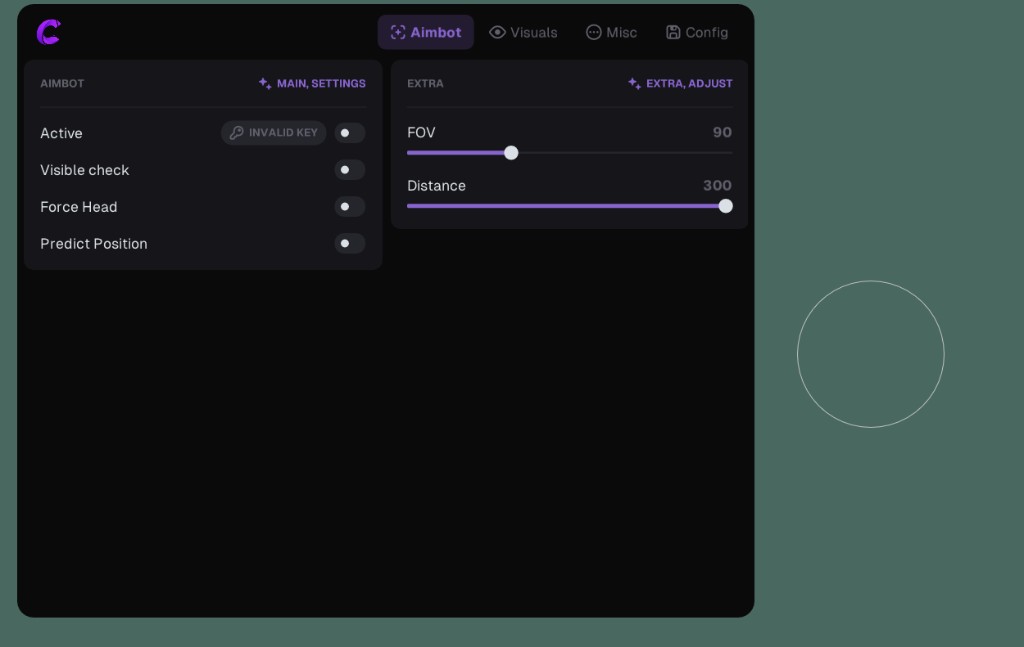
AIM
- Aimbot activation (Active) — enable vector aimbot
- Silent AIM — bullets hit the target without moving the crosshair
- Field of view (FOV) — adjust the target capture area size
- Draw FOV — display the capture area circle on screen
- Smoothing (Smooth) — adjust aiming smoothness
- Aim Distance — limit aimbot working range
- Bone selection (Bone Body / Force Head) — aim at body or head
- Remove Sway & Recoil — disable weapon sway and recoil
- Aim Key — assign activation button
- Visible Check — work only on visible targets
- Prediction — calculate bullet trajectory
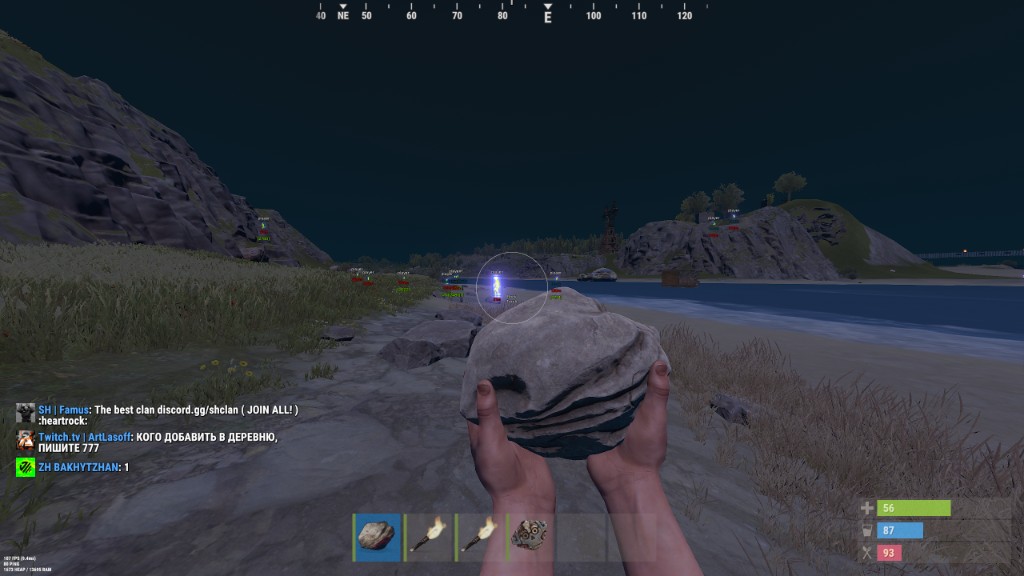
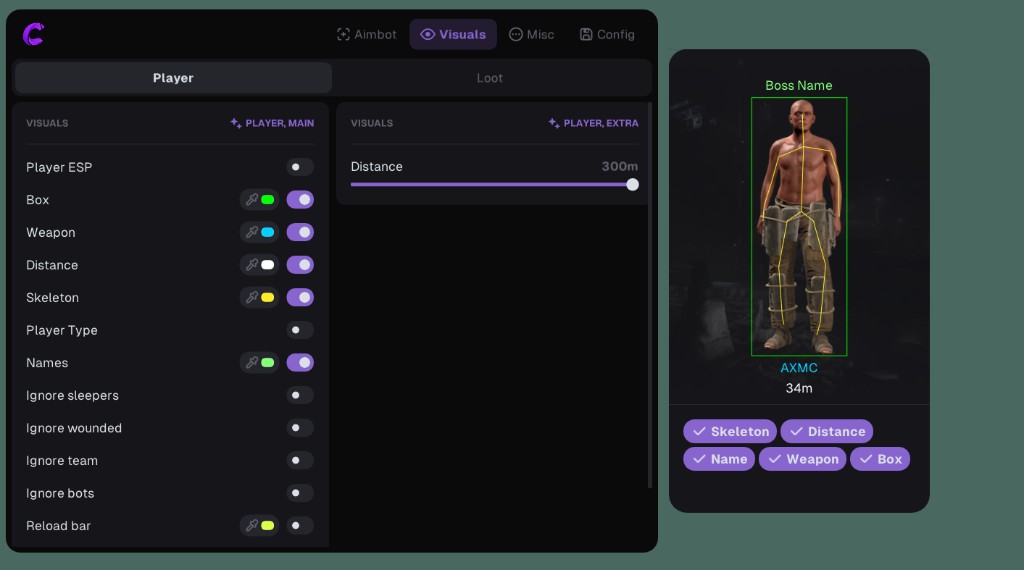
Player ESP
- Enable ESP (Player ESP) — display players through walls
- Box ESP (BOX) — WallHack with frames around players
- Names — show player nicknames above heads
- Skeleton — display skeletal model
- Visible Check — highlight visible players with color
- Distance — distance to targets in meters
- Max Distance — limit ESP range
- Ignore Sleepers — hide sleeping players
- Quick Slots — items in player hands
- Draw Player Type — display target type
- Ignore Scientist — hide NPC scientists
- Team ID — group identifier
- Ignore Team — hide teammates
- Chams — visual fill of player models
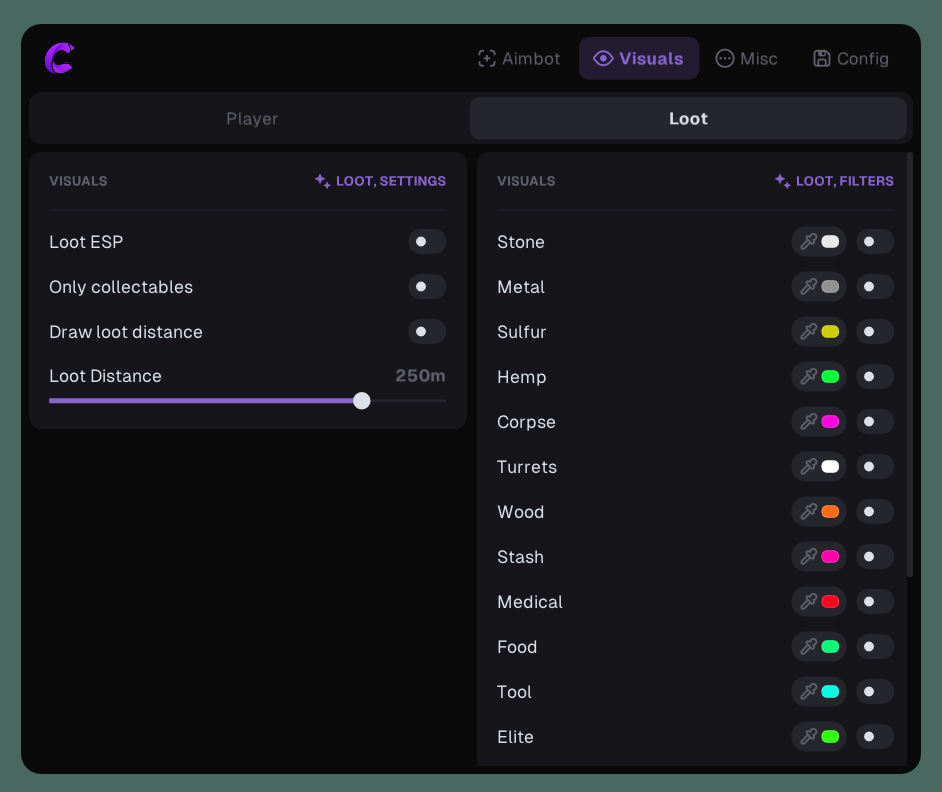
Loot ESP
- Item ESP — display loot and resources
- Only Collectable — filter available items
- Ores — metal, sulfur, stone
- Wood — wood resources
- Stash — hidden stashes
- Crates — medical, food, tool, elite crates
- Minicopter — mini helicopter display
- Backpack — backpacks
- Max Distance — Loot ESP range limit
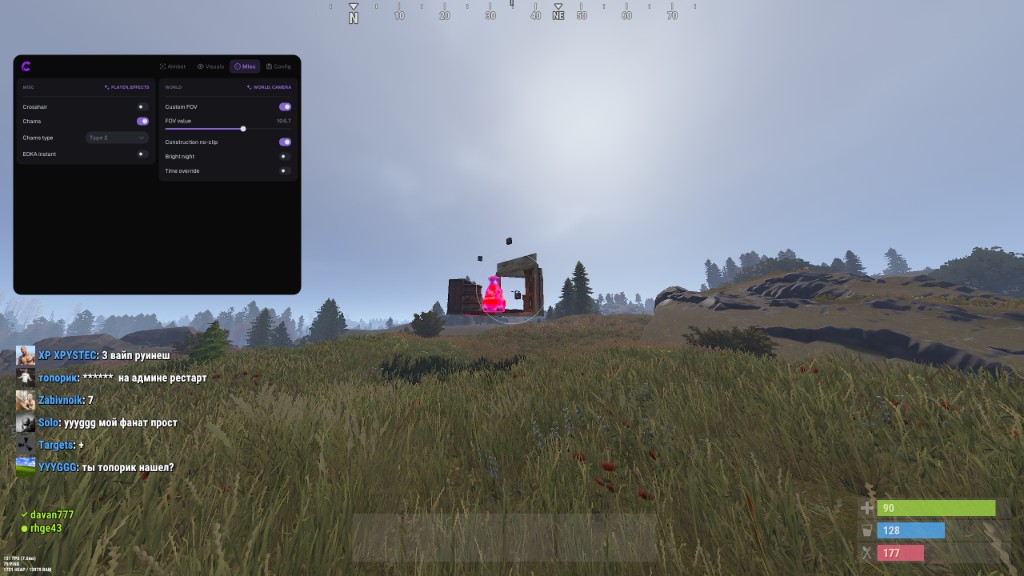
Misc
- Instant EOKA — instant shot from eoka pistol
- FOV Changer — change field of view
- Zoom Key — zoom activation key
- Remove Construction — see through buildings
- Bright Night — bright night mode
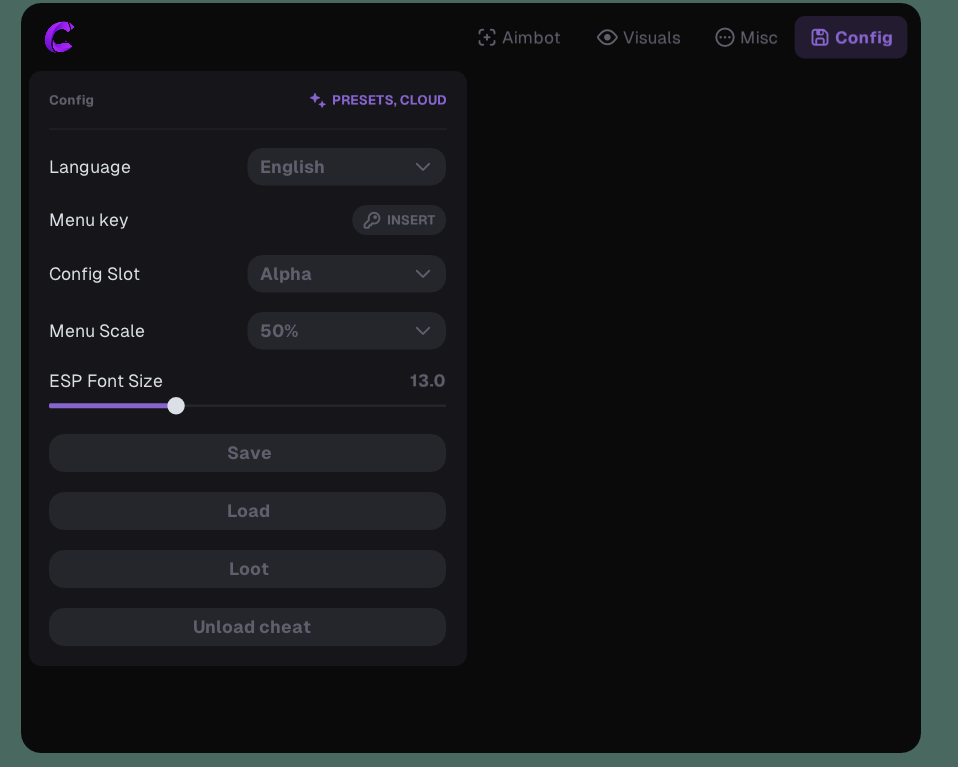
Config
- Language — menu language selection
- Menu Key — menu open/close button
- Config Slot — configuration slot
- Menu Scale — menu size adjustment
- ESP Font Size — ESP text size
- Save / Load — save and load configurations
- Unload Cheat — completely disable the cheat
Setup and launch
Check the launch procedure for this exact edition before activating the key.
Open launch guide