Bot Craft Bot for Albion Online
Craft Bot for Albion Online — item filters and configuration profiles. OS: Windows 10, Windows 11.

Compatibility
- Built-in spoofer
- No
- Anti-cheat
- In-game
- screen recording bypass
- No
- supported game mode
- Windowed, Borderless
- Supported processors
- Intel and AMD
- Operating system
- Windows 10, Windows 11
- supported platforms
- Steam and official launcher
Features
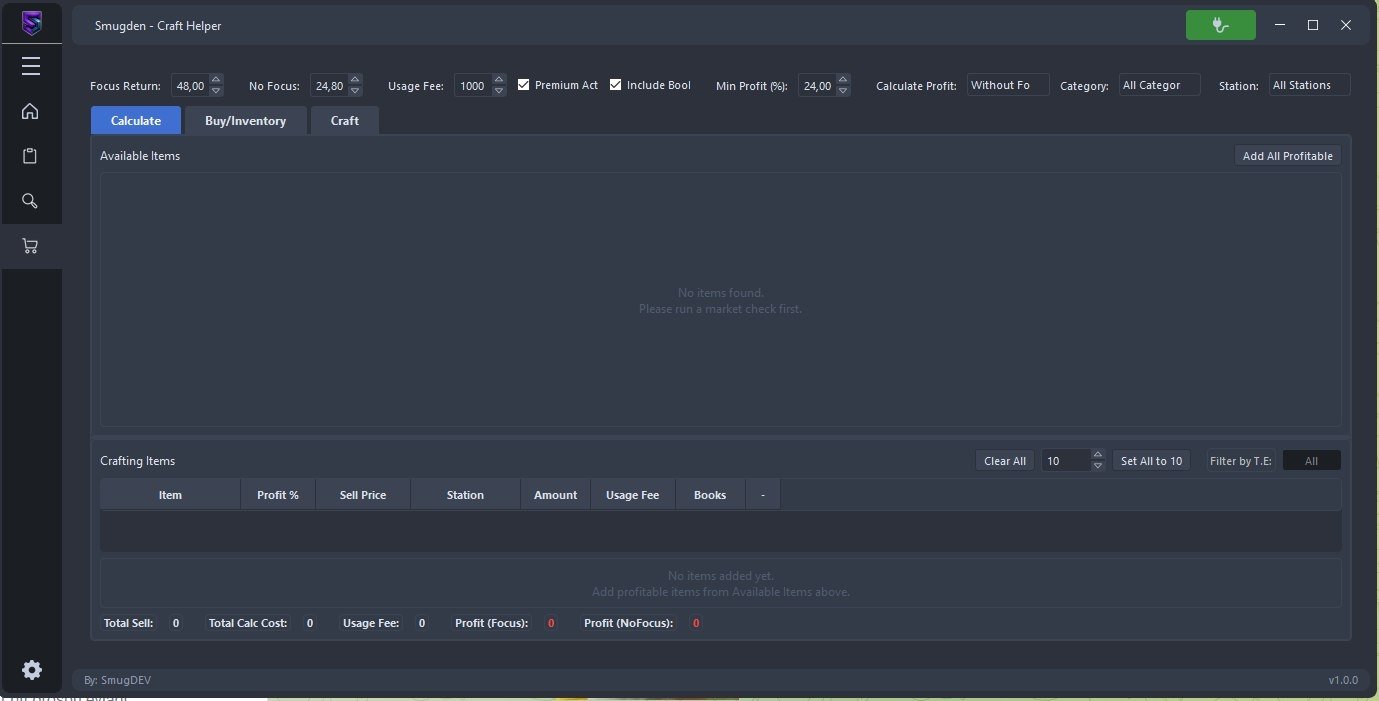
PROFIT CALCULATOR
- Live profit calculation per recipe (with and without Focus)
- Focus Return % setting
- No Focus return % setting
- Usage Fee per station
- Premium Account toggle
- Include Book chance in the math
- Minimum profit % filter
- Filter by station (all stations or one)
- Filter by item category
- Bulk Tier/Enchant input (e.g. 4.4, 5.4)
- Sort by profit / sell price / station
- Quick add of every profitable item
CRAFTING QUEUE
- Craft list with item / profit % / sell price / station / amount / usage fee / books
- Set amount per item or set all to 10 in one click
- Filter craft list by T.E (tier and enchant)
- Totals: Total Sell, Total Calc Cost, Usage Fee, Profit Focus, Profit NoFocus
- Clear All button
- Saved as a config you can load later
ITEM LIST
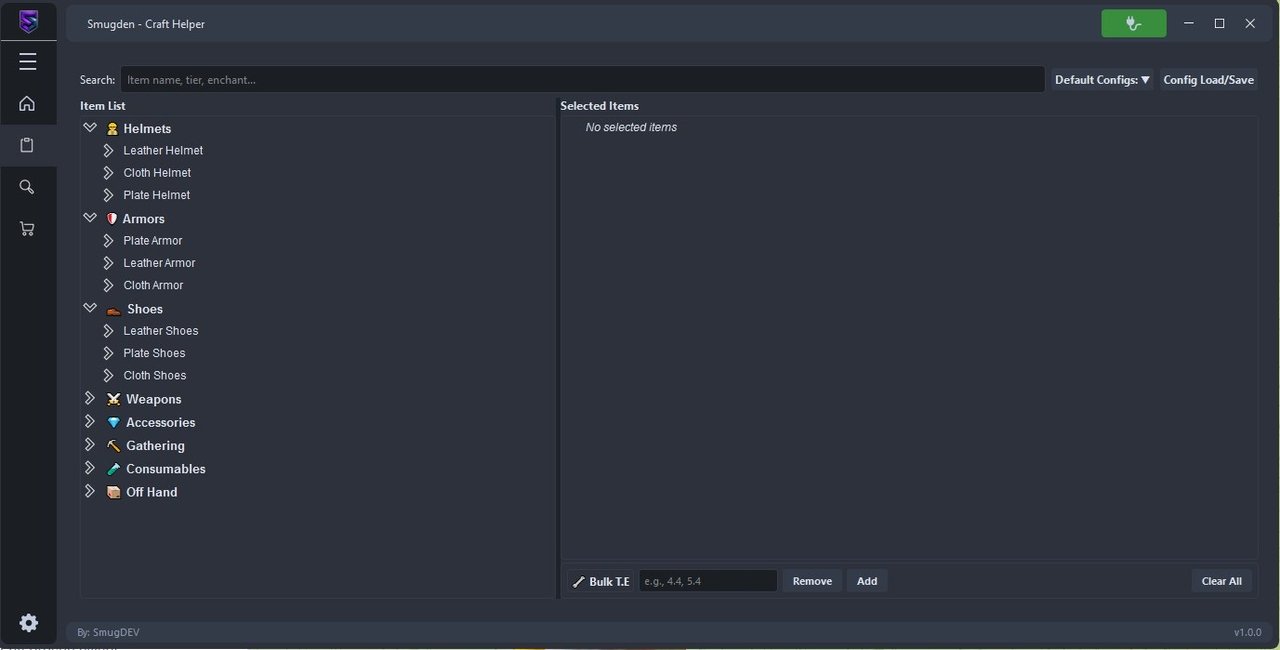
- Tree of categories: Helmets, Armors, Shoes, Weapons, Accessories, Gathering, Consumables, Off Hand
- Sub-types per slot (Leather / Cloth / Plate)
- Search by item name, tier or enchant
- Selected Items panel
- Default Configs presets
- Config Load / Save
MARKET DATA
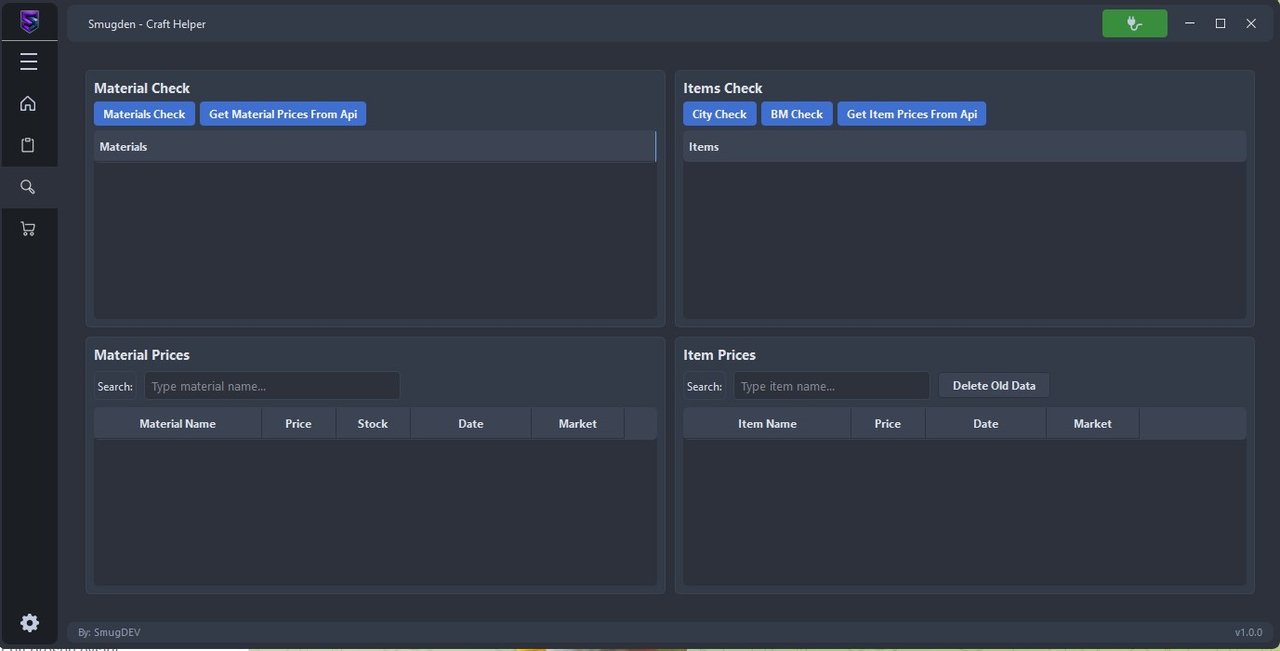
- Material Check — pulls fresh material prices from the API
- Items Check — pulls fresh item prices from the API
- City Check (any city) and Black Market check
- Material Prices table: name, price, stock, date, market
- Item Prices table: name, price, date, market
- Search inside material and item price tables
- Delete Old Data — clear outdated price snapshots
- Price history kept locally
BUY / INVENTORY
- Buy / Inventory tab for materials you already own
- Subtracts owned materials from the cost calculation