Recommended
Buy private cheat Arcane for Dead by Daylight
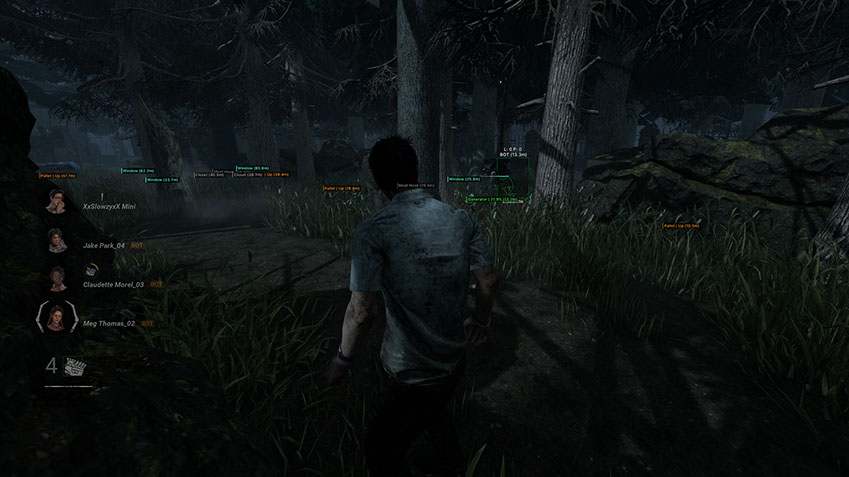
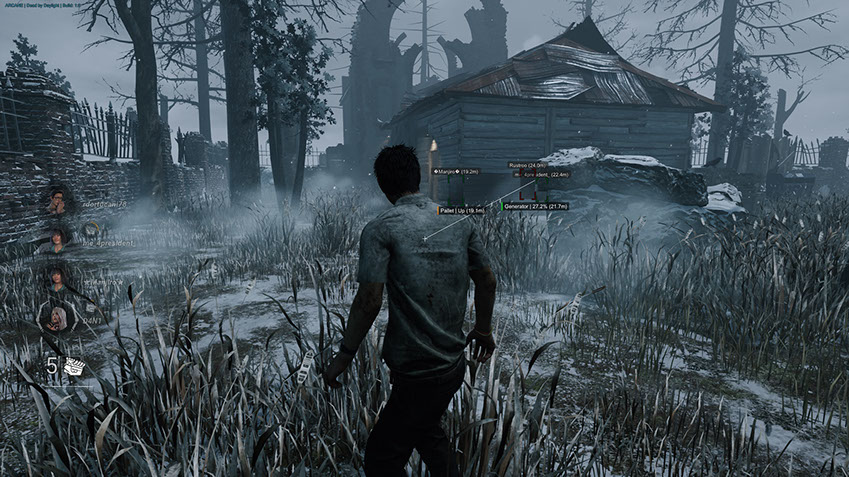
Private cheat Arcane for Dead by Daylight — third-person view, aiming controls and infected ESP. Also included: visibility checks and target selection radius. OS: Windows 10-11 (26H1, 26H2) x64.
Compatibility
- game version
- Steam, Epic Games, Microsoft Store;
- game mode
- Windowed / Borderless;
- processors
- Intel and AMD;
- gpu
- Nvidia and AMD;
- os
- Windows 10-11 (26H1, 26H2) x64;
- video or screenshot invisibility support
- None;
Features
Aimbot
- Keybind - Activation key
- Draw FOV Border - Draw a circle FOV (draws only when you play as killer)
- Draw FOV Background (draw the background of the FOV circle)
- FOV Size - FOV circle size
- Smooth - Smoothness
- Separate aim settings for Global, Killer and Survivor
- Force aim key
- Lock target
- Shift to head
- Visibility check
- Max distance
- Target switch delay
- Humanization system
- Target choice: Players, Bots, Teammates
- Target selection: Closest to crosshair, Closest by distance
- Bone selection: Selected bones, Closest bone, Random bone
- Target bones: Head, Neck, Body, Pelvis, arms and legs
- Activation: On hold, Always
- Prediction
- Prediction cross
- Adaptive FOV
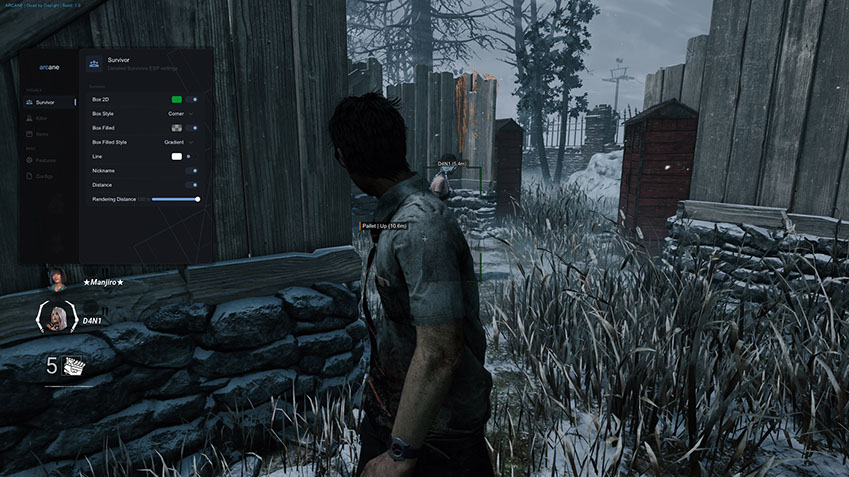
Survivor ESP
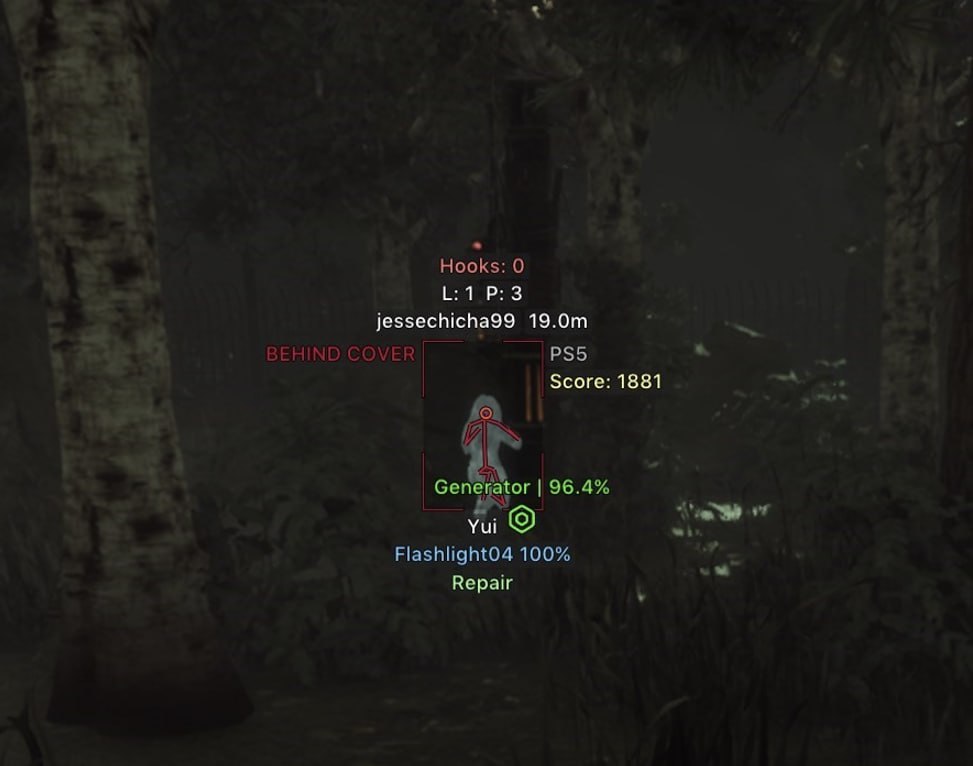
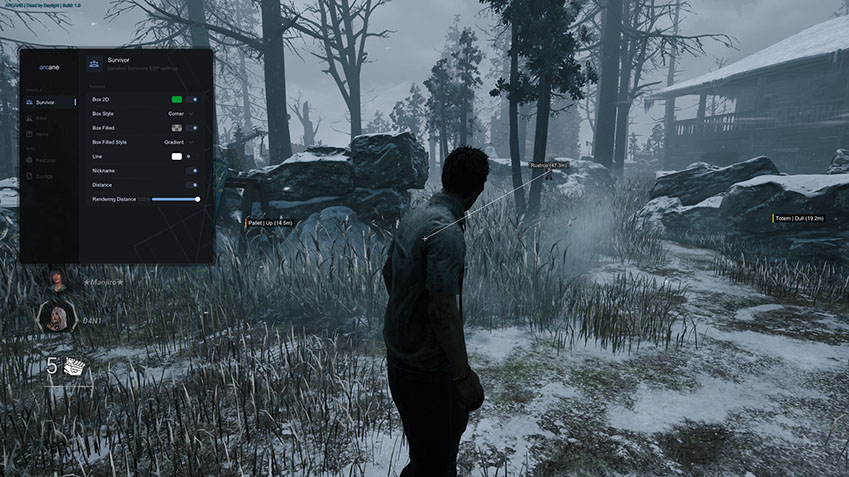
- Bounding box - Boxing 2D (Box, In the corners)
- Fill box - Box background (Static, Gradient)
- Skeleton - Skeleii (Thickness)
- Nickname - Nicky
- Health state - State of health
- Character level - Character level
- Prestige level - Prestige level
- Character name - Character name
- Distance - Distance to the player
- View line - Line of sight
- Line to enemy - Line to the player
- 3D box
- Visibility check: RayCast, Perfect
- Visible and invisible colors
- Head circle
- Filled head circle with its own color
- Skeleton: Same as box color
- ESP style: No background, With background
- ESP preview with draggable labels
- Perks
- Item and charge
- Add-ons
- Hook counter
- State
- Current action
- Platform
- Score
- Behind cover / visible
Killer ESP
- Bounding box - Boxing 2D (Box, In the corners)
- Fill box - Box background (Static, Gradient)
- Skeleton - Skeleii (Thickness)
- Nickname - Nicky
- Character level - Character level
- Prestige level - Prestige level
- Character name - Character name
- Distance - Distance to the player
- View line - Line of sight
- Line to enemy - Line to the player
- 3D box
- Visibility check: RayCast, Perfect
- Visible and invisible colors
- Head circle
- Filled head circle with its own color
- ESP style: No background, With background
- ESP preview with draggable labels
- Perks
- Power
- Power add-ons
- Bloodlust
- Current action
- Blindness
- Power: Nurse blinks
- Carried survivor
- Platform
- Score
- Behind cover / visible
- Killer sees you warning
- Killer sees you: killer FOV, max distance and size
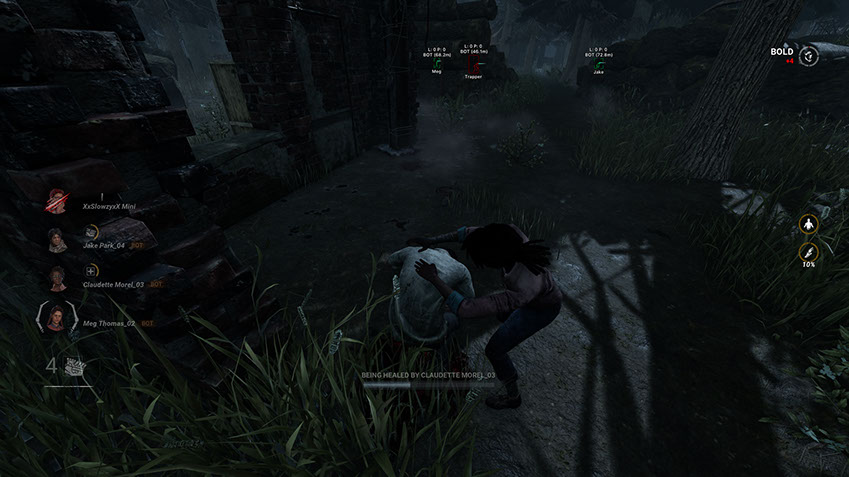
Minions ESP
- Minions: Zombies, Guards, Victor, Snug
- Box
- Skeleton
- Name
- Distance
- Max distance
- State
- Target
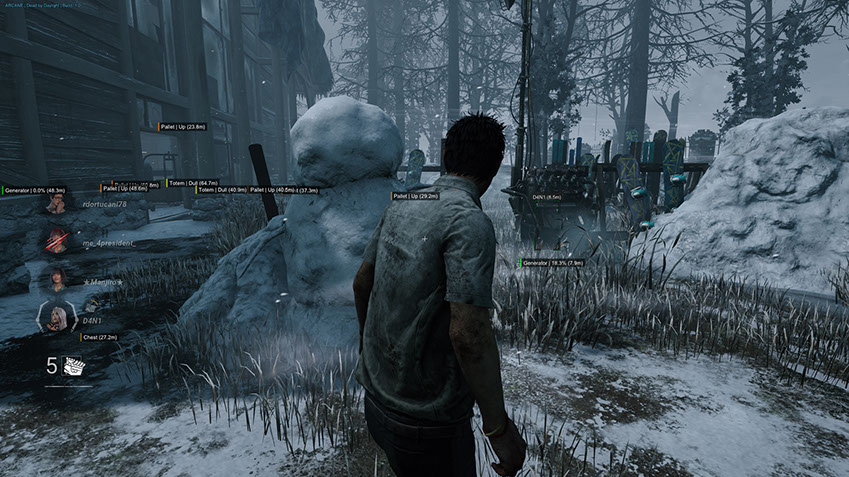
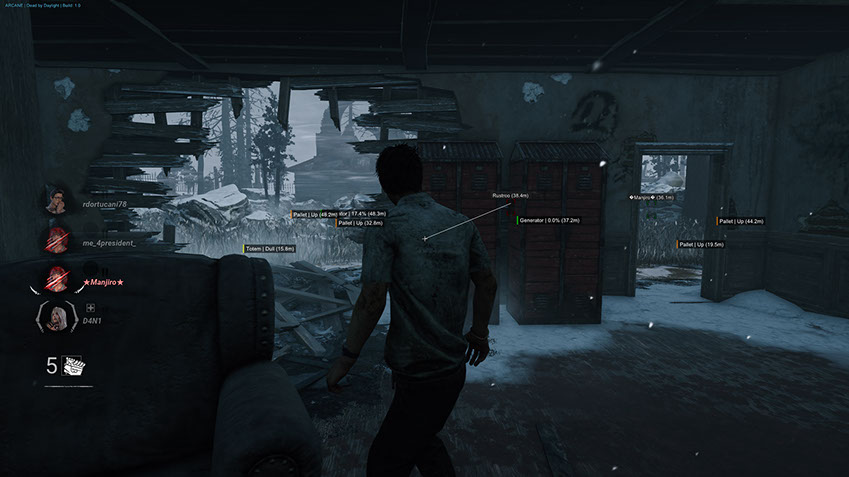
Objects ESP
- Show State - Show state
- Show Distance - Show distance
- Max distance for each object
- Pallet: Hide fallen
- Meat Hook: Hide fully hooked
- Chest: Hide opened
- Chest: Hide empty
- Chest: Item inside
- Hatch: Show hidden
- Hatch: Hide force closed
- Escape door: Hide closed
- All / None buttons
Generators
- Show generator - Generator
- Disable on battle-mode - Disable generator rendering in battle mode
- Show percentage
- Hide repaired
Object categories
- Meat Hook - Hook
- Pallet - Pallet
- Window
- Closet - Wardrobe
- Chest - Box
- Totem - Totem
- Trap - Trap
- Hatch
- Escape Door - Exit
- Dropped items
- Breakable walls
- Killer power objects
- Event objects
Glow
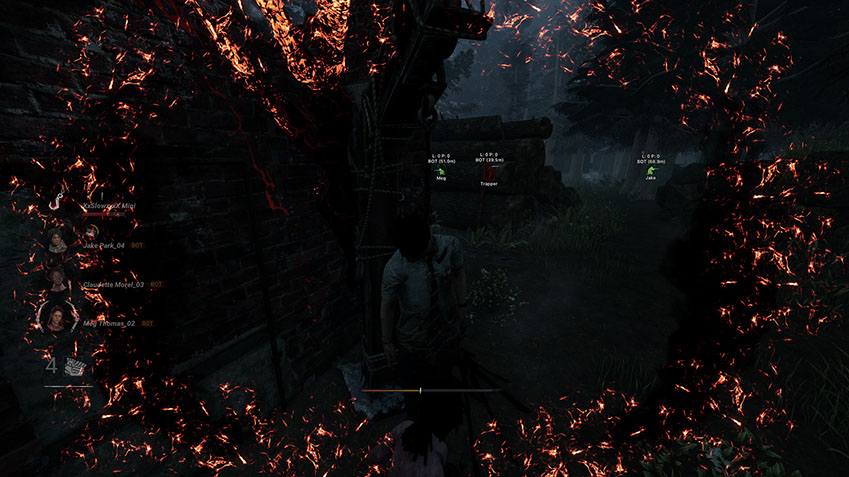
- Outline for survivors and killer
- Color modes: ESP color, Static, Rainbow, Visibility
- Fill
- Thickness
- Opacity
- Size
- Max distance
- Object glow: Generators
- Object glow: Hooks
- Object glow: Pallets
- Object glow: Windows
- Object glow: Closets
- Object glow: Chests
- Object glow: Totems
- Object glow: Traps
- Object glow: Hatch
- Object glow: Exit gates
- Object glow: Dropped items
- Object glow: Breakable walls
- Object glow: Killer power objects
- Object glow: Event objects
- All / None buttons
Radar
- Radar
- Distance rings
- FOV cone
- Zoom
- Size
- Transparency
- Scale by distance
- Survivors: Max distance and Show on rim
- Killer: Max distance and Show on rim
- Items: Max distance and Show on rim
- Survivor color based on health
- Off-screen arrows (moved to Radar)
- Off-screen Range
- Off-screen Size
- Off-screen survivor color based on health
- Off-screen killer color based on distance
Lobby
- Lobby ESP: character name
- Lobby ESP: perks
- Lobby ESP: item / power and add-ons
- Lobby ESP: offering
- Show yourself
- Auto search with its own delay
- Auto ready with its own delay
- Auto leave after match with its own delay
- Leave lobby key
- Work in background
- Auto dodge by minimum prestige
- Auto dodge by chosen survivor or killer perks
Skill checks
- Enable - Activate
- Perfect Chance - Perfect Chance
- Good Chance - Good chance
- Auto Wiggle - Automatic wiggle
- Press delay min / max
- Failed check to Great
- Skillcheck indicator
Killer
- No Attack Cooldown
- Infinite Lunge
- Lunge range
- Attack cooldown
- 360 turns (Billy, Chucky)
- Kill aura
- Spinbot
Survivor
- Auto-pallet
- Auto Dead Hard with its own key
- Auto Dead Hard trigger distance
- Auto Head On with its own key
- Auto Head On distance
Camera
- Free camera with its own key
- Free camera speed
- Third person as killer
- First person as survivor
- Remove black bar
Visuals
- Fullbright
- Lighting: Brightness
- Lighting: Fixed exposure
- No post-processing
- No screen effect
- Scratch mark
- Fake killers
- Flashlight color
- Red stain color
Miscellaneous
- Battle mode - Battle mode (disables unnecessary ESP to concentrate on the gameplay)
- Crosshair - Static cursor
- FOV Changer - Changing the viewing angle
Settings
- Menu key - Menu activation key
- Unload key - Menu unload key
- DPI Scale - UI size
- VSync - Vertical synchronization (best used in conjunction with in-game)
- Theme - Theme (Dark, Light)
- Watermark - Watermark
- Language - Language (EN, RU, CH)
Configurations
- Create - Create
- Get shared - Get shared access (the ability to download your friend's configuration using a unique key)
- Launch - Launch
- Save - Save
- Edit name - Change name
- Share - Share
- Remove - Remove
Setup and launch
Check the launch procedure for this exact edition before activating the key.
Open launch guide