Buy private cheat Dullwave for Arena Breakout: Infinite
Private cheat Dullwave for Arena Breakout: Infinite — spread controls, aiming controls and recoil controls. Also included: health indicators and aim point selection. OS: Windows 10 (2004, 20H1, 20H2, 21H1, 21H2, 22H2) | Windows 11 (21H2, 22H2, 23H2, 24H2, 25H2).
Compatibility
- Anti-cheat
- ACE | Undetected
- Game client
- Game Launcher
- Operating system
- Windows 10 (2004, 20H1, 20H2, 21H1, 21H2, 22H2) | Windows 11 (21H2, 22H2, 23H2, 24H2, 25H2)
- cpu
- Intel & AMD
- Game mode
- FullScreen, Windowed Mode, Borderless
Features
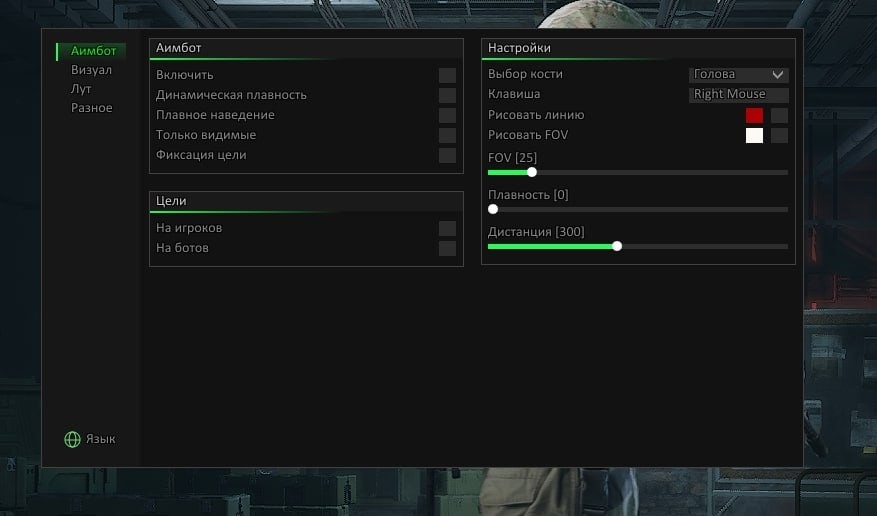
Aimbot
- Enable — activates a precise aimbot with smooth, natural aiming
- Dynamic Smooth — dynamic smoothing that adapts to target movement
- Smooth Aim — gradual aim transition without jerks
- Visible Only — works only on visible targets
- Aim Lock — locks onto the selected target
- Target: Players — aim at players
- Target: Bots — aim at bots
- Bone Selector — choice of aim bone (Head and others)
- Key Bind — bind to any convenient key (e.g. Right Mouse)
- Draw Snapline — line to the current target
- Draw FOV — draws the aim circle
- FOV [25] — target capture area setting
- Smooth [0] — smoothing strength slider
- Distance [300] — maximum aimbot working distance
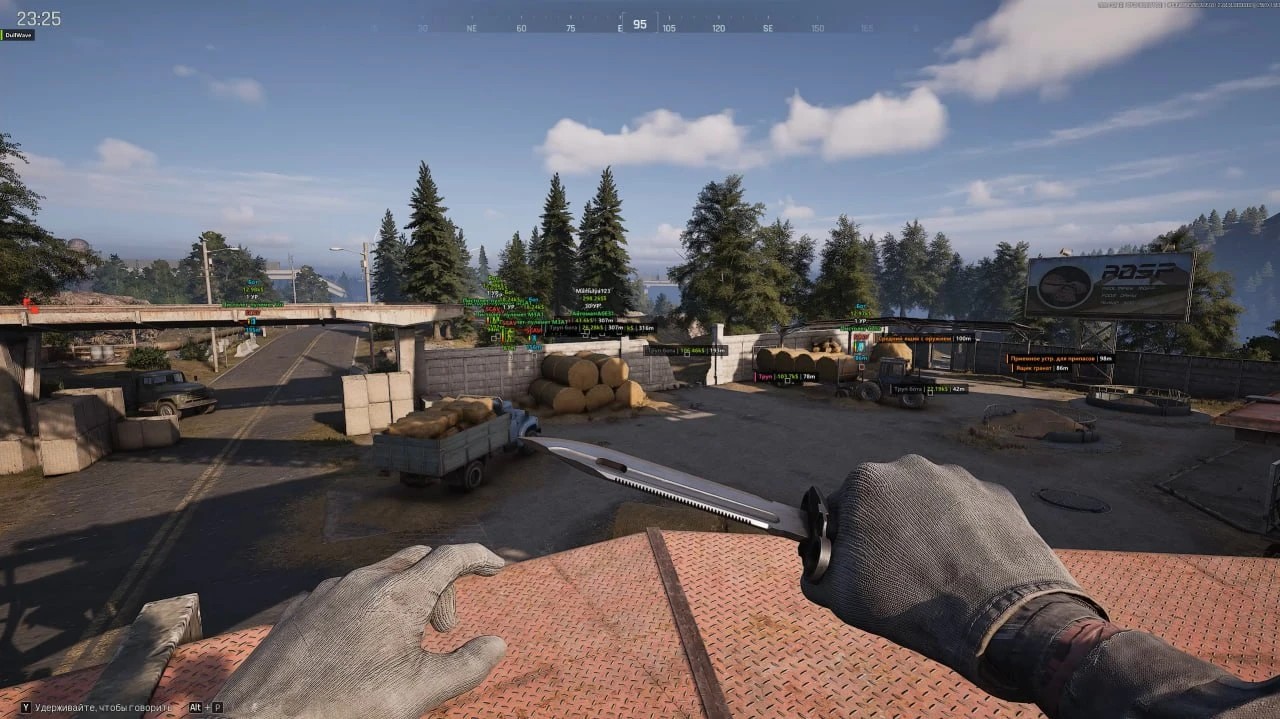
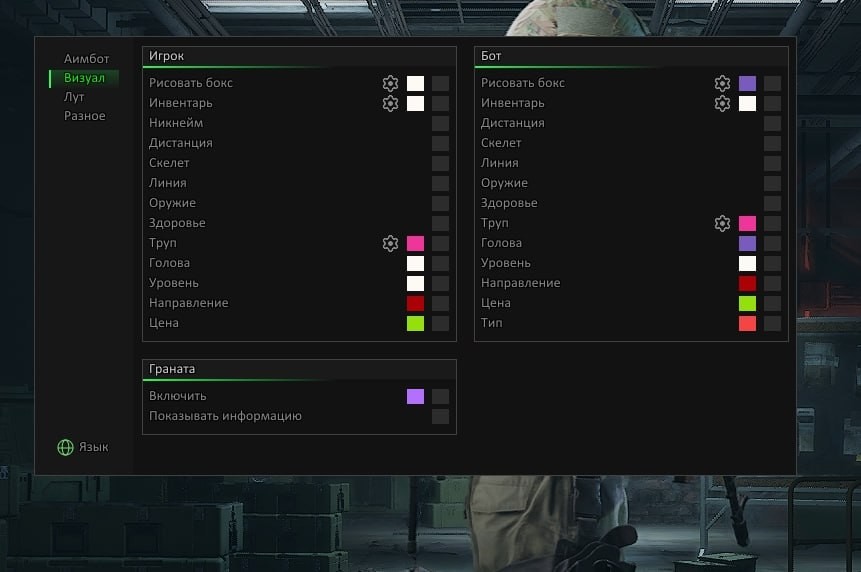
Player ESP
- Draw Box — player boxes with detailed style settings via ⚙
- Inventory — player inventory with sorting by rarity / price / distance via ⚙
- Nickname — player nickname
- Distance — distance to the target
- Skeleton — skeleton
- Snapline — line to the target
- Weapon — weapon in hands
- Health — health
- Corpse — player corpses with sorting by rarity / price / distance via ⚙
- Head — head highlight
- Level — player level
- Look — look direction of the target
- Price — inventory value in k (thousands) and kk (millions)
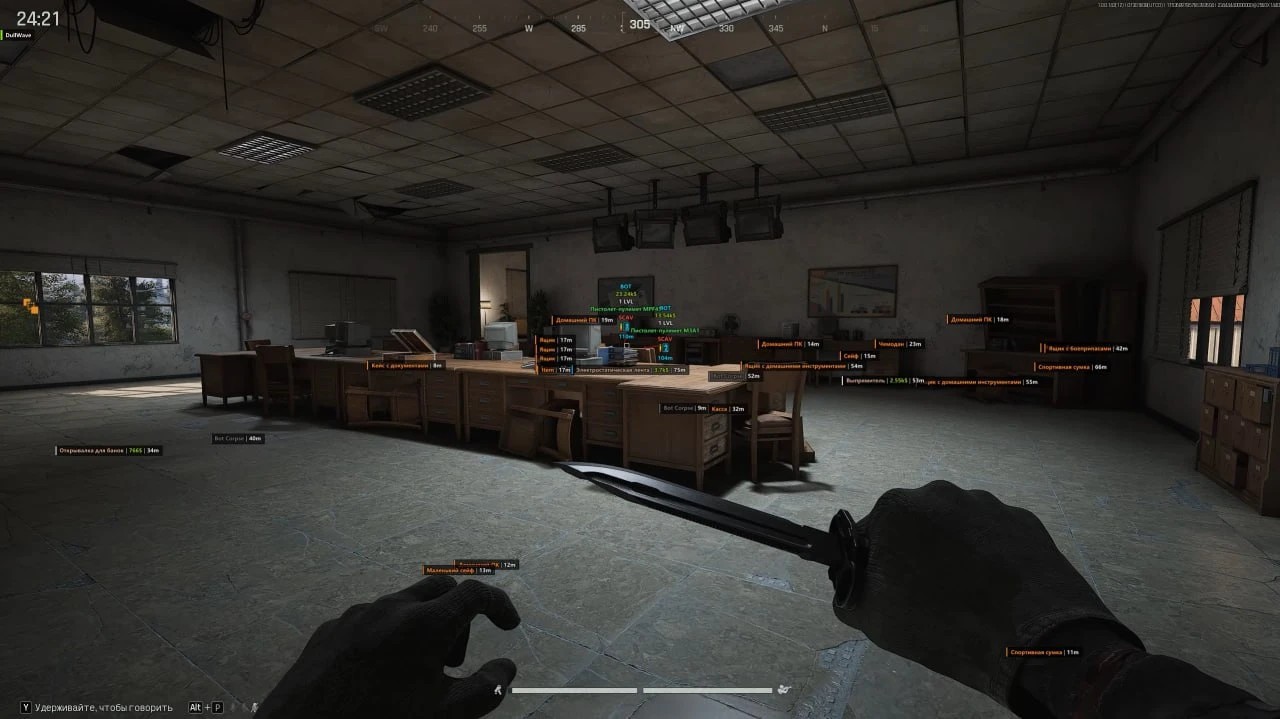
Bot ESP
- Draw Box — bot boxes with detailed settings via ⚙
- Inventory — bot inventory with sorting by rarity / price / distance via ⚙
- Distance — distance to the bot
- Skeleton — skeleton
- Snapline — line to the target
- Weapon — weapon in hands
- Health — health
- Corpse — bot corpses with sorting via ⚙
- Head — head highlight
- Level — level
- Look — look direction
- Price — inventory value
- Type — bot type (SCAV, boss, etc.)
Grenade ESP
- Enable — grenade highlight, color depends on the grenade type
- Show Info — grenade information
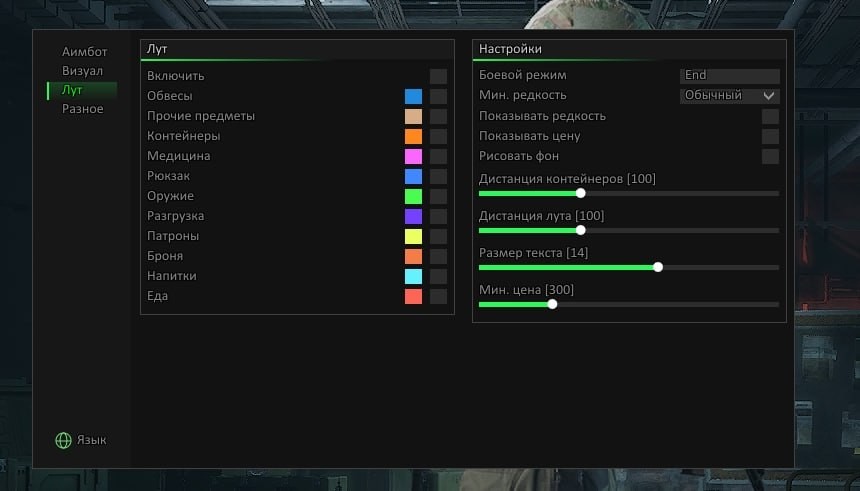
Loot ESP
- Enable — enables loot highlighting
- Attachments — weapon attachments
- Other Items — other items
- Containers — containers with real in-game names
- Medicine — medicine
- Backpack — backpacks
- Weapon — weapons
- Rig — chest rigs
- Ammo — ammunition
- Armor — armor
- Drinks — drinks
- Food — food
- Battle Mode — combat mode: instantly hides loot with a key (e.g. End)
- Min Rarity — minimum rarity filter (Common and up)
- Show Rarity — item rarity display
- Show Price — item price display
- Draw Background — background behind loot text for readability
- Draw Rect — color bar shows the item rarity
- Container Distance [100] — container display distance
- Loot Distance [100] — loot display distance
- Text Size [14] — text size setting
- Min Price [300] — price filter, sorting up to 900k
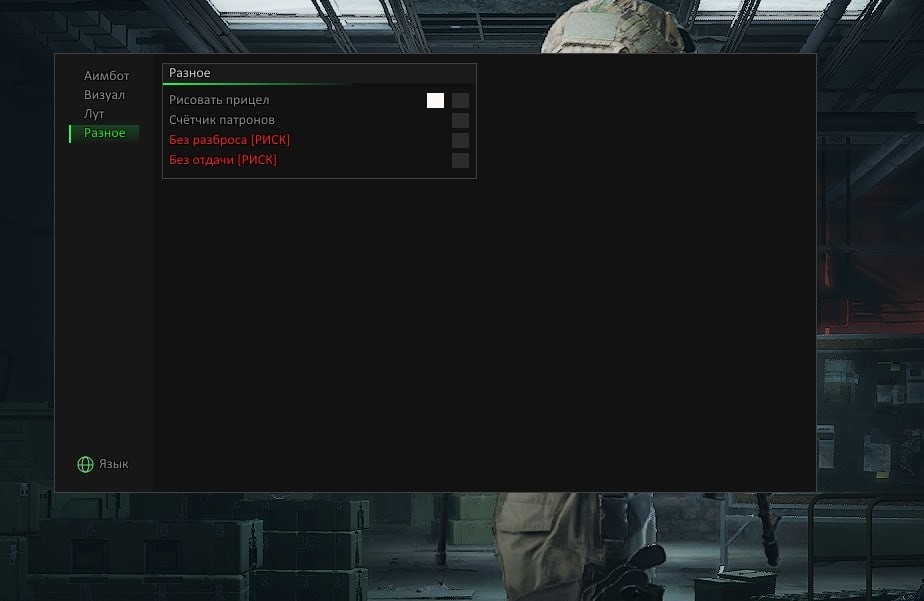
Misc
- Crosshair — customizable crosshair overlay
- Ammo Counter — ammo count with visual highlighting
- No Spread [RISK] — disables bullet spread
- No Recoil [RISK] — disables recoil
Menu & localization
- Language — menu and feature localization: English, Russian, Chinese
- New Menu — reworked interface: color coding, softer font, detailed feature tuning via ⚙
Setup and launch
Check the launch procedure for this exact edition before activating the key.
Open launch guide