Private cheat FOCUS Albion Online
Private cheat FOCUS Albion Online — extraction display, player ESP and resource display. Also included: farming automation and route controls. OS: Windows 10 22H2. Sales of this edition are currently paused.
Compatibility
- Windows 10
- 22H2
- Windows 11
- 25H2
- Processor
- AMD / Intel
- Architecture
- x64 only (64-bit)
- Platform
- Steam / standalone launcher
Features
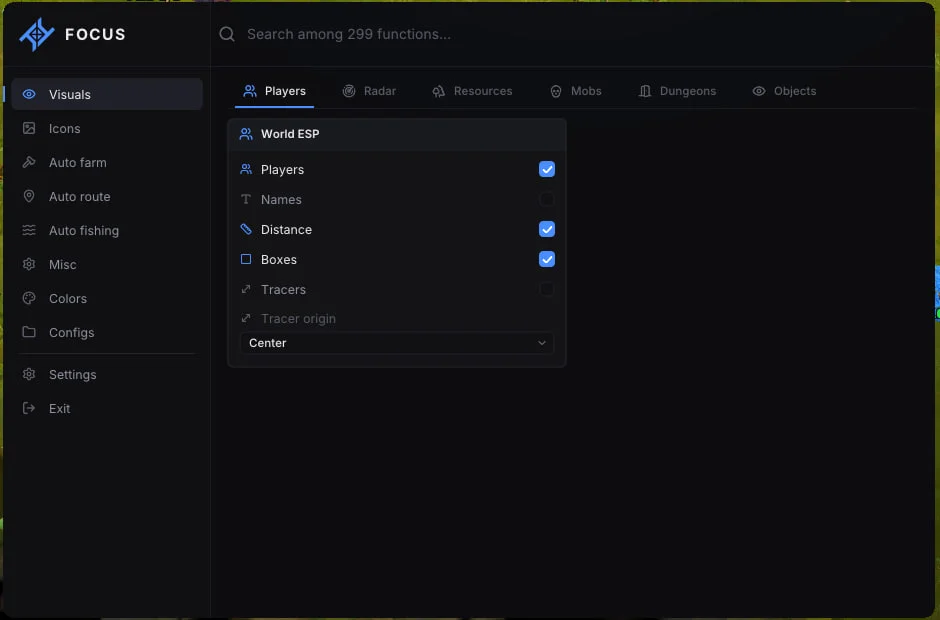
ESP · Players
- Display players, names and distance in the world. (Players in the world)
- Display player boxes and tracers. (Boxes and tracers)
- Choose the tracer origin: bottom, center or top. (Tracer origin)
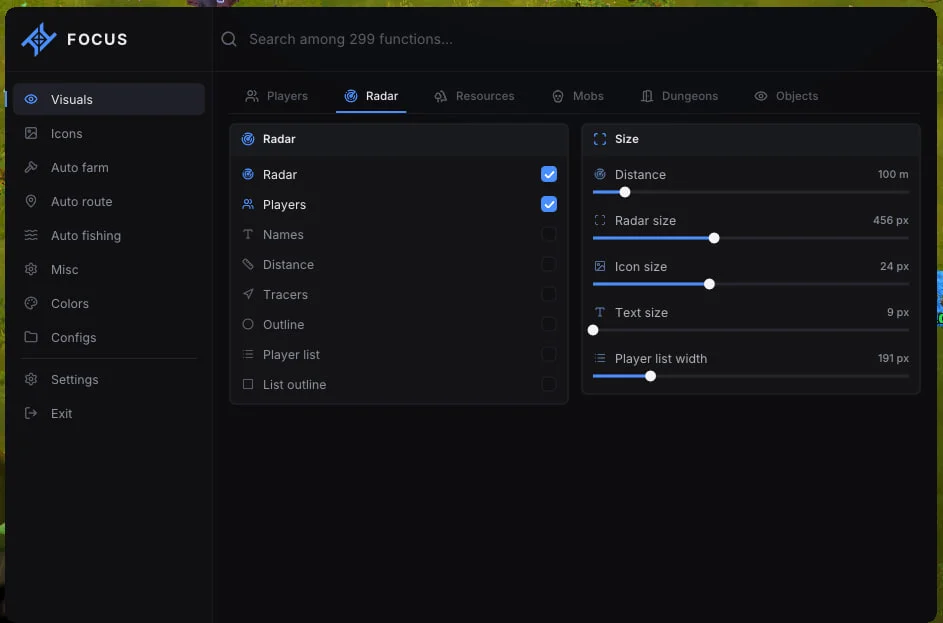
ESP · Radar
- Radar, players, names, distance, tracers and outline. (Radar display)
- Player list and its outline. (Player list)
- Radar range and size, icon and text sizes, and player-list width. (Range and sizes)
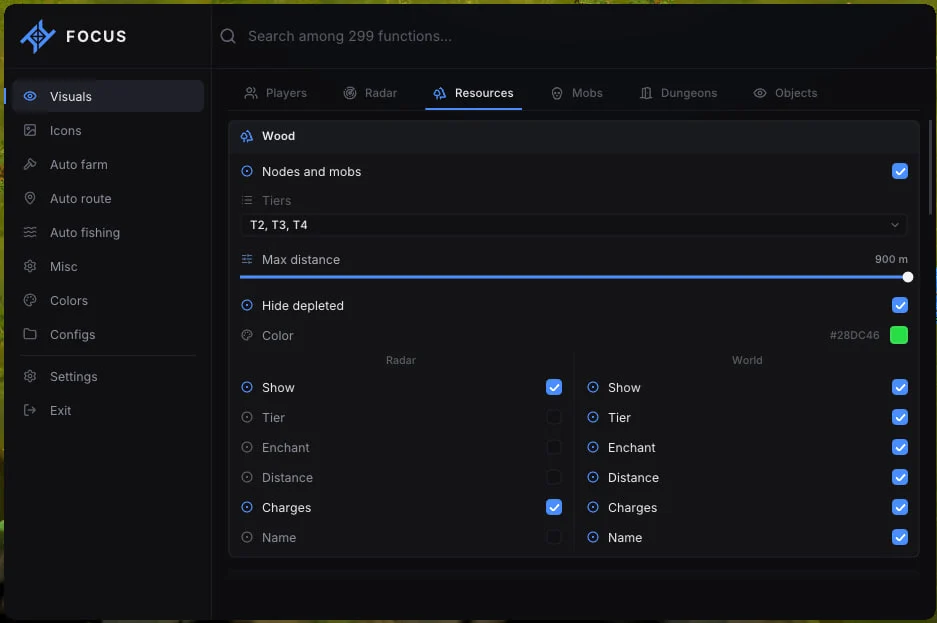
ESP · Resources
- Separate Wood, Rock, Ore, Fiber and Hide cards. The Hide category contains mobs only. (Resource categories)
- Enable each category, select tiers T1–T8, set maximum distance, hide depleted resources and choose a color. (Per-category filters)
- Separate display, tier, enchantment, distance, charges and name settings. (Resources on radar)
- Separate display, tier, enchantment, distance, charges and name settings. (Resources in the world)
ESP · Mobs
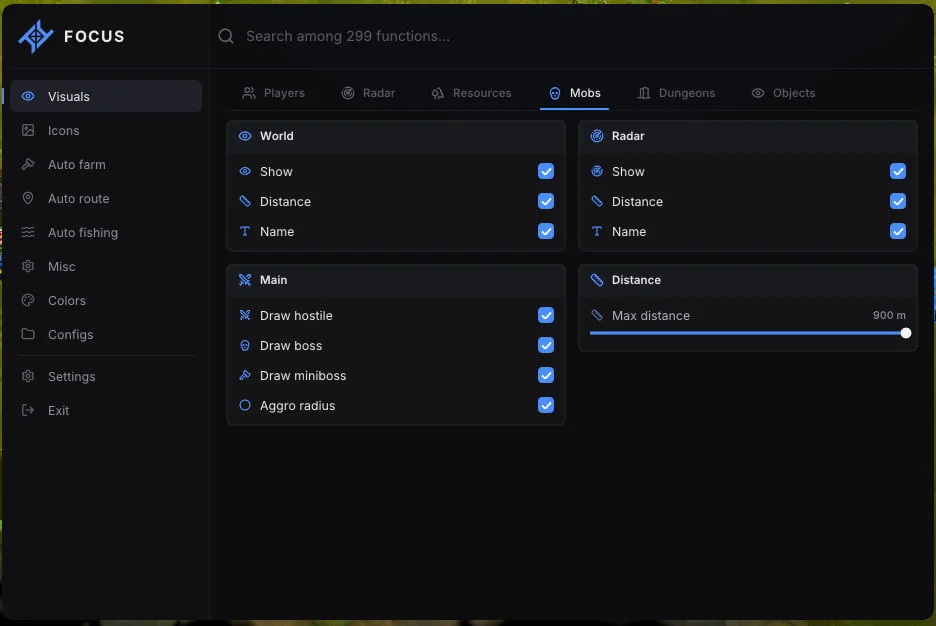
- Display mobs, distance and names in the world and on radar. (Mobs in the world and on radar)
- Separate settings for hostile mobs, bosses and minibosses. (Mob categories)
- Aggro-radius display and maximum-distance setting. (Aggro radius and range)
ESP · Dungeons
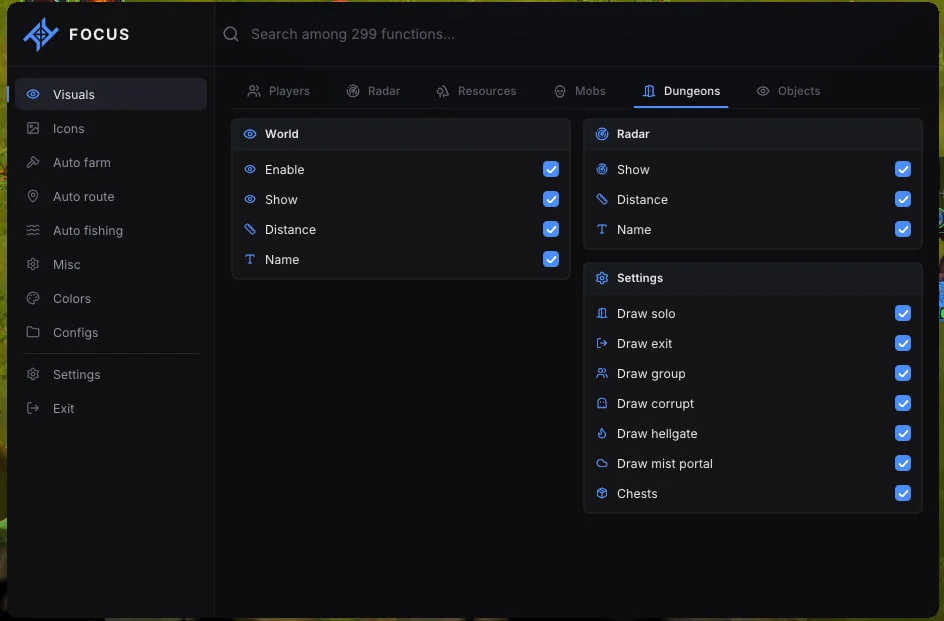
- Display dungeons, distance and names in the world and on radar. (Dungeons in the world and on radar)
- Solo, exits, Group, Corrupt, Hellgate, Mist Portal and chests. (Dungeon types)
ESP · Objects
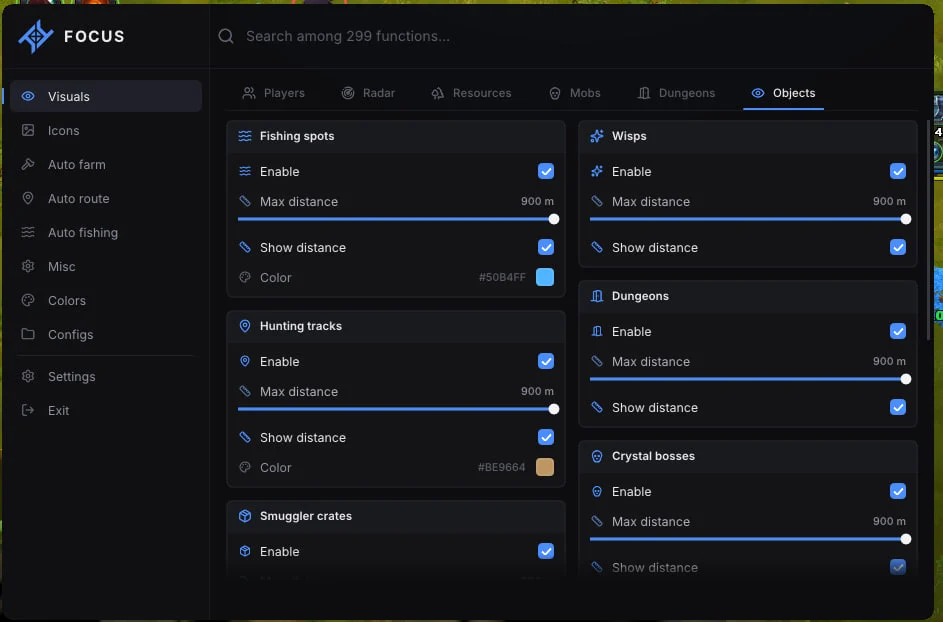
- For each type: enable, maximum distance, distance display and color. (Fishing spots, wisps and dungeons)
- For each type: enable, maximum distance, distance display and color. (Hunting tracks and crystal bosses)
- Smuggler crates and captive smugglers: separate enable, maximum distance, distance display and color settings. (Smugglers)
- For each type: enable, maximum distance, distance display and color. (Chest mobs, events and chests)
- Enable fish circles, set their maximum distance, display distance and choose a color. (Fish circles)
Icons · Players
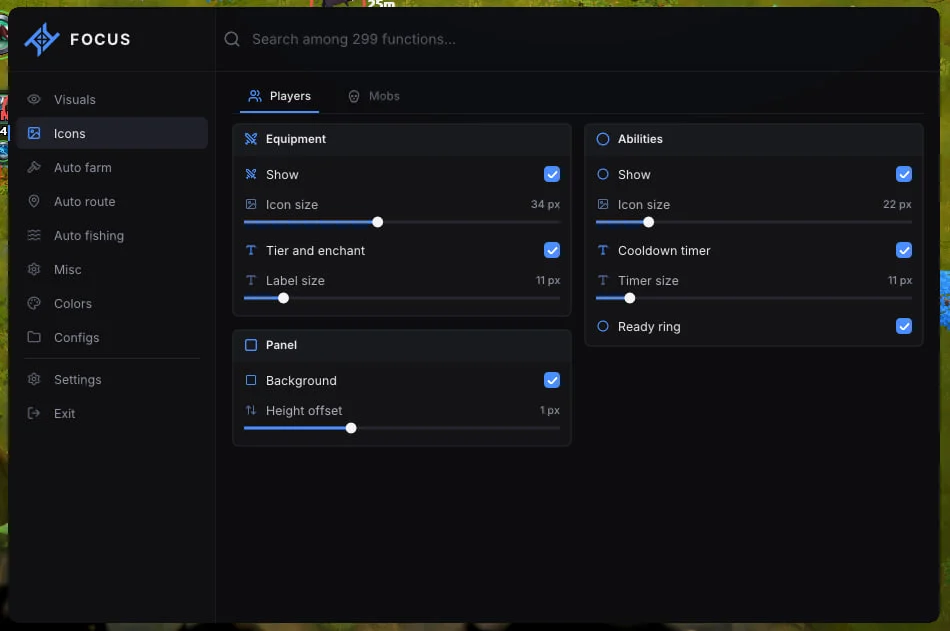
- Equipment display, icon size, tier and enchantment display, and label size. (Equipment)
- Ability display, icon size, cooldown timer and readiness ring. (Player abilities)
- Panel background and vertical offset. (Icon panel)
Icons · Mobs
- Ability display and an “only after attack” option. (Mob abilities)
- Icon size, cooldown timer and readiness ring. (Icons and cooldown)
- Panel background and vertical offset. (Icon panel)
Auto farm · Resources
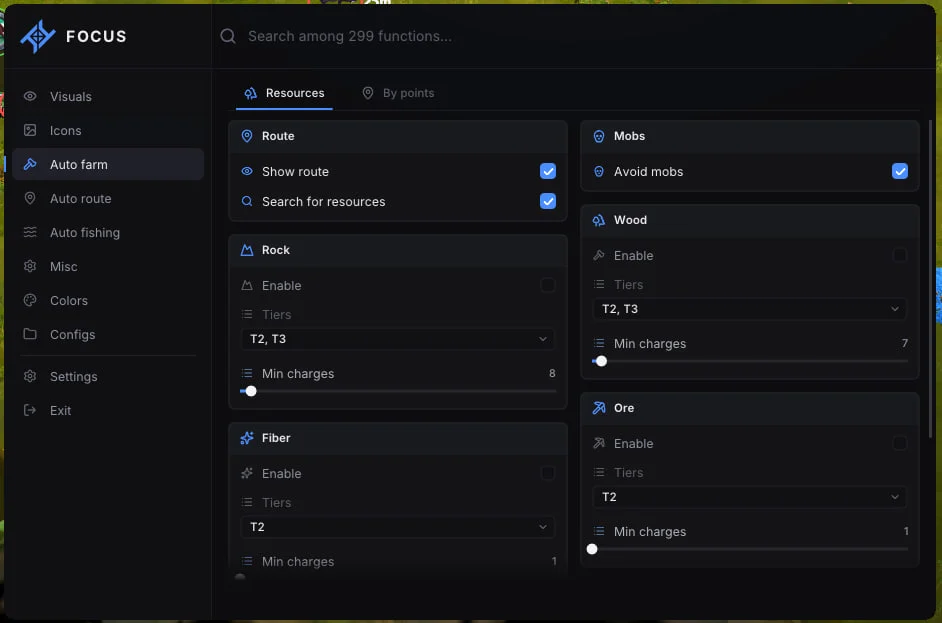
- Search for resources across the map and display the route. (Resource search and route)
- Mob-avoidance option for auto farming. (Avoid mobs)
- Wood, Rock, Ore, Fiber and Hide: separate enable, tier selection and minimum-charge settings. (Gathering categories)
- Kill-animals option for the Hide category. (Hide · Animals)
Auto farm · By points
- Start auto farming along set points. (Start farming by points)
- Smart route, recording, display and mob avoidance. (Route controls)
- “Mark / Edit” and clear-route controls. (Edit points)
- Load and delete saved routes. (Saved routes)
Auto route
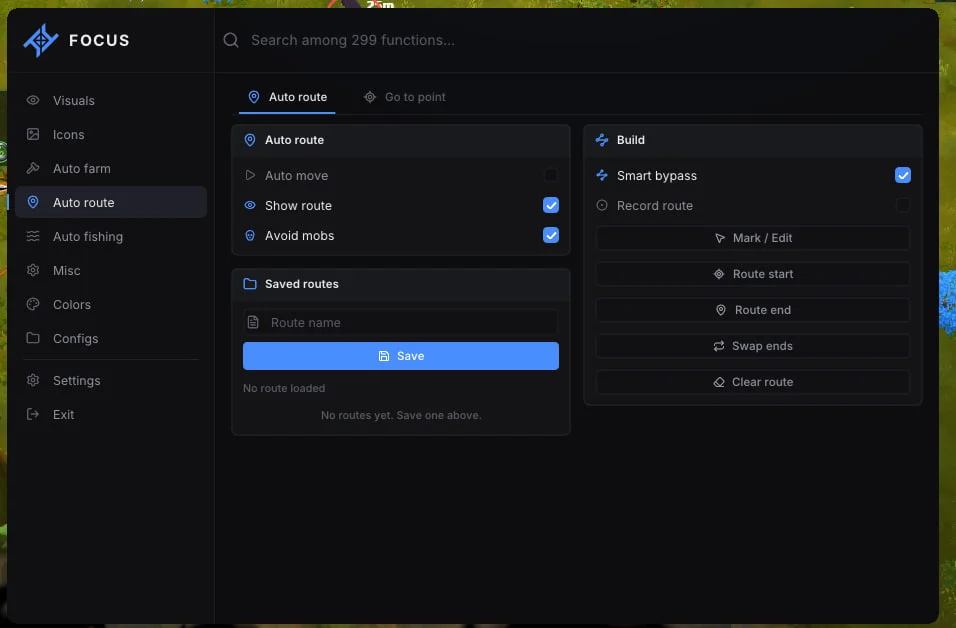
- Smart avoidance, route recording, automatic movement, route display and mob avoidance. (Route movement)
- “Mark / Edit”, set the start and end, swap endpoints and clear the route. (Build a route)
- Saved-route controls. (Saved routes)
Route · Go to point
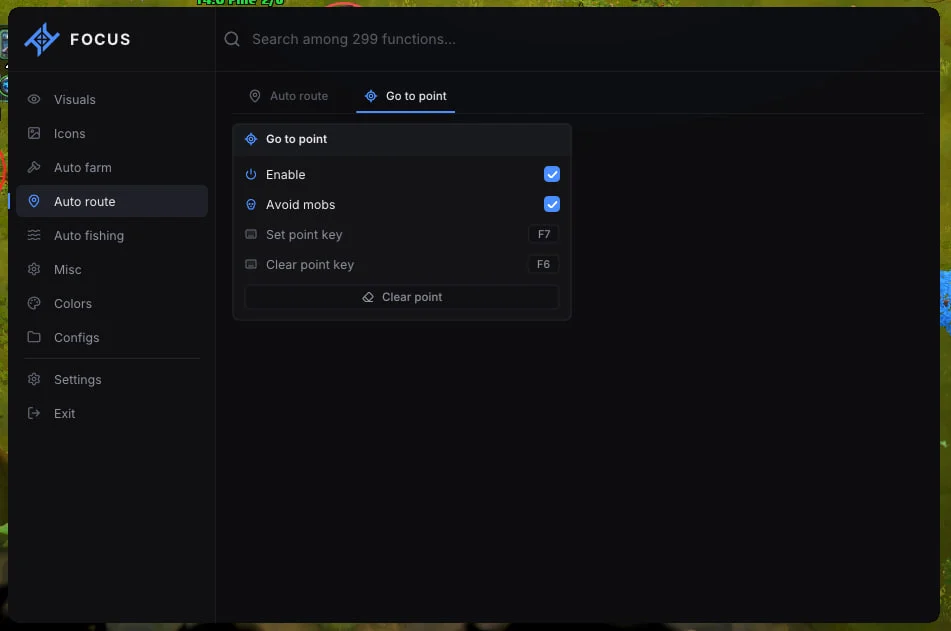
- Enable movement to a point and mob avoidance. (Go to point)
- Set a point with F7; remove it with F6. (Point hotkeys)
- Separate clear-point control. (Clear point)
Auto fishing · Route
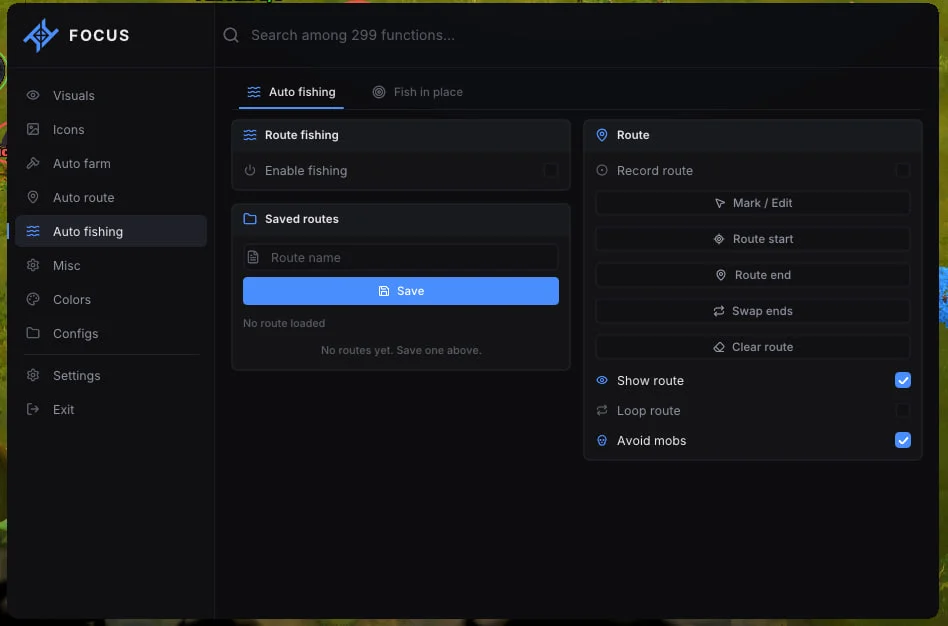
- Enable automatic fishing. (Enable fishing)
- Recording, “Mark / Edit”, start, end, swap endpoints and clear the route. (Build a fishing route)
- Route display, looping and mob avoidance. (Route settings)
- Saved fishing-route controls. (Saved fishing routes)
Auto fishing · Fish in place
- Enable fishing at a set point. (Fish in place)
- Point hotkey: F5; a clear-point control is available. (Fishing point)
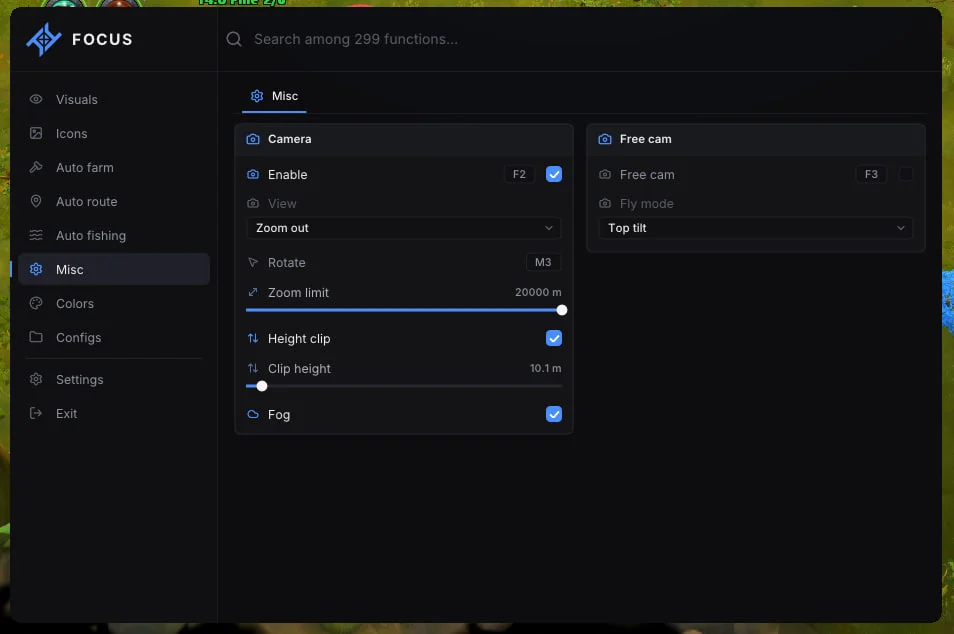
Camera
- Enable with a key binding; top-down or zoomed-out view. (Camera mode)
- Rotation uses the middle mouse button; zoom-limit setting. (Rotation and zoom)
- Height cut, cut-height adjustment and fog setting. (Height cut and fog)
- Enable free camera with a key binding. (Free camera)
- Free look or top-down tilt. (Flight mode)
Colors · Players and interface
- Colors for tracers, players, boxes, names and distance. (Players)
- Colors for the radar outline, list, list outline, radar background, radar dot and list background. (Radar and list)
- Colors for distance text, fishing-spot text and fish circles. (Labels and fish)
- Colors for the readiness ring, panel and panel edge. (Icons)
Colors · Routes
- Colors for the line, inactive segment, point, start, end, target and unreachable segment. (Route elements)
- Separate color for the “Go to point” element. (Go to point)
- Colors for the line, resource and node. (Farming by points)
Colors · World and resources
- Colors for hostile mobs, bosses and minibosses. (Mobs)
- Separate colors for five wisp rarities. (Wisps)
- Colors for Solo, Group, Corrupted, Hellgates, Mist Portals and exits. (Dungeons)
- Resource and object color settings. (Resources and objects)
Menu settings
- Russian or English. (Interface language)
- Menu key: Home. (Menu key)
- “Hide from screen sharing” option. (Screen sharing)
- Menu scale and reset-menu-settings control. (Scale and reset)
- Preset color schemes and a custom accent color. (Accent)
Configs
- Save and load configurations. (Save and load)