Buy private cheat FOCUS Diablo IV
Private cheat FOCUS Diablo IV — resource display, loot display and evasion settings. Also included: farming automation and body display. OS: Windows 10 21H2–22H2.
Compatibility
- Windows 10
- 21H2–22H2
- Windows 11
- 21H2–25H2
Features
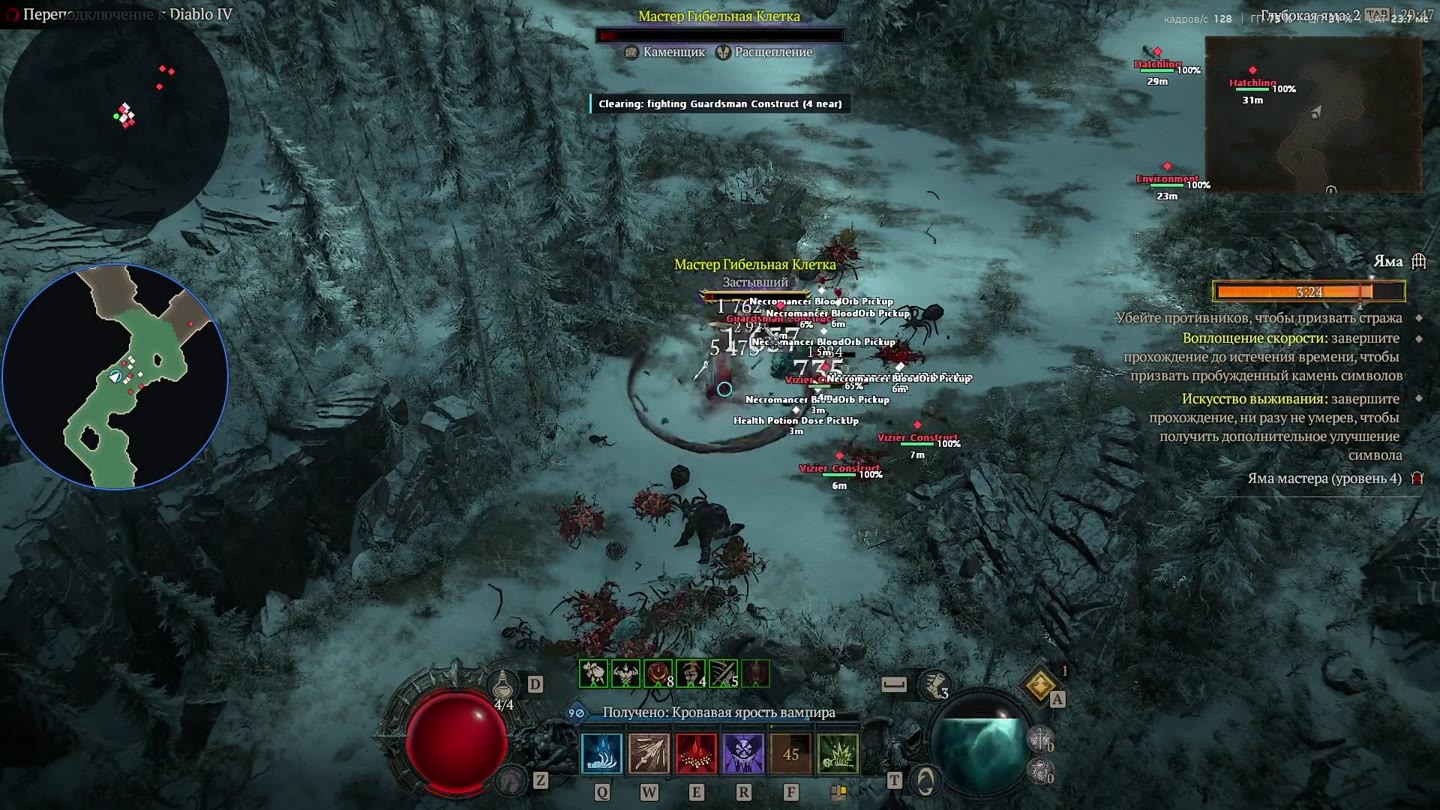
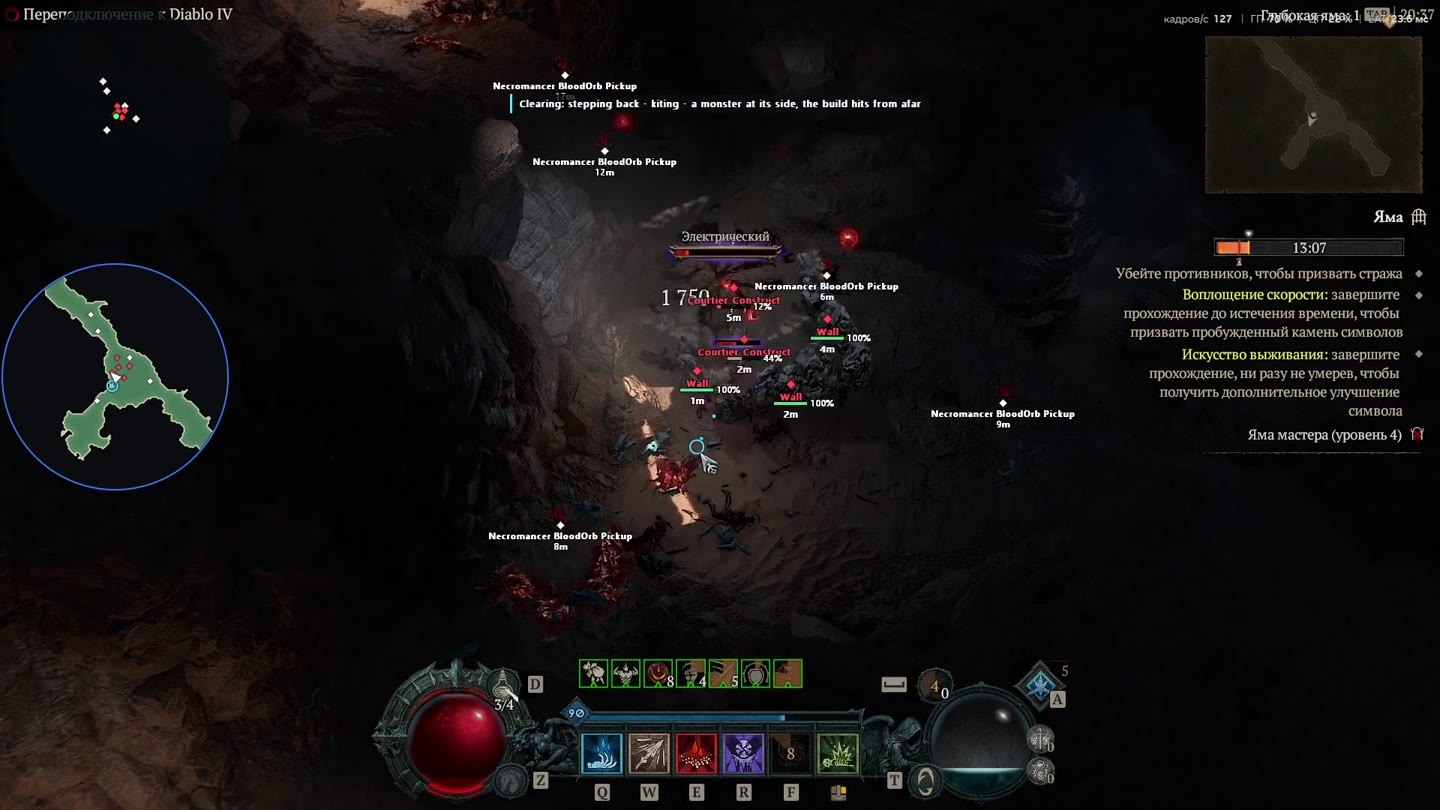
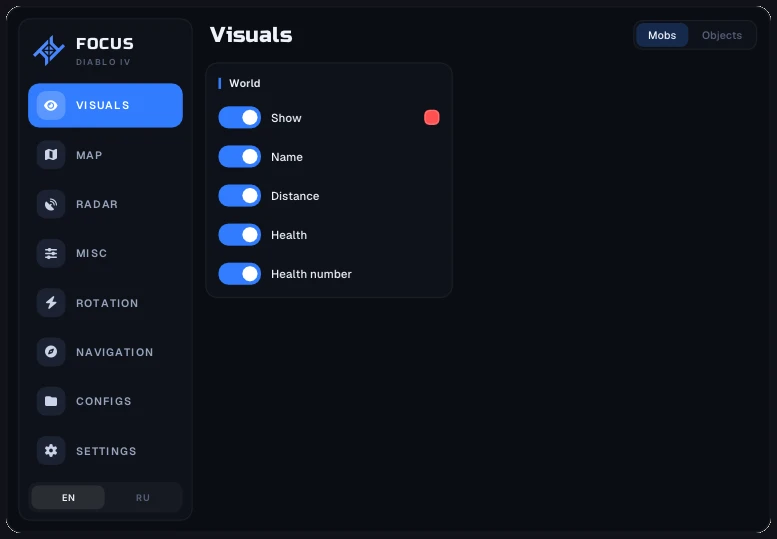
Visuals — mobs
- Enable monster visuals and choose their color. (Display)
- Separate name and distance toggles. (Name and distance)
- Health bar and numeric health value. (Health)
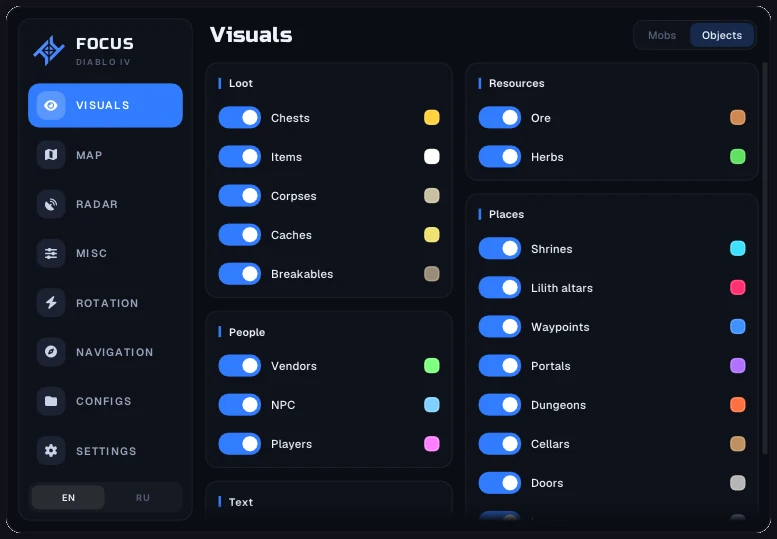
Visuals — objects
- Chests, items, corpses, caches and breakable objects. (Loot)
- Ore and herbs. (Resources)
- Vendors, NPCs and players. (People)
- Shrines, Altars of Lilith, waypoints, portals, dungeons, cellars and doors. (Places)
- Individual toggles and colors for object categories. (Colors and filters)
Full map
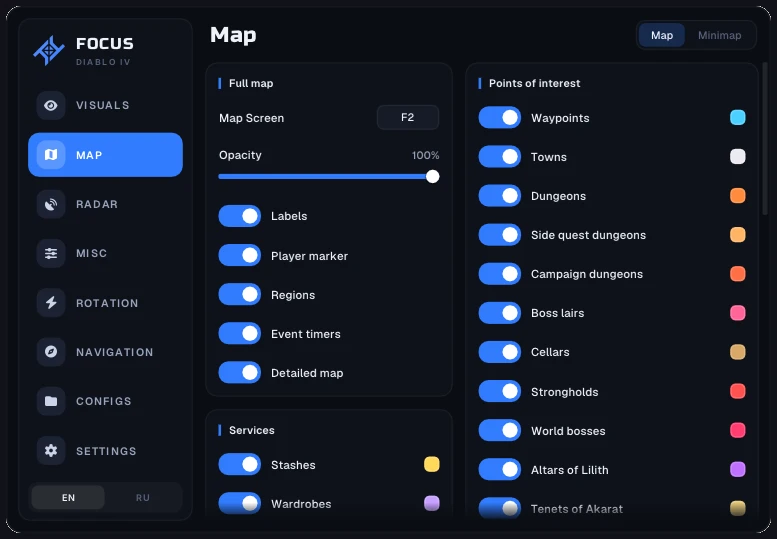
- Map key and adjustable opacity. (Key and opacity)
- Labels, player marker, regions, event timers and detailed map. (Map layers)
- Dungeons, campaign and side-quest dungeons, boss lairs and cellars. (Dungeons)
- Waypoints, towns, strongholds, world bosses, Altars of Lilith and Tenets of Akarat. (Points of interest)
- Show stashes and wardrobes. (Services)
Minimap
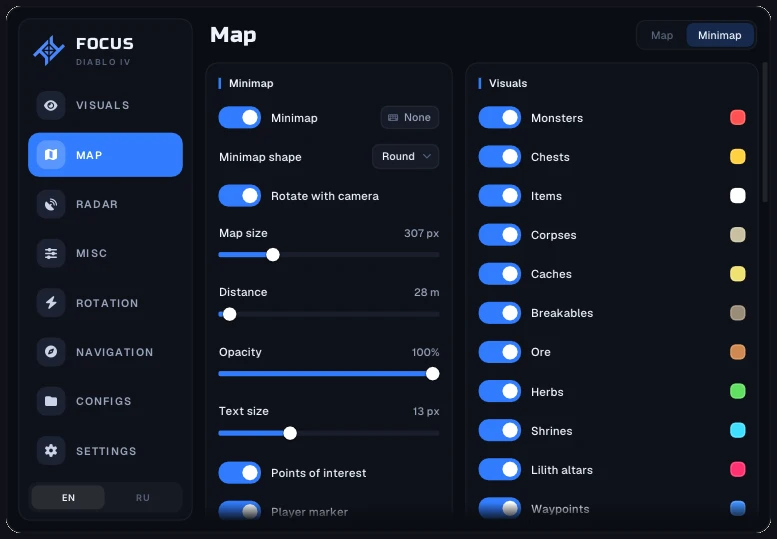
- Activation key, shape selection and rotation with the camera. (Controls)
- Adjust map size and visible range. (Size and range)
- Opacity, text size, points of interest and player marker. (Appearance)
- Monsters, chests, items, corpses, caches, breakables, ore, herbs, shrines, Altars of Lilith and waypoints. (Object filters)
Radar
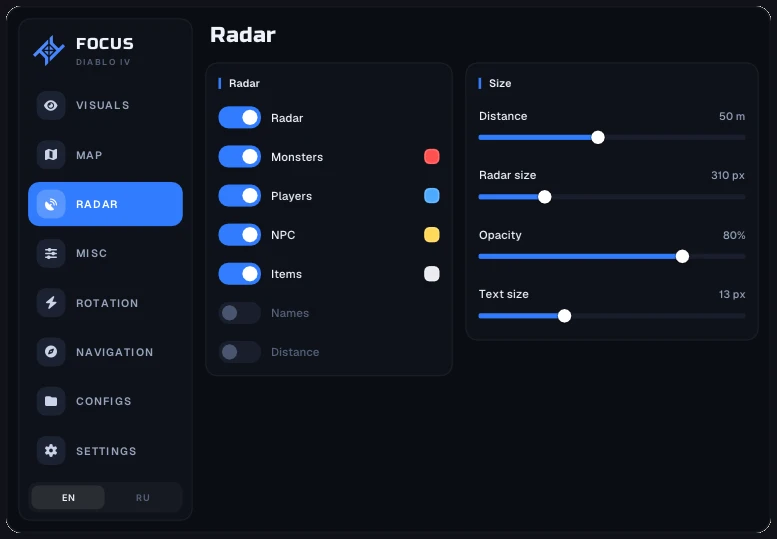
- Monsters, players, NPCs and items with individual colors. (Objects)
- Show names and distances. (Labels)
- Range, radar size, opacity and text size. (Settings)
Misc
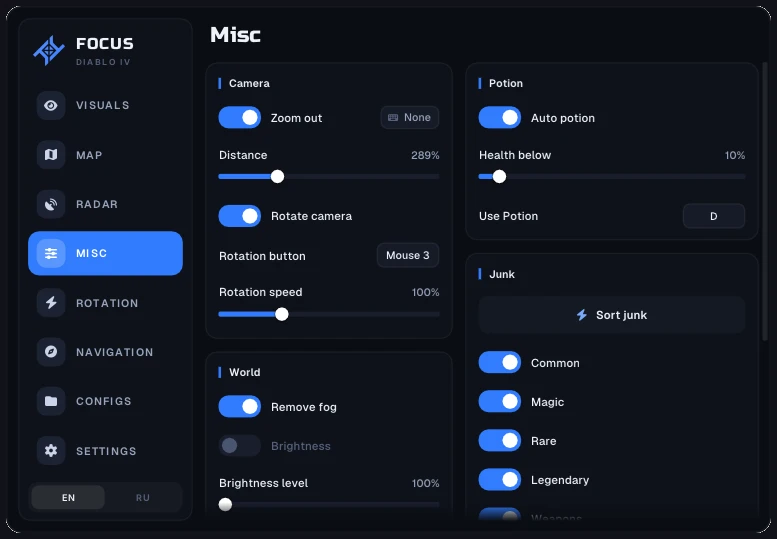
- Activation key and camera distance setting. (Camera zoom out)
- Rotation key and adjustable speed. (Camera rotation)
- Remove fog and adjust brightness. (World)
- Use a potion below a chosen health threshold, with a configurable key. (Auto potion)
- Sort items with Common, Magic, Rare and Legendary filters. (Junk sorting)
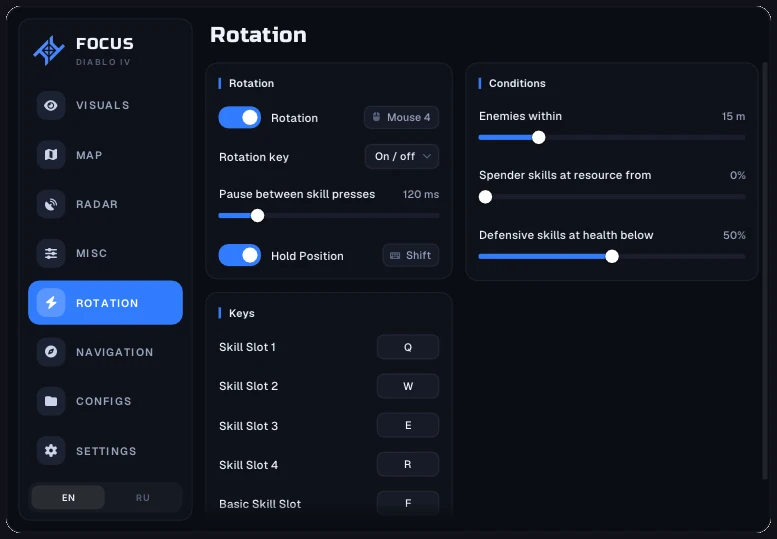
Skill rotation
- Activation key, key mode and delay between skill presses. (Rotation controls)
- Hold position using a configurable key. (Hold position)
- Configure skill-slot and basic-skill keys. (Skill keys)
- Enemy range, minimum resource for spender skills and health threshold for defensive skills. (Skill conditions)
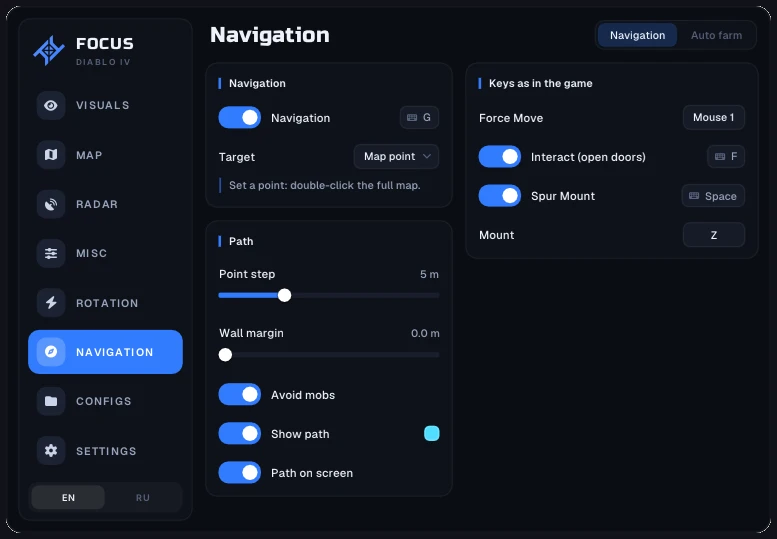
Navigation
- Activation key and target selection. Double-click the full map to set a point. (Move to a point)
- Path point spacing, wall margin and mob avoidance. (Path)
- Show the path, choose its color and display it on screen. (Path display)
- Keys for movement, door interaction, mounting and spurring the mount. (Doors and mount)
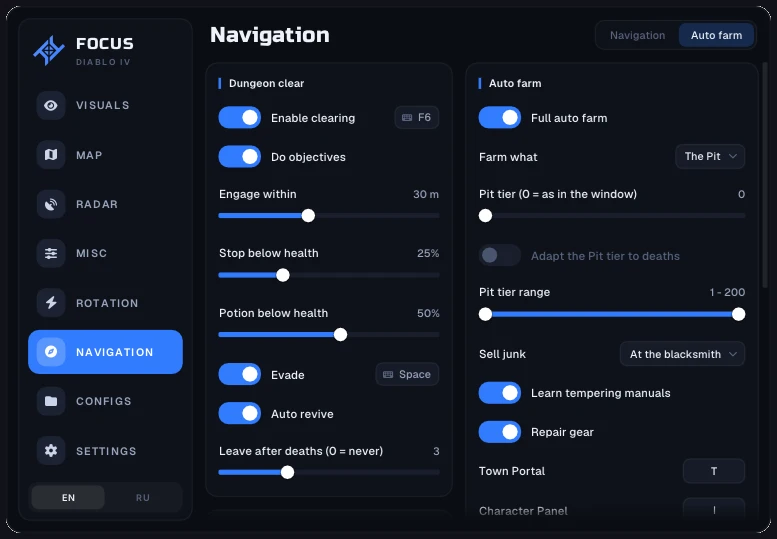
Auto farm
- Activation key, objective completion and engagement range. (Dungeon clearing)
- Low-health stop, auto potion, evade, auto revive and exit after a chosen number of deaths. (Survival)
- Full auto farm with Pit tier selection, tier range and adaptation to deaths. (The Pit farming)
- Sell junk, learn tempering manuals and repair gear. (Gear)
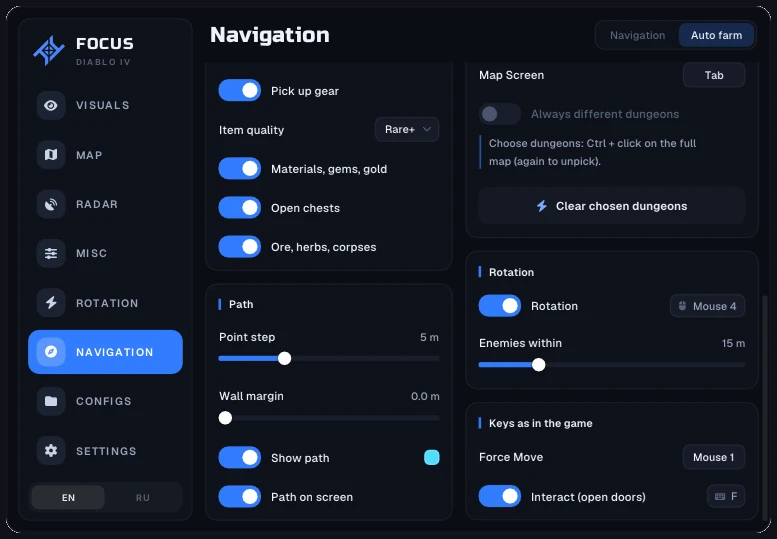
- Pick up gear with a quality filter, materials, gems and gold. Open chests and interact with ore, herbs and corpses. (Loot collection)
- Select dungeons with Ctrl + click on the full map, clear the selection and configure dungeon changes. (Dungeon selection)
- Skill rotation based on enemy range, path settings and door interaction. (Combat and path)