Buy private cheat FOCUS Hunt: Showdown
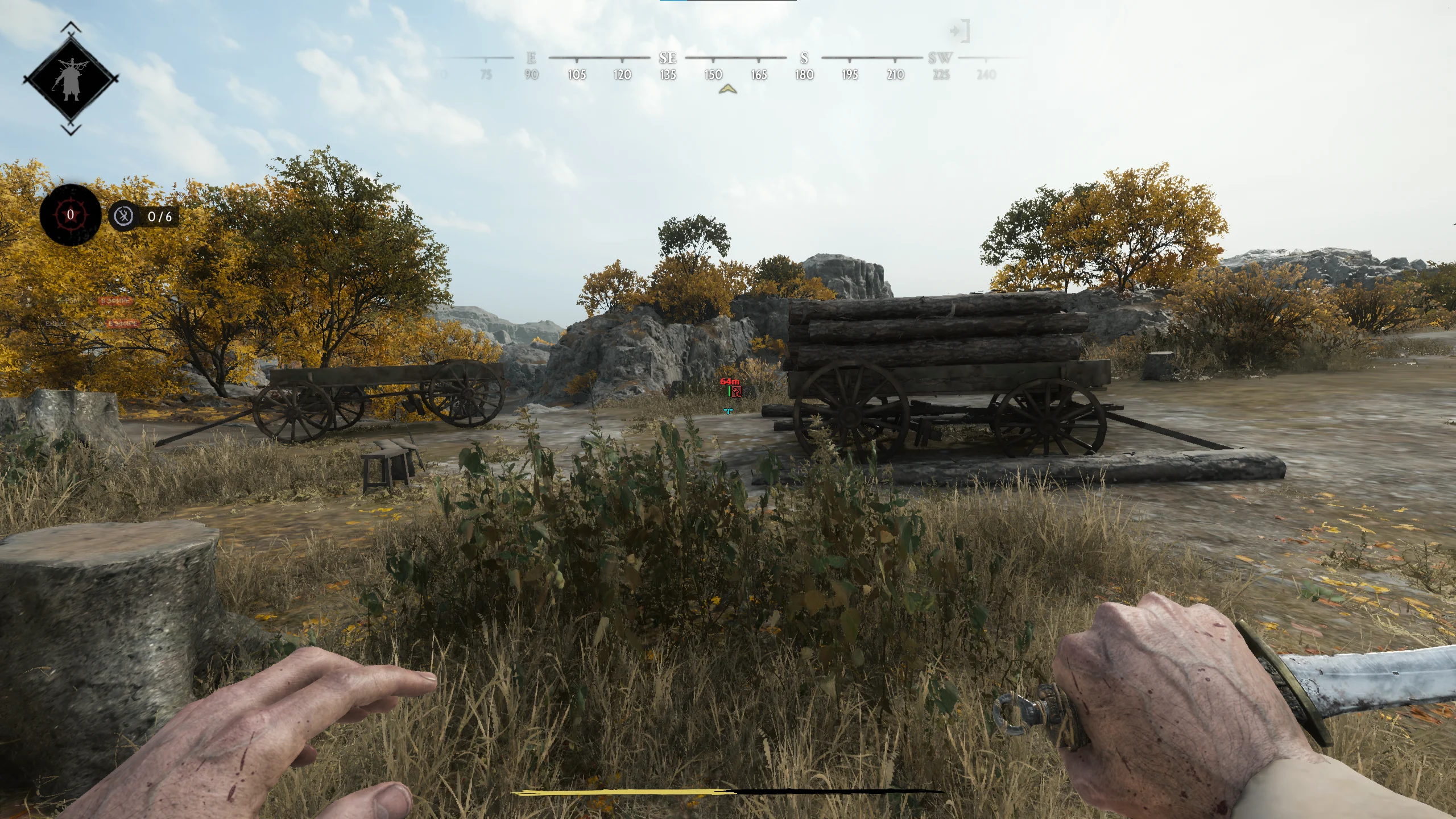
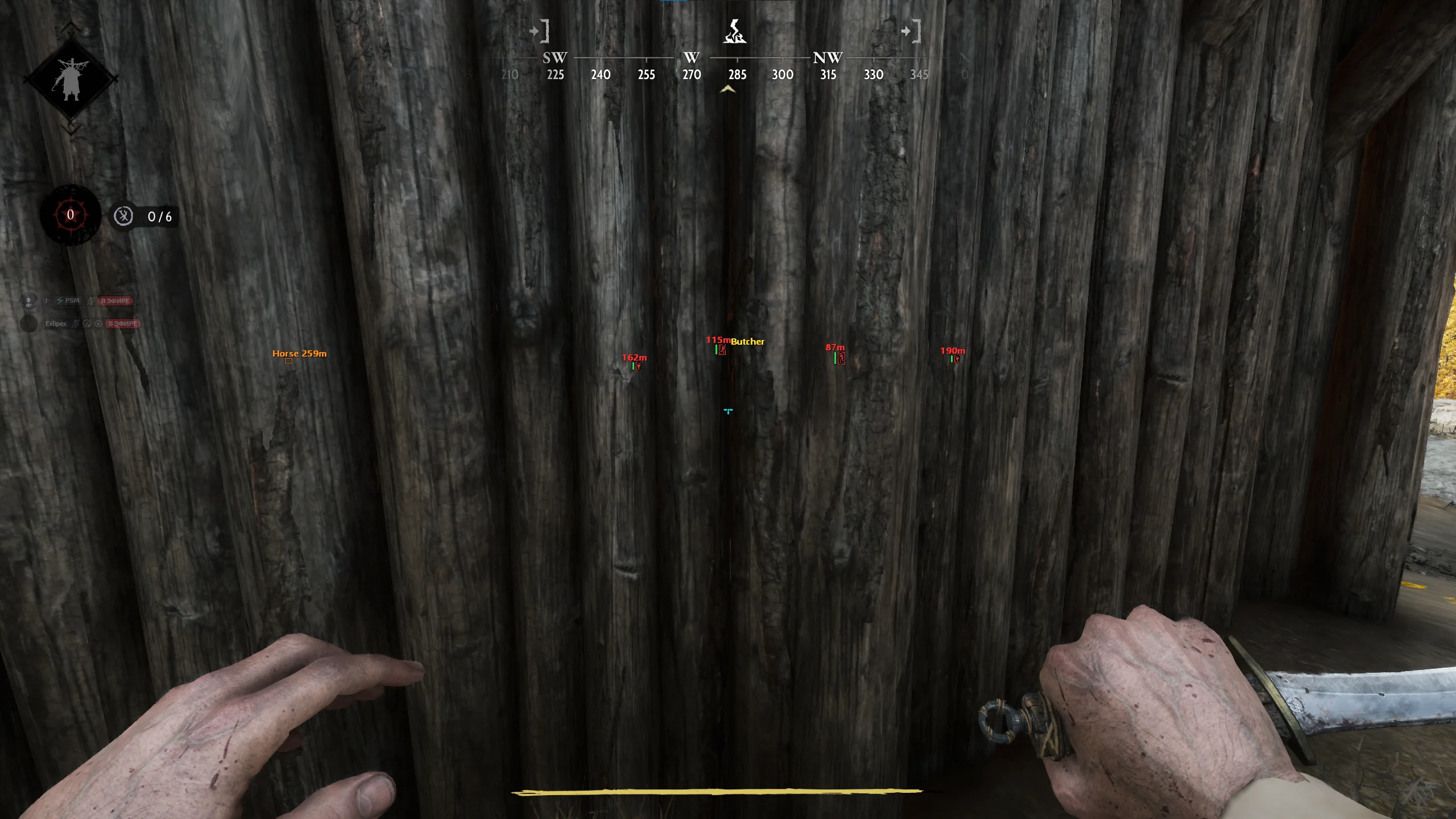
Private cheat FOCUS Hunt: Showdown — animal ESP, player ESP and crosshair controls. Also included: health indicators and zoom controls. Client: Only Steam.
Compatibility
- Windows 10
- 22H2
- Windows 11
- 25H2
- Processor
- AMD / Intel
- Architecture
- x64 only (64-bit)
- Platform
- Steam only
Features
ESP · Players
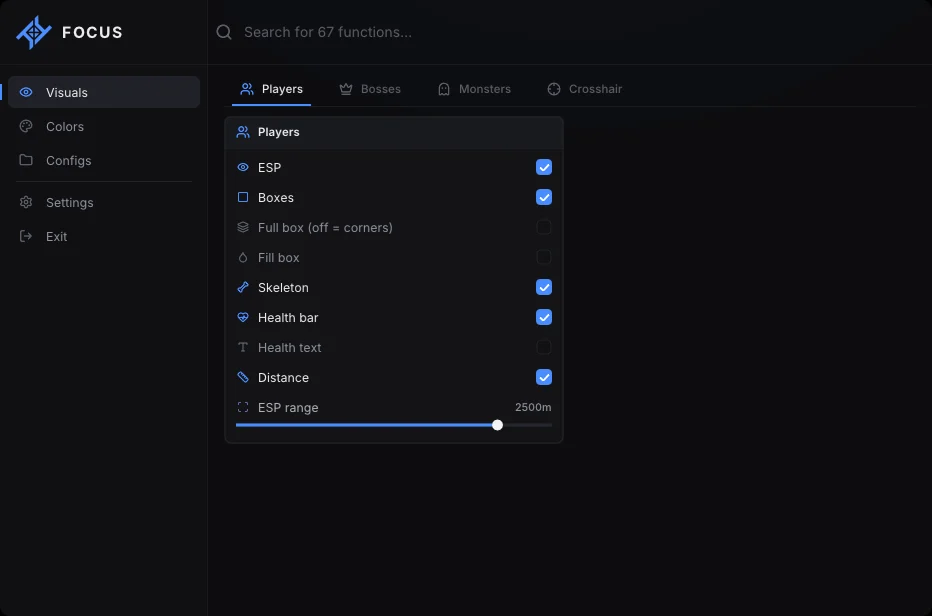
- Master switch for player ESP. On by default. (ESP)
- Draw boxes around players. On by default. (Boxes)
- Full boxes instead of corners. Off by default. (Full box)
- Fill the player box. Off by default. (Fill box)
- Draw the player skeleton. On by default. (Skeleton)
- Display a health bar. On by default. (Health bar)
- Display health as a number. Off by default. (Health text)
- Display the distance to a player. On by default. (Distance)
- 100–3000 m. Default: 2500 m. (ESP range)
ESP · Bosses
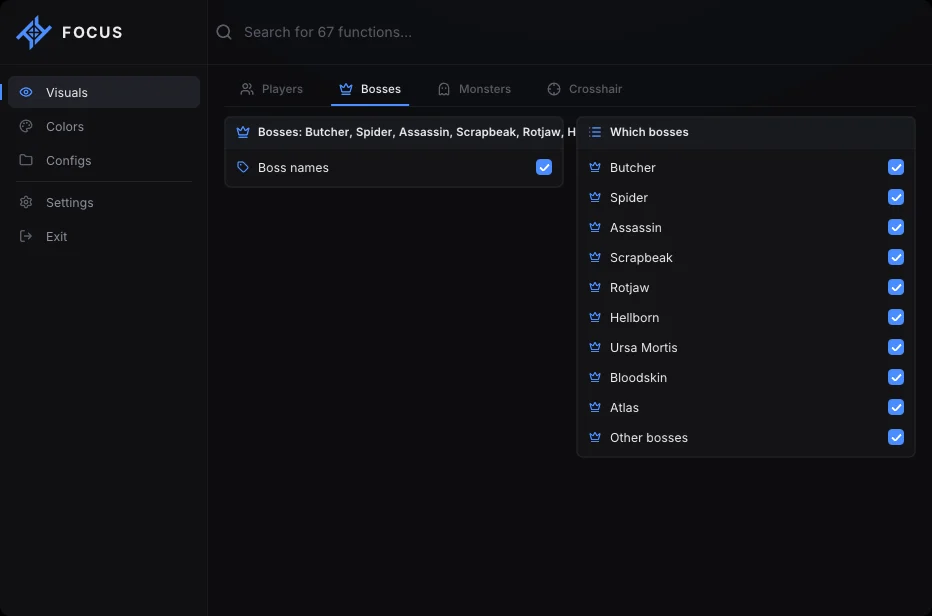
- Display boss names. On by default. (Boss names)
- Independent visibility toggle for this boss category. On by default. (Butcher)
- Independent visibility toggle for this boss category. On by default. (Spider)
- Independent visibility toggle for this boss category. On by default. (Assassin)
- Independent visibility toggle for this boss category. On by default. (Scrapbeak)
- Independent visibility toggle for this boss category. On by default. (Rotjaw)
- Independent visibility toggle for this boss category. On by default. (Hellborn)
- Independent visibility toggle for this boss category. On by default. (Ursa Mortis)
- Independent visibility toggle for this boss category. On by default. (Bloodskin)
- Independent visibility toggle for this boss category. On by default. (Atlas)
- Independent visibility toggle for this boss category. On by default. (Other bosses)
ESP · Monsters
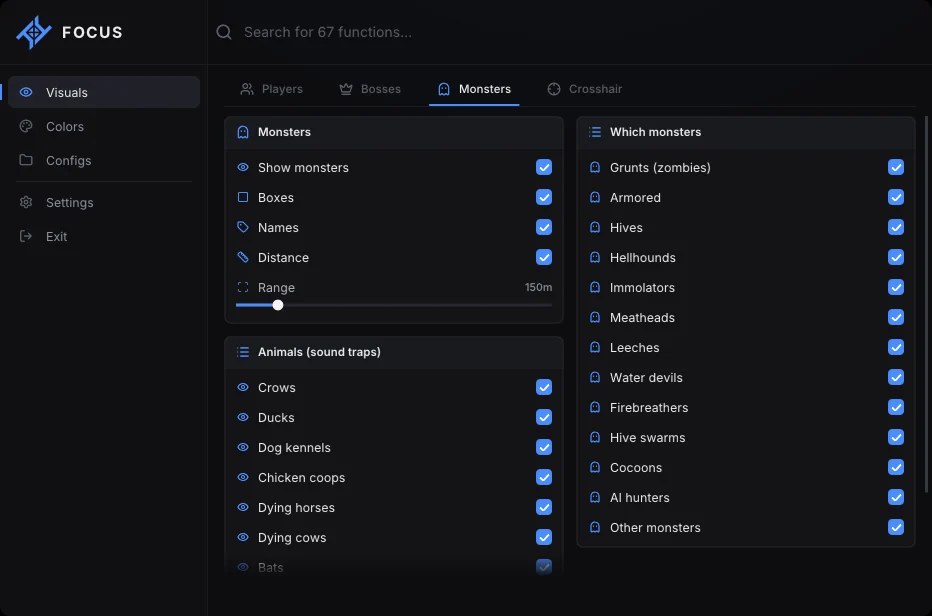
- Master switch for monster ESP. On by default. (Show monsters)
- Draw boxes around monsters. On by default. (Boxes)
- Display monster names. On by default. (Names)
- Display the distance to monsters. On by default. (Distance)
- 20–1000 m. Default: 150 m. (Range)
- Independent visibility toggle for this monster category. On by default. (Grunts (zombies))
- Independent visibility toggle for this monster category. On by default. (Armored)
- Independent visibility toggle for this monster category. On by default. (Hives)
- Independent visibility toggle for this monster category. On by default. (Hellhounds)
- Independent visibility toggle for this monster category. On by default. (Immolators)
- Independent visibility toggle for this monster category. On by default. (Meatheads)
- Independent visibility toggle for this monster category. On by default. (Leeches)
- Independent visibility toggle for this monster category. On by default. (Water devils)
- Independent visibility toggle for this monster category. On by default. (Firebreathers)
- Independent visibility toggle for this monster category. On by default. (Hive swarms)
- Independent visibility toggle for this monster category. On by default. (Cocoons)
- Independent visibility toggle for this monster category. On by default. (AI hunters)
- Independent visibility toggle for this monster category. On by default. (Other monsters)
ESP · Animals and sound traps
- Independent visibility toggle for this sound trap. On by default. (Crows)
- Independent visibility toggle for this sound trap. On by default. (Ducks)
- Independent visibility toggle for this sound trap. On by default. (Dog kennels)
- Independent visibility toggle for this sound trap. On by default. (Chicken coops)
- Independent visibility toggle for this sound trap. On by default. (Dying horses)
- Independent visibility toggle for this sound trap. On by default. (Dying cows)
- Independent visibility toggle for this sound trap. On by default. (Bats)
- Independent visibility toggle for this sound trap. On by default. (Pigs)
- Independent visibility toggle for this sound trap. On by default. (Snake baskets)
- Independent visibility toggle for this sound trap. On by default. (Coach horses)
Crosshair
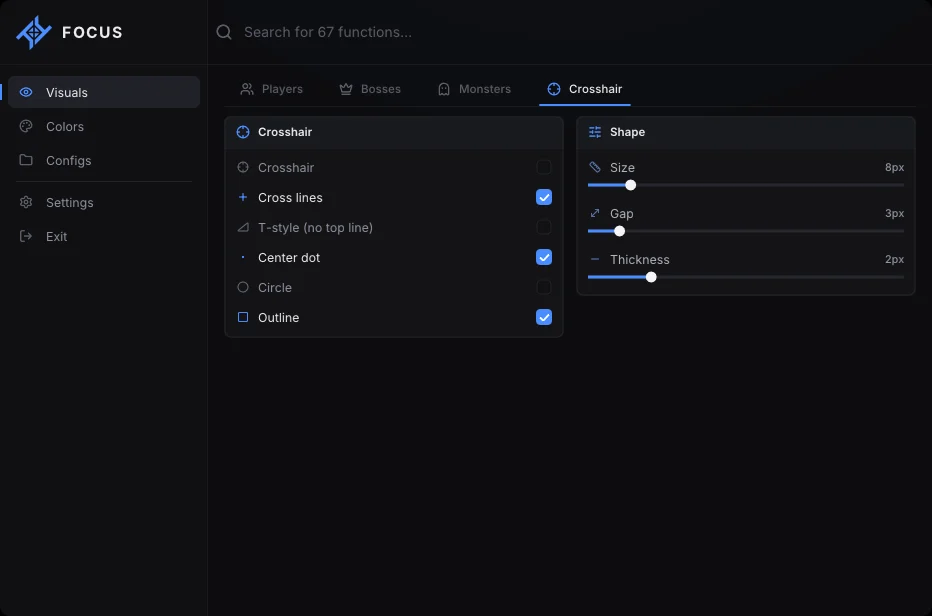
- Master switch for the custom crosshair. Off by default. (Crosshair)
- Crosshair lines. On by default. (Cross lines)
- Crosshair without the top line. Off by default. (T-style)
- Center dot. On by default. (Center dot)
- Crosshair circle. Off by default. (Circle)
- Outline the crosshair. On by default. (Outline)
- 3–40 px. Default: 8 px. (Size)
- 0–30 px. Default: 3 px. (Gap)
- 1–6 px. Default: 2 px. (Thickness)
Colors
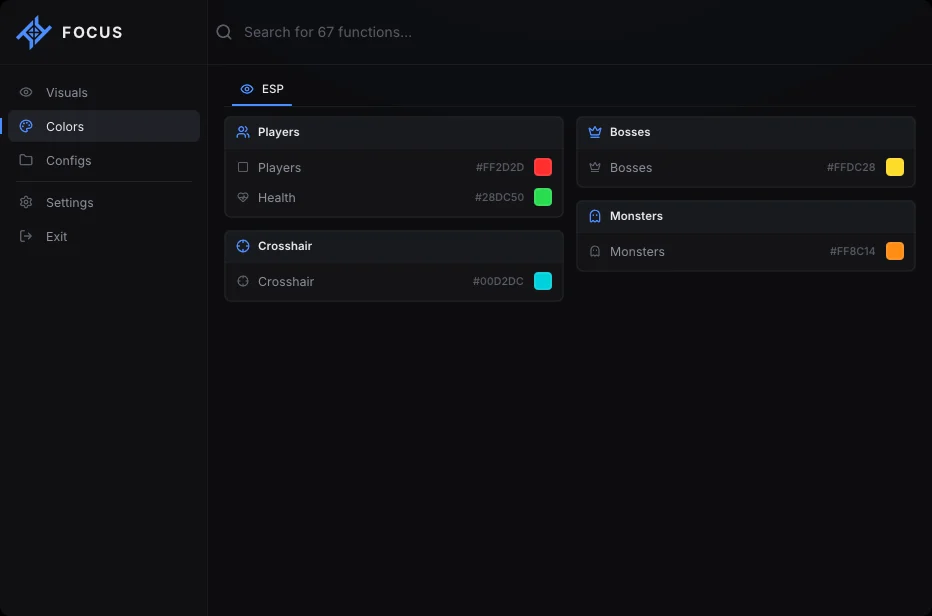
- Player color. Default: #FF2D2D. (Players)
- Health color. Default: #28DC50. (Health)
- Boss color. Default: #FFDC28. (Bosses)
- Monster color. Default: #FF8C14. (Monsters)
- Crosshair color. Default: #00D2DC. (Crosshair)
Configs
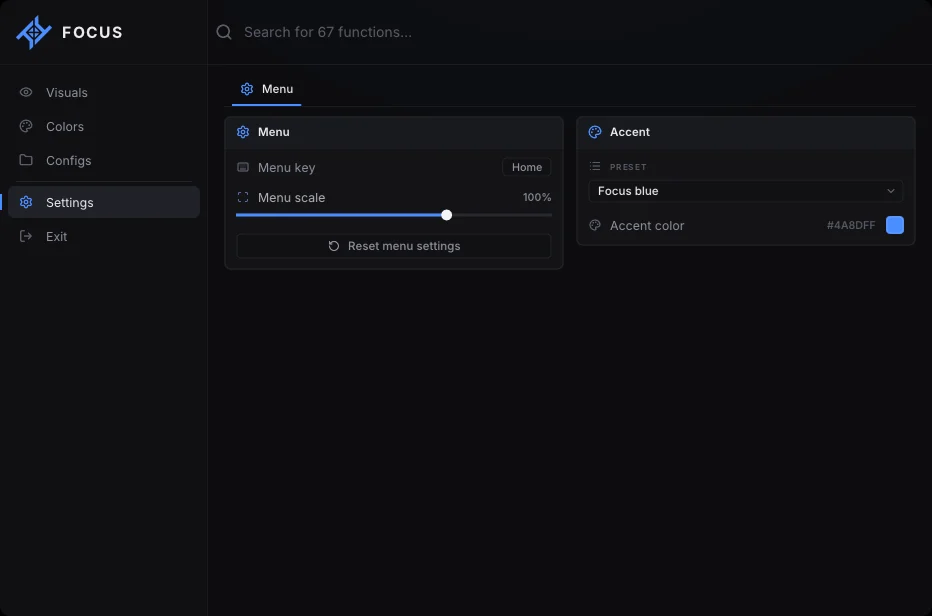
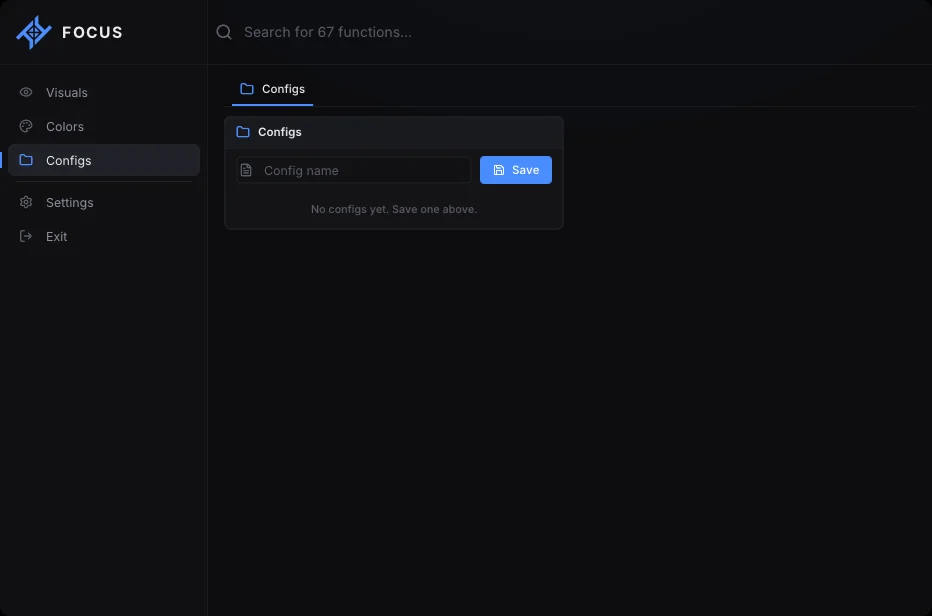
- Save settings under a custom name. (Save)
- Browse saved configs and load the selected one. (List and load)
Menu settings
- Default: Home. (Menu key)
- 60–120%. Default: 100%. (Menu scale)
- Restore the default menu settings. (Reset menu settings)
- Focus blue, Violet, Cyan, Mint, Rose or Amber. (Accent preset)
- Choose a custom accent color. (Accent color)
Controls and overlay
- Search all 67 functions using the field at the top of the menu. (Search)
- Ctrl + mouse wheel or Ctrl + plus/minus. (Quick scaling)
- Exit button in the sidebar. (Exit)
- Drawn only while the game is in the foreground. (Overlay)
- Hunt does not include auto-aim. (Auto-aim)