Buy private cheat FOCUS Roblox
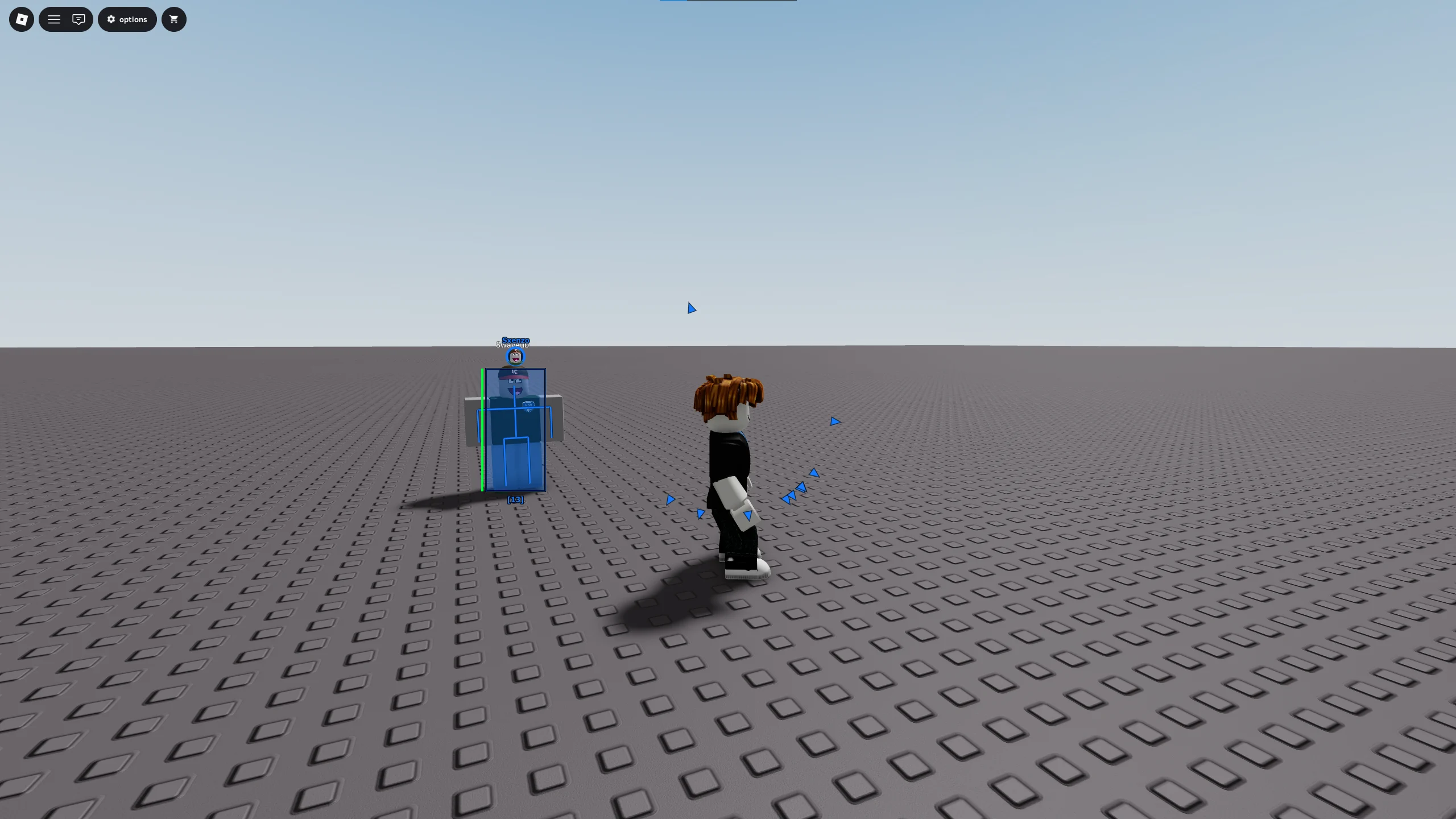
Private cheat FOCUS Roblox — Chams model highlights, aiming controls and skeleton display. Also included: movement prediction and smoothing controls. OS: Windows 10 21H2–22H2.
Compatibility
- Windows 10
- 21H2–22H2
- Windows 11
- 21H2–25H2
- Processor
- AMD / Intel
- Architecture
- x64 only (64-bit)
Features
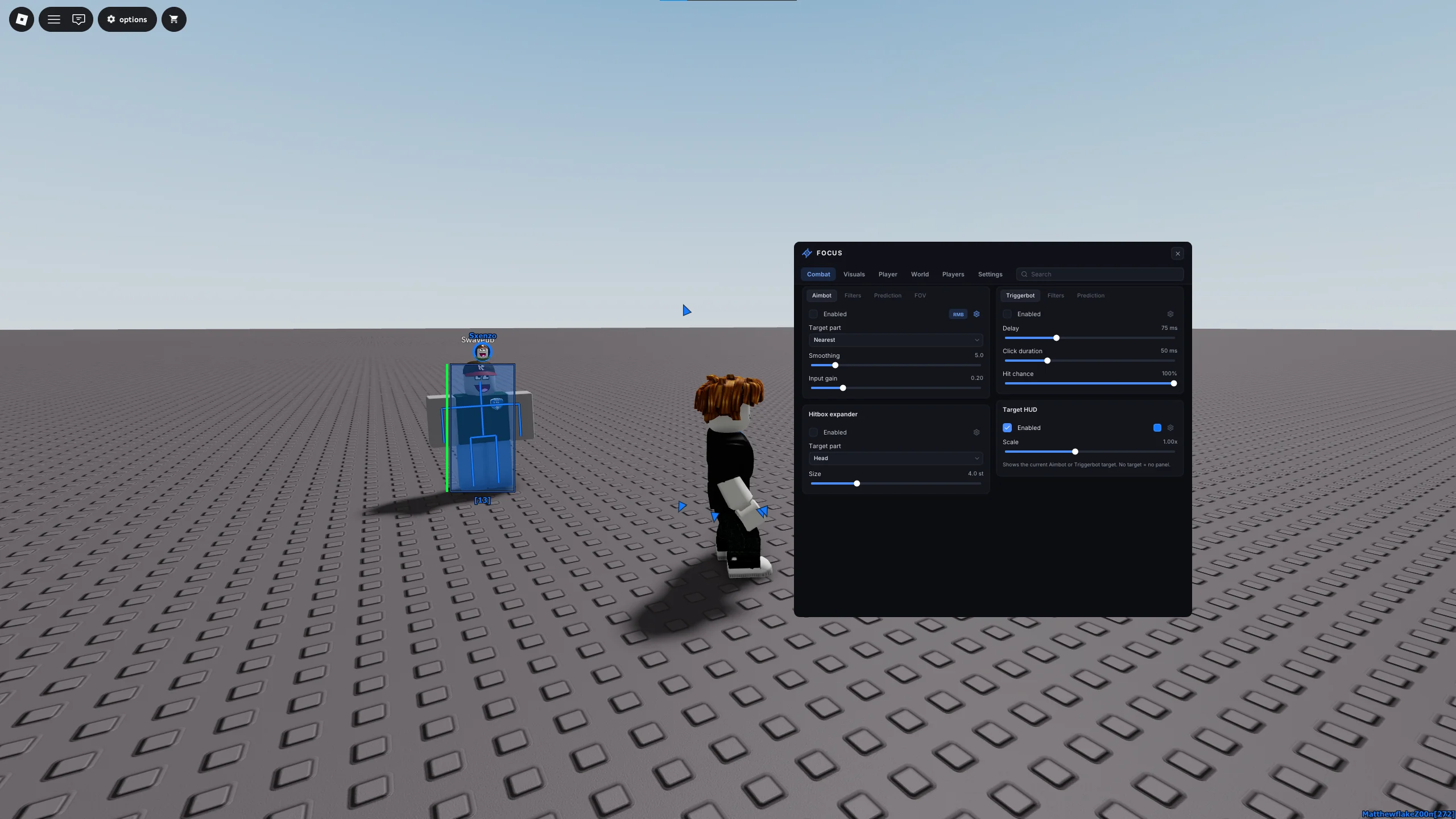
Combat
- Target part, smoothing and input gain. (Aimbot)
- Separate filters, prediction and FOV tabs. (Filters and prediction)
- Delay, click duration and hit chance. (Triggerbot)
- Target part and hitbox size controls. (Hitbox expander)
- A target panel with adjustable scale. (Target HUD)
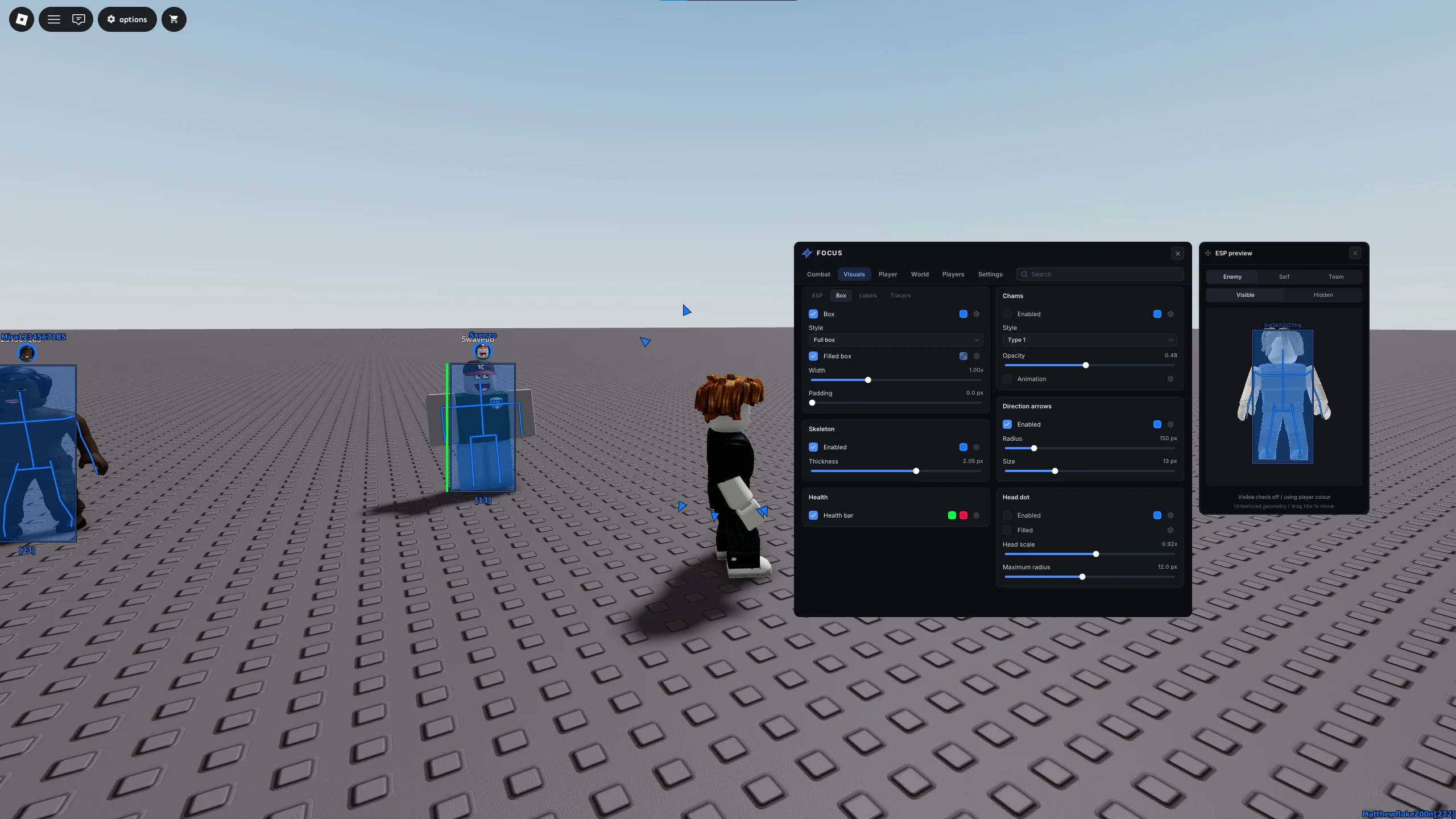
Visuals
- Box style, fill, line width and padding. (Boxes and fill)
- Skeleton line settings and health bar. (Skeleton and health)
- Highlight type, opacity and animation. (Chams)
- Arrow radius and size around the player. (Direction arrows)
- Marker size, radius and fill. (Head dot)
- Preview window for self, team and enemies. (ESP preview)
Player
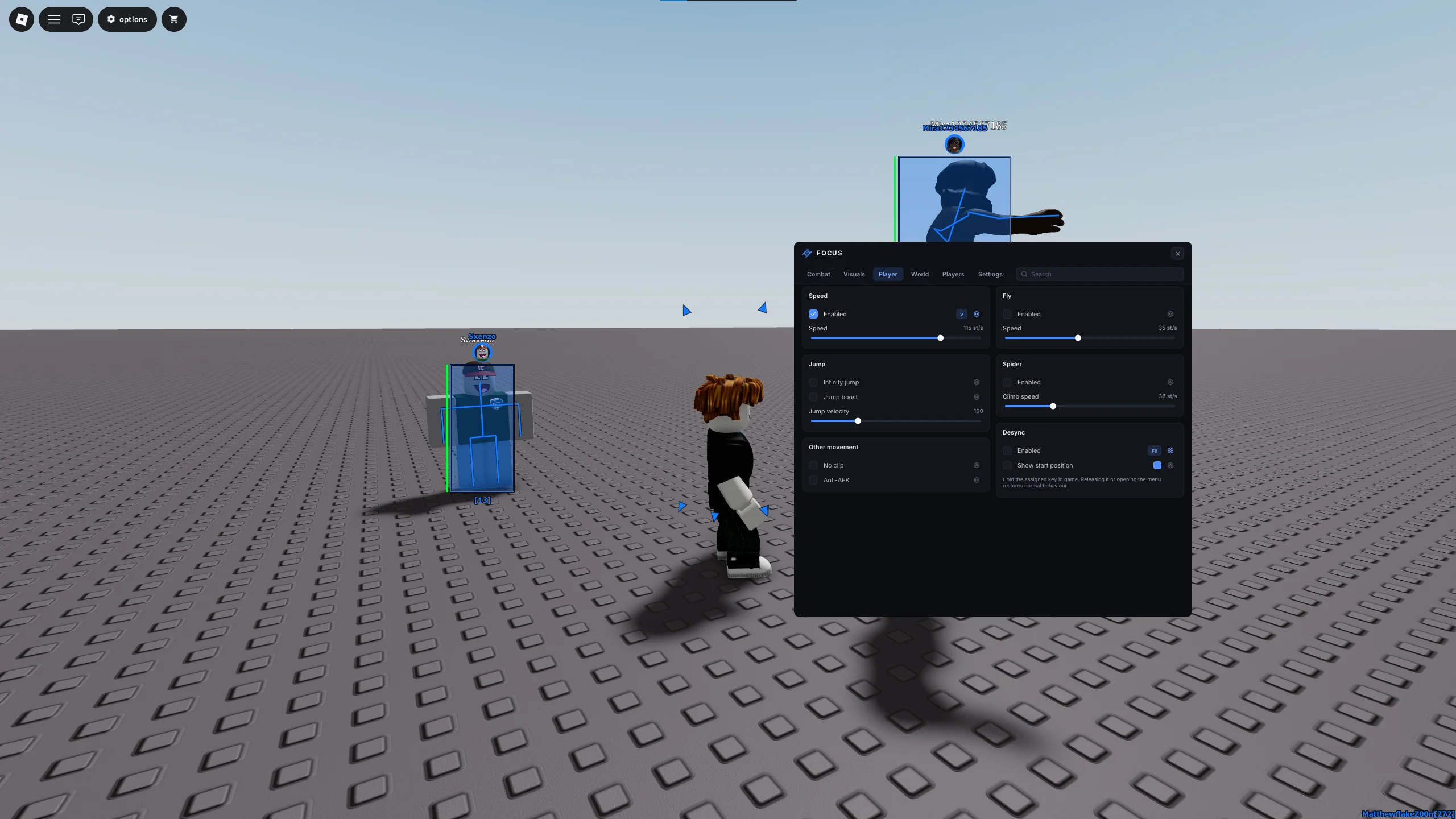
- Separate toggles and speed settings. (Speed and flight)
- Infinite jump, jump boost and jump velocity. (Jump)
- Climb speed settings. (Spider)
- Separate movement settings. (No clip and Anti-AFK)
- Activation key and start-position display. (Desync)
World
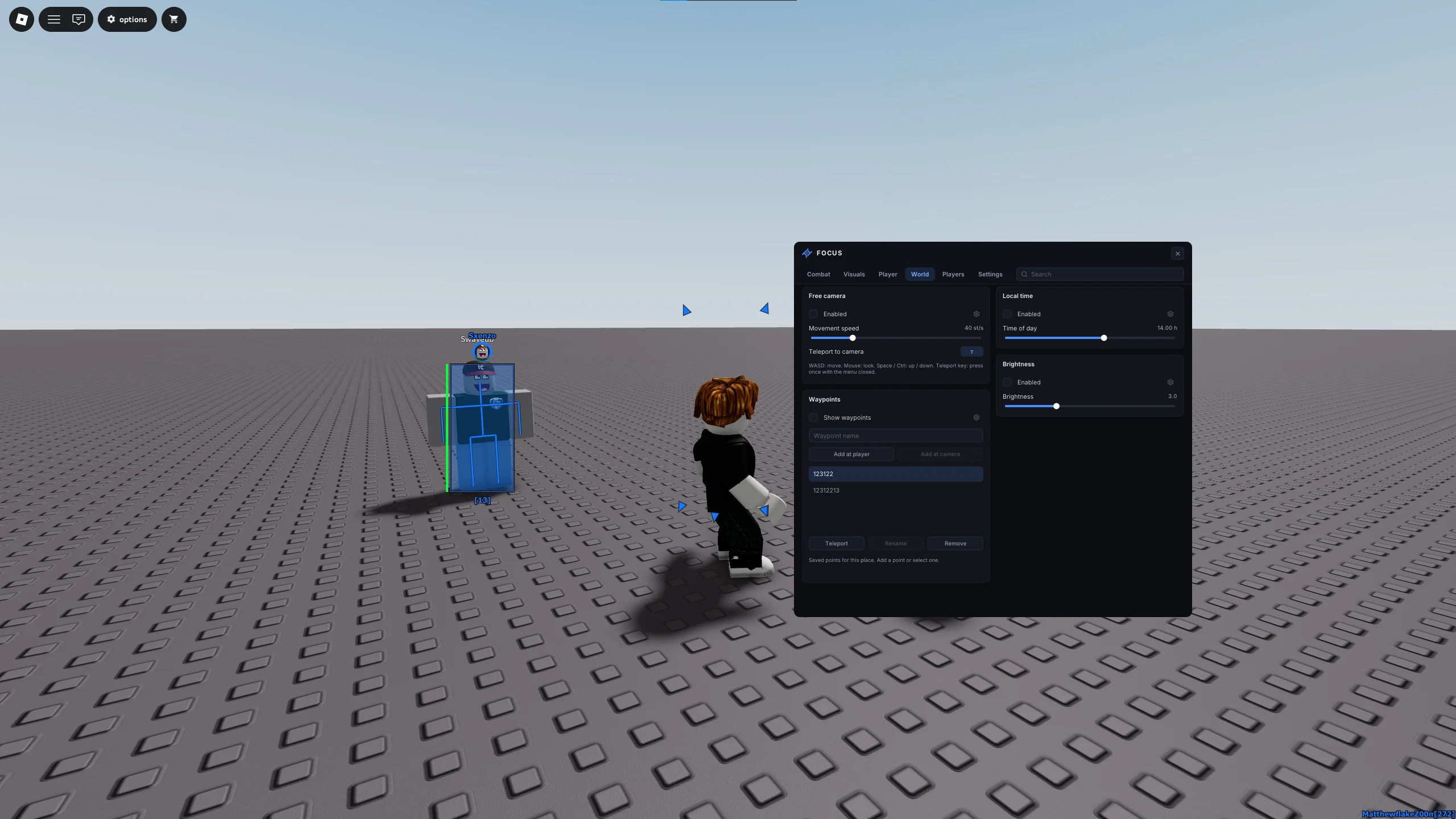
- Camera speed and teleport to camera. (Free camera)
- Add waypoints at the player or camera; teleport, rename and remove. (Waypoints)
- Local time of day and brightness settings. (Time and brightness)
Players
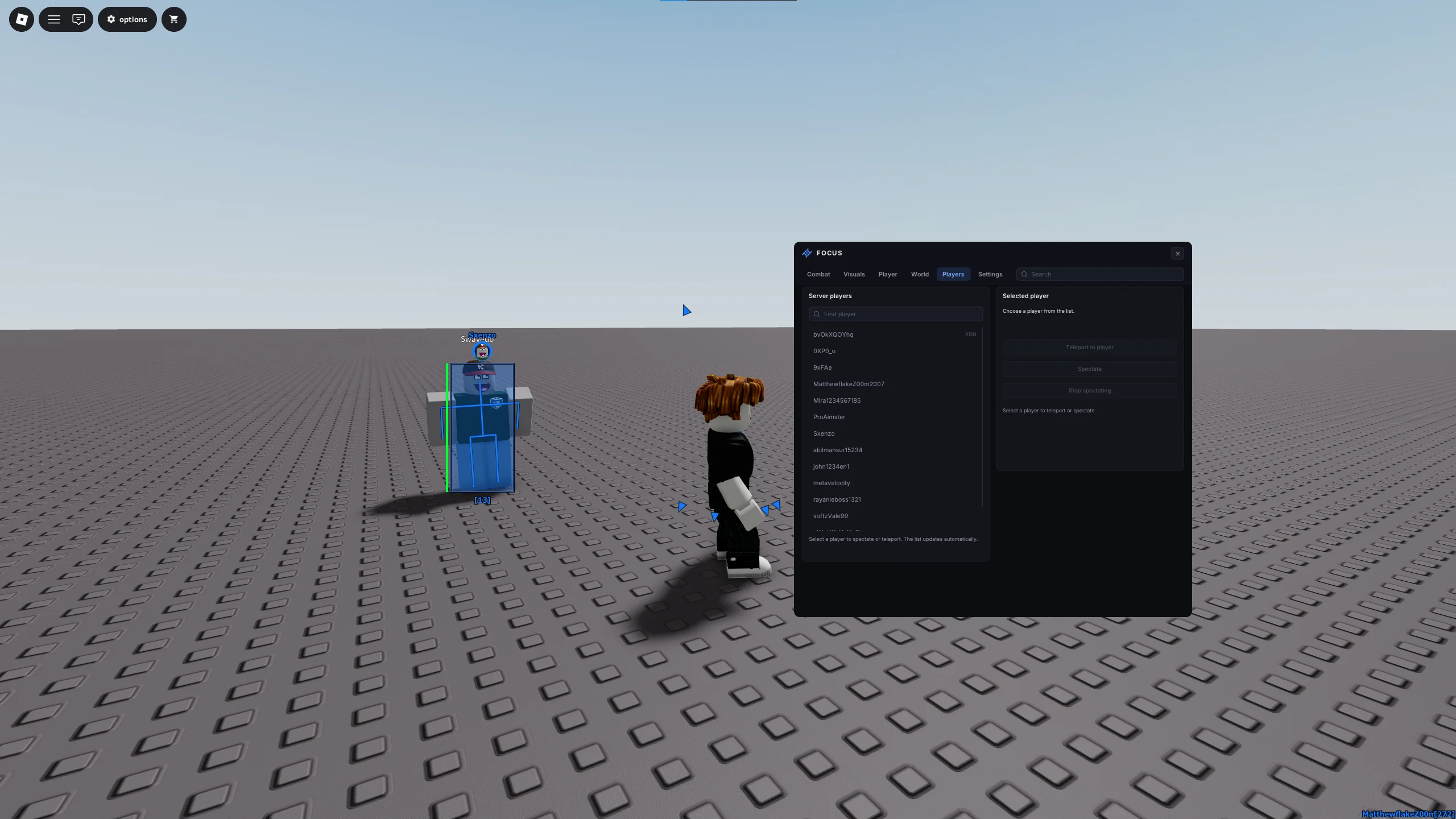
- Server player list and name search. (Player search)
- Teleport to a selected player, spectate and stop spectating. (Player actions)
Settings
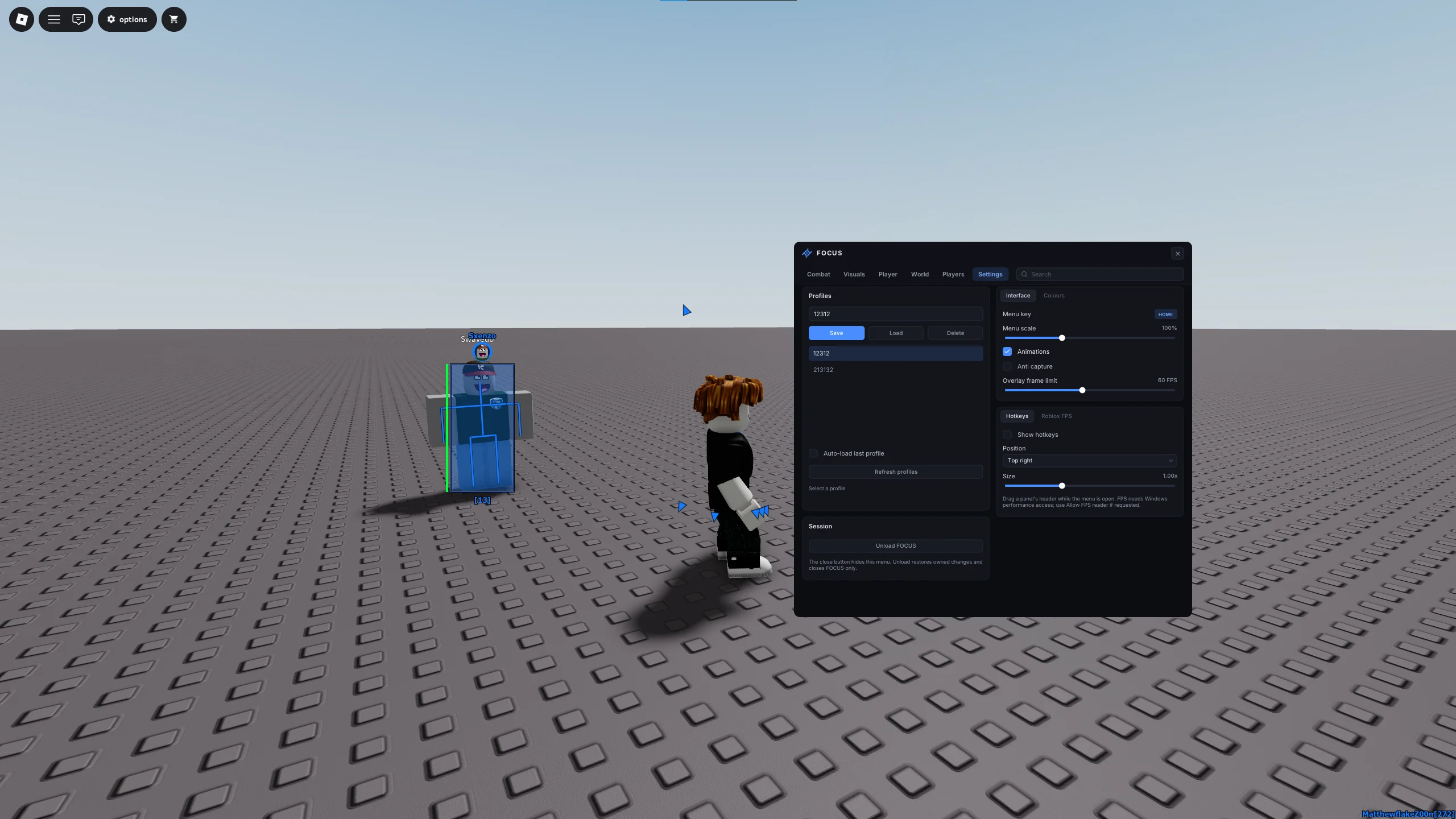
- Save, load, delete and auto-load the last profile. (Profiles)
- Menu key, scale, animations and colors. (Interface)
- Overlay frame limit and hotkey panel settings. (Overlay)
- A dedicated Roblox FPS settings tab. (Roblox FPS)
- Unload FOCUS from the menu. (Unload)