Buy private cheat FOCUS SCP: Secret Laboratory
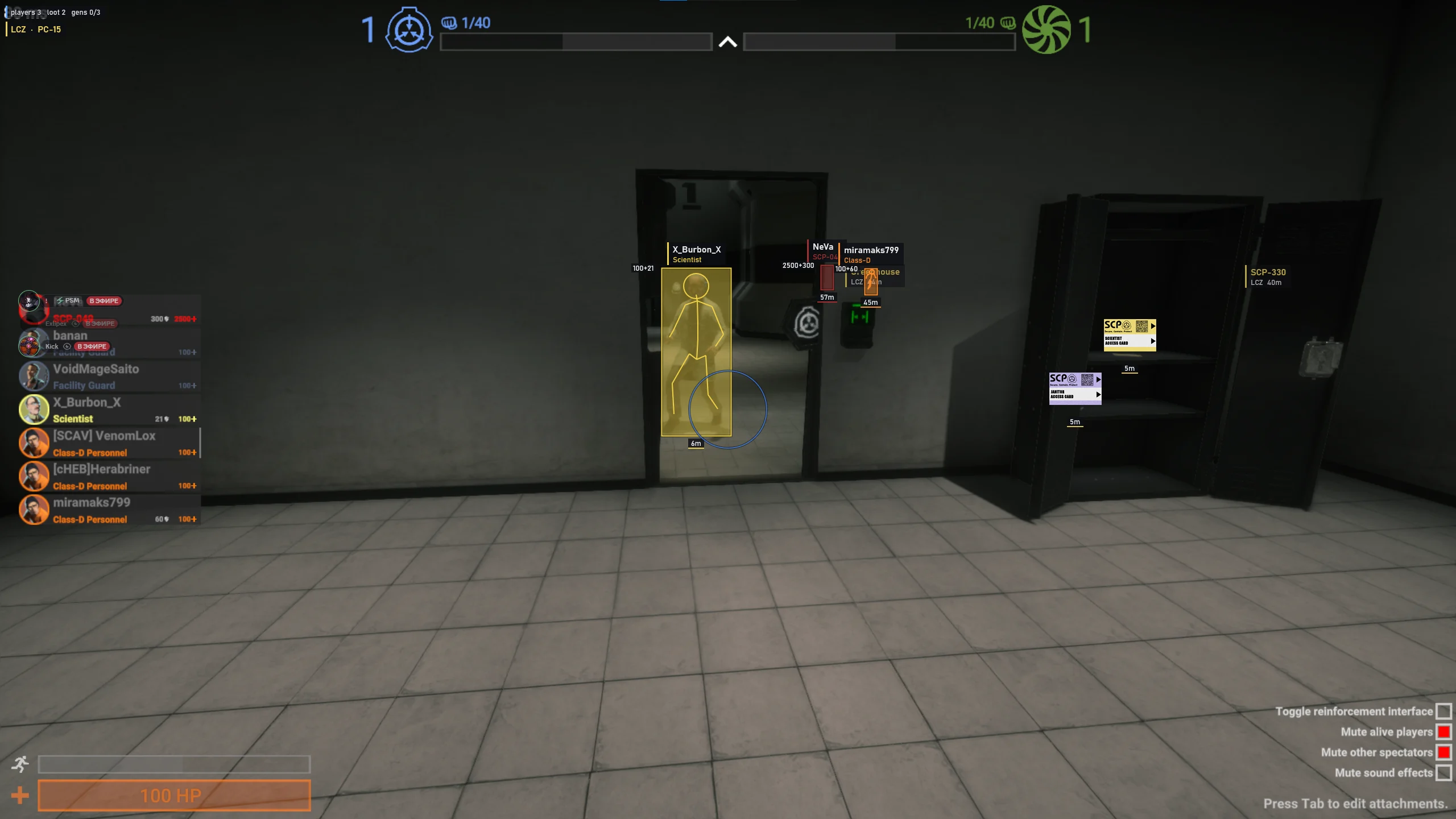
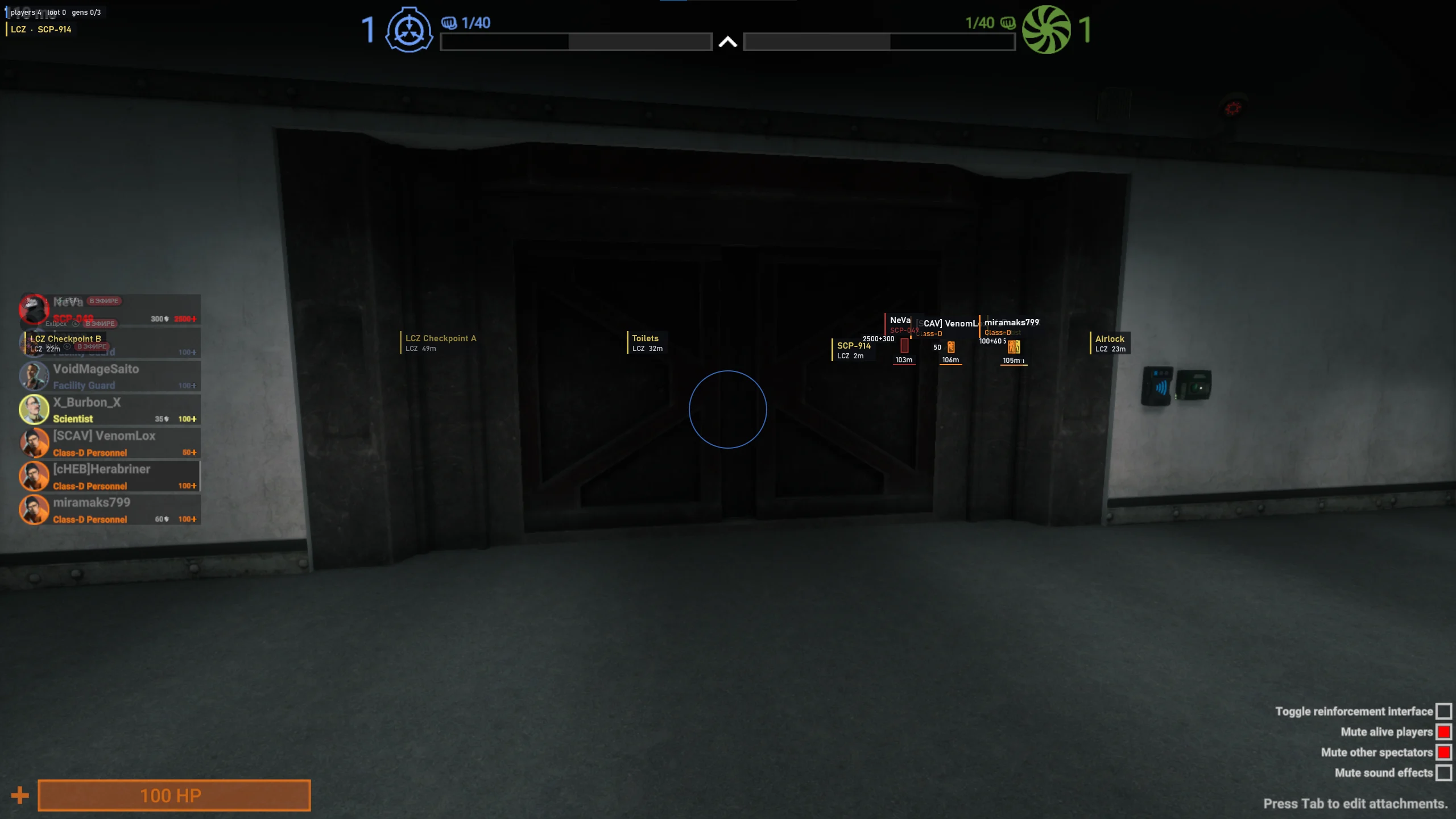
Private cheat FOCUS SCP: Secret Laboratory — generator display, aiming controls and skeleton display. Also included: smoothing controls and recoil controls. Client: Only Steam.
Compatibility
- Windows 10
- 22H2
- Windows 11
- 25H2
- Processor
- AMD / Intel
- Architecture
- x64 only (64-bit)
- Platform
- Steam only
Features
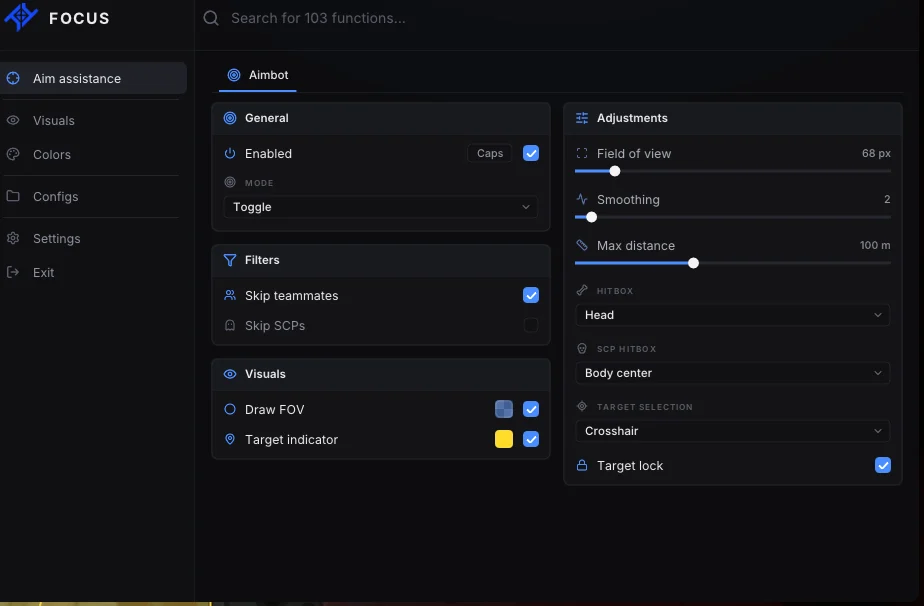
Aim assistance
- Enable aim assistance and bind a hotkey. The default is the X2 side mouse button. (Enabled & hotkey)
- Hold, Toggle or Always. (Mode)
- 20–400 px; default 120 px. (Field of view)
- 1–20; default 5. (Smoothing)
- 10–250 m; default 100 m. (Max distance)
- Head, Neck, Chest, Stomach or Pelvis. (Hitbox)
- Body center, Head, Neck, Chest, Stomach or Pelvis. (SCP hitbox)
- Crosshair or Closest target selection. (Target selection)
- Lock onto the selected target. Enabled by default. (Target lock)
- Exclude teammates from targeting. Enabled by default. (Skip teammates)
- Exclude SCPs from targeting. Disabled by default. (Skip SCPs)
- Display the field of view with a configurable color. Enabled by default. (Draw FOV)
- A target indicator with a configurable color. Enabled by default. (Target indicator)
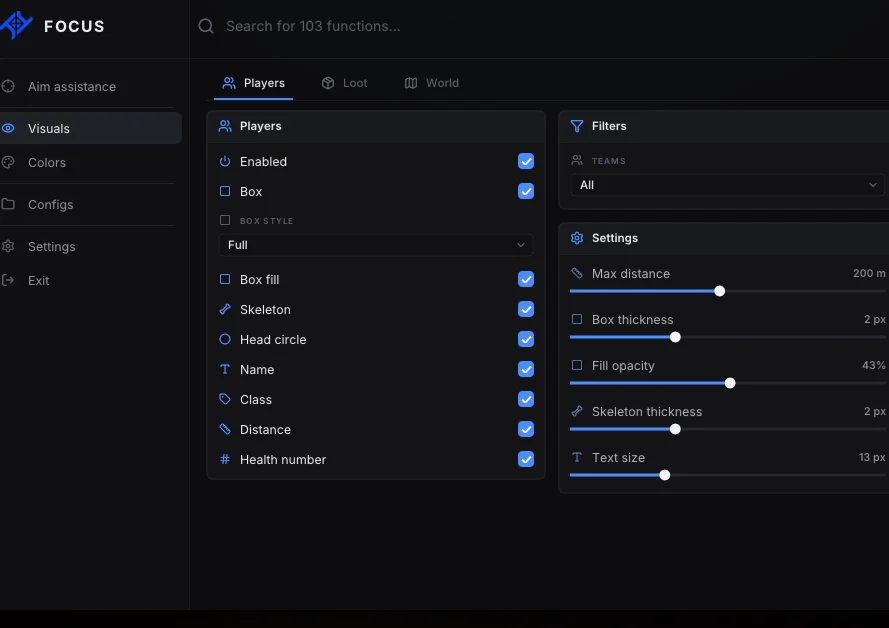
ESP · Players
- Master toggle for player ESP. Enabled by default. (Player ESP)
- Display player boxes. Enabled by default. (Box)
- Corners or Full. Default: Full. (Box style)
- Fill the inside of the box. Disabled by default. (Box fill)
- Display the skeleton. Enabled by default. (Skeleton)
- A circle around the head. Enabled by default. (Head circle)
- Player name. Enabled by default. (Name)
- Player class. Enabled by default. (Class)
- Distance to the player. Enabled by default. (Distance)
- Display health as a bar. Enabled by default. (Health bar)
- Numeric health display. Disabled by default. (Health number)
- Class-D, Scientists, Guards, MTF, Chaos, Tutorial and SCPs. All enabled by default. (Team filters)
- 20–400 m; default 250 m. (Max distance)
- 1–4 px; default 2 px. (Box thickness)
- 5–80%; default 20%. (Fill opacity)
- 1–4 px; default 2 px. (Skeleton thickness)
- 10–20 px; default 13 px. (Text size)
ESP · Loot
- Master toggle for loot ESP. Enabled by default. (Loot ESP)
- Item icons. Enabled by default. (Icons)
- Item names. Disabled by default. (Name)
- Distance to items. Enabled by default. (Distance)
- Small, Medium or Large. Default: Medium. (Icon size)
- Keycards, Weapons, Ammo, Medical, Grenades, Armor, SCP items and Other. All enabled by default. (Category filters)
- 5–200 m; default 60 m. (Max distance)
ESP · World
- Room labels. Enabled by default. (Room labels)
- Display the current room. Enabled by default. (Current room)
- 10–200 m; default 60 m. (Room max distance)
- Display generators. Enabled by default. (Generators)
- Distance to generators. Enabled by default. (Generator distance)
- HUD information bar. Enabled by default. (Info bar)
- Increase brightness. Disabled by default. (Brightness boost)
- 0–100%; default 75%. (Brightness strength)
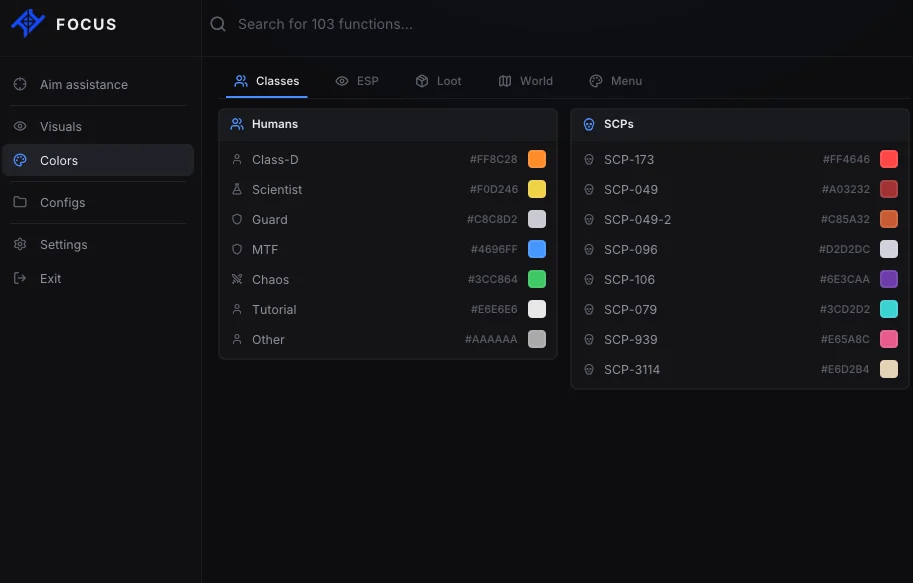
Colors · Classes
- Separate colors for Class-D, Scientist, Guard, MTF, Chaos, Tutorial and Other. (Humans)
- Separate colors for SCP-173, SCP-049, SCP-049-2, SCP-096, SCP-106, SCP-079, SCP-939 and SCP-3114. (SCPs)
Colors · ESP
- Use a custom box color. Disabled by default. (Custom box color)
- Use a custom skeleton color. Disabled by default. (Custom skeleton color)
- Customize the player name color. (Name color)
- Customize the distance text color. (Distance color)
- Customize the box outline color. (Box outline)
- Customize the label background color. (Label background)
- Class accent bar. Enabled by default. (Class accent bar)
Colors · Loot
- Individual colors for all eight categories: Keycards, Weapons, Ammo, Medical, Grenades, Armor, SCP items and Other. (Category colors)
Colors · World
- Colors for LCZ, HCZ, EZ and Surface. (Zones)
- Colors for Locked, Open, Activating and Engaged states. (Generator states)
Colors · Menu
- Focus blue, Violet, Cyan, Mint, Rose and Amber. (Accent presets)
- Choose a custom menu accent color. (Custom accent)
Settings · Menu
- Default: Insert. (Menu key)
- Default: End. (Panic key)
- Adjust the menu scale from 60% to 120%. (Menu scale)
- Restore the default menu settings. (Reset menu settings)
- Glow at the top of the menu. Enabled by default. (Top glow)
- Fade, Slide or None. (Open with)
Weapon
- Remove recoil. Disabled by default. (No recoil)
Performance
- Monitor refresh rate, 144, 120, 90 or 60 FPS. (FPS limit)
- 4–64; default 16. (Loot updates per frame)
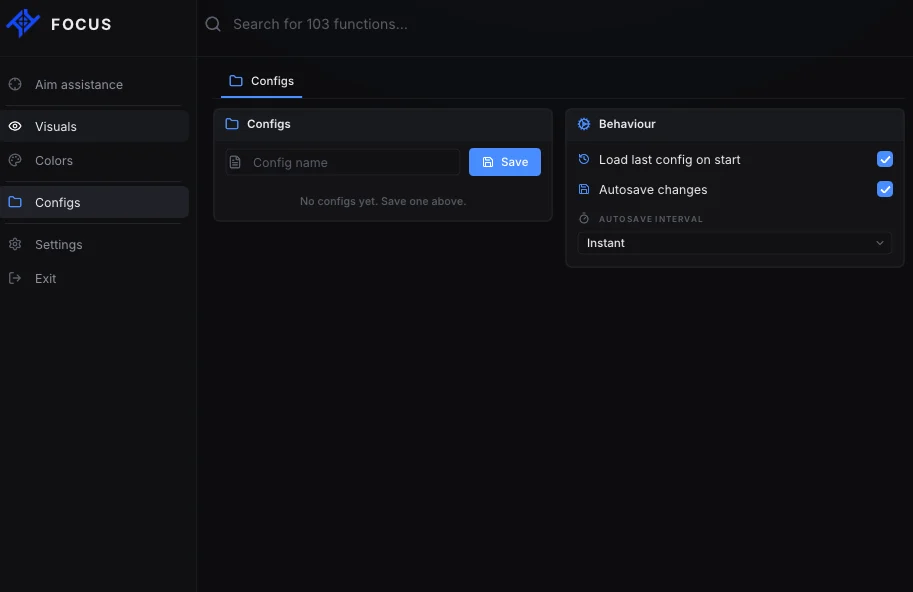
Configs
- Save settings under a custom name. (Save by name)
- A list of saved configurations. (Config list)
- Automatically load the last configuration on startup. Enabled by default. (Load last config on start)
- Automatically save changes. Enabled by default. (Autosave changes)
- Instant, every 30 seconds or every 5 minutes. (Autosave interval)