Buy private cheat FOCUS Squad
Private cheat FOCUS Squad — structure display, aiming controls and NPC display. Also included: minimap and target selection radius. Client: Only Steam.
Compatibility
- Windows 10
- 22H2
- Windows 11
- 25H2
- Processor
- AMD / Intel
- Architecture
- x64 only (64-bit)
- Platform
- Steam only
Features
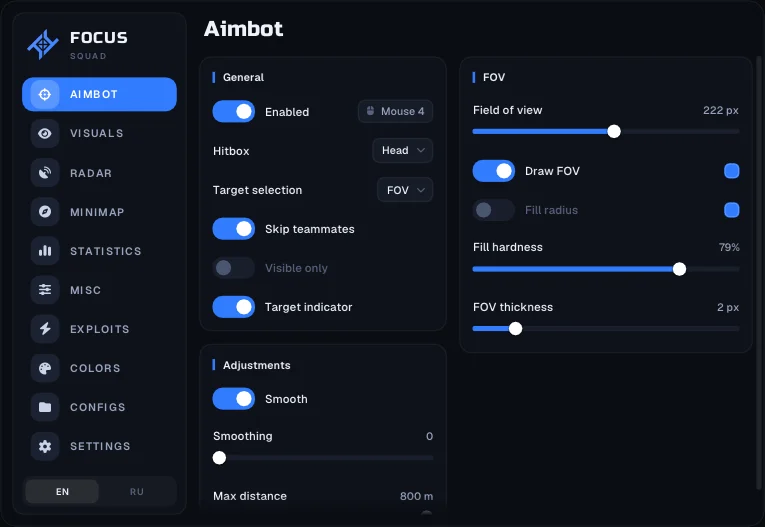
Aimbot (Legit)
- Custom activation key; a side mouse button by default. (Activation)
- Head, chest or the closest point. (Hitbox)
- By field of view or distance. (Target selection)
- Exclude teammates from target selection. (Skip teammates)
- Line-of-sight checks against terrain and building collision. (Visible only)
- Display an indicator on the selected target. (Target indicator)
- Size, outline, fill, fill softness and line thickness. (FOV circle)
- Adjust aim movement smoothness. (Smoothing)
- Maximum targeting distance. (Max distance)
- Mouse calibration and Squad ballistics. (Calibration & ballistics)
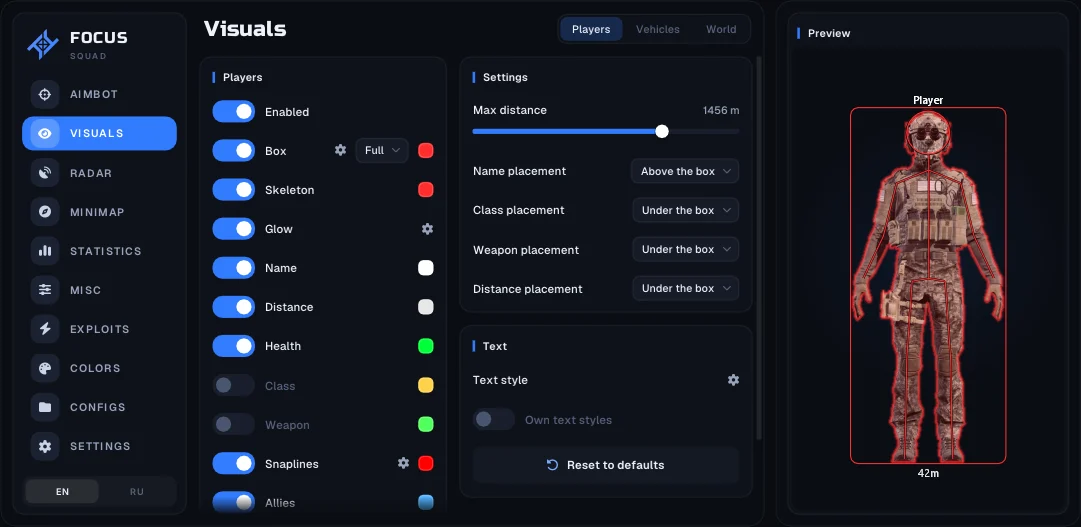
Visuals · Players
- Corners, full or 3D boxes; adjustable rounding and thickness. (Box)
- Display player skeletons. (Skeleton)
- Glow highlighting on the player model. (Glow)
- Name, distance, health bar, class such as rifleman, medic or SL, and weapon. (Player information)
- Draw lines to enemies and teammates. (Snaplines)
- Display allies and bots. (Allies & bots)
- Separate highlighting for visible enemies. (Visible enemies)
- Highlight downed players with a separate color. (Downed players)
- Position name, class, weapon and distance labels around the box. (Label placement)
- A shared text style and individual styles for each label. (Text styles)
- Preview panel with a player model. (Preview)
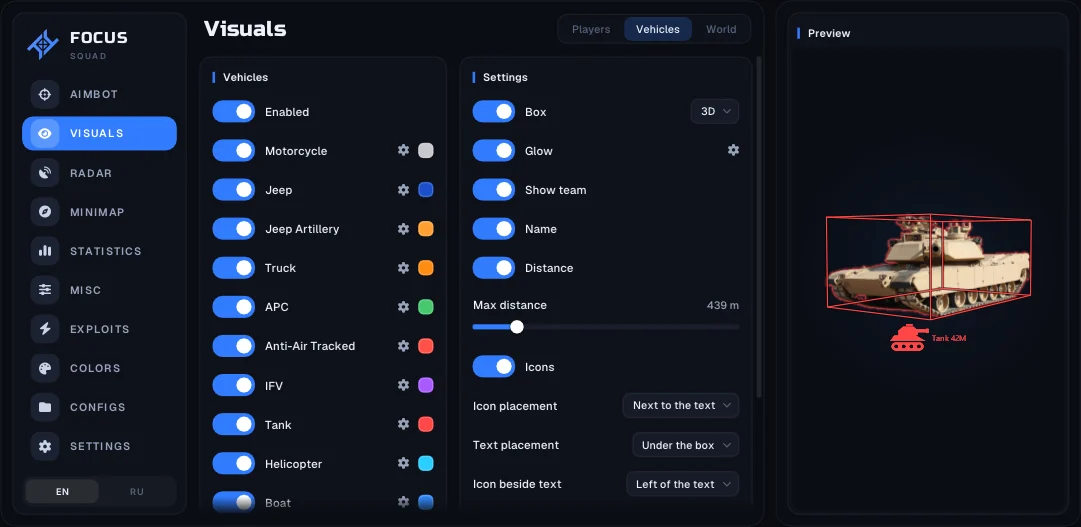
Visuals · Vehicles
- Motorcycle, jeep, artillery jeep, truck, APC, tracked anti-air, IFV, tank, helicopter and boat. (Vehicle types)
- Individual color, box with a 3D style, model glow, icon and label for each type. (Per-type settings)
- Friendly vehicles, name and distance labels, and maximum display distance. (Display)
- Up to 128 px, with distance-based scaling. (Icon size)
- Preview panel with a tank. (Preview)
Visuals · World
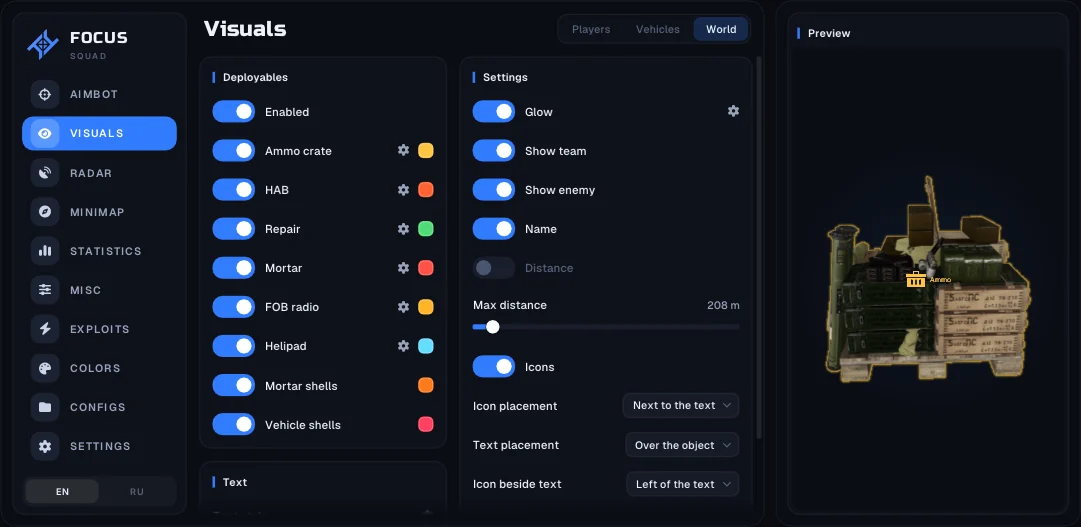
- Ammo crate, HAB, repair station, mortar, FOB radio and helipad. (Deployable types)
- Box, glow, icon, label and enemy-faction deployables. (Display)
- Mortar shells in flight, with a number and distance. (Mortar shells)
- Rockets, guided missiles, tank shells and cannon shells in flight, with a number and distance. (Vehicle projectiles)
- Preview panel with an ammo crate. (Preview)
Visuals · Optics
- Players, vehicles and deployables are rendered in optics according to the scope view. (Scope rendering)
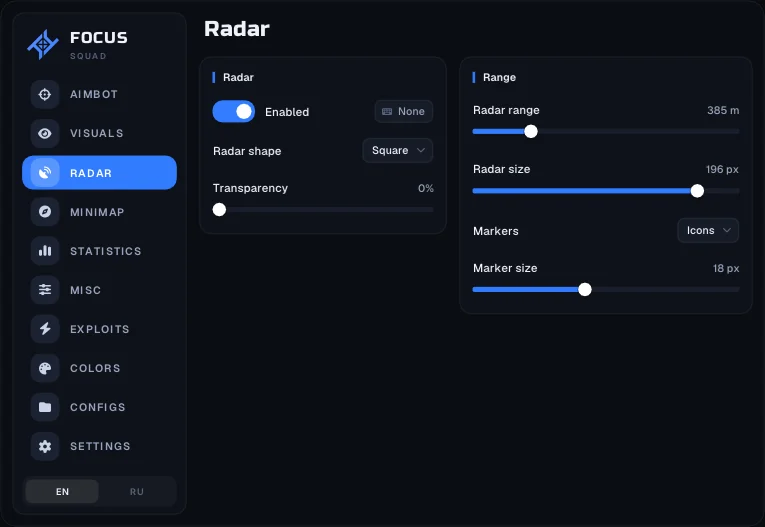
Radar
- Toggle the radar with a custom key. (Activation)
- Circle or square; adjustable transparency, range and size. (Shape & size)
- Icons or dots. (Markers)
- Drag with the mouse while the menu is open. (Position)
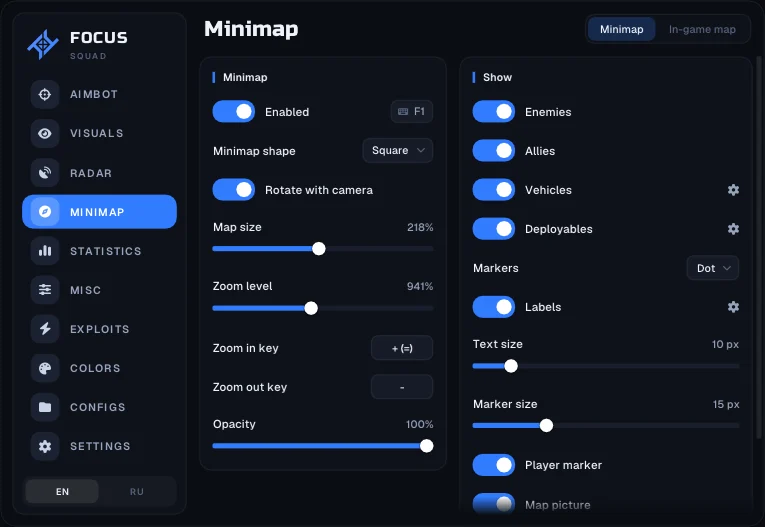
Minimap
- Circular or square minimap around the player, with camera rotation. (Shape & rotation)
- Map size, zoom level, and separate zoom-in and zoom-out keys. (Size & zoom)
- Adjust minimap opacity. (Opacity)
- Enemies, allies, vehicles and deployables; vehicle and deployable type filters, and labels. (Entities & labels)
- Background images for 25 Squad maps, a grid and the play-area boundary. (Map background)
- Drag the minimap with the mouse. (Position)
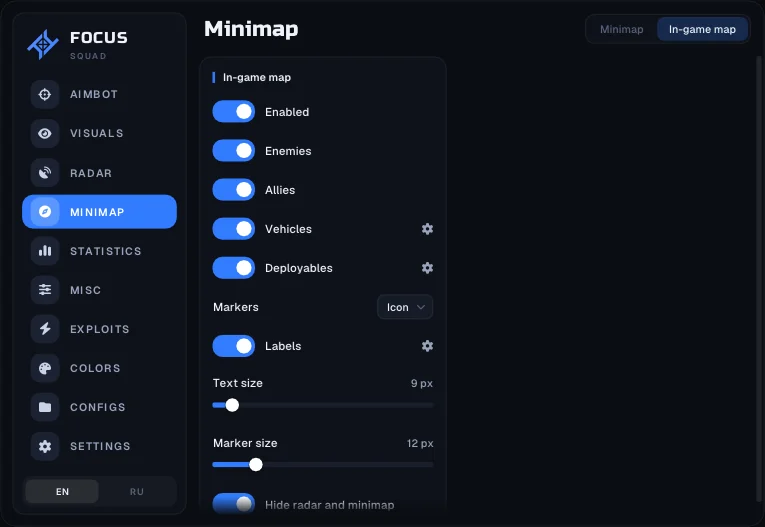
Minimap · In-game map
- Enemies, allies, vehicles and deployables overlaid on the in-game map. (Map markers)
- Hide the radar and minimap while the in-game map is open. (Hide widgets)
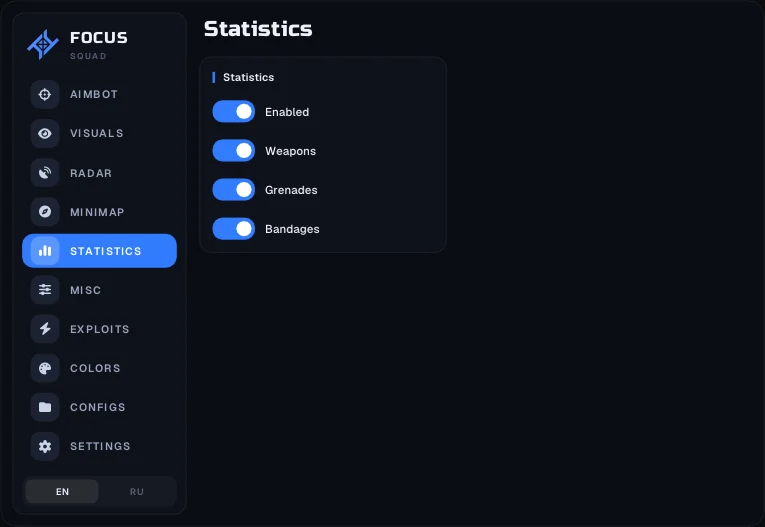
Statistics
- Health, weapon and ammunition, grenades and bandages. (Information)
- Drag the statistics card with the mouse. (Position)
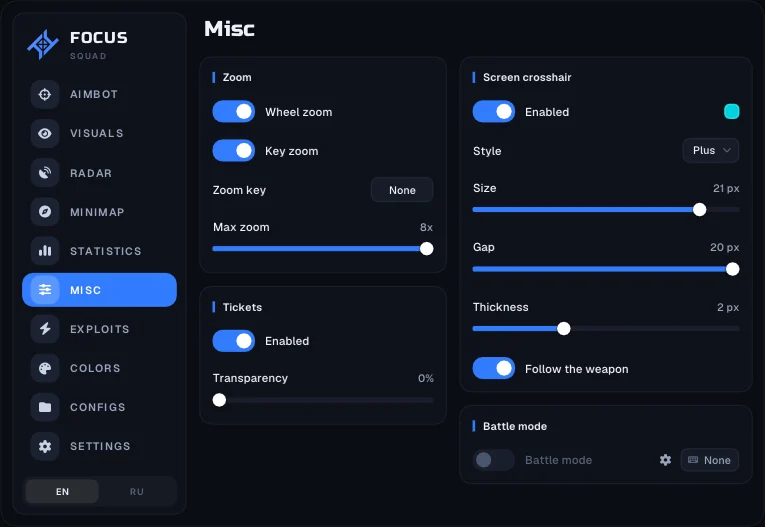
Misc
- Mouse-wheel or key zoom, up to 8×. (Zoom)
- Cross, plus, dot or T; adjustable size, gap and thickness. (Screen crosshair)
- The crosshair can follow the weapon line. (Follow weapon)
- Adjust transparency and drag with the mouse. (Team tickets)
- Activation key, distance, enemies only, visible only, hide downed players, vehicles, deployables, labels, and hide radar and minimap. (Battle mode)
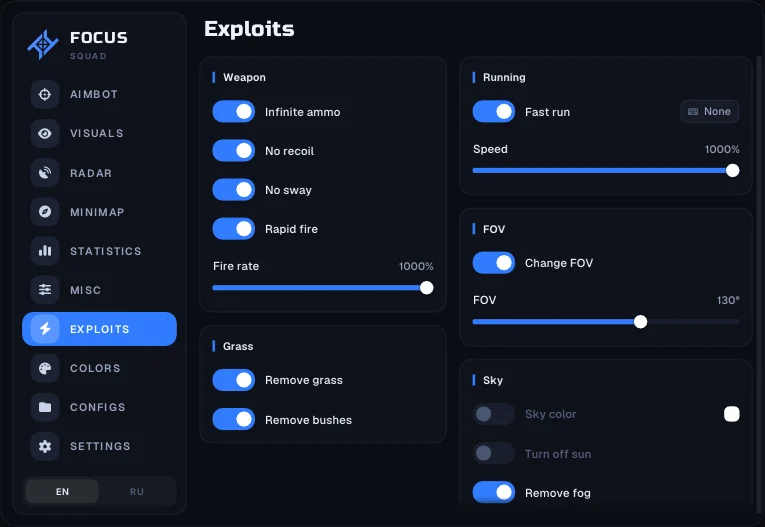
Exploits
- Infinite ammunition, no recoil, no sway, and rapid fire with a rate up to 1000%. (Weapon)
- Custom activation key and speed up to 1000%. (Fast run)
- Adjust FOV from 60° to 170°. (Field of view)
- Remove grass and bushes. (Vegetation)
- Dark sky in a custom color, disable the sun and remove fog. (Sky & weather)
Colors
- Colors for enemies, allies, skeletons, visible and downed players, names, distances, classes, weapons, snaplines and health bars. (Players)
- FOV circle and screen crosshair colors. (FOV & crosshair)
- A separate color for every vehicle and deployable type. (Vehicles & deployables)
- 6 accent presets or a custom color. (Menu accent)
Configs
- List of saved configurations. (Configurations)
- Instantly, every 30 seconds or every 5 minutes. (Autosave)
- Load the last configuration on startup. (Load on startup)
- %APPDATA%\Focus\squad (Configuration folder)
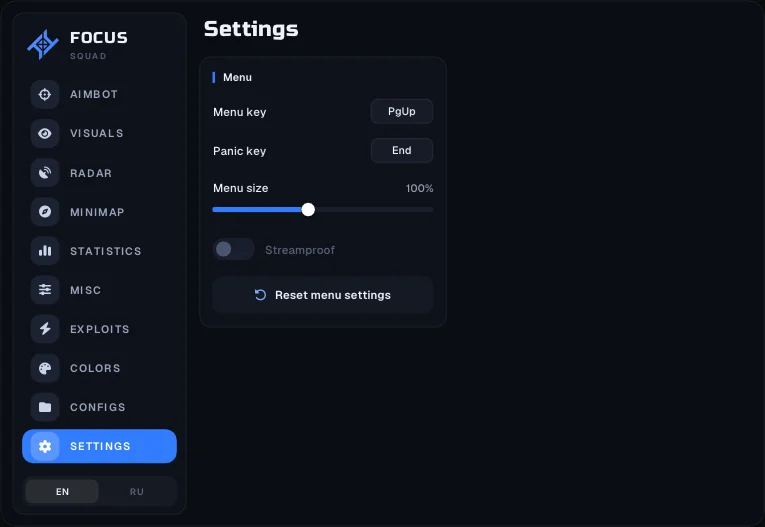
Settings
- Custom menu key; Home by default. (Menu key)
- End — close the overlay. (Panic key)
- Adjust the menu scale. (Menu size)
- Hide the overlay from screen recording. (Streamproof)
- Restore the default menu settings. (Reset menu settings)
- Russian or English. (Language)