Private cheat Mason for Hell Let Loose
Private cheat Mason for Hell Let Loose — radar, aiming controls and vehicle ESP. Also included: recoil controls and hotkeys. Client: Steam. Sales of this edition are currently paused.
Compatibility
- Supported game version
- Steam
- Supported game mode
- Windowed / Fullscreen in window / Fullscreen
- Operating system
- Supported OS Windows: 10 and 11 x64, versions (2004 / 20H2 / 21H1 / 21H2 / 22H2 / 23H2). Check your build HERE
- supported anti cheats
- Easy Anti-Cheat
- Supported processors
- Intel and AMD
- Exclusion from video and screenshots
- Yes
Features
AIM ASSIST
- Enabled / Activate aimbot
- Aim key / Set a key for aimbot operation (the selected key must be held down)
- Aim spot / Select body part for aimbot: head / chest
- Aaim radius / Set the radius of the aimbot
VISUALISATION
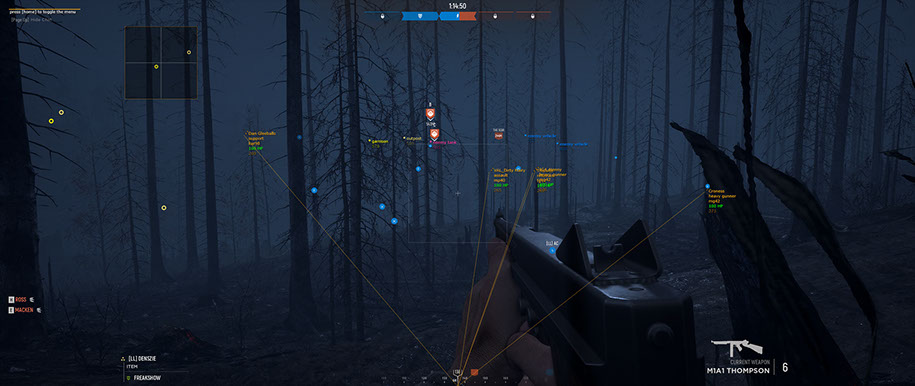
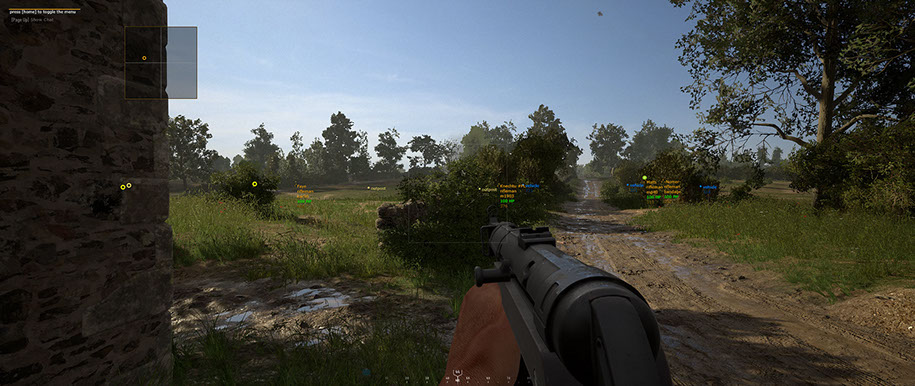
- Enabled / Activate ESP
- Show radar / Display radar
- Show bounding box / Display 2D squares on the enemy
- Show player role / Display the player’s role in the squad
- Show player weapon / Display the name of the weapon in the enemy’s hands
- Show player health / Display the amount of enemy health
- Show grenades / Display grenades
- Show vehicles / Display ground vehicles
- Show enemy tanks / Display enemy tanks
- Show supplies / Display supplies
- Show outposts / Display outposts
- Show garrisons / Display garrisons
- Show artillery / Display artillery
- Show snapline / Display the line to the enemy
- Show distance / Display the distance to the enemy
- Ignore team / Ignore players in the team
- Render distance / Set ESP display distance
MISCELLANEOUS
- Enabled / Activate other functionality
- Fast ADS / Fast aiming
- Remove recoil / Disable recoil
- Remove sway / Disable swaying
GRAPHICAL USER INTERFACE
- Save cpu / Slow down the cheat, reducing the load on the processor
- Show crosshair / Display crosshair in the center of the monitor
- Show aim radius / Display the radius of the aimbot
- Radar position / Setting the radar position (with the "show radar" function enabled in the "visualization" tab)
Setup and launch
Check the launch procedure for this exact edition before activating the key.
Open launch guide