Buy private cheat Mason for Counter-Strike 2
Private cheat Mason for Counter-Strike 2 — player names, aiming controls and hotkeys. Also included: triggerbot and smoothing controls. Client: Steam.
Compatibility
- Supported game version
- Steam
- Supported game mode
- Windowed / Fullscreen in window / Fullscreen
- supported os
- Windows 10 / 11 x64, versions (2004 / 20H2 / 21H1 / 21H2 / 22H2 / 23H2). Check your build using the instructions HERE
- supported anti-cheats
- Valve Anti-Cheat
- Supported processors
- Intel and AMD
- Exclusion from video and screenshots
- No
Features
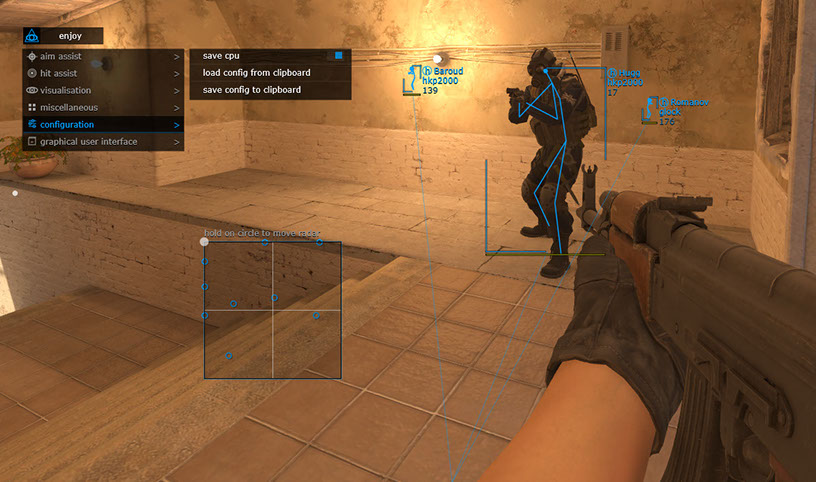
AIM ASSIST
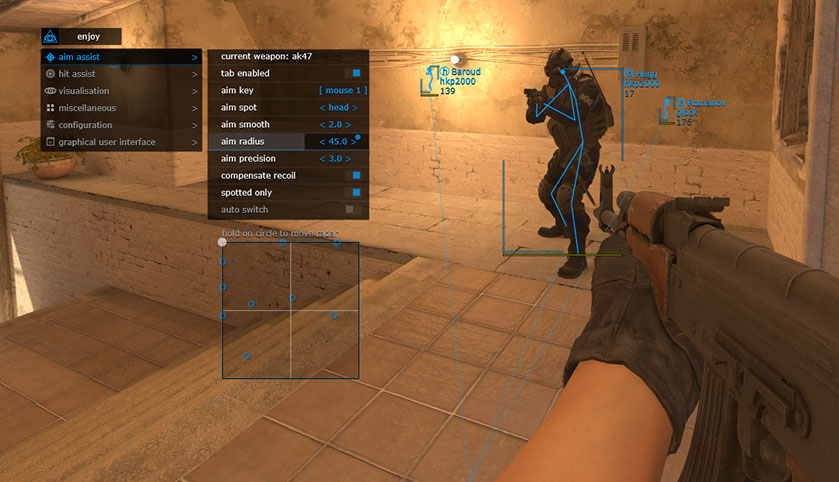
- Current weapon / Setting for the selected weapon
- Tab enable / Activate aimbot
- Aim key / Set a key for the aimbot to work (for the aimbot to work, the selected key must be pressed and held)
- Aim spot / Set the body part for the aimbot to work
- Aim smooth / Set aimbot aiming smoothness
- Aim radius / Set the radius of the aimbot
- Aim precision / Set aimbot aiming accuracy
- Compensate recoil / Activate weapon recoil compensation when the aimbot function is running
- Spotted only / Set the aimbot to work only on visible enemies in the radar
- Auto switch / Automatic change of target when killed
- RCS threshold / Allows adjusting the level of recoil compensation by the aimbot
- Trigger delay / Allows adjusting the delay before the triggerbot activates
HIT ASSIST
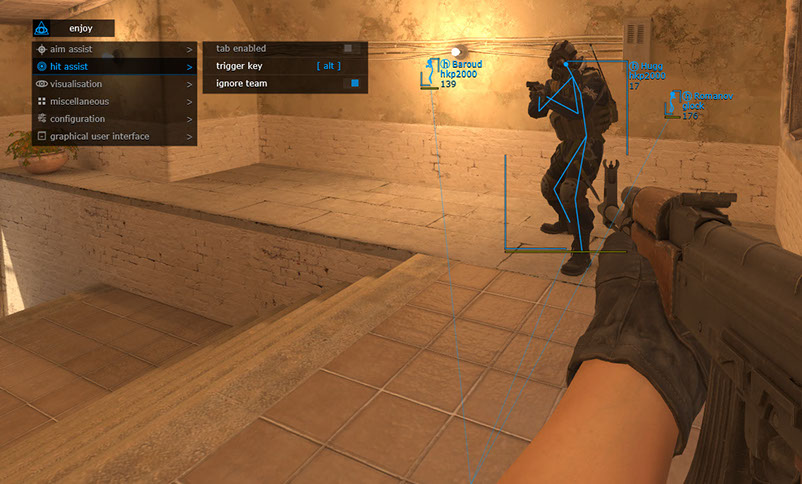
- Tab enable / Activate trigger bot
- Trigger key / Set the key for the bot trigger
- Ignore team / Activate the bot to ignore its own team trigger
VISUALISATION
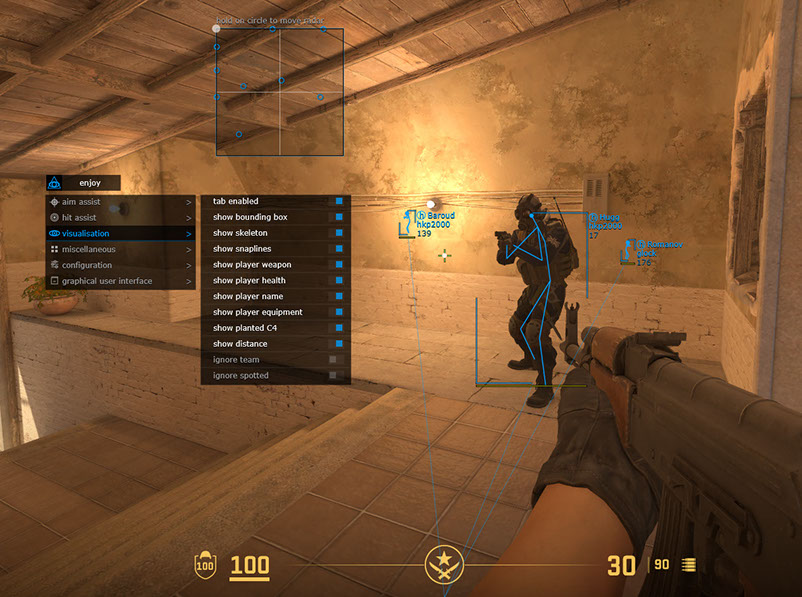
- Tab enable / Activate visual functions
- Show bounding box / Display a 2D square on players
- Show skeleton / Display skeleton on players
- Show snaplines / Display lines to players
- Show player weapon / Display player weapons
- Show player health / Display enemy health
- Show player name / Display player nicknames
- Show player equipment / Display enemy equipment
- Snow planted C4 / Display C4 plant location and time to explosion
- Show distance / Display the distance to opponents
- Ignore team / Activate ignoring your own team
- Ignore spotted / Activate ignoring "visible" players
CONFIGURATION
- Save cpu / Save CPU resources
- Load config from clipboard / Load saved settings configuration
- Save config to clipboard / Save selected settings to clipboard
GRAPHICAL USER INTERFACE
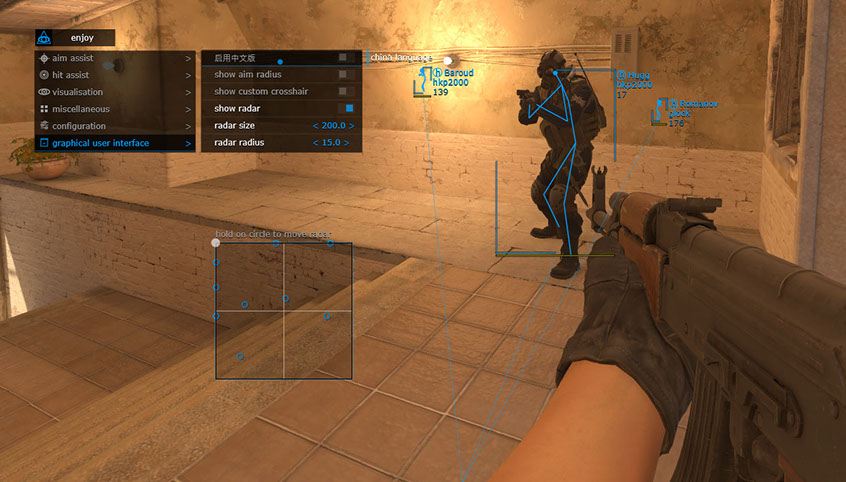
- Menu language selection / Menu language selection (available languages: English / Chinese)
- Show aim radius / Display the radius of the aimbot
- Show custom crosshair / Display the crosshair in the center of your screen
- Show radar / Enable radar (moving the radar across the screen is done by pointing the mouse arrow at the radar and holding down LMB)
- Radar size / Set radar size
- Radar radius / Set radar radius
Notes
- * Software functionality may be changed at any time at the developer's discretion, but we always strive to keep the information up to date.