Recommended
Buy private cheat MASON INTERNAL for ROB RUN
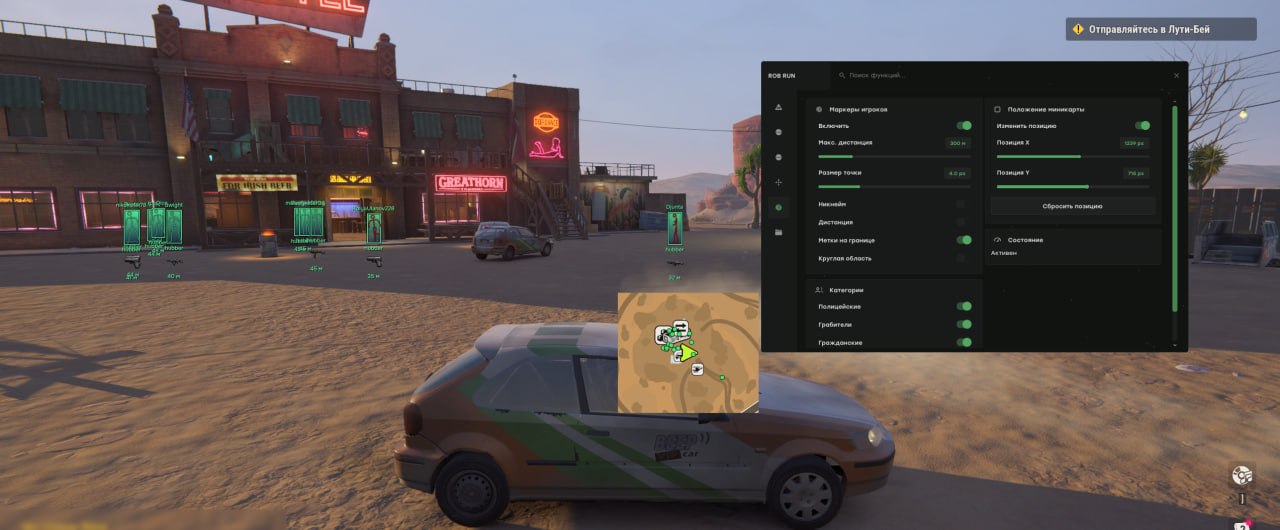
Private cheat MASON INTERNAL for ROB RUN — minimap, aiming controls and Chams model highlights. Also included: visibility checks and item filters. Client: Steam.
Compatibility
- client
- Steam
- game mode
- Windowed / borderless fullscreen / fullscreen
- os
- Windows 11 x64
- anticheat
- In-game
- processors
- Intel / AMD; Xeon and FX support is not guaranteed
- obs bypass
- No
- usb required
- Not required
Features
Player and NPC ESP
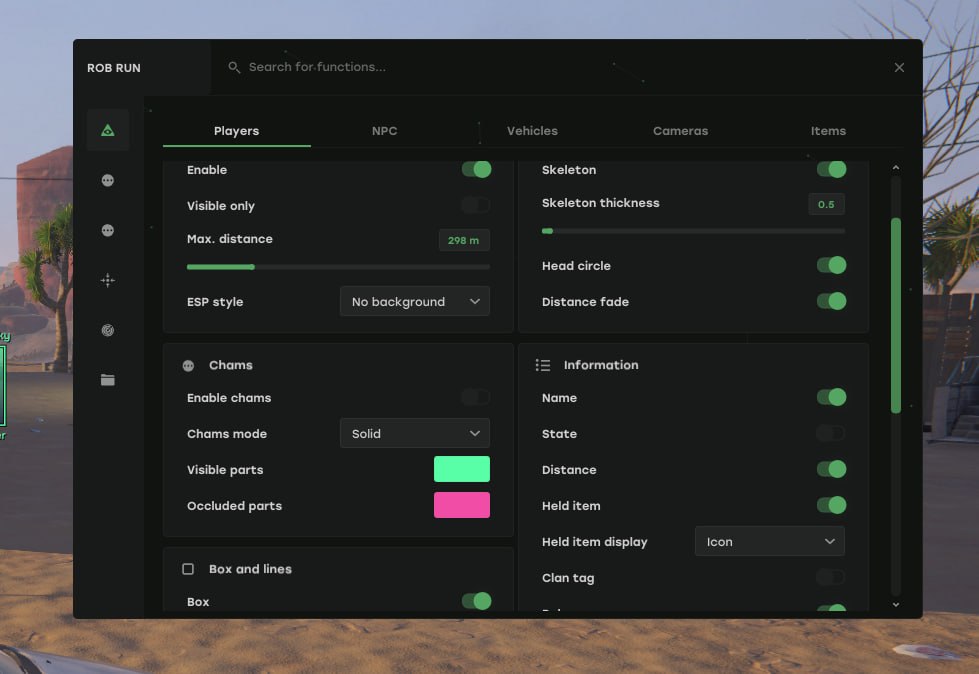
- Separate profiles for police, robbers, civilians, NPCs, vehicles, cameras and items; visibility filter and maximum distance.
- Player and vehicle boxes, snaplines, skeletons, head circles and skeleton distance fading.
- Names, state, distance, clan, role, held item as text or icon, ID and an in-vehicle indicator.
- Downed markers; filters for dead players, teammates and downed players.
- Regular and corner 2D boxes: height, width, thickness, fill, vertical gradient and opacity; snaplines from the bottom, centre or top of the screen.
- Labels with or without a background; skeleton thickness.
Chams and colours
- Model highlighting with visibility, distance and filters: solid, translucent or glowing.
- Separate colour and opacity for visible and occluded model parts.
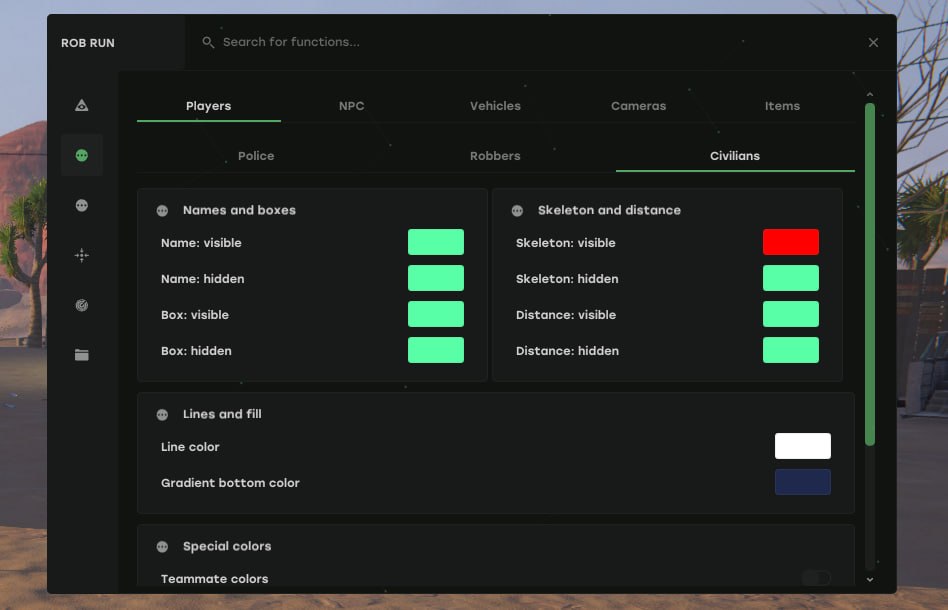
- Separate name, box, skeleton and distance colours for visible and hidden players; line and lower gradient colours.
- Special colours for teammates, downed players, players in vehicles, vehicles, working and broken cameras, alarms and items.
- Colour editor: hue, opacity, HEX and a preset palette.
Vehicle and camera ESP
- Occupied vehicle filter; hide owned vehicles and the current vehicle.
- Vehicle name, owner, driver, speed and status.
- Hide broken cameras; camera view area with adjustable fill and opacity.
Item and world object ESP
- Hide empty objects, game icons when available, rarity colours and grouping of nearby loot labels.
- Detail distance, focus area around the crosshair and maximum label count.
- Separate object types and loot categories; sell price accounting for item quantity.
- Container colour based on the highest known rarity of its contents.
- Loot, loot nodes, cargo, cash chargers, map items, containers with available content information, cash and cargo chargers.
- Filters for weapons, ammo, armour, equipment, medical items and consumables, keys and tools, valuables and cash, and other items.
Menu and controls
- Insert — menu; End — close the menu and stop the overlay; Ctrl+1…6 — switch between six categories.
- Move the menu, scroll, sidebar navigation, function search in Russian and English; Russian and English interface.
- Keyboard and mouse key bindings; exact number entry with Ctrl+click on a slider.
- Escape — close calibration, clear the search or a key binding.
Weapons and battle mode
- Enable ESP for all character categories and display your own character.
- Weapon recoil suppression (No Recoil) and weapon sway removal (No Sway).
- Battle mode, F6 by default: temporarily hides NPCs and civilians on ESP and radar, as well as loot, cameras and their view areas; press again to restore the settings.
Weapon profiles and calibration
- Separate profiles for pistols, assault rifles and other weapon groups.
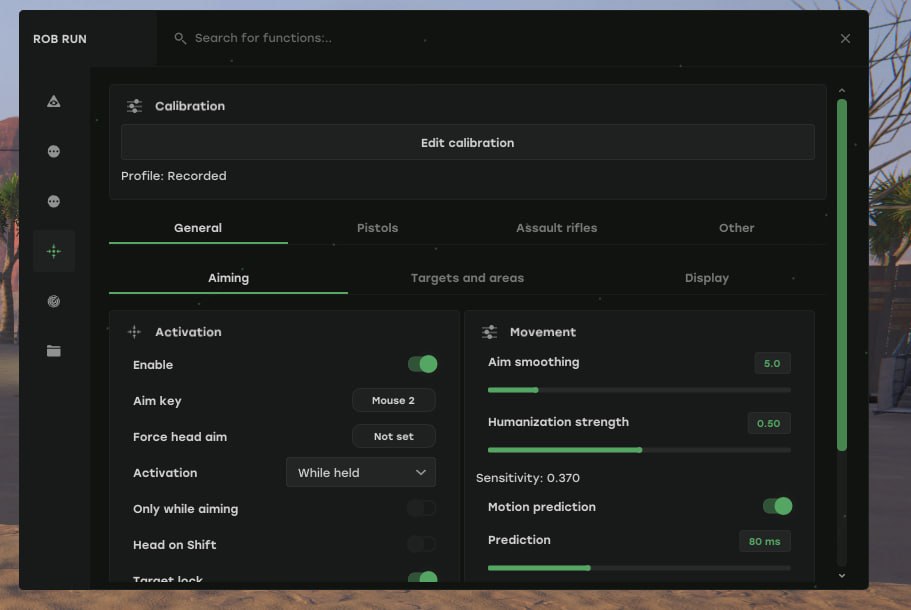
- Mouse movement calibration: four stages of three movements; record again, cancel and start over.
- Resetting a profile removes calibration and disables dependent settings; display of in-game and ADS sensitivity.
Aimbot
- Aim assistance requires calibration; separate activation and force-head-aim keys.
- Hold a key or run continuously; ADS-only mode; aim at the head while holding Shift.
- Target lock, maximum distance, target switch delay and aim smoothing.
- Recorded mouse movement imitation strength; motion prediction and prediction time in milliseconds.
- Target categories: police, robbers, civilians and NPCs; exclude dead or downed characters and players in vehicles.
- Select body parts or the nearest suitable point; multipoints with separate visibility checks and adjustable allowed areas.
Targets and hitboxes
- Target categories — select police, robbers, civilians and NPCs.
- Ignore dead — exclude dead characters.
- Ignore players in vehicles — exclude passengers and drivers.
- Ignore downed — exclude downed characters.
- Selection method — select specified body parts or the nearest suitable point.
- Multipoints — additional aim points with separate visibility checks.
- Selected areas — configure permitted body parts.
- Nearest point — choose the visible point closest to the centre of the crosshair.
- Head — aim at the head area.
- Neck — aim at the neck area.
- Torso — aim at the torso area.
- Pelvis — aim at the pelvic area.
FOV and visual settings
- Adaptive FOV — adapt the acquisition area to the game camera's field of view.
- FOV size — adjust the target search area.
- FOV border — display the acquisition area outline.
- Border thickness — adjust the FOV line thickness.
- FOV background — fill the acquisition area.
- Locked target — mark the currently selected target.
- Prediction crosshair — display the predicted aim point.
- Crosshair size — adjust the prediction marker size.
Radar
- Enable — display character markers on the built-in minimap.
- Maximum distance — adjust detection range.
- Point size — adjust marker sizes.
- Player names — display nicknames on the radar.
- Distance — display the distance to characters.
- Edge markers — display targets beyond the radar area.
- Circular area — switch to a circular radar.
- Character categories — separate highlighting for police, robbers, civilians and NPCs.
- Move minimap — change the radar position.
- Position X — horizontal minimap coordinate.
- Position Y — vertical minimap coordinate.
- Reset position — restore the original radar position.
- State — information about minimap availability and data freshness.
Configuration management
- Refresh list — refresh the list of saved INI configurations in C:\mason.
- Select configuration — choose a saved profile.
- Configuration name — enter a new profile name.
- Create — save current settings to a new file.
- Save — overwrite the selected configuration with current settings.
- Load — restore saved visual settings, radar, language, weapon features, Aimbot profiles and calibration.
- Delete — remove the selected configuration.
Setup and launch
Check the launch procedure for this exact edition before activating the key.
Open launch guide