Buy private cheat Phoenix ROB RUN External
Private cheat Phoenix ROB RUN External — target selection radius, aiming controls and movement prediction. Also included: smoothing controls and vehicle ESP. Client: Steam.

Compatibility
- os
- Windows 10, Windows 11 (21H2, 22H2, 23H2, 24H2, 25H2, 26H1)
- cpu
- Intel & AMD
- gpu
- NVIDIA & AMD
- game client
- Steam
Features
Aimbot
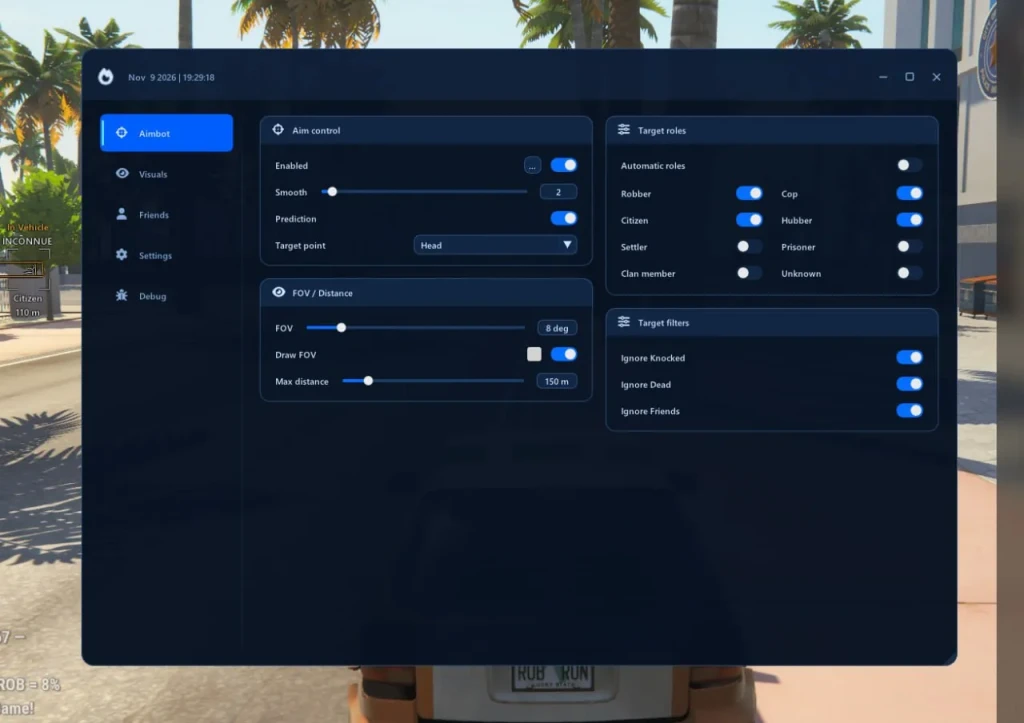
- Enabled – enable or disable automatic targeting
- Smooth – adjusting the smoothness of the sight’s movement towards the selected target
- Prediction – enable guidance when aiming taking into account target movement
- Target Point – selecting an area of the body for targeting
- FOV – setting the target acquisition radius for the aimbot
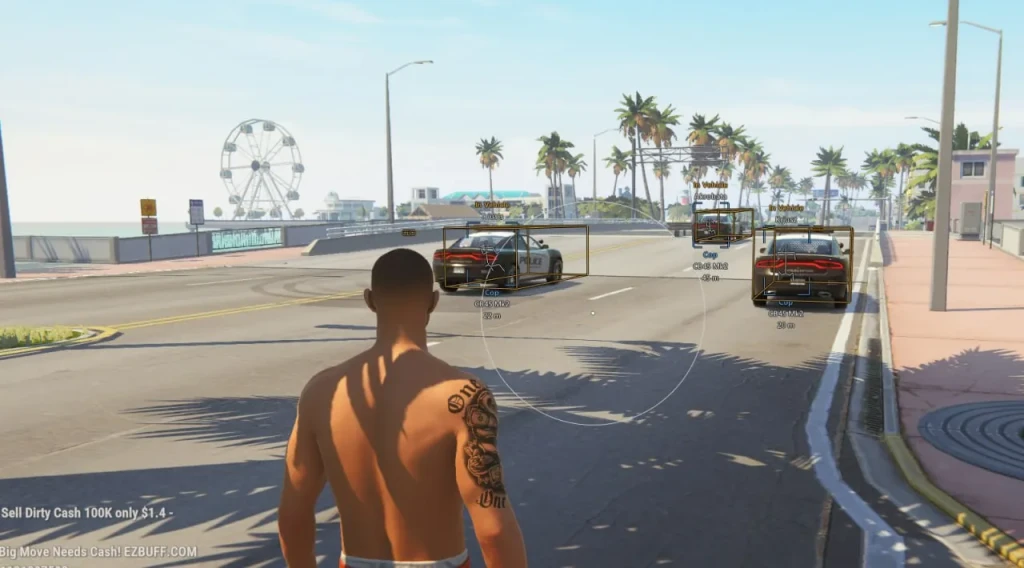
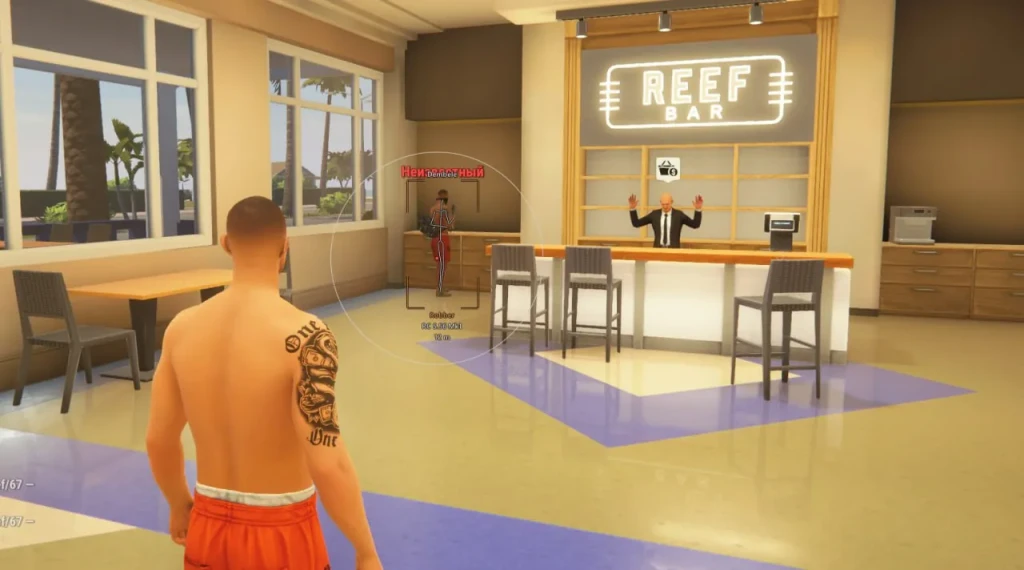
- FOV Draw – displays the circle of the target acquisition area
- FOV Color – setting the color of the aimbot’s circle
- Max Distance – setting the maximum operating distance of Aimbot
- Automatic Roles – automatic selection of factions to target depending on your role
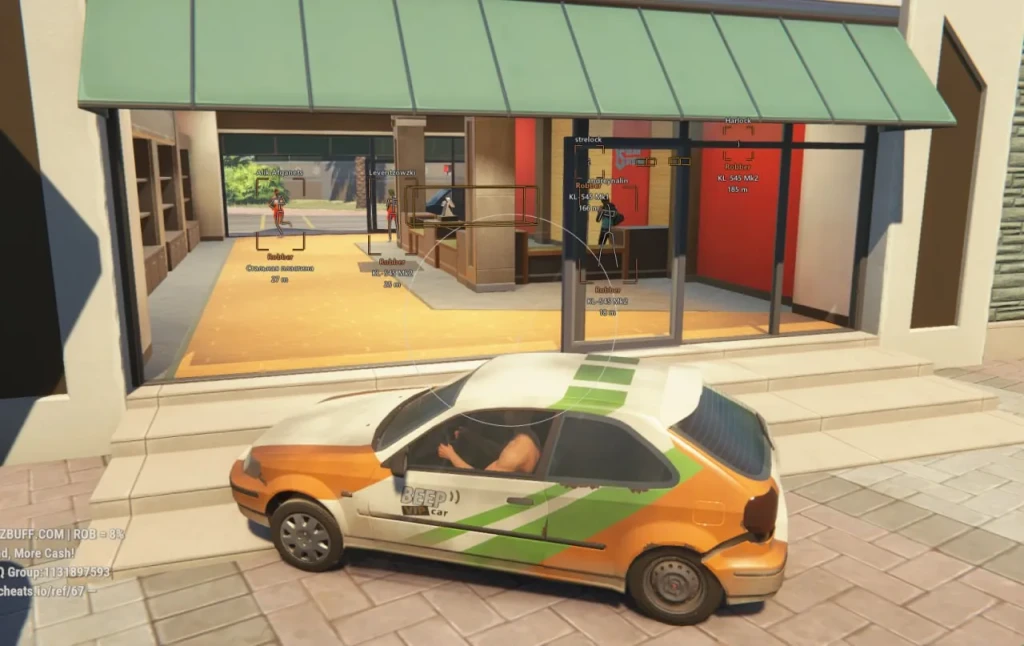
- Robber – aim for robbers
- Cop – aim at the police
- Citizen – aim at civilians
- Hubber – targets players with the Hubber role
- Settler – aim at settlers
- Prisoner – aim at prisoners
- Clan Member – aim at clan members
- Unknown – targets players with an undefined role
- Ignore Knocked – excludes knocked players from the list of targets
- Ignore Dead – ignoring dead players
- Ignore Friends – excluding friends from the target list of the aimbot
ESP players
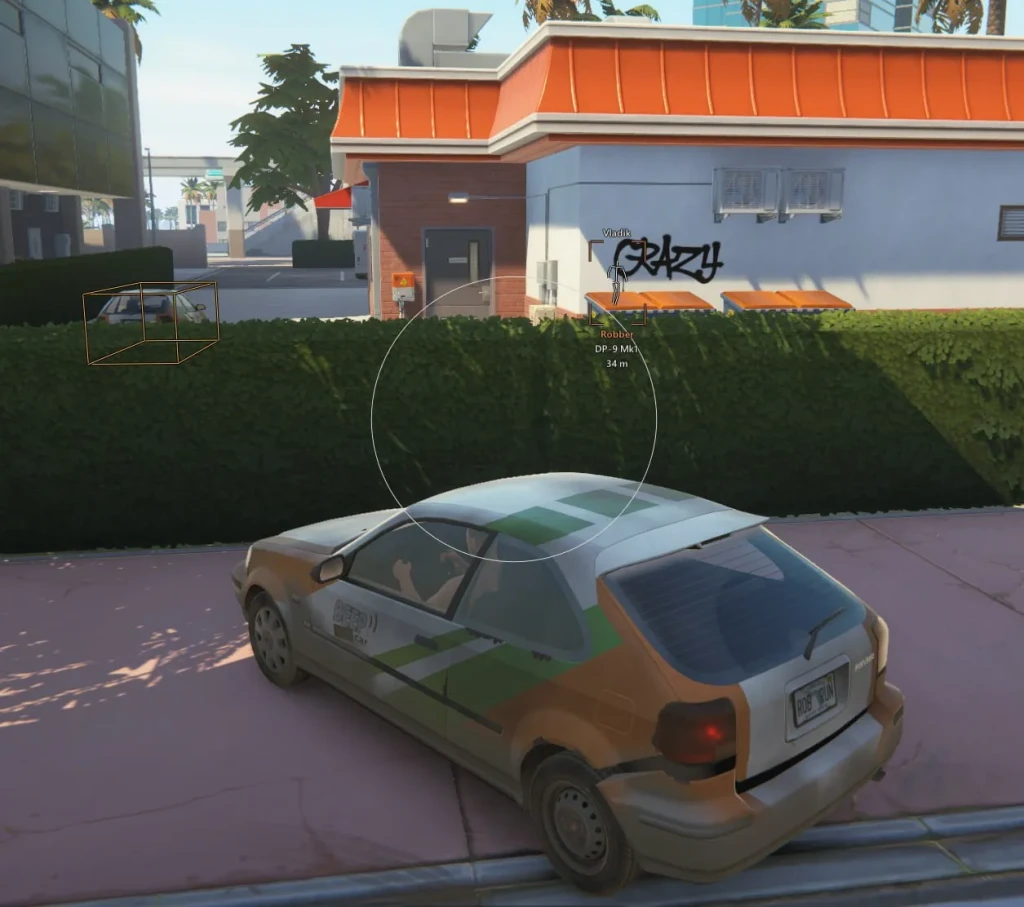
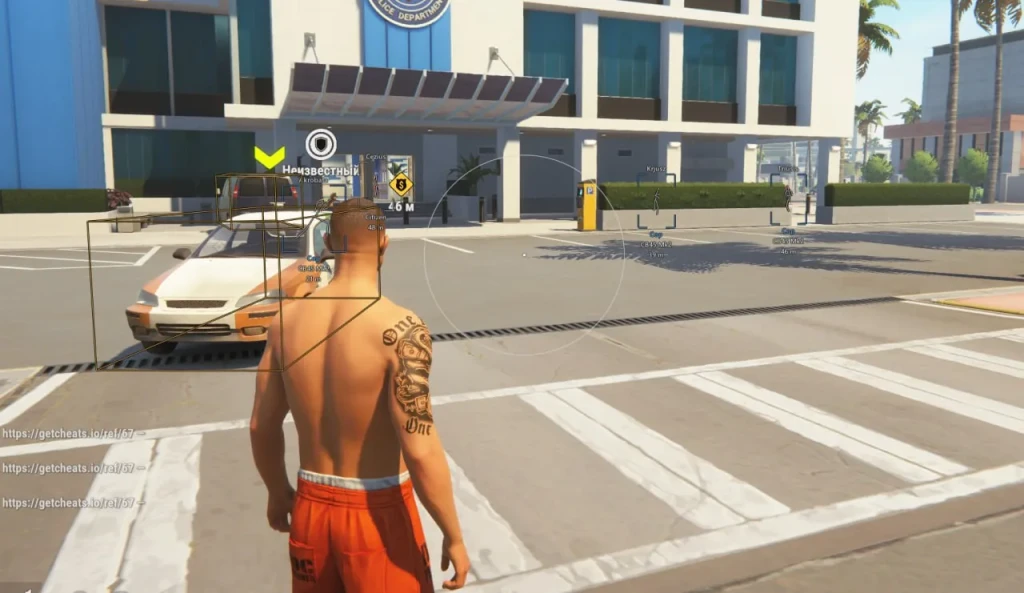
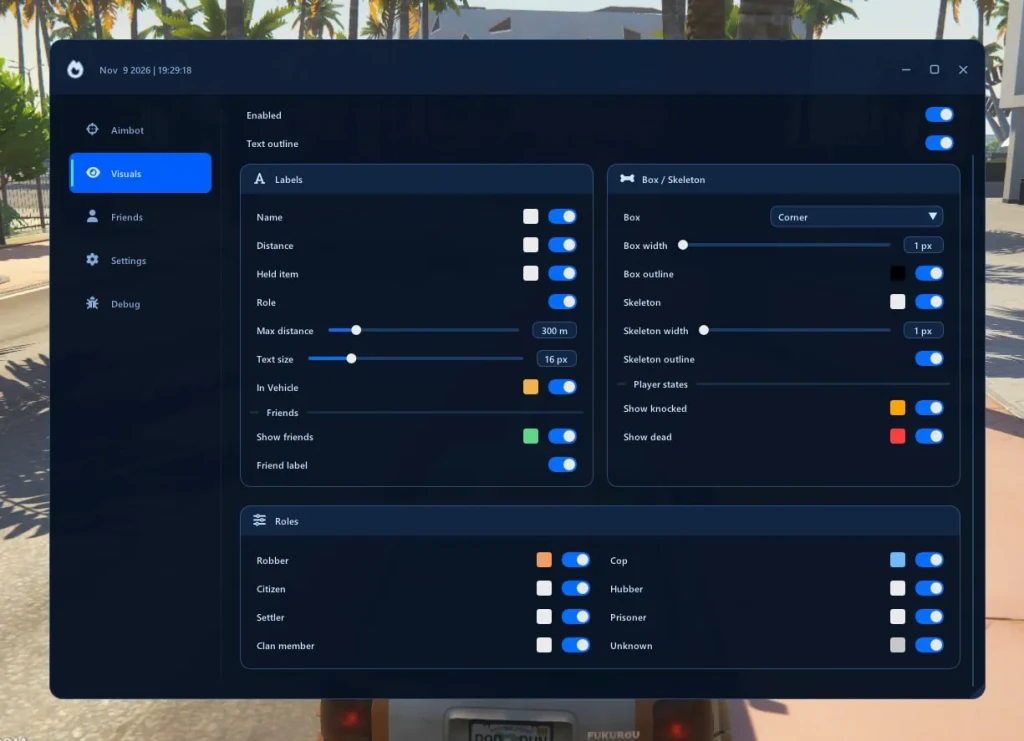
- Enabled – enable or disable visual display of players
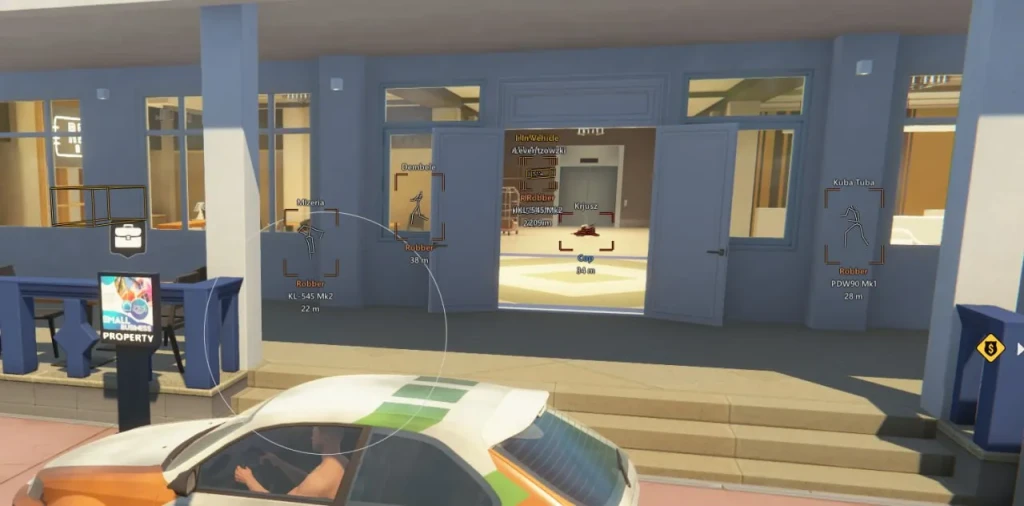
- Box – displays frames around players with a choice of style (regular, corners)
- Box Width – setting the thickness of the frame lines
- Box Outline – enable the outer outline of the frame with the ability to select a color
- Skeleton – displays the player’s skeleton with color settings
- Skeleton Width – setting the thickness of the skeleton lines
- Skeleton Outline – enable an additional skeleton outline
- Text Outline – Adding an outline to ESP text elements to improve their readability
- Name – displays the player’s in-game name with the ability to choose a color
- Distance – displays the distance to the player with color settings
- Held Item – display of the item in the player’s hands
- Role – displays the character’s current game role
- Max Distance – setting the maximum distance for displaying players
- Text Size – changing the text size of information labels
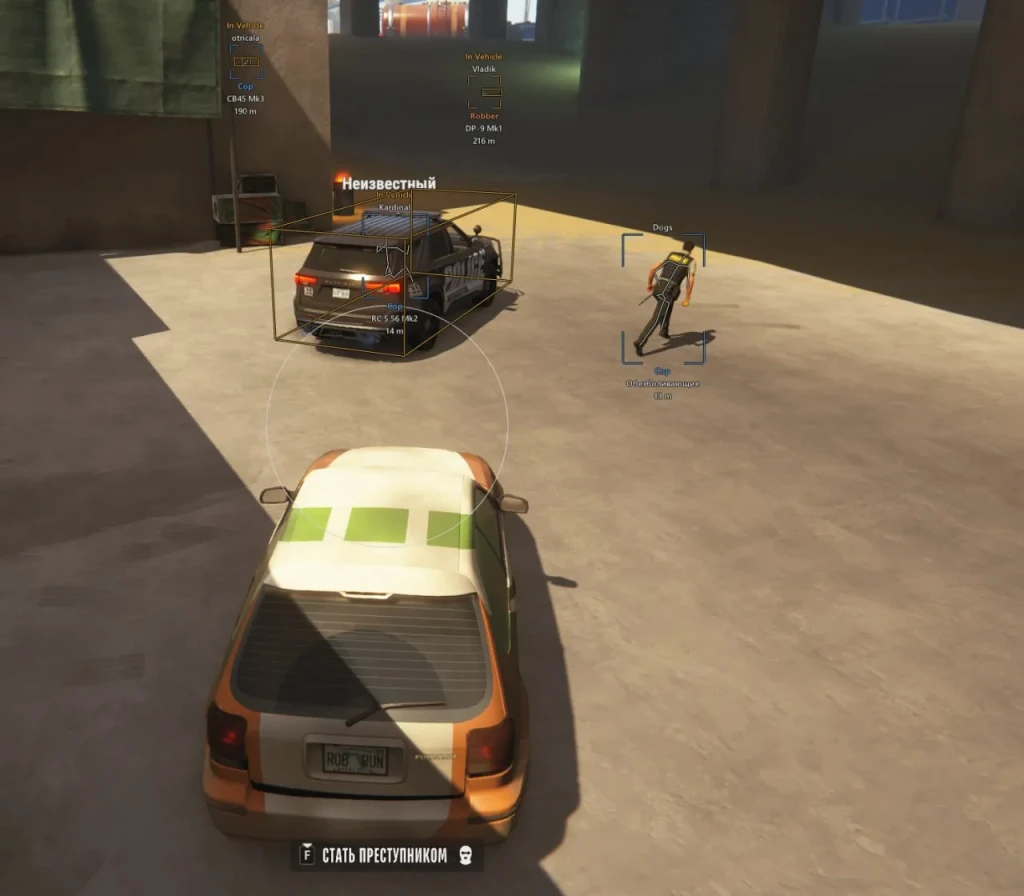
- In Vehicle – visual highlighting of players in transport
- Show Friends – displaying VX to friends
- Friend Label – displays a separate signature to indicate friends
- Show Knocked – display of knocked players
- Show Dead – display of dead players
- Robber – enable the display of robbers and adjust the color of their visual elements
- Cop – enable the display of police officers and adjust the color
- Citizen – enable civilian display and color settings
- Hubber – enable the display of players with the Hubber role and adjust the color
- Settler – enable settler display and color settings
- Prisoner – enable display of prisoners and color settings
- Clan Member – enable display of clan members and color settings
- Unknown – enable the display of players with an undefined role and adjust the color
ESP machines
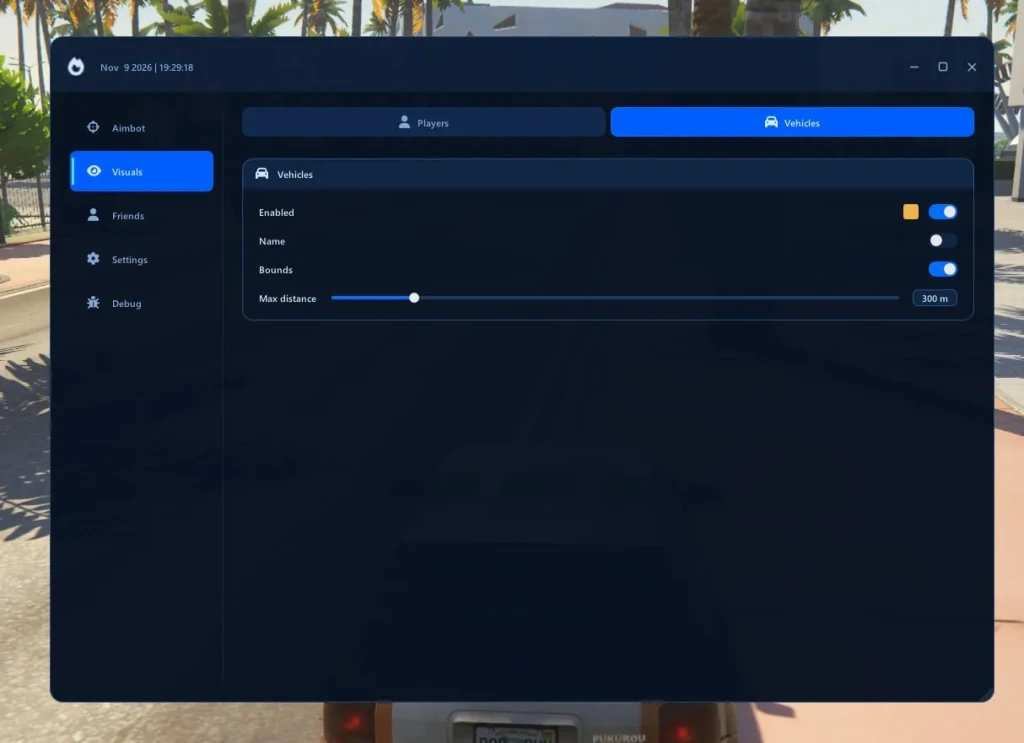
- Enabled – enable or disable visual display of transport
- Vehicle Color – setting the color of visual elements of vehicles
- Name – displays the name of the vehicle
- Bounds – displaying borders and frames around vehicles
- Max Distance – setting the maximum distance for displaying vehicles
Friends list
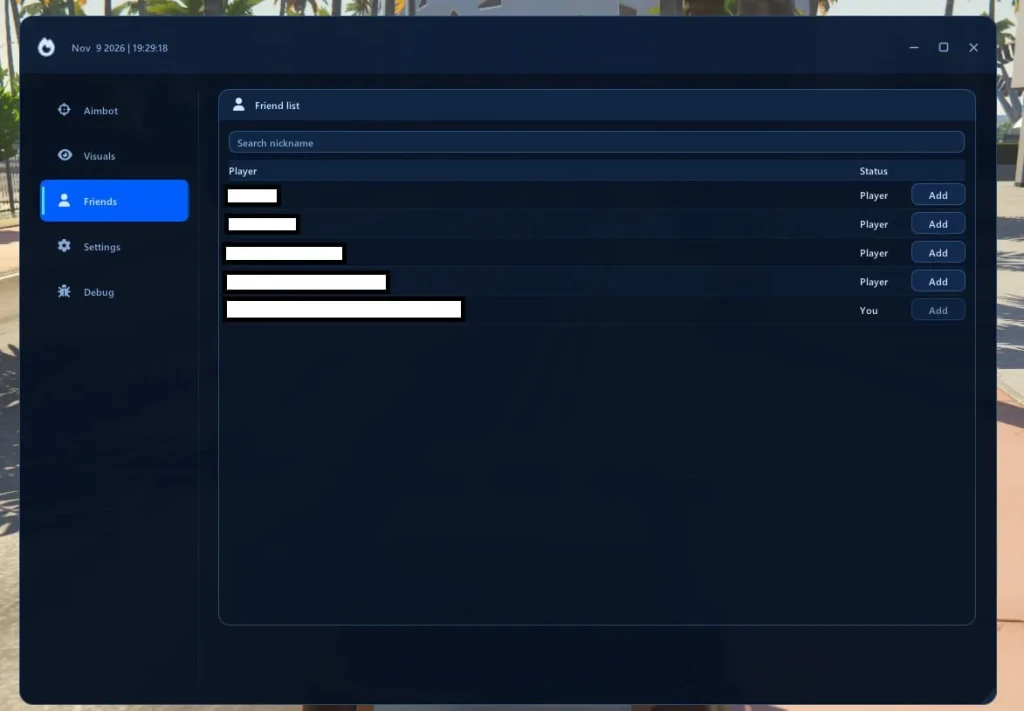
- Friends – allows you to add players to the aimbot whitelist and display them separately in ESP
- Search Nickname – search for players by nickname
- Player List – displays a list of found players indicating their status
- Add – adding the selected player to the friends list
Other Phoenix ROB RUN External Features
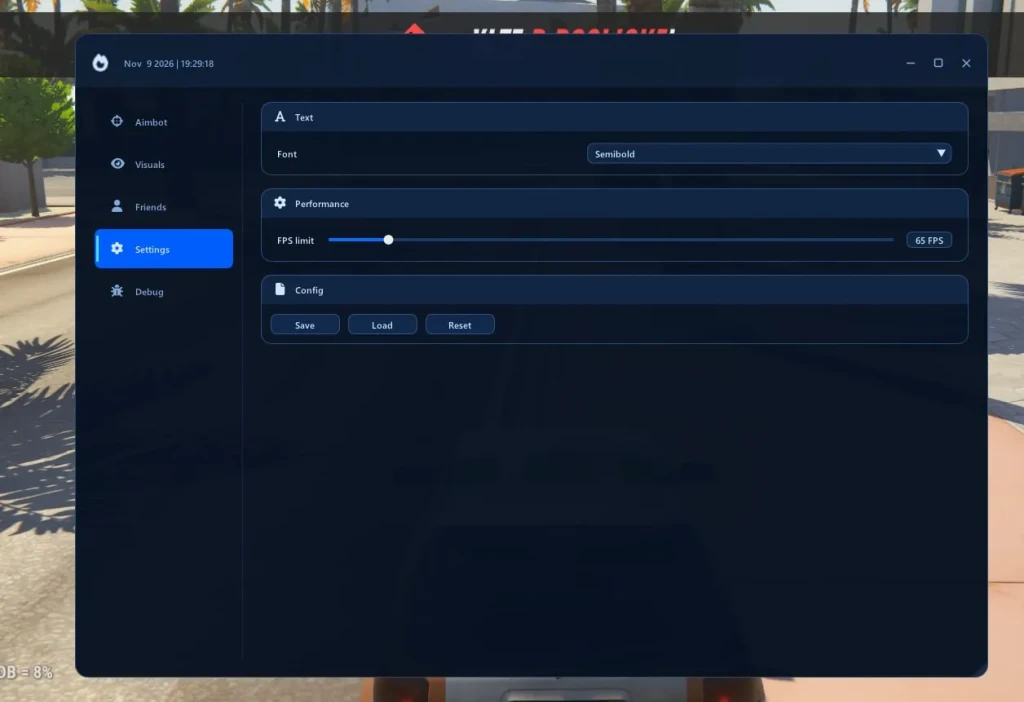
- Font – select a font for ESP elements
- FPS Limit – setting a limit on the overlay refresh rate
- Save – saving current settings to the configuration
- Load – loading a saved configuration
- Reset – reset settings to original values