Recommended
Buy private cheat Phoenix Full for Rust Alkad
Private cheat Phoenix Full for Rust Alkad — sleeping player ESP, aiming controls and resource display. Also included: visibility checks and smoothing controls. OS: Windows 10, Windows 11 (21H2, 22H2, 23H2, 24H2, 25H2).
Compatibility
- Operating system
- Windows 10, Windows 11 (21H2, 22H2, 23H2, 24H2, 25H2)
- cpu
- Intel & AMD
- gpu
- NVIDIA & AMD
- client
- Alkad Client
Features
Aimbot
- Aimbot Enabled — enable / disable aimbot
- Aimbot FOV — area size within which aimbot locks targets
- Aimbot Smoothness — smoothing of aim onto a target
- Aimbot Type — aimbot type, e.g. vector
- Key — hold key to activate aimbot
- No Recoil — removes weapon recoil entirely
- No Sway — disables weapon sway while aiming
- Automatic Pistol — fires the pistol in full-auto mode
- Insta Eoka — instant Eoka shot without delay
Players ESP
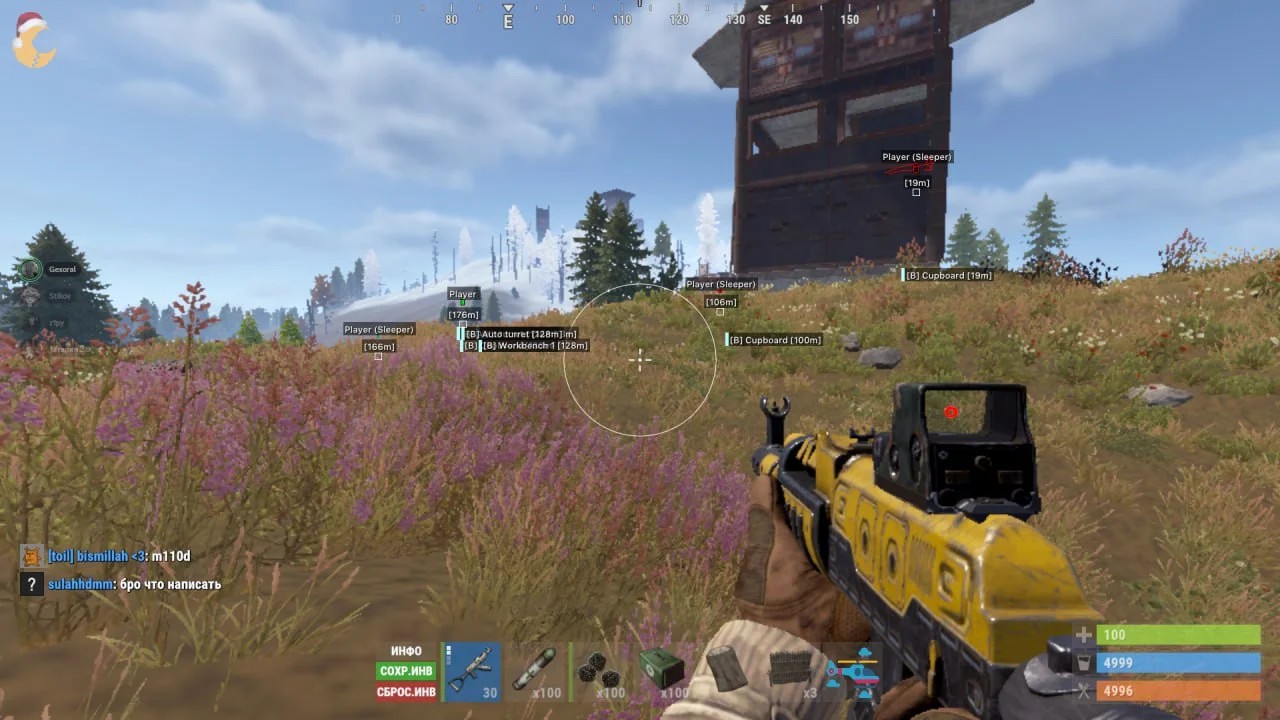
- Enabled — enable player ESP
- Visible Check — different colors for visible vs occluded players
- Show Sleepers — show sleeping players
- Show Names — show player nicknames
- Show Belt — show belt contents (hotbar)
- Show Item in Hands — show item in hands
- Boxes — toggle boxes around players (color configurable)
- Filled Boxes — filled box background for better visibility
- Box Type — box type (full 2D, corners only)
- Skeleton — show player skeleton
- Chams — bright player-model highlight through walls
- Distance — show distance to player
- Max Distance — max render distance of player ESP
NPC ESP
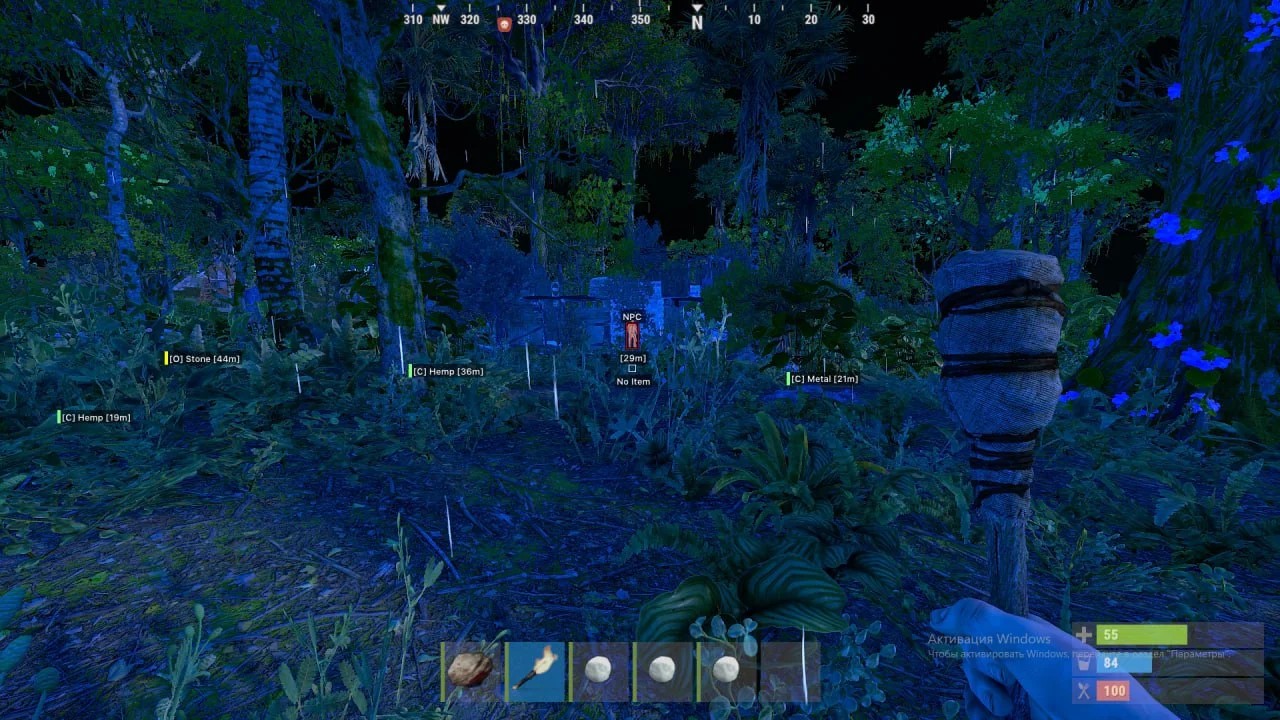
- Enabled — enable WH on NPC (bots)
- Visible Check — different colors for visible / occluded bots
- Show Sleepers — show inactive NPC (if applicable)
- Show Belt — show bot belt
- Show Item in Hands — active item in NPC hands
- Boxes — boxes around NPC
- Filled Boxes — filled box background
- Box Type — box type (full / corners only)
- Skeleton — show NPC skeleton
- Chams — bright bot highlight through walls
- Distance — show distance to bots
- Max Distance — max render distance of bot ESP
Animals ESP
- Enabled — enable / disable WH on animals
- Animals Filter — filter to display only selected animals
- Max Distance — max ESP range on animals
- Wolf — wolves
- Bear — bears
- Boar — boars
- Chicken — chickens
- Horse — horses
- Shark — sharks
- Stag — stags
Items & Objects ESP
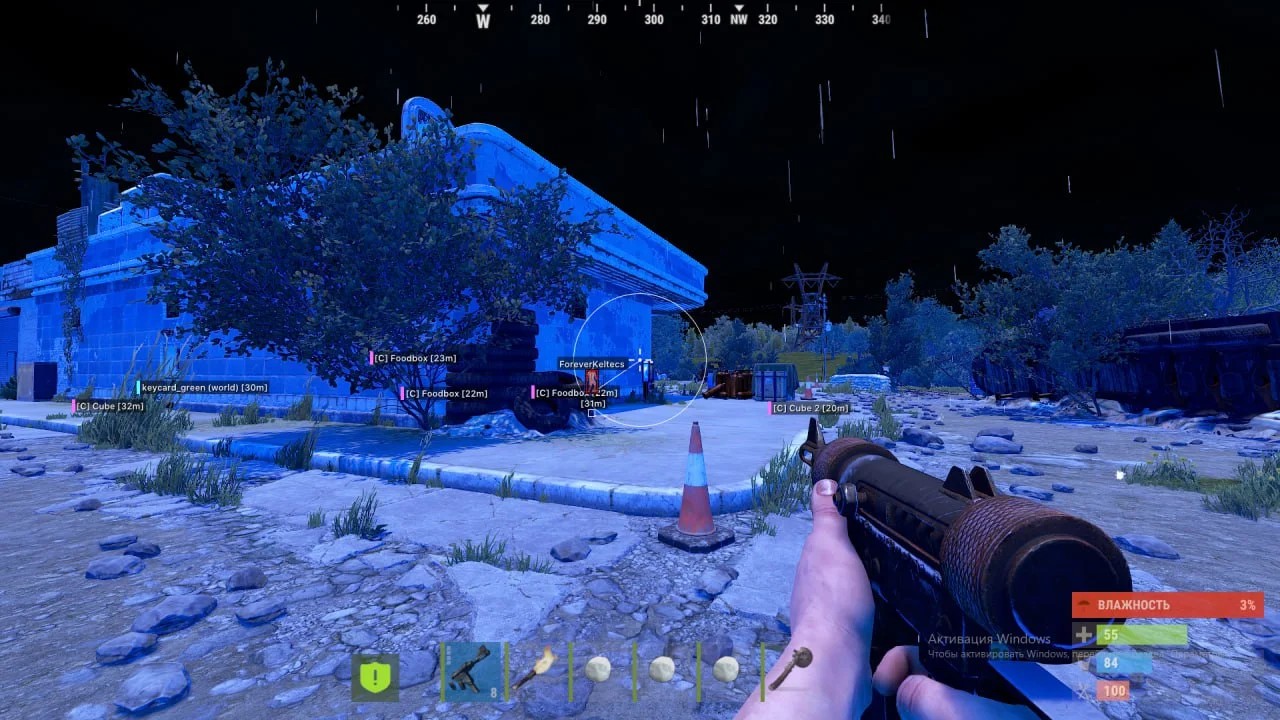
- Enabled — enable item/loot display (per category)
- Filter — per-category filter for items shown
- Max Distance — render distance of item / loot / object ESP
- Ores — various ores (stone, metal, sulfur)
- Collectables — various pickable resources
- Crates / Barrels — show crates and barrels with loot
- Building — show placed objects (cupboard, workbench, furnaces, etc.)
- World Items — show items on the ground
- Vehicles — show various vehicles (boats, helis, motorbike, etc.)
Misc
- Radar — standalone radar window with objects and players
- Night Vision — night-vision mode for better visibility in the dark
- Custom ESP Colors — custom colors for main ESP elements (Box / Snapline / Skeleton / Names)
- Languages — menu supports two languages (Russian, English)