Buy private cheat Soft HUB ABI for Arena Breakout: Infinite
Private cheat Soft HUB ABI for Arena Breakout: Infinite — world object ESP, player ESP and item filters. Also included: container ESP and body display. Client: Steam.
Preserved instructions
Information preserved from the former Soft HUB guide. Before launching, check the requirements and loader against the instructions in your order.
Open preserved materialCompatibility
- Operating systems
- Windows 10 (all builds), 11 (21H2 / 22H2 / 23H2 / 24H2 / 25H2 / 26H2).
- Processors
- Intel / AMD.
- Game clients
- Steam.
- Menu language
- Russian, English.
- Built-in spoofer
- No.
- BIOS configuration changes
- Not required.
- USB drive required for launch
- Yes — a USB flash drive is required to launch.
Features
Players & bots ESP
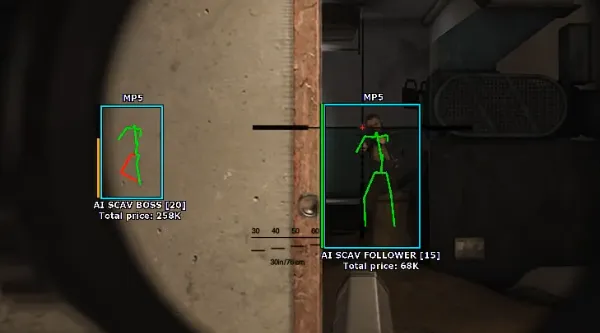
- 2D Box — box around PMCs and scavs through walls, with adjustable draw type and fill (blackout)
- Skeleton — model skeleton with health-based coloring or a plain mode
- Health bar — HP bar above the target to judge a finishing shot at range
- Weapon — the weapon in the target's hands
- Name — player nickname above the model
- Distance — distance to the target in meters
- Inventory price — total inventory value in tapes
- Line — line from the screen center to the target for bearing orientation
- Corpses — corpse markers on the map
Loot & world (World ESP)
- Containers — highlights containers, crates and safes on the location
- Weapons & grenades — dropped weapons and grenades on the ground
- Attachments — attachments and modules: suppressors, scopes, grips
- Ammo — ammo on the ground and in crates (BP, M995, 7.62 BT, etc.)
- Equipment — armor, helmets, rigs and backpacks (6B43, Altyn, etc.)
- Food & med — food, first-aid kits, IFAKs, tourniquets, painkillers
- Uncategorized — other loot: keys, documents and quest items
Loot filters
- Rarity select — filter items by rarity
- Price select — filter by price type: market or base
- Minimum price slider — minimum loot value slider for the HUD
Radar
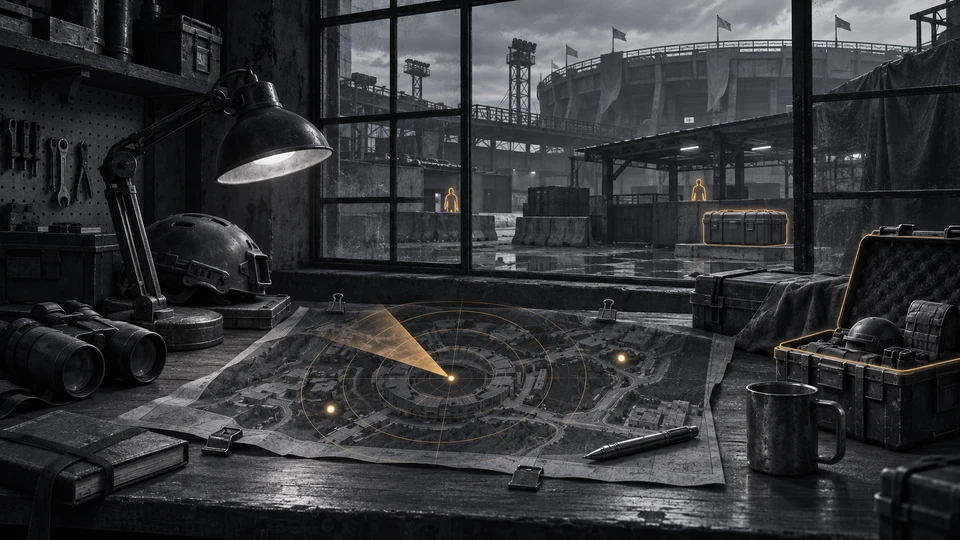
- Enable — top-of-screen minimap with player, bot and loot markers
- Distance — radar range
- Local direction — markers rotate relative to your view
- Angle — FOV draw angle on the radar
- Size — radar window size on screen
- Point size — size of player and loot dots on the radar
Notes
- * The feature list may be updated by the developer — keep an eye on the current version.
Gallery and videos
Open an image to explore the details