Рекомендуем
Купить приватный чит Ghost Apex для Apex Legends
Приватный чит Ghost Apex для Apex Legends — индикаторы вне экрана, настройки наведения и выбор точки наведения. Также доступны упреждение движения и радар. Клиент: Steam.
Совместимость
- cpu
- INTEL | AMD
- video card
- NVIDIA | AMD
- os
- Windows 10 | 11 (All versions)
- game mode
- Оконный | Безрамочный
- client
- Steam
- spoofer
- Нет
- usb drive
- Не требуется
Функции
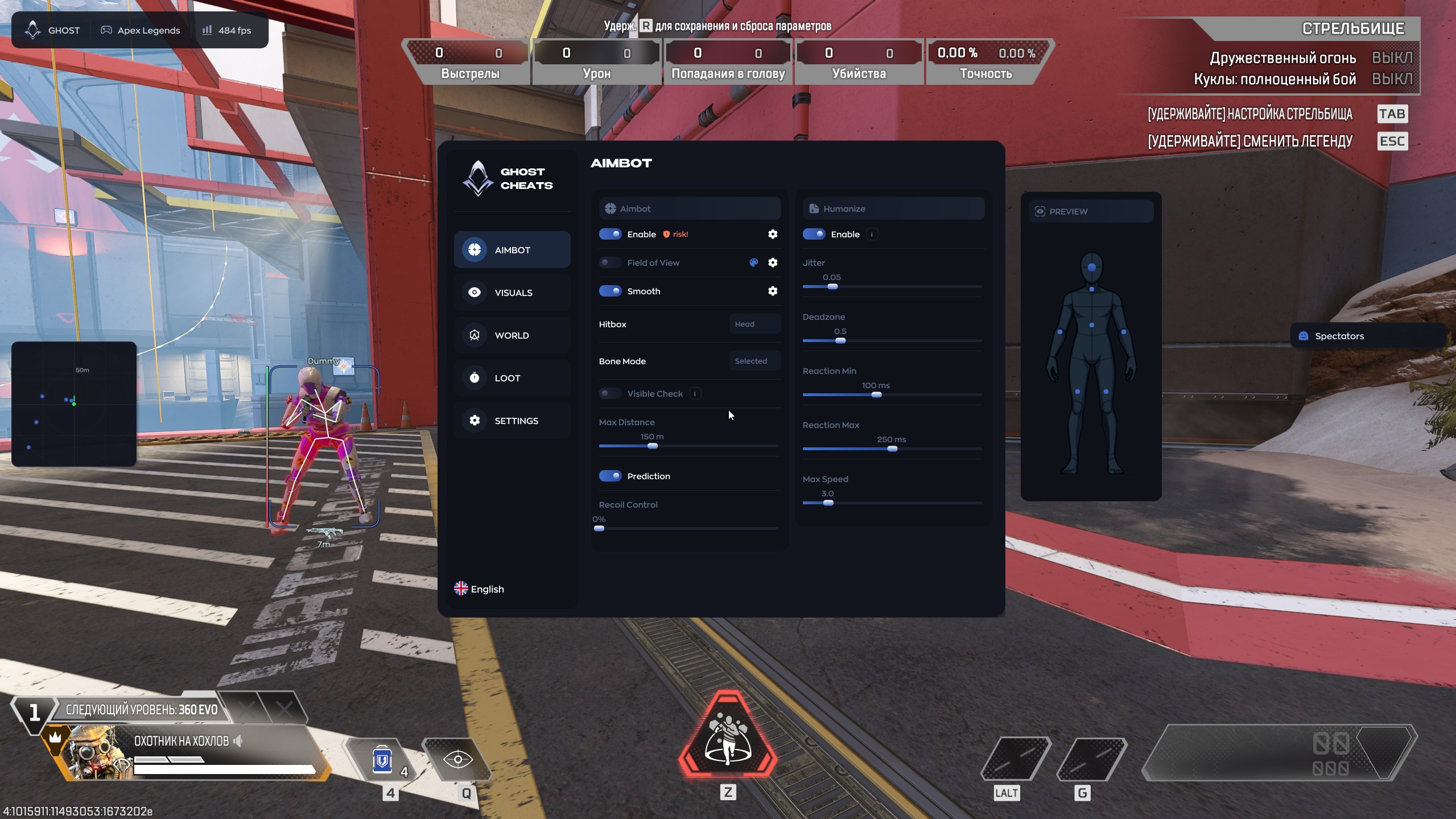
AIMBOT — Аимбот
- Enable — turns the aimbot on or off
- Field of View — sets the target acquisition area
- Smooth — adjusts aiming smoothness
- Hitbox — selects the body area to target
- Bone Mode — selects a specific model bone
- Visible Check — targets visible opponents only
- Max Distance — limits the operating distance
- Prediction — accounts for target movement and bullet travel
- Recoil Control — compensates for weapon recoil
- Humanize — gives crosshair movement a more natural feel
- Jitter — adds configurable micro-movements
- Deadzones — areas where the aimbot does not adjust the crosshair
- Reaction Min / Max — minimum and maximum reaction delay
- Max Speed — limits maximum aiming speed
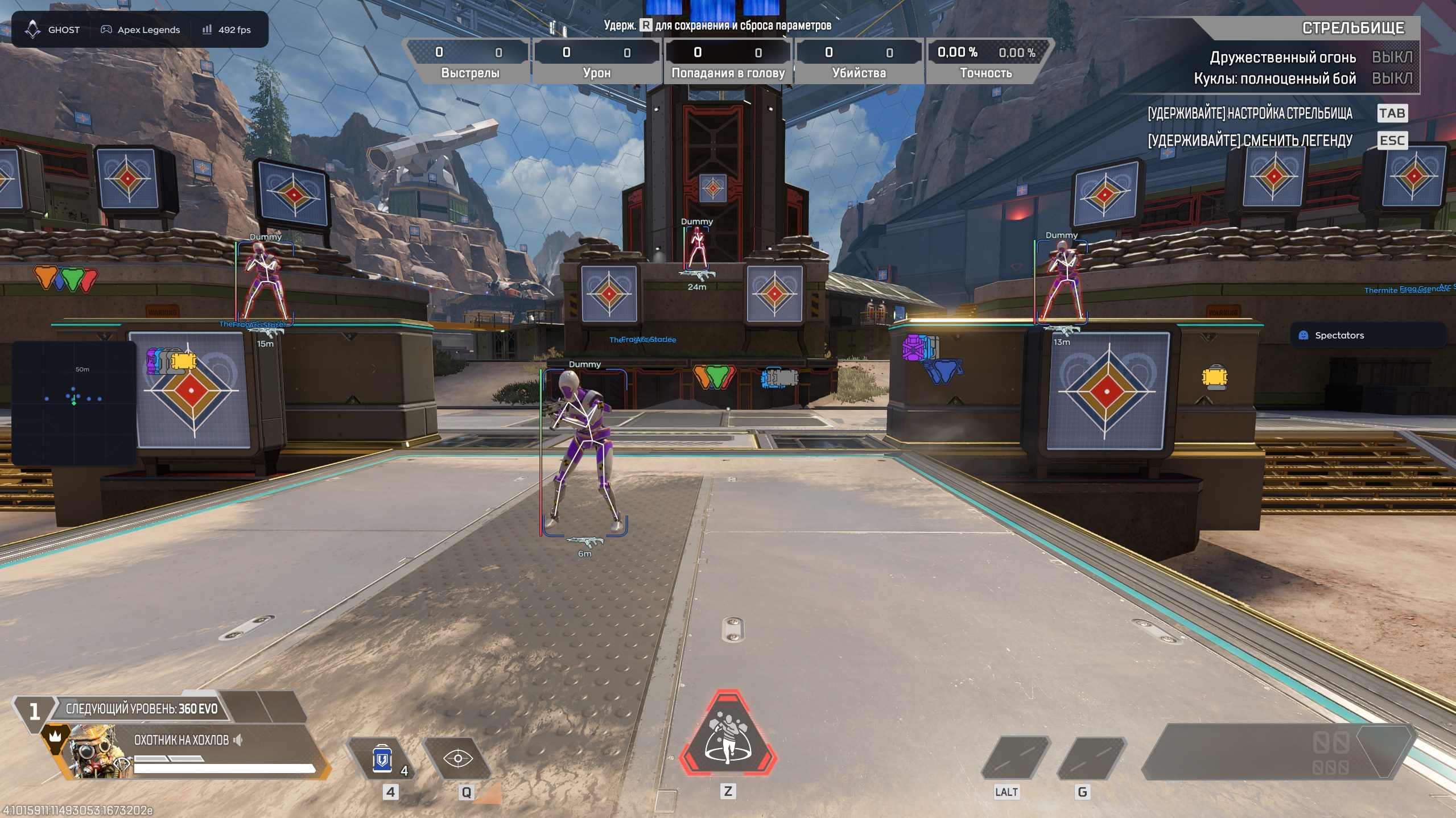
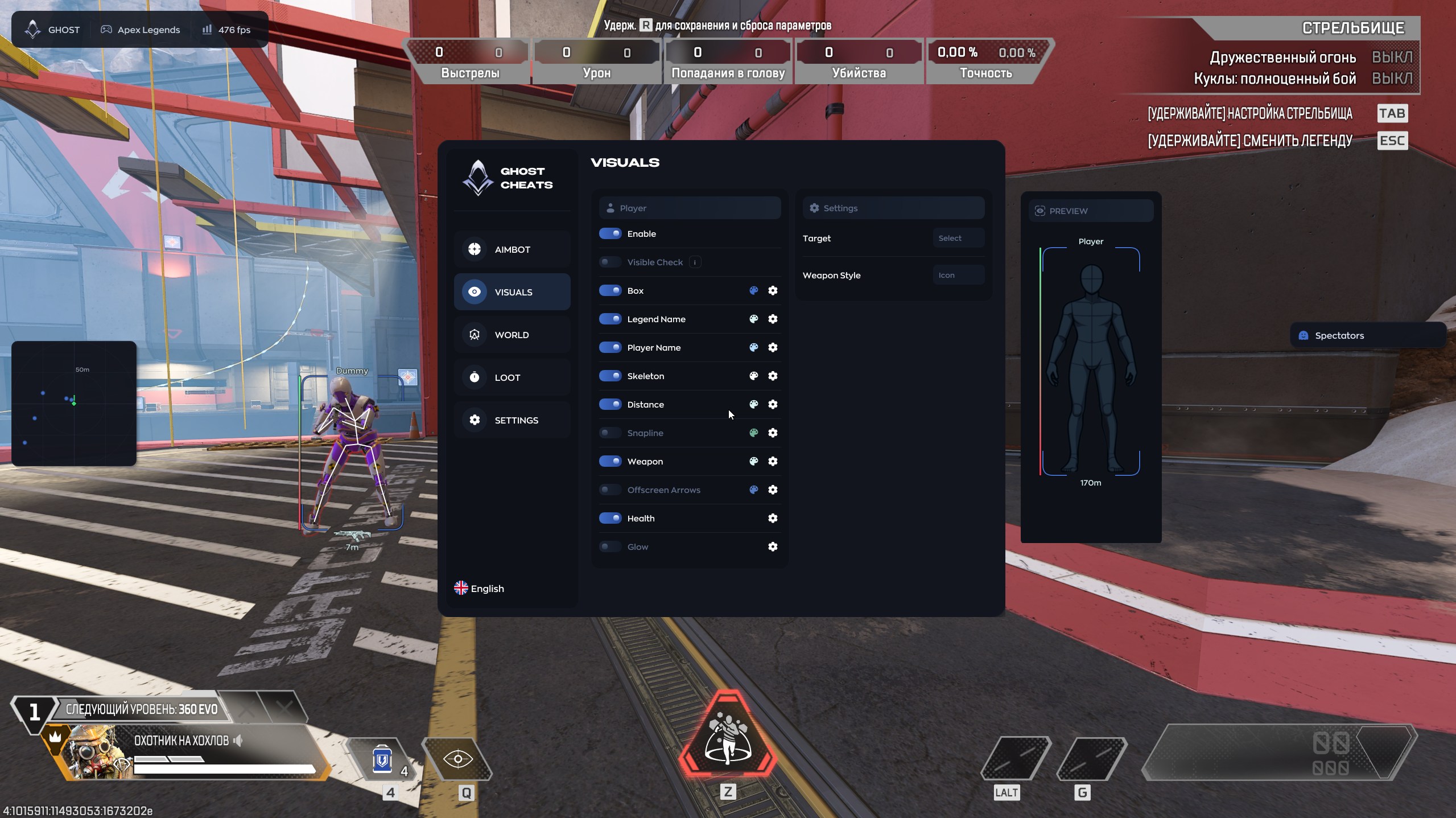
VISUAL — ESP игроков
- Box — draws a box around a player
- Legend Name — displays the opponent’s legend
- Player Name — displays the player’s nickname
- Skeleton — draws the model skeleton
- Distance — displays the distance to the target
- Snapline — draws a line from the player to the target
- Weapon — displays the opponent’s weapon
- Offscreen Arrows — points to enemies outside the visible area
- Health — displays player health
- Glow — highlights the player model
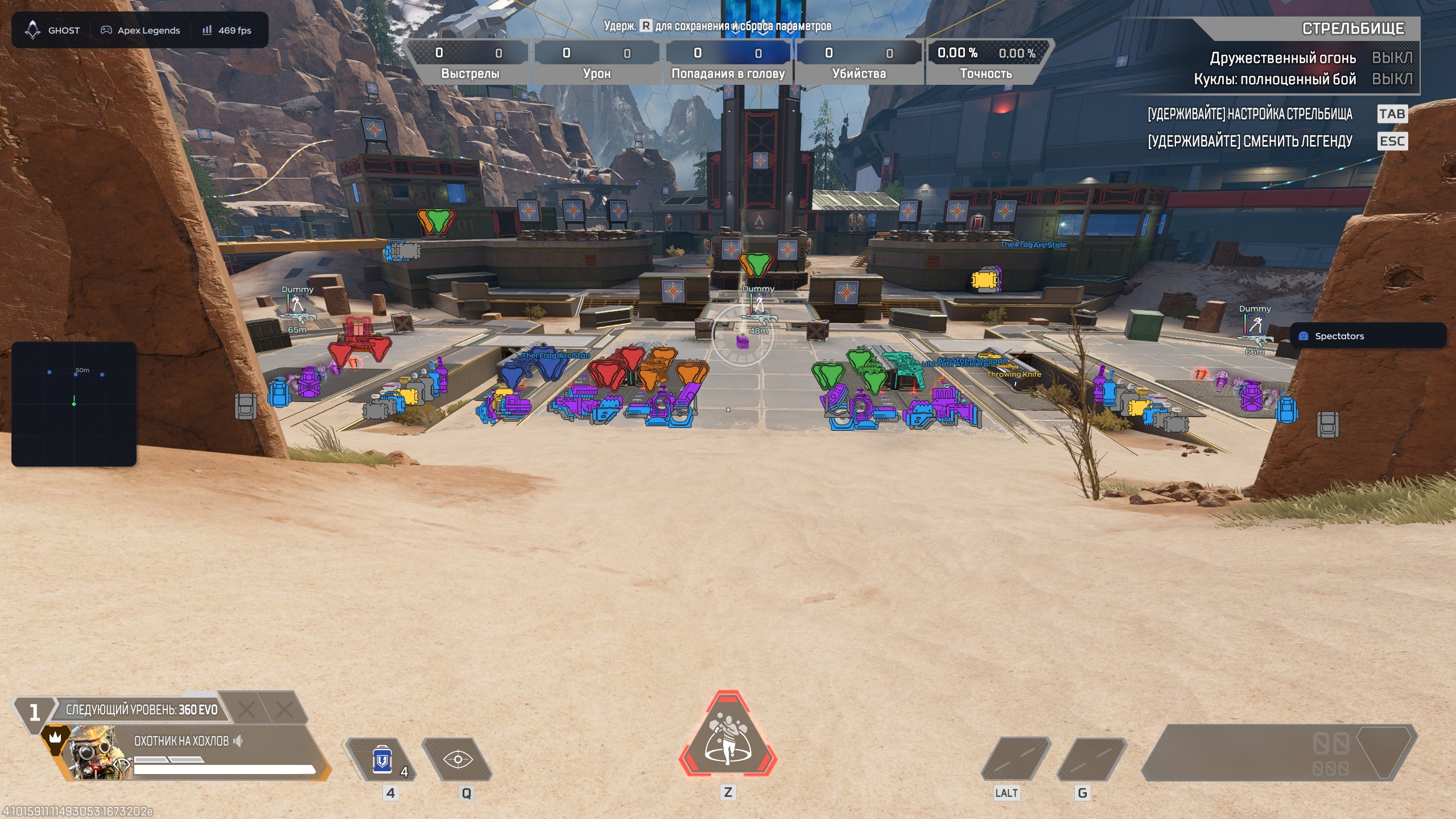
WORLD — Радар
- Enable — turns the radar on or off
- Draw Outline — adds an outline around the radar
- Draw Background — enables the radar background
- Point Style — displays targets as dots, arrows or squares
- Size — adjusts the radar window size
- Max Distance — sets the maximum target display distance
- Point Size — adjusts marker size
- Zoom — changes the scale of the displayed area
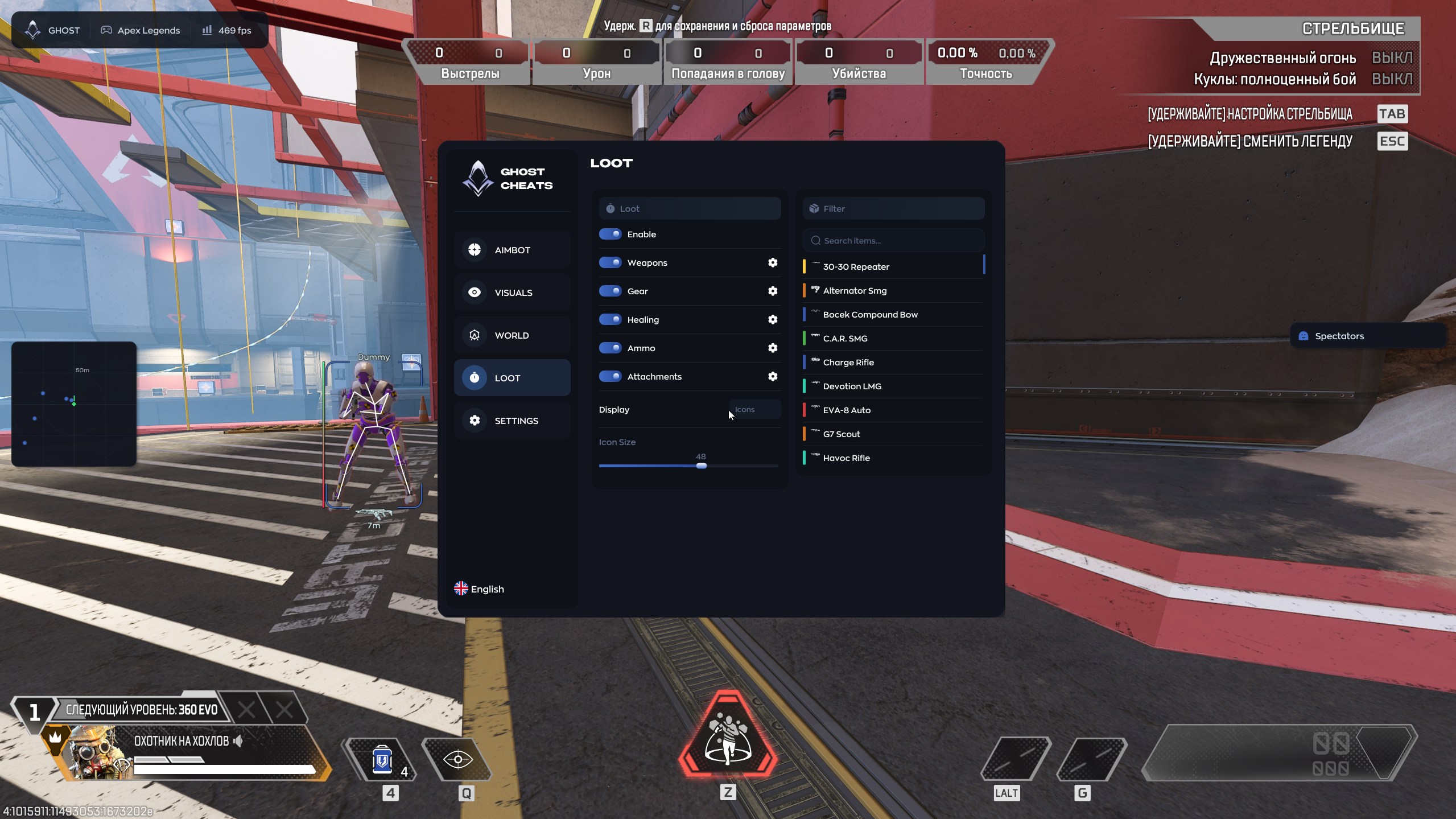
LOOT — Лут
- Enable — turns loot display on or off
- Weapons — displays weapons
- Gear — displays armor, helmets and backpacks
- Healing — displays med kits, syringes and shield batteries
- Ammo — displays ammunition
- Attachments — displays sights, magazines and stabilizers
- Icon Size — adjusts icon size
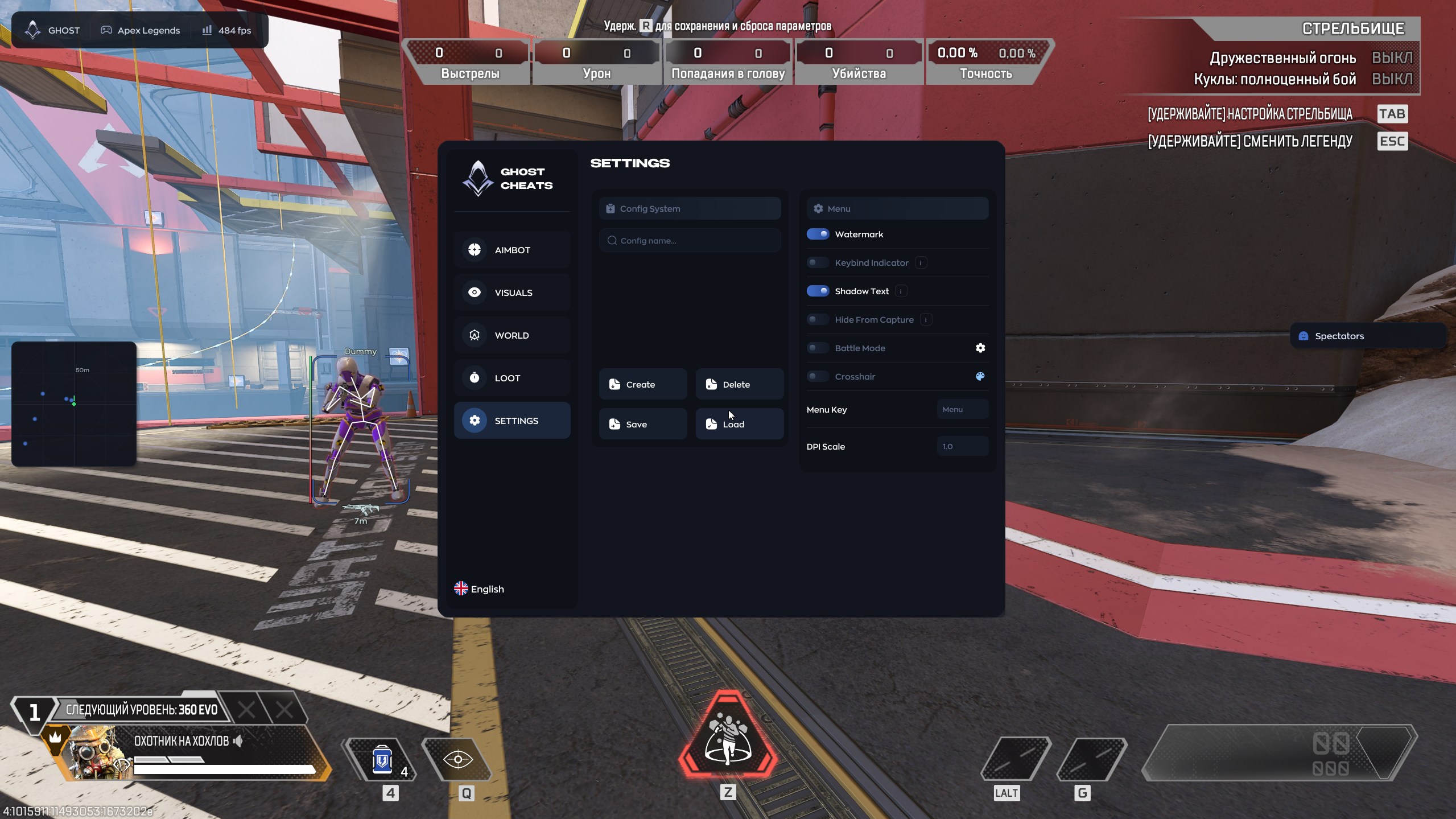
SETTINGS — Конфиги и интерфейс
- Config System — manages configuration profiles
- Create / Delete / Save / Load — manages saved settings
- Menu — customizes the menu appearance
- Watermark — displays the product logo and name
- Keybind Indicator — shows active hotkeys
- Shadow Text — adds text shadows
- Hide From Capture — hides the product interface from screen capture
- Battle Mode — provides a simplified combat layout
- Crosshair — enables a custom crosshair
- Menu Key — selects the menu hotkey
- DPI Scale — adjusts the interface scale
Запуск и настройка
Перед активацией ключа проверьте порядок запуска именно этой редакции.
Открыть инструкцию по запуску