Arcane Medal / Discord — setup and launch
Preparation, activation and important details for Arcane Medal / Discord.
A concise Ravzino guide. Follow only the procedure for your edition; if the supplied build differs, check its current materials before activating the key.
Steps to follow
- ARC Raiders and ROB RUN require Medal TV: install it and sign in. Use Discord only for products that specify it; do not substitute one overlay for another.
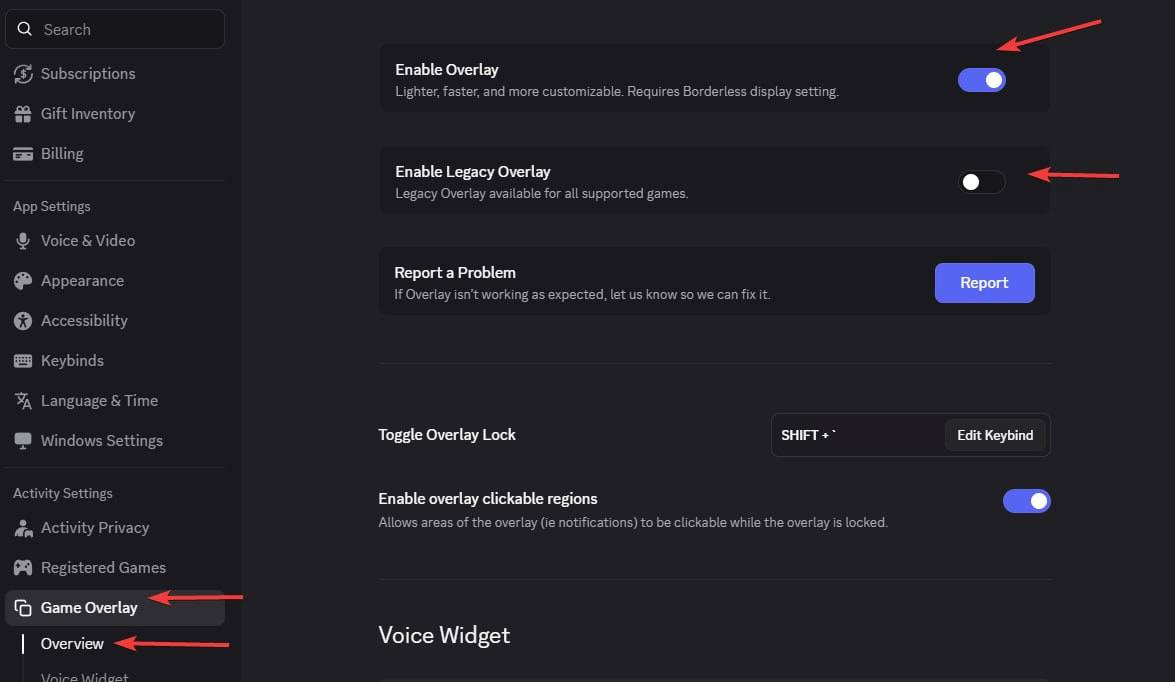
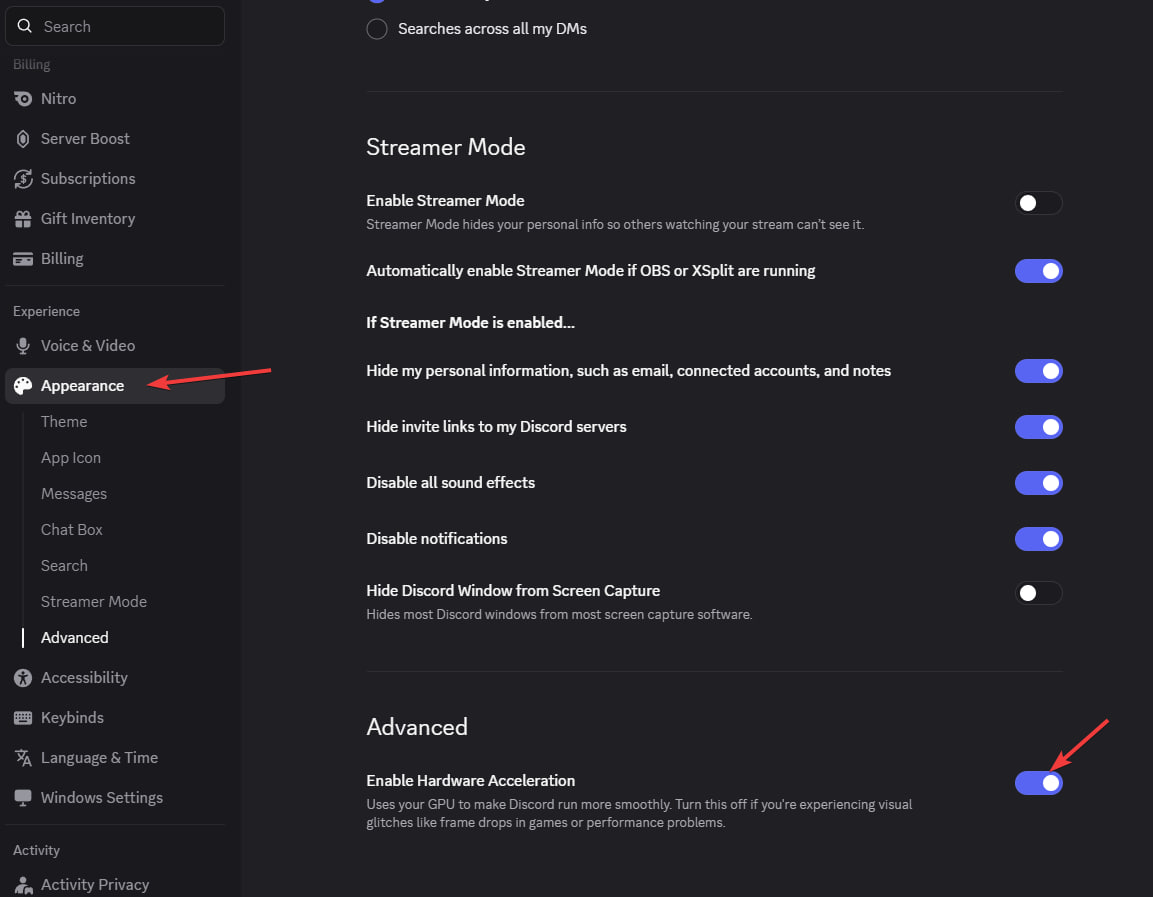
- In Discord enable the new overlay for the game, disable Legacy Overlay and enable hardware acceleration. Keep Discord open. This is the Arcane setting; Ancient uses a different acceleration setting.
- Install Visual C++ x64 and restart the PC. After a game patch, wait for a compatible product update. The developer lists Faceit/Vanguard and active security software as conflicts; Undetected does not rule out a ban.
- Download the e-arcane.cc loader or a listed mirror into a separate folder. Run it as administrator, let it update, reopen the updated file and enter your key (right-click pastes into the console).
- Wait for successful loading and automatic closure before starting the game. Select cleaning and spoofing only when needed and as instructed by your version.
- After starting the game, avoid switching windows for 1–2 minutes. Home/Insert controls the menu. If it does not respond, run the required overlay as administrator and Steam with normal privileges; check for conflicting overlays.
Files and additional materials
External manuals may use another language. Downloading a file does not establish its safety or compatibility.
Illustrations and videos