Private cheat FOCUS DayZ Web Map
Private cheat FOCUS DayZ Web Map — zoom controls, loot display and health indicators. Also included: vehicle ESP and infected ESP. Client: Only Steam. Sales of this edition are currently paused.
Compatibility
- Windows 10
- 22H2
- Windows 11
- 25H2
- Processor
- AMD / Intel
- Architecture
- x64 only (64-bit)
- Platform
- Steam only
Features
Map
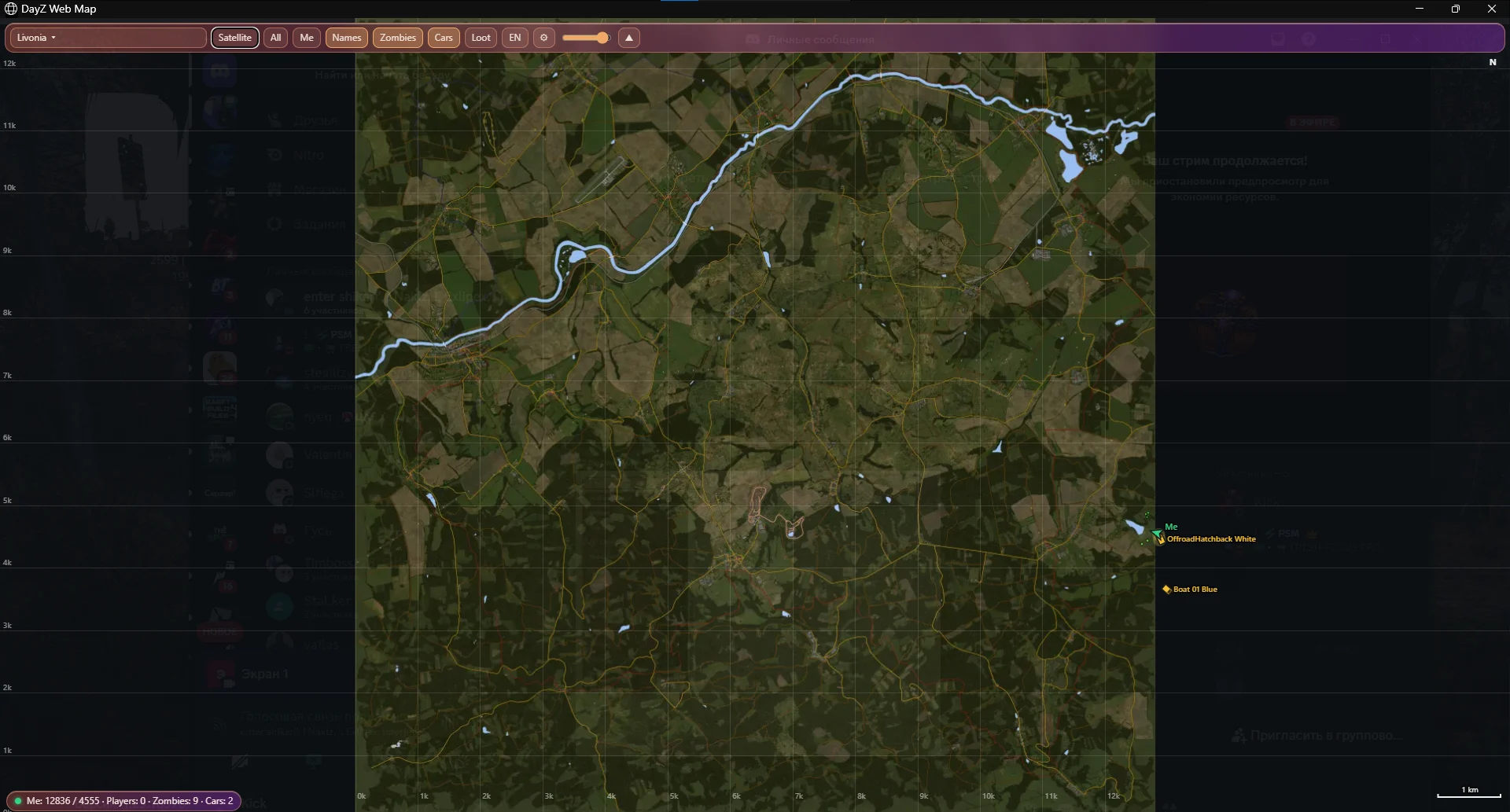
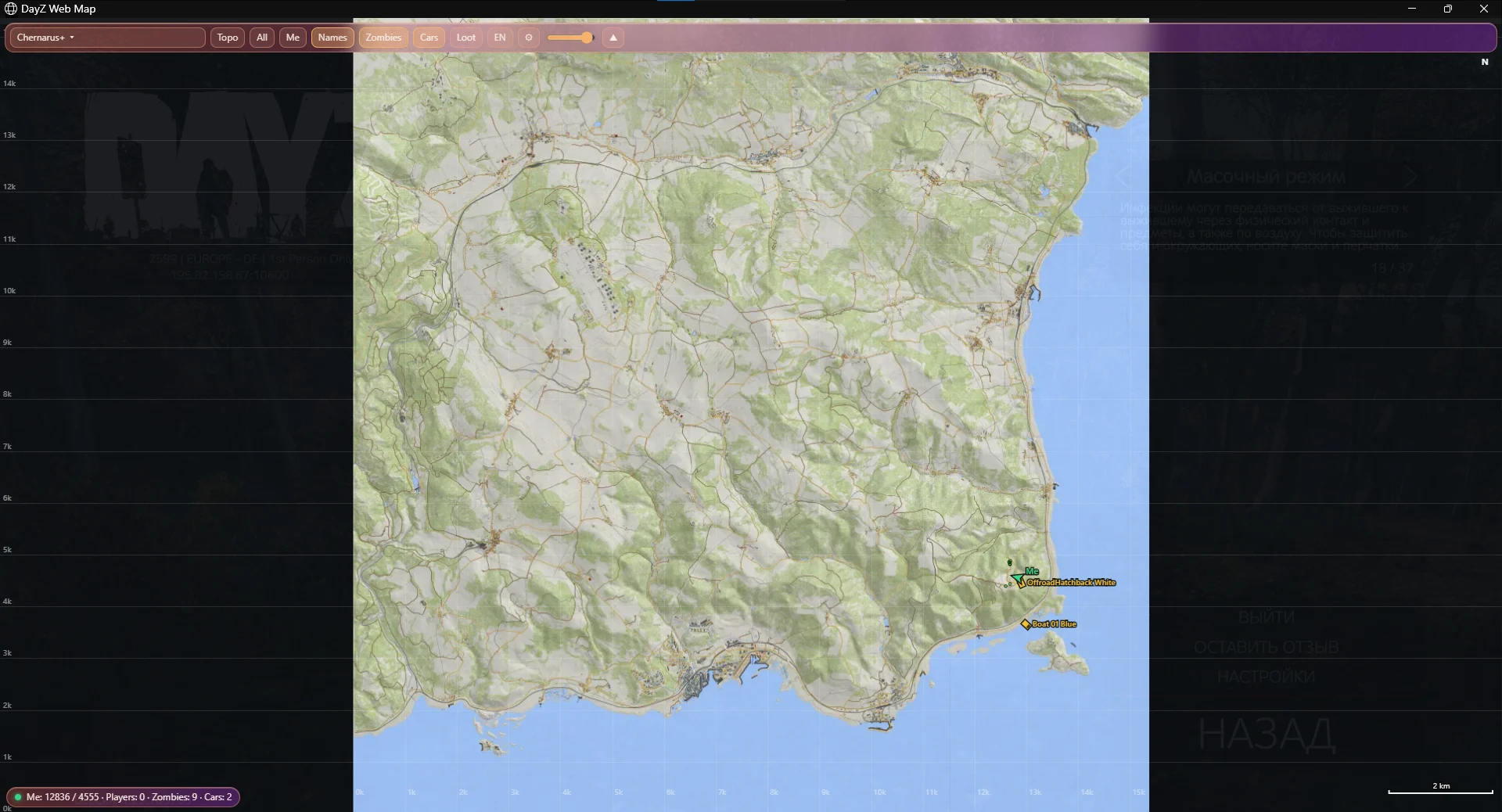
- Switch between satellite imagery and topographic maps. (Satellite & topographic)
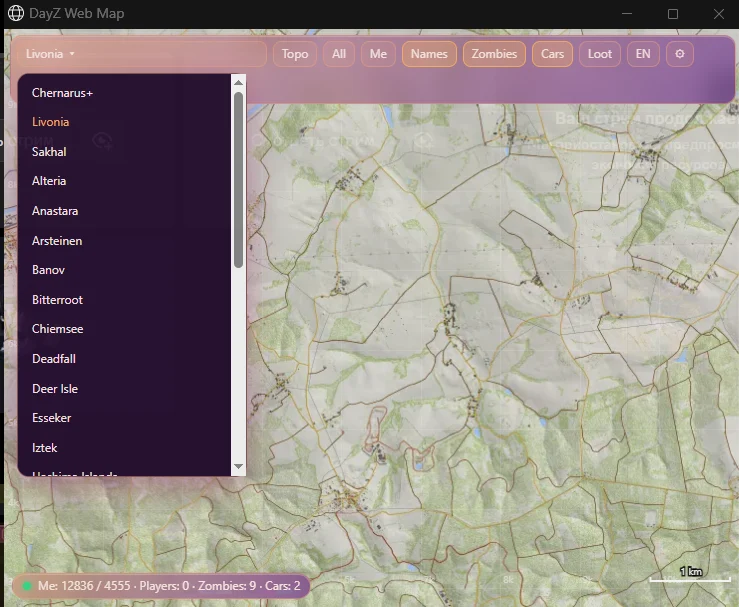
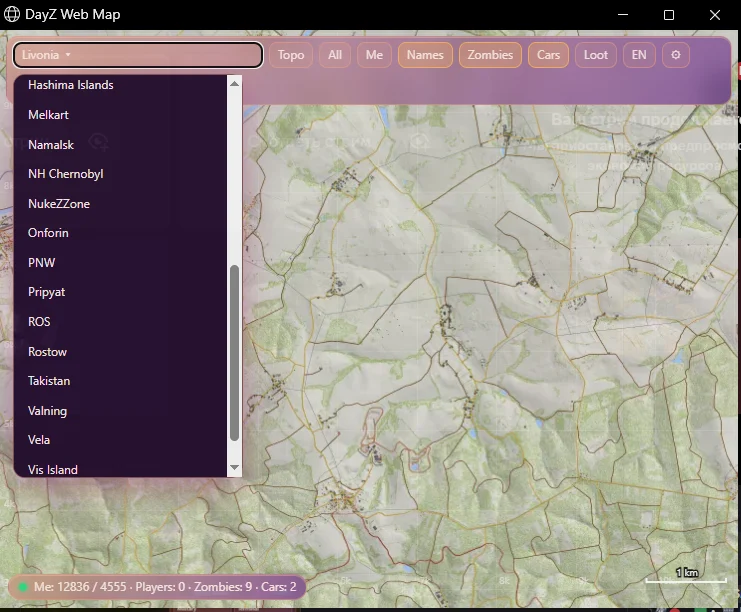
- Choose a map from the dropdown list. (28 maps)
- Automatically detects the map loaded in DayZ. (Automatic map detection)
- Zoom with the mouse wheel and drag to pan. (Zoom & pan)
- Display a coordinate grid on the map. (Coordinate grid)
- A distance scale for the current zoom level. (Scale bar)
- A button to fit the entire map in the window. (Full map)
Players
- Your position and viewing direction. (Your marker)
- The map follows your marker. Enabled by default. (Follow me)
- Markers for other players with their viewing direction. (Other players)
- Toggle player names above markers with the Names button. (Player names)
- Separate markers for dead players. (Dead players)
- Display player health. (Health)
- Your coordinates and altitude in the status bar. (Coordinates & altitude)
Zombies & vehicles
- Toggle zombie markers with the Zombies button. (Zombies)
- Vehicle names and directions. Toggle their display with the Cars button. (Cars & boats)
Loot
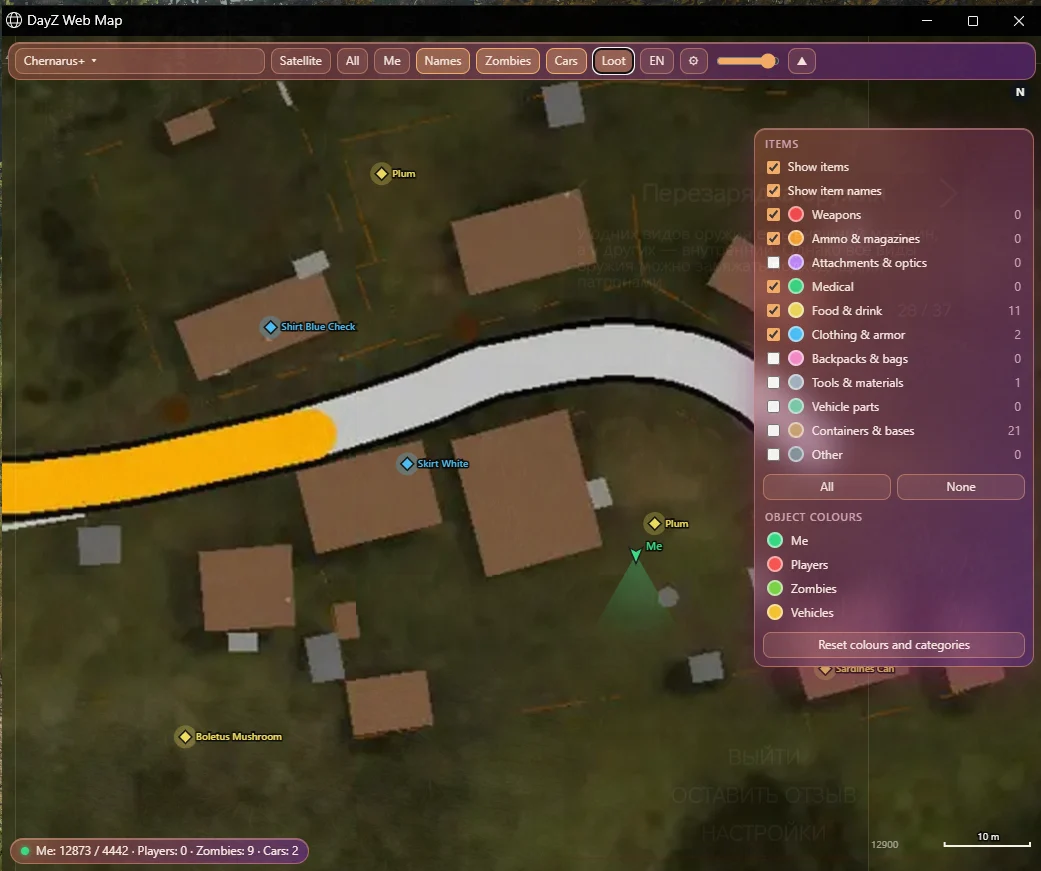
- Display items lying on the ground. (Ground items)
- Picked-up items disappear from the map immediately. (Item updates)
- Weapons, ammunition, attachments, medical supplies, food and water, clothing, backpacks, tools, vehicle parts, storage and other items. (11 categories)
- Enable or disable each category separately. (Category filters)
- Choose a custom color for each category from the palette. (Category colors)
- Show item names beside their markers. (Item names)
- Weapons, ammunition and medical supplies are enabled by default. (Default filters)
Colors
- Customize the colors of your marker, players, zombies and vehicles. (Object colors)
- Separate colors for item categories. (Loot colors)
Map window
- The map window stays above DayZ and does not hide automatically. (Above DayZ)
- Move the window to a second monitor; its position is remembered. (Second monitor)
- The map window does not take focus away from the game. (Game focus)
- Adjust window opacity with a slider. (Opacity)
- Use ▲ to hide the toolbar and ▼ to show it again. (Hide toolbar)
- Reset the map window position and size. (Reset window)
Menu settings
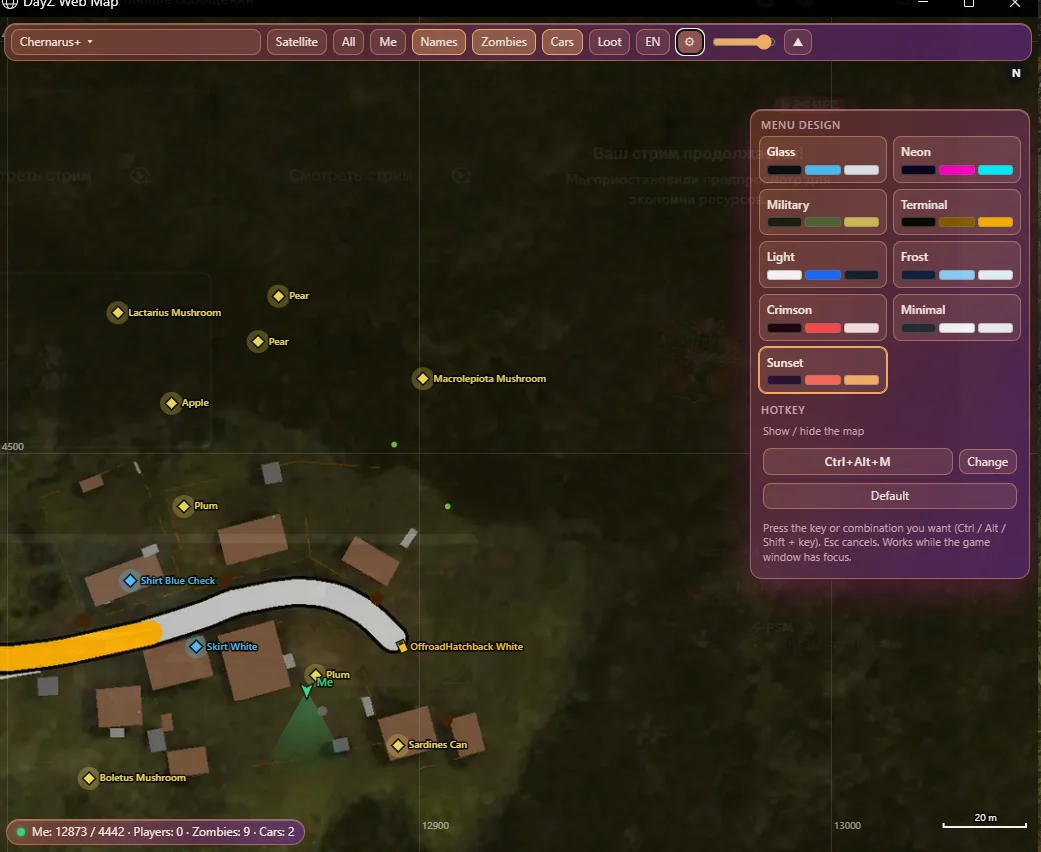
- Show or hide the map with Ctrl+Alt+M by default, or assign a custom key combination. (Hotkey)
- Restore the default key combination. (Reset hotkey)
- Glass, Neon, Military, Terminal, Light, Frost, Crimson, Minimal and Sunset. (9 menu themes)
- Russian and English interface. (Language)