Private cheat FOCUS DayZ
Private cheat FOCUS DayZ — smoothing controls, aiming controls and container ESP. Also included: target selection radius and aim point selection. Client: Only Steam. Sales of this edition are currently paused.
Compatibility
- Windows 10
- 22H2
- Windows 11
- 25H2
- Processor
- AMD / Intel
- Architecture
- x64 only (64-bit)
- Platform
- Steam only
Features
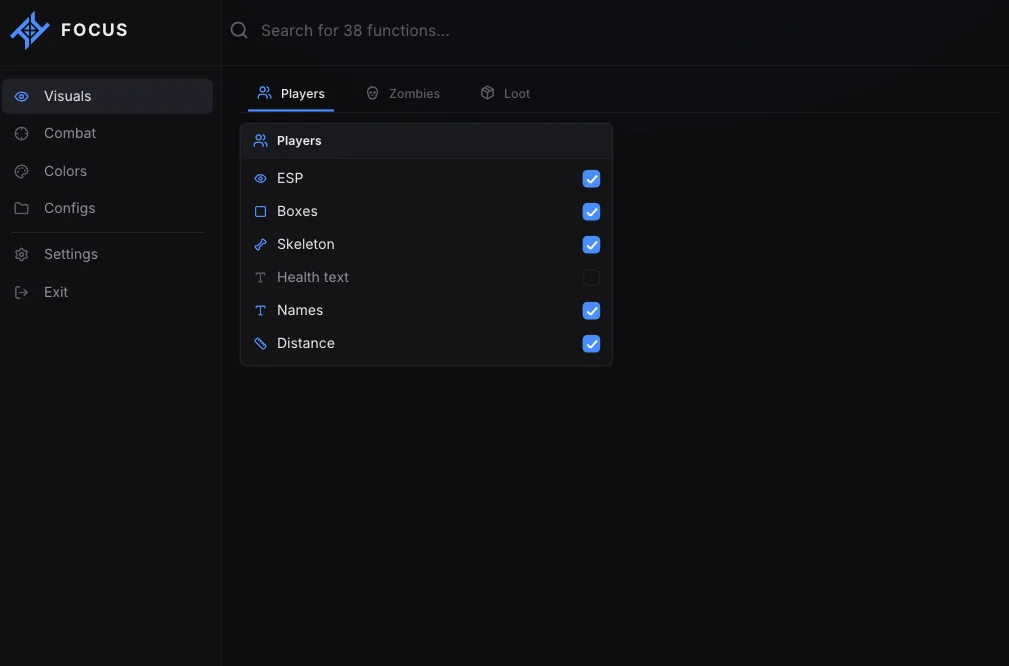
ESP · Players
- Master switch for player wallhack. When on, other players are drawn through terrain, buildings and fog. When off, all player ESP below is hidden. (ESP)
- 2D bounding box around each player on screen. Follows the player as they move, crouch and go prone. (Boxes)
- Full bone overlay on the player model. Head, spine, arms and legs are drawn in world space. (Skeleton)
- Numeric health value next to the player. Off by default. Enable to see remaining HP as numbers. (Health text)
- Player name drawn above the box / skeleton. (Names)
- Distance from you to that player, in meters. (Distance)
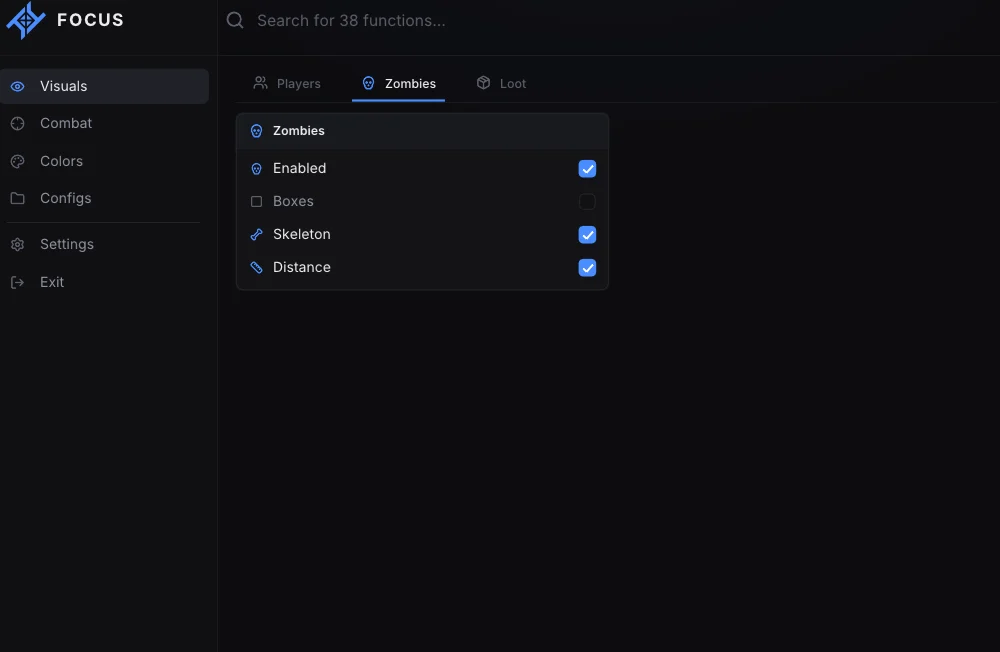
ESP · Zombies
- Master switch for infected / zombie ESP. (Enabled)
- 2D box around each zombie. (Boxes)
- Bone overlay on zombie bodies. (Skeleton)
- Distance to the zombie in meters. (Distance)
ESP · Loot
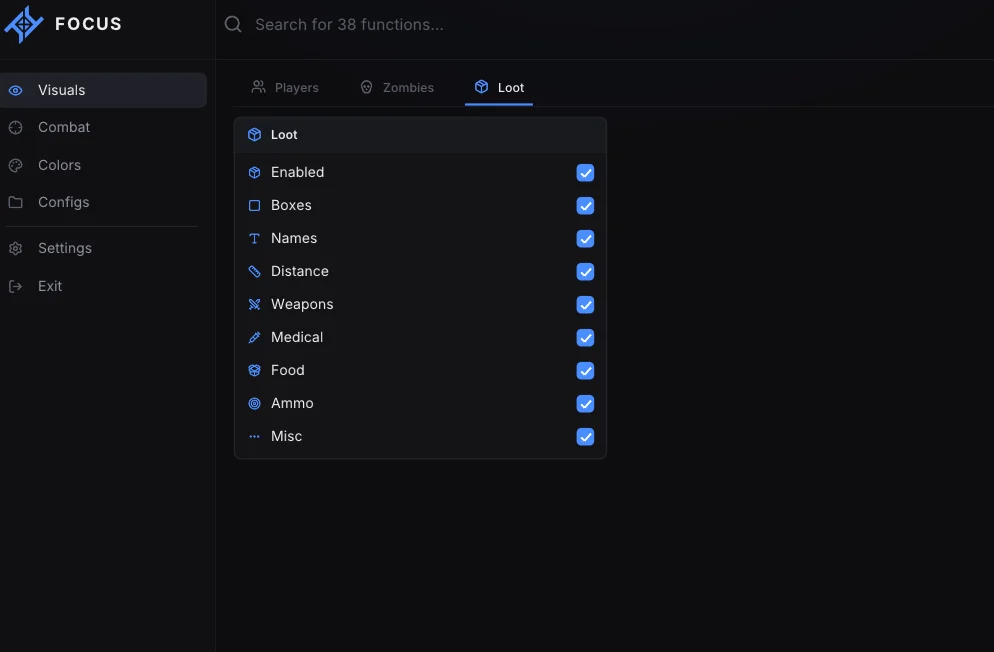
- Master switch for world loot ESP. Ground items and containers matching the filters below are shown. (Enabled)
- Box around loot objects. (Boxes)
- Item / loot name on screen. (Names)
- Distance to the loot in meters. (Distance)
- Show weapon loot. Hide this category independently. (Weapons)
- Show medical loot (bandages, saline, kits, etc.). (Medical)
- Show food and drink loot. (Food)
- Show ammunition loot. (Ammo)
- Show everything else that is not in the categories above. (Misc)
Aimbot
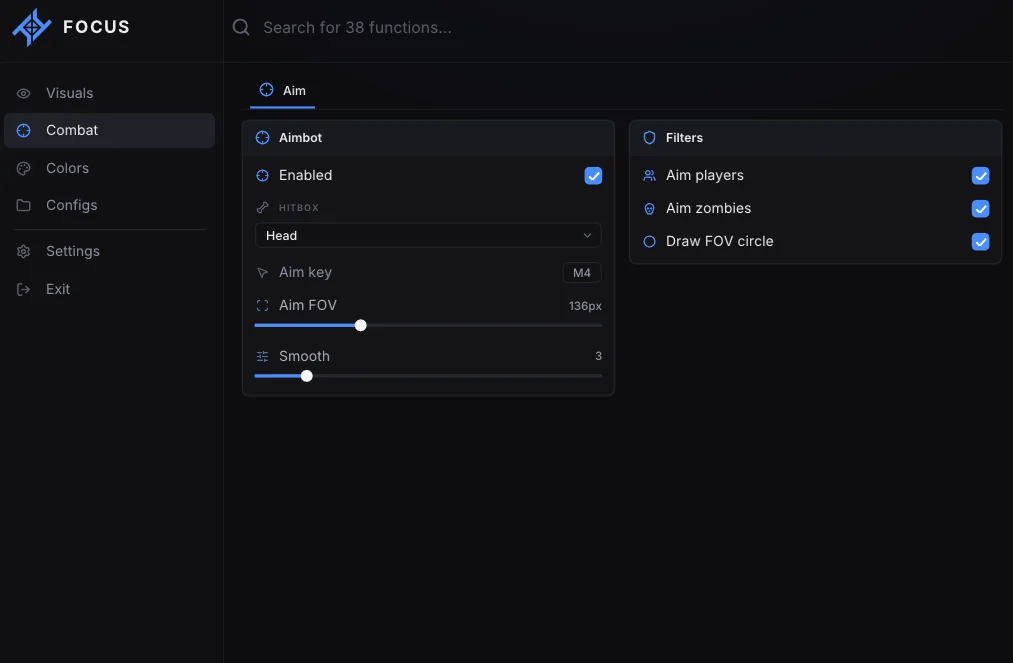
- Master switch for aimbot. When on, holding the aim key snaps / smoothly aims at the selected hitbox. (Enabled)
- Head; Chest; Aimbot locks onto the chosen bone. (Hitbox)
- Default: Mouse 4 (MouseX1 / side button). Hold this key to aim. Rebindable. (Aim key)
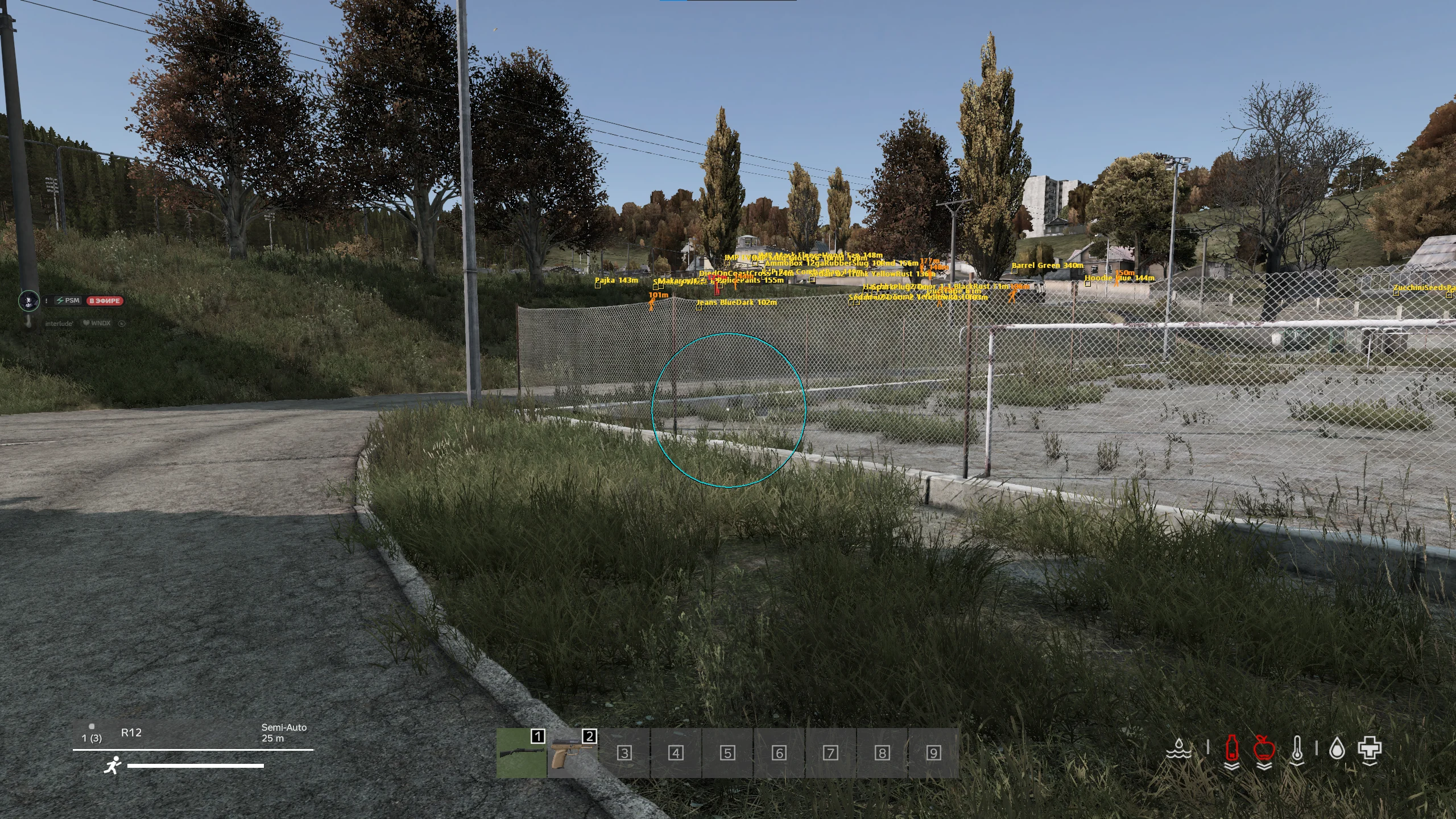
- Range: 20 px to 400 px. Default: 118 px. Only targets inside this circle around the crosshair are valid. (Aim FOV)
- Range: 0 to 20. Default: 3. 0 = instant snap. Higher = slower, more human-looking movement. (Smooth)
- Aimbot is allowed to lock onto players. (Aim players)
- Aimbot is allowed to lock onto zombies / infected. (Aim zombies)
- Draws the aim FOV circle on screen so you can see the lock radius. (Draw FOV circle)
Colors · ESP
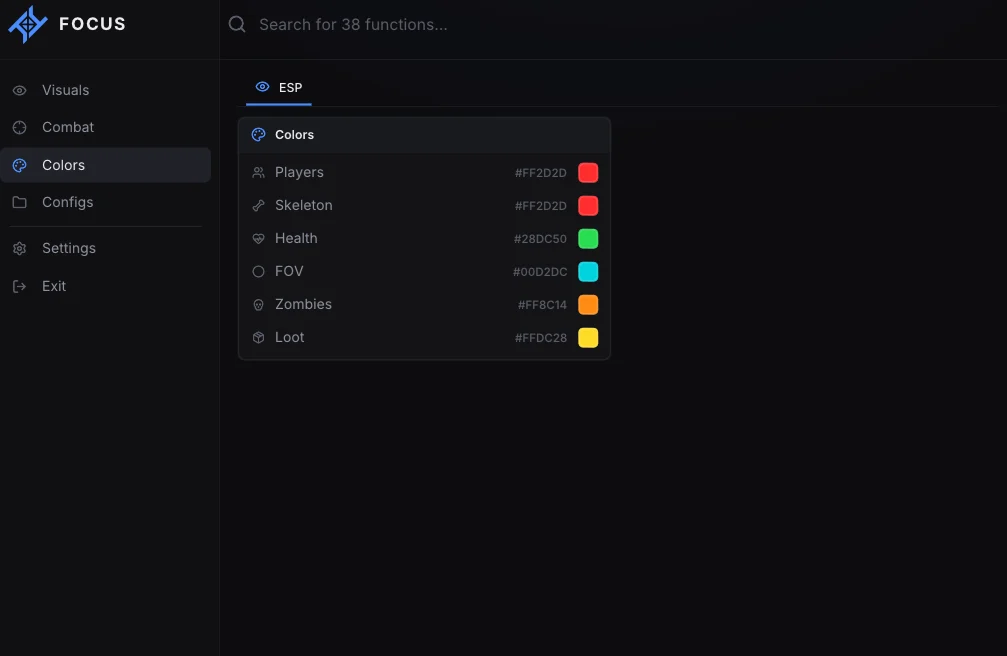
- Color of player boxes / player ESP. (Players)
- Color of player skeleton bones. (Skeleton)
- Color of health text. (Health)
- Color of the aim FOV circle. (FOV)
- Color of zombie ESP. (Zombies)
- Color of loot ESP. (Loot)
Menu settings
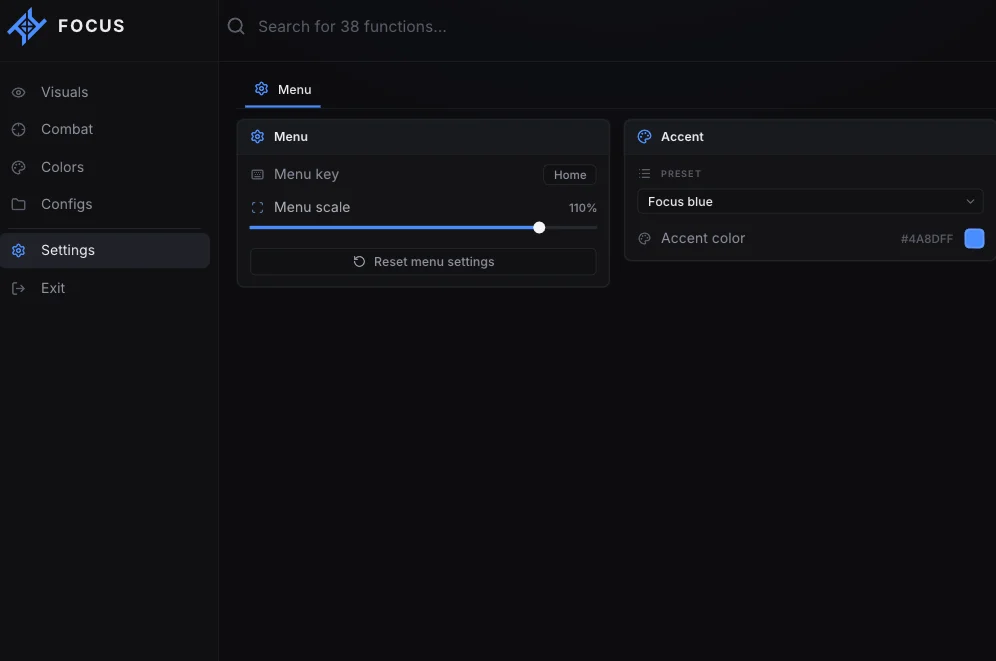
- Bind to open / close the menu. Default: Home. (Menu key)
- Range: 60% to 120%. Default: 100%. Scales the whole menu UI. (Menu scale)
- Button. Restores default menu scale / accent without wiping ESP configs. (Reset menu settings)
- Dropdown for menu accent. Focus blue; Violet; Cyan; Mint; Rose; Amber (Preset)
- Custom menu highlight color if you do not use a preset. (Accent color)
Configuration profiles
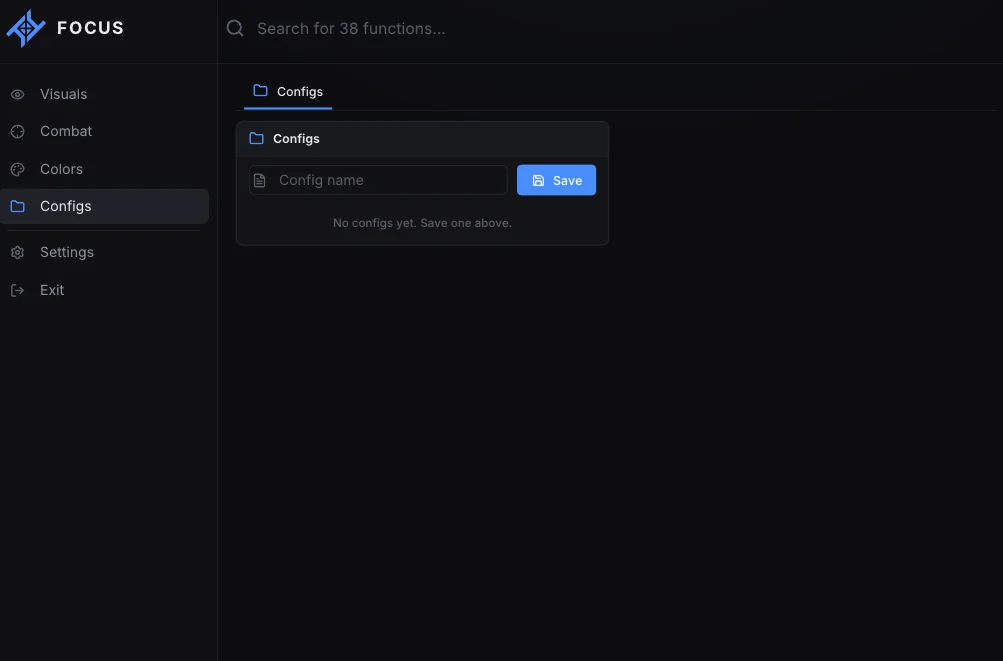
- Save, load, overwrite and delete .cfg profiles. Full menu + ESP + aim settings are stored per config. (Named configs)