Recommended
Buy private cheat Ghost Fortnite ESP
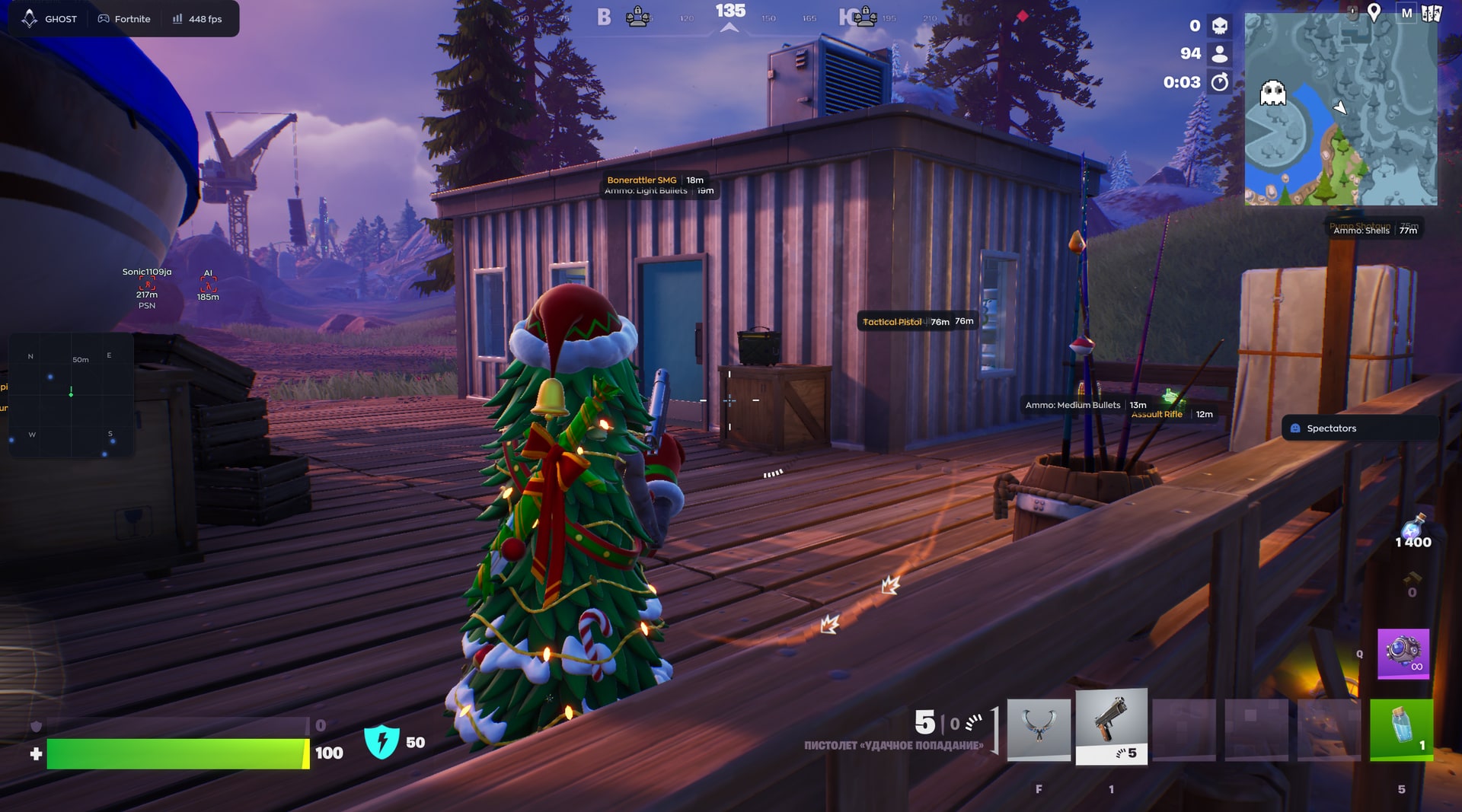
Private cheat Ghost Fortnite ESP — off-screen indicators, player ESP and visibility checks. Also included: player names and radar. Client: Epic Games.
Compatibility
- Processors
- Intel | AMD
- Operating systems
- Windows 10 | 11
- graphics card
- NVIDIA | AMD
- Game mode
- Windowed | Borderless
- Game clients
- Epic Games
Features
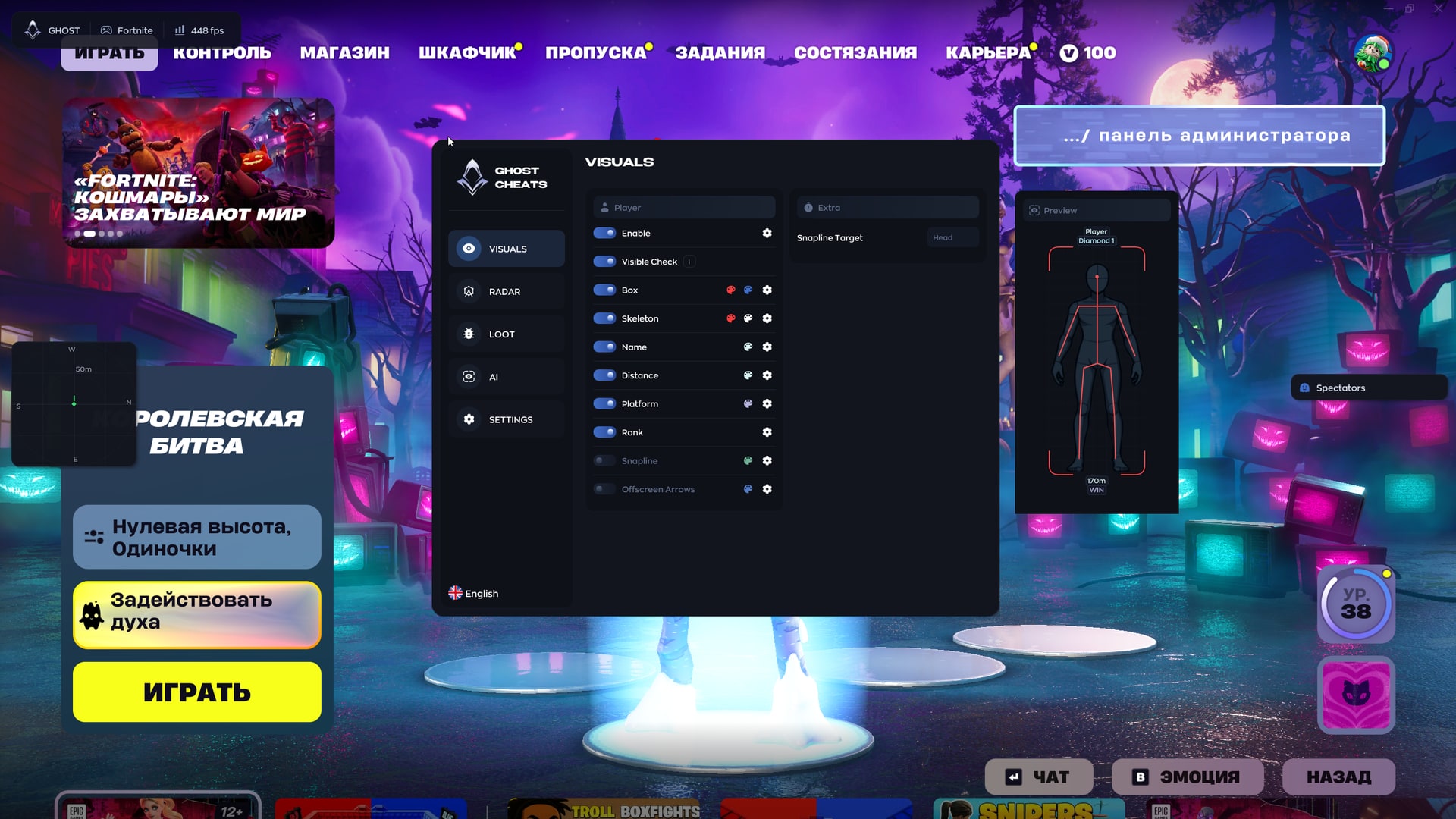
Player ESP
- Turn the feature on (Enable)
- Display information only for visible enemies (Visible Check)
- Draw a rectangle (box) around an enemy (Box)
- Display an enemy's skeleton (Skeleton)
- Show a player's nickname (Name)
- Show the distance to an enemy in meters (Distance)
- Show the platform the enemy is playing on (PC, console, etc.) (Platform)
- Show a player's rank/level (Rank)
Extra indicators
- A line extending from the bottom of the screen toward an enemy (SnapLine)
- Arrows indicating the direction of enemies located outside your field of view (Offscreen Arrows)
- A preview window showing how the visuals will appear on a player (Preview)
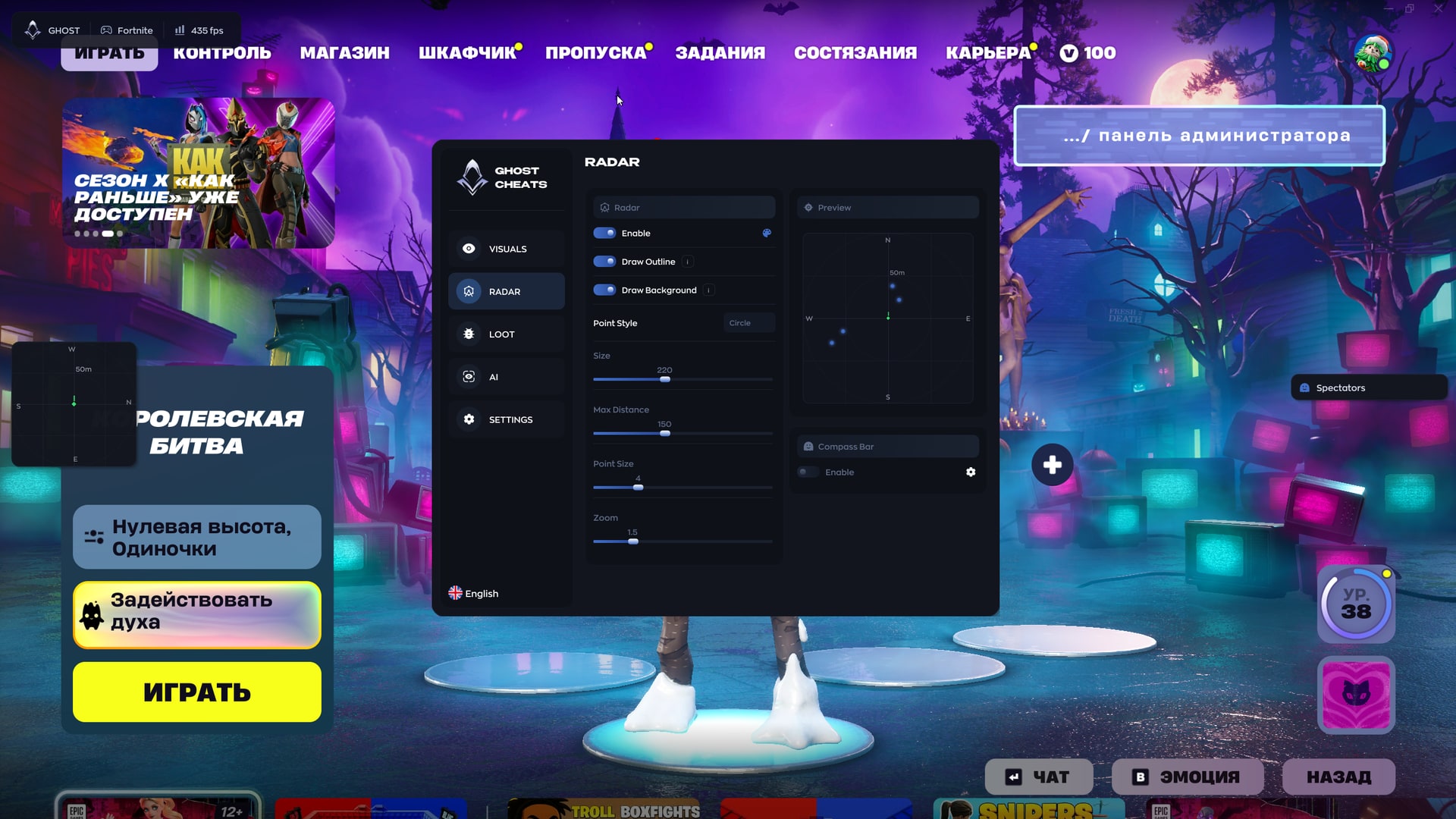
Radar
- Turn on the radar (Enable)
- Draw the radar outline (Draw Outline)
- Draw the radar background (Draw Background)
- Style for displaying points (Point Style)
- Size of the radar (Size)
- Maximum distance for displaying objects on the radar (Max Distance)
- Size of the points on the radar (Point Size)
- Radar zoom level (Zoom)
- Enable the compass (directional bar) within the radar (Compass Bar)
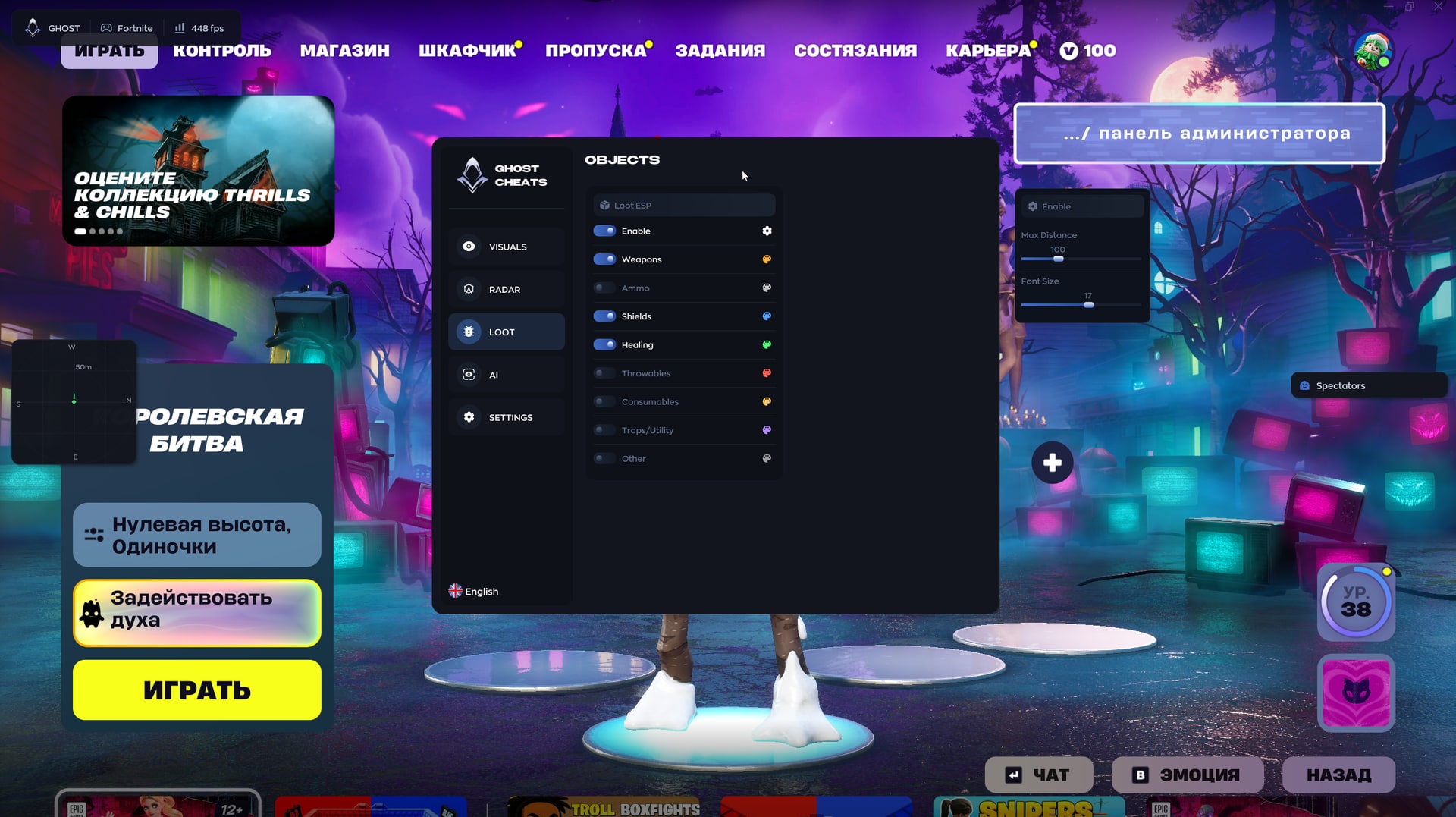
Loot
- Enable loot highlighting (Enable)
- Highlight weapons (Weapons)
- Highlight ammo (Ammo)
- Highlight shields (green/blue potions) (Shields)
- Highlight medkits and bandages (Healing)
- Highlight grenades and throwable items (Throwables)
- Highlight consumables (fish, bananas, etc.) (Consumables)
- Highlight traps and utility items (Traps/Utility)
- Highlight other items (Other)
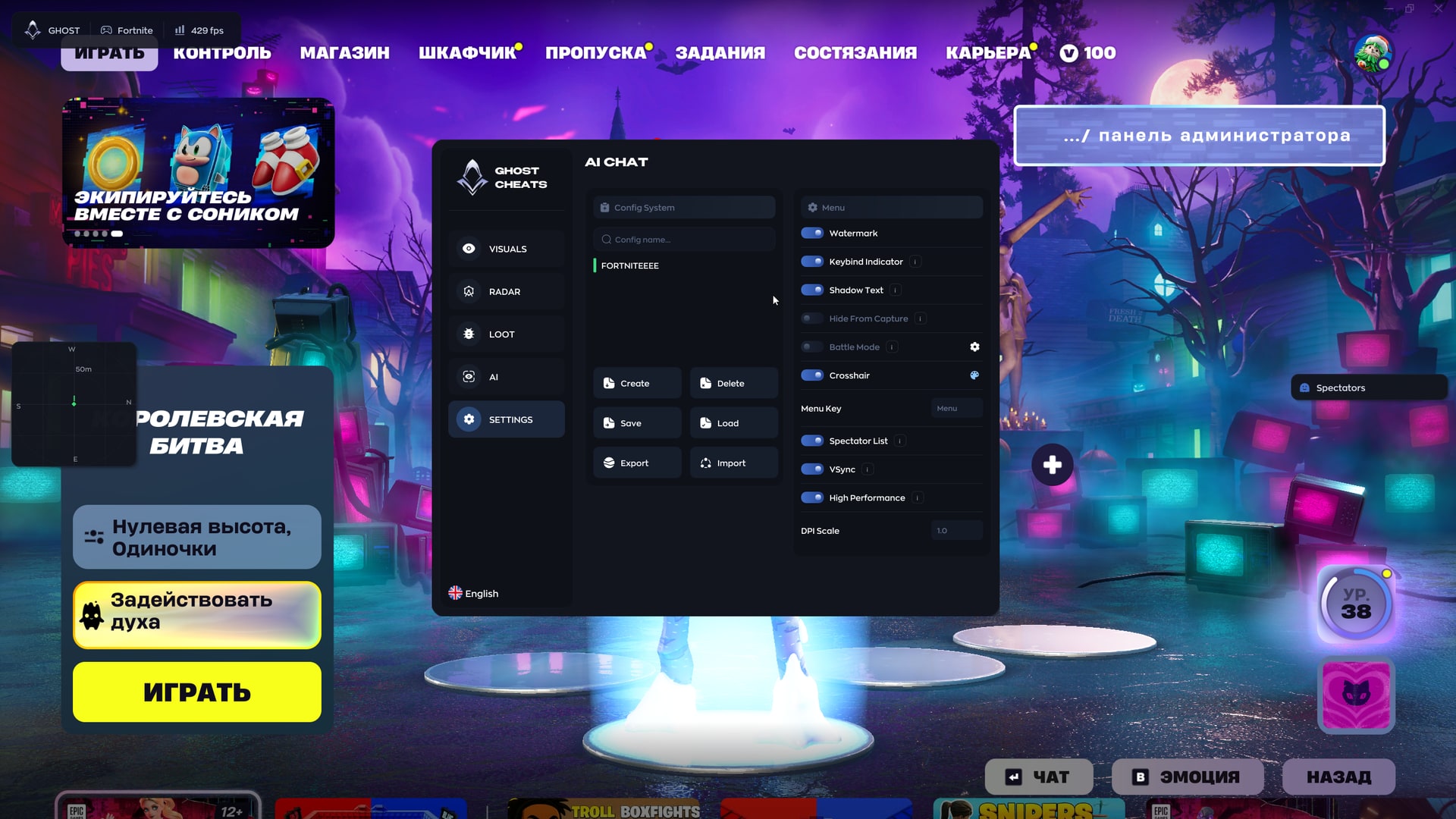
Configurations
- List of saved configurations (Config System)
- Create or delete a configuration (Create / Delete)
- Save or load settings (Save / Load)
- Export and import settings (for sharing with other users) (Export / Import)
Interface
- Display a cheat watermark on the screen (Watermark)
- Show an indicator for pressed keys (Keybind Indicator)
- Add a shadow to text (Shadow Text)
- Hide the cheat menu during screen recording, streaming, or when taking screenshots (Hide From Capture)
- Disable unnecessary features during combat (Battle Mode)
- Built-in crosshair (Crosshair)
- Key used to open the menu (default is "Menu") (Menu Key)
- List of spectators (those watching you) (Spectator List)
Performance
- Vertical synchronization (VSync)
- High-performance mode (High Performance)
- Scale the interface according to screen resolution (DPI Scale)
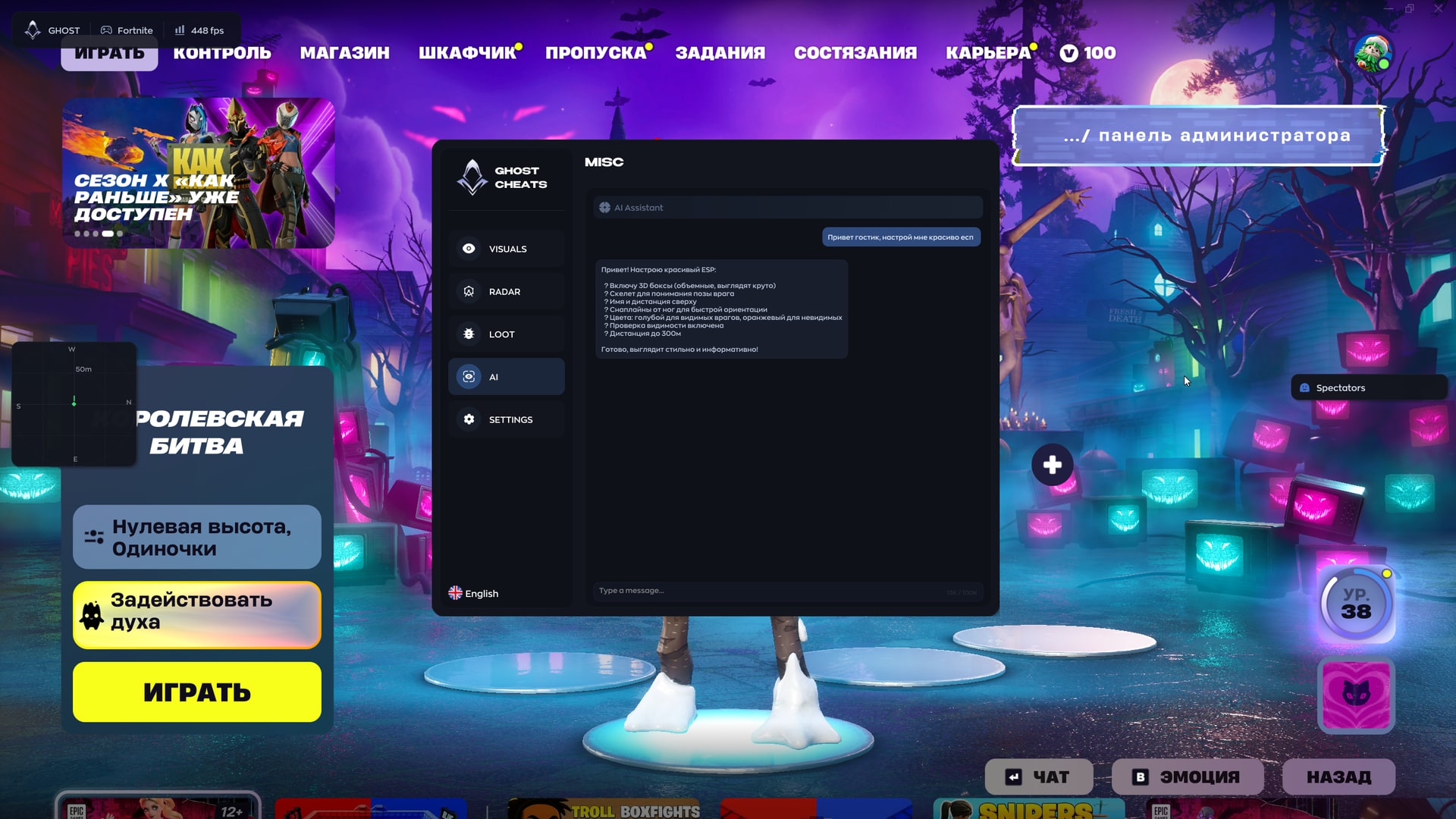
AI Assistant
- a chat window with a built-in AI that answers questions about cheat settings (AI Assistant)
Setup and launch
Check the launch procedure for this exact edition before activating the key.
Open launch guide