Buy private cheat Ghost WARDOGS ESP
Private cheat Ghost WARDOGS ESP — off-screen indicators, player ESP and player names. Also included: body display and zoom controls. Client: Steam.
Compatibility
- Processors
- INTEL | AMD
- Operating systems
- Windows 10 | 11 (1903-26H1)
- video card
- NVIDIA | AMD
- Game mode
- Windowed | Borderless
- Game clients
- Steam
- Built-in spoofer
- No
- flash drive
- Not required
Features
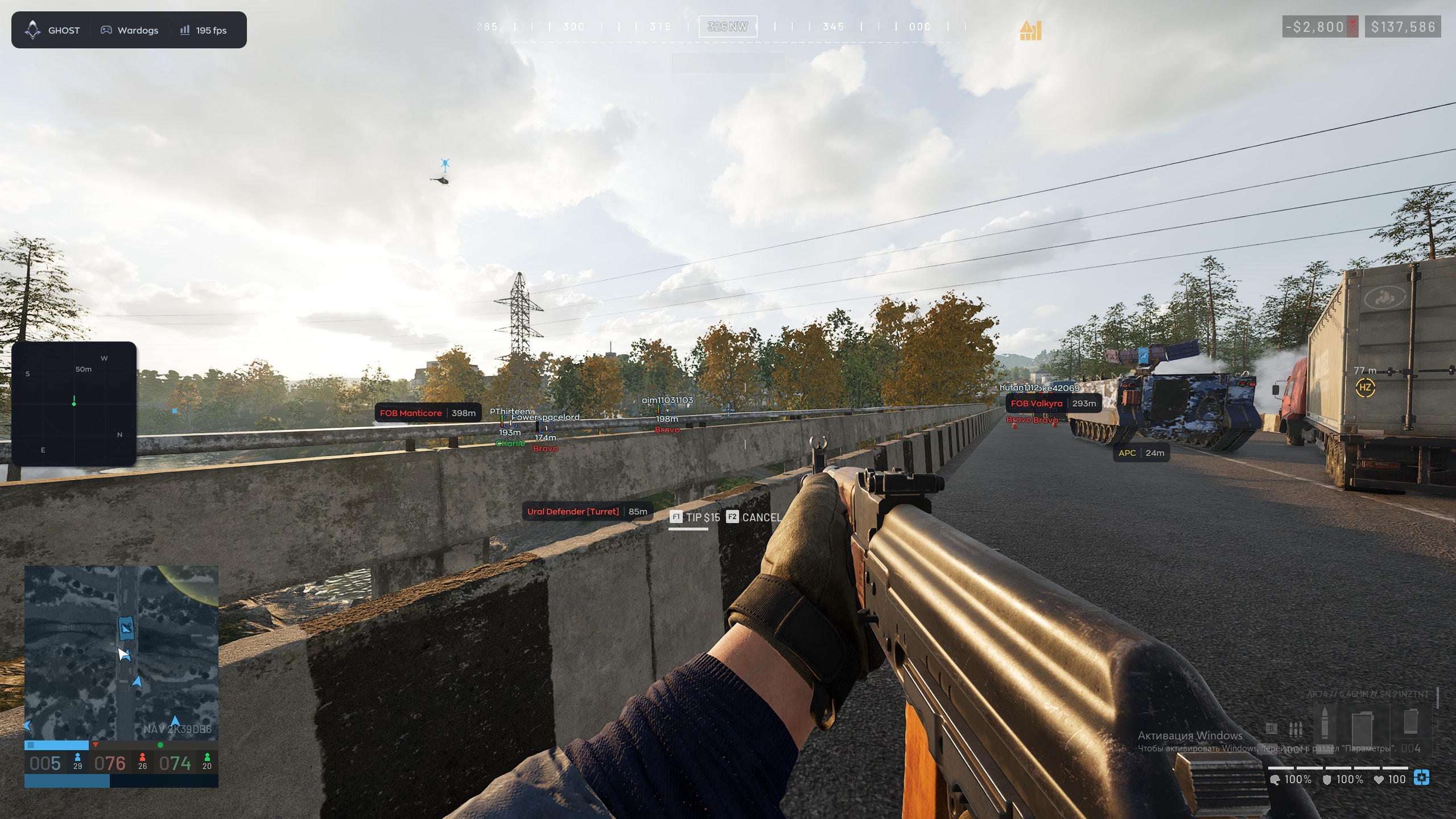
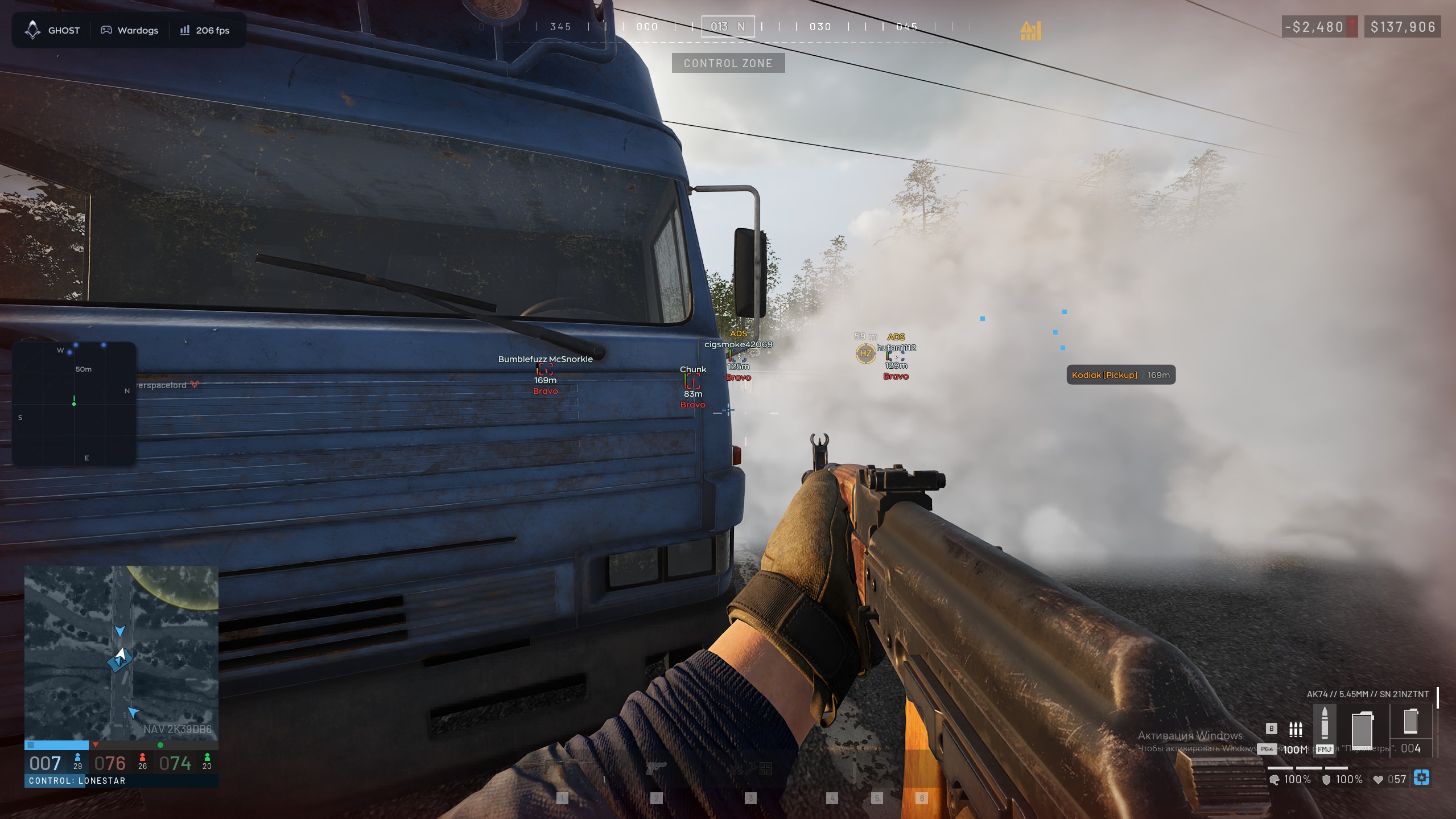
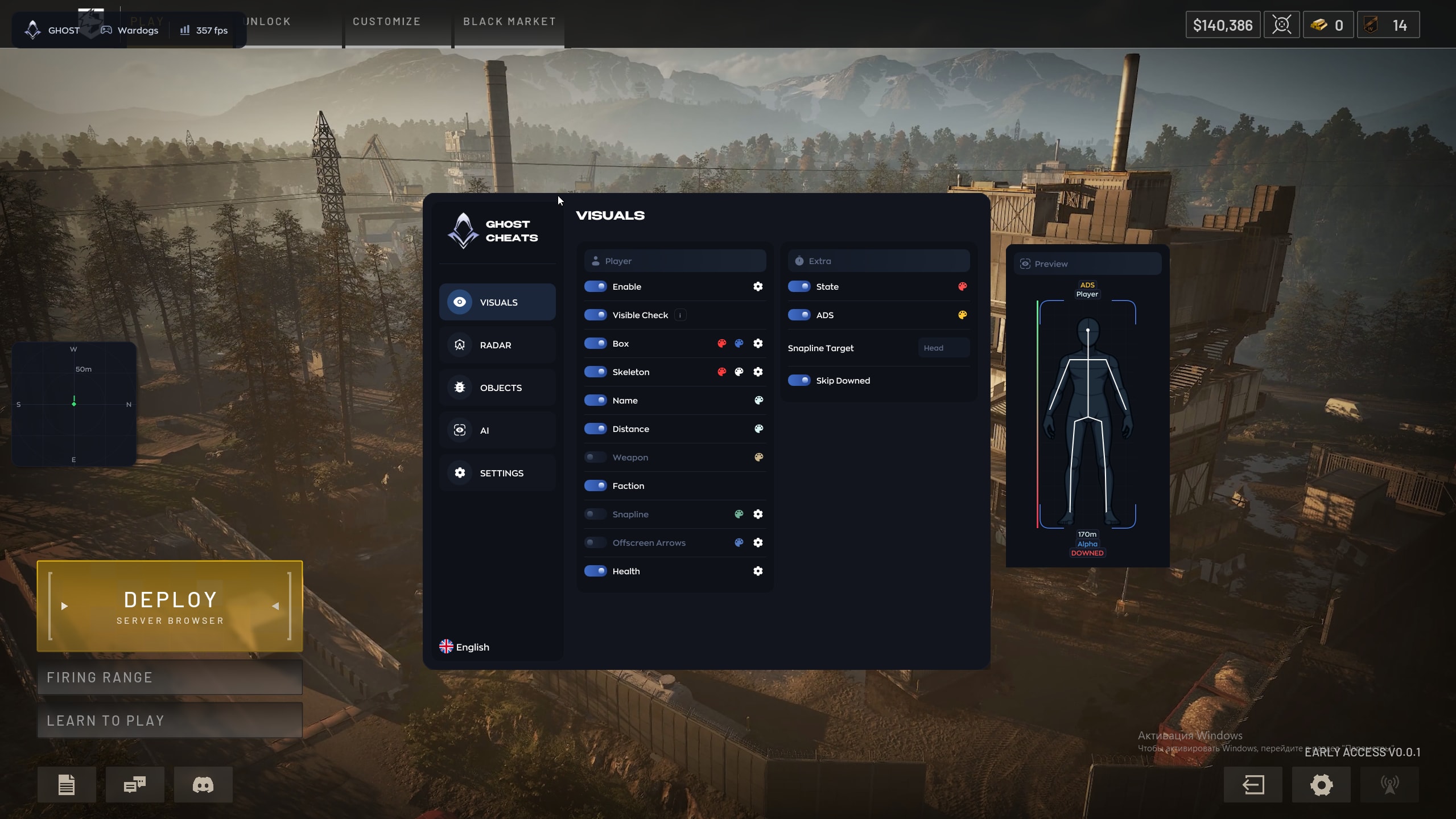
Player ESP
- Enable ESP
- Different colors for visible and occluded players (Visible Check)
- Player box (Box)
- Player skeleton (Skeleton)
- Player nickname (Name)
- Player distance (Distance)
- Current weapon (Weapon)
- Ally or enemy affiliation (Faction)
Player indicators
- Line from the screen center to a player (Snapline)
- Directions to offscreen enemies (Offscreen Arrows)
- Player health (Health)
- Player state: standing, prone or aiming (State)
- Aiming indicator (ADS)
- Select the snapline endpoint (Snapline Target)
- Hide downed players (Skip Downed)
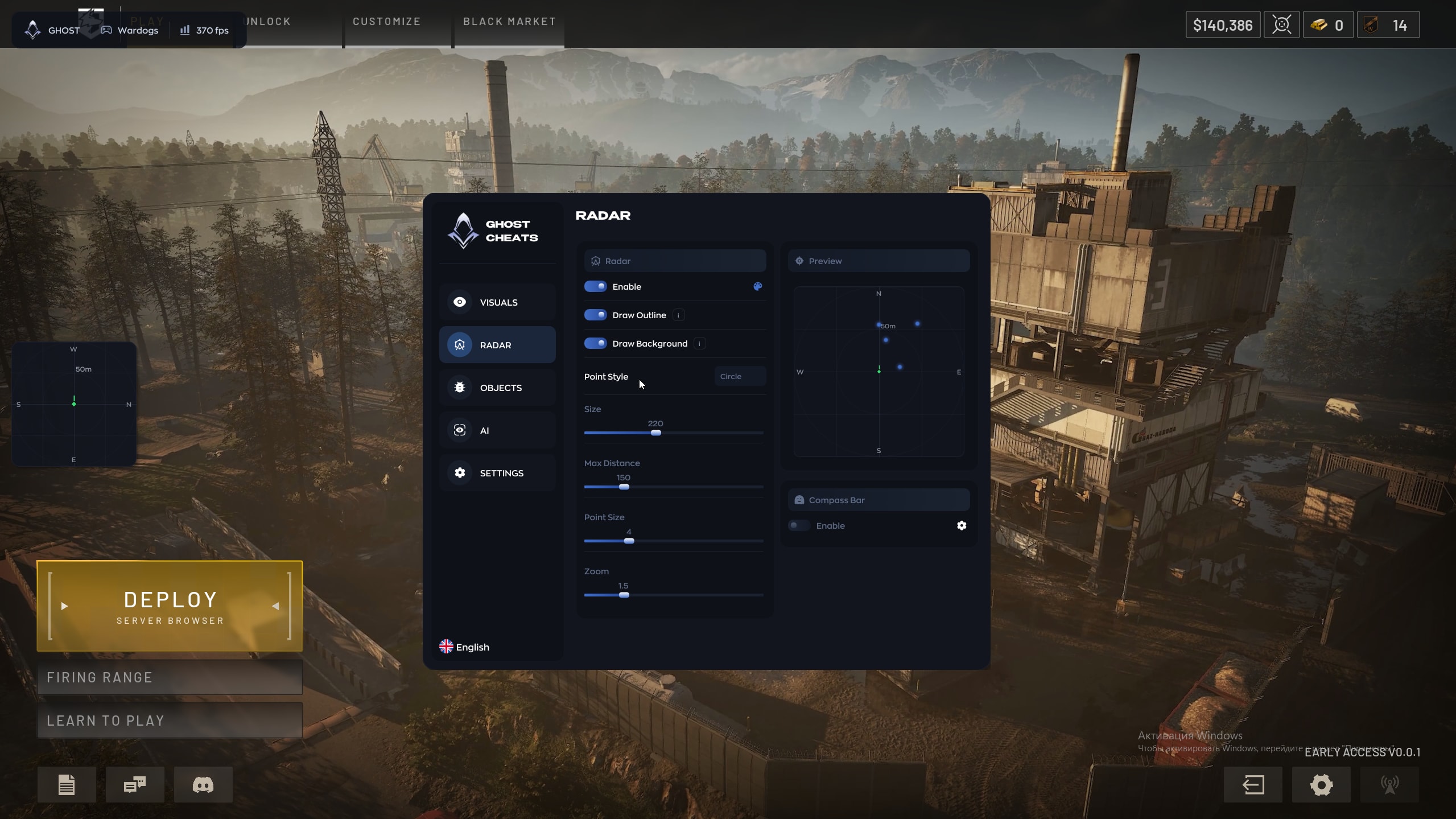
Radar
- Enable mini-radar
- Radar outline (Draw Outline)
- Radar background (Draw Background)
- Marker shape: circle or square (Point Style)
- Radar size (Size)
- Maximum distance (Max Distance)
- Marker size (Point Size)
- Radar zoom (Zoom)
- Compass bar (Compass Bar)
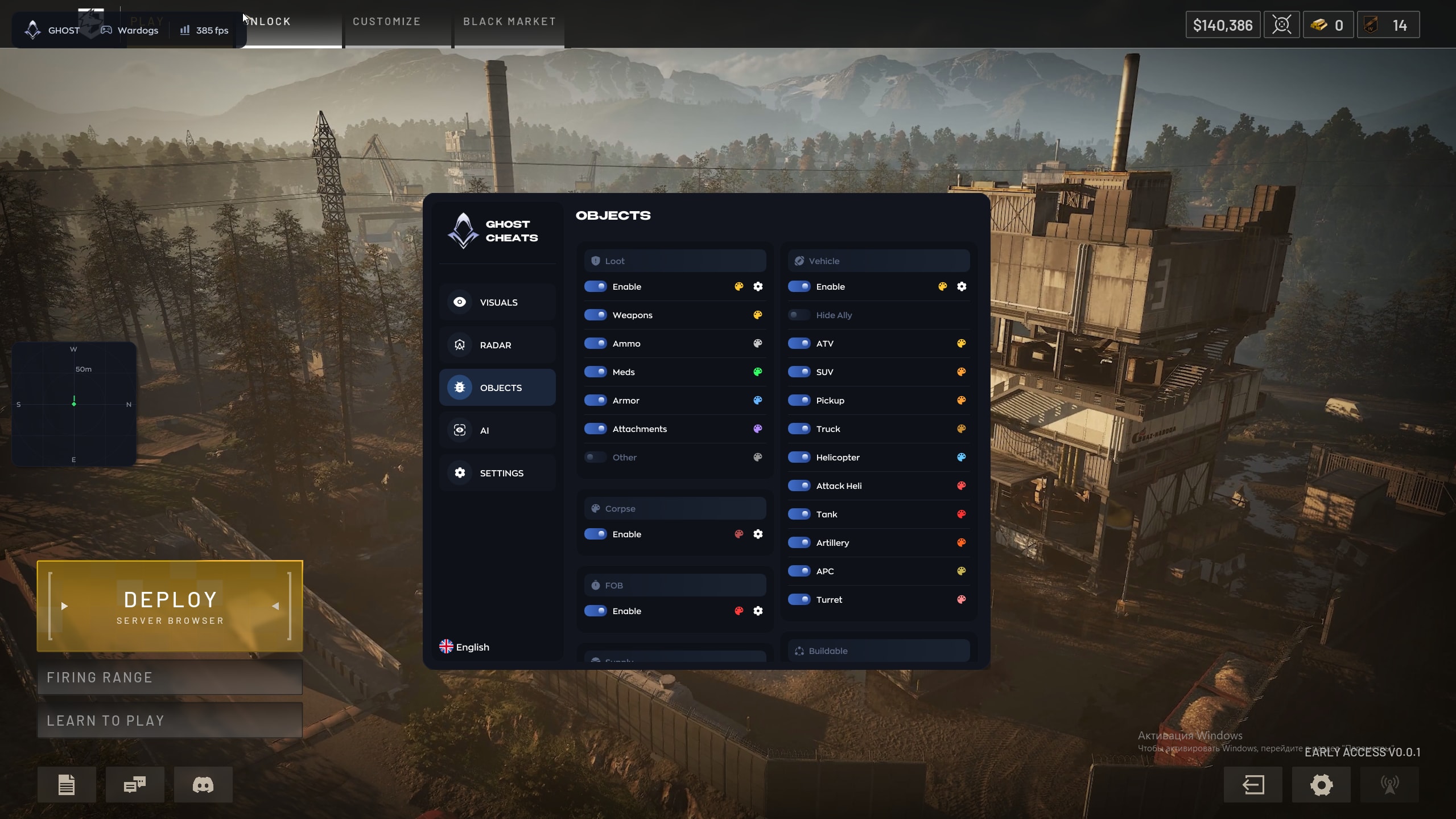
Loot
- Dropped items with name and distance (Loot ESP)
- Weapons
- Ammo and magazines
- Medical items (Meds)
- Armor
- Attachments
- Other items
Vehicles
- Vehicles with name and distance (Vehicle ESP)
- Hide allied vehicles (Hide Ally)
- ATVs
- SUVs
- Pickups
- Trucks
- Helicopters
- Attack helicopters
- Tanks
World objects
- Dead player bodies (Corpse ESP)
- Bases (FOB)
- Buildable objects
- Artillery
- Armored personnel carriers (APC)
- Turrets
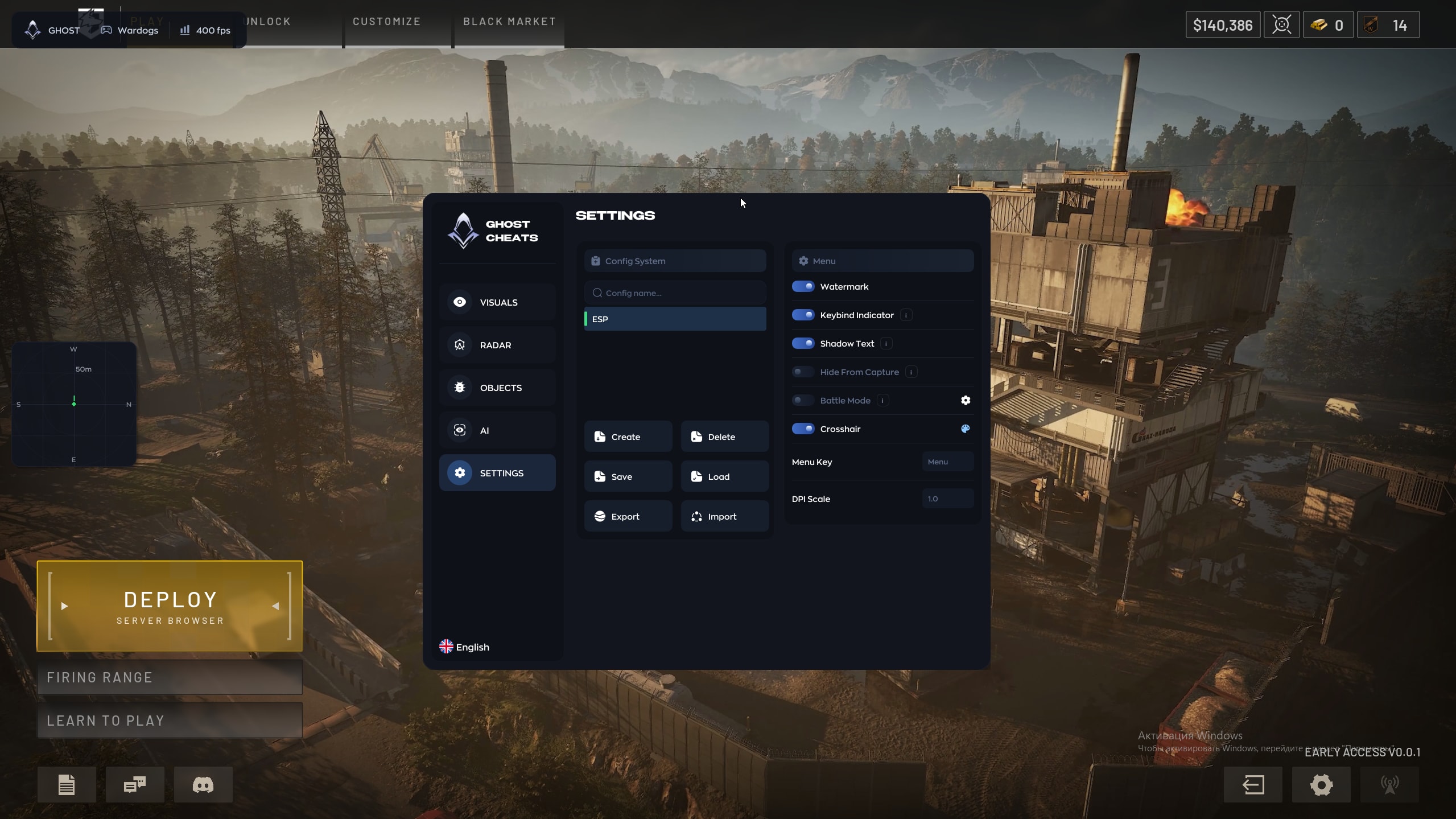
Configs
- Create a config
- Save a config
- Load a config
- Delete a config
- Export a config
- Import a config
Interface
- Watermark
- Hotkey panel (Keybind Indicator)
- Menu and ESP text shadow (Shadow Text)
- Battle Mode
- Custom crosshair (Crosshair)
- Menu toggle key (Menu Key)
- Interface scaling (DPI Scale)
- Hide From Capture
Setup and launch
Check the launch procedure for this exact edition before activating the key.
Open launch guide